

Focus To-Do App Review: Pomodoro Timer and Task Management Tool
Focus To-Do is a productivity app that combines Pomodoro Technique timers with task and time management features to help users improve focus and track productivity across devices.
- Best for
- Task Management
- Key capability
- Pomodoro Timer
Save Focus To-Do, follow its updates and vote on it — everything stays in your account.
Sign in or create a free account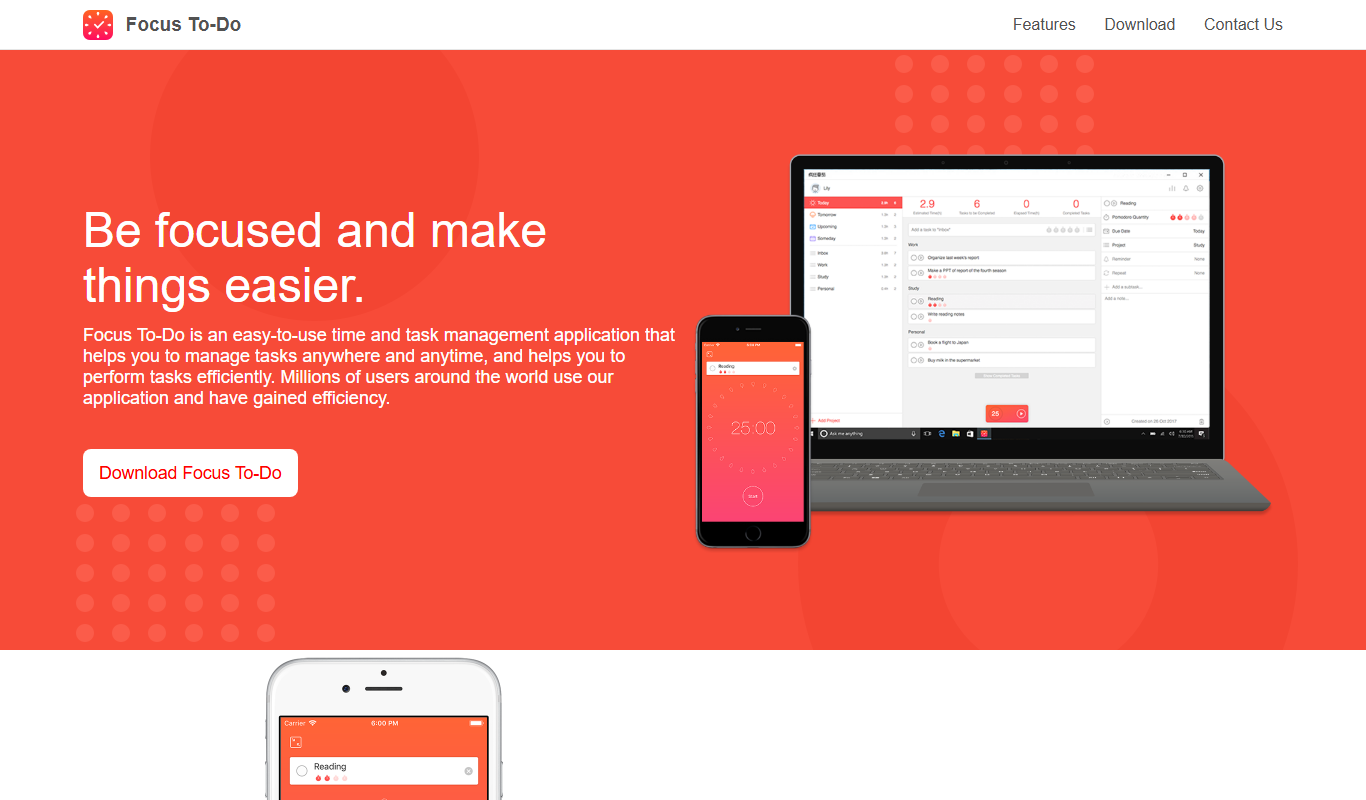
What is Focus To-Do?
Focus To-Do is a productivity app that combines task management with the Pomodoro Technique, helping users organize their work and maintain focus through timed work sessions and breaks. It integrates to-do lists, reminders, and time tracking to boost efficiency and reduce distractions.
Key features of Focus To-Do
The app offers a Pomodoro timer, task and project management, reminders, time tracking reports, and cross-platform synchronization to keep users productive across devices.
Pomodoro Timer
Customizable timer to implement the Pomodoro Technique with work and break intervals.
Task and Project Management
Organize tasks into projects with priorities, deadlines, and reminders.
Time Tracking and Reports
Automatic tracking of time spent on tasks with detailed productivity reports.
Cross-Platform Sync
Synchronize tasks and progress across web, mobile, and desktop devices.
Habit and Goal Tracking
Set recurring tasks and goals to build productive habits over time.
Pros and cons of Focus To-Do
Pros
- Integrates Pomodoro timer with task management
- Cross-platform availability with sync
- User-friendly interface with customizable timers
- Detailed productivity reports
- Supports habit and goal tracking
Cons
- Some advanced features require premium subscription
- Limited integrations with other productivity tools
- Interface can feel basic compared to specialized task managers
Key use cases for Focus To-Do
Task Management
Organize daily tasks and to-do lists with priorities and deadlines to improve productivity.
Pomodoro Technique
Use the Pomodoro timer to break work into focused intervals with scheduled breaks to enhance concentration.
Time Tracking
Track time spent on tasks and projects to analyze productivity and manage work hours effectively.
Goal Setting
Set and monitor personal or professional goals to stay motivated and measure progress.
Habit Building
Develop and maintain productive habits by scheduling recurring tasks and reminders.
How Focus To-Do works
- 1
Create Tasks
Add tasks with deadlines, priorities, and notes to your to-do list.
- 2
Start Pomodoro Timer
Begin a focused work session using the Pomodoro timer, typically 25 minutes long.
- 3
Take Breaks
After each Pomodoro session, take a short break to rest and recharge.
- 4
Track Progress
Review time spent on tasks and productivity reports to optimize your workflow.
Who is using Focus To-Do
Focus To-Do pricing
Free
$0/month
Basic task management and Pomodoro timer with limited features.
Premium
$3.99 for 3 months (App Store)
Access to advanced features like detailed reports, unlimited tasks, and cloud sync.
Lifetime Premium
$11.99 (App Store)
One-time Lifetime Premium purchase on the App Store.
Plans and prices are as published by the vendor and can change. Check the official site before you buy. Open the pricing page (opens in a new tab)
Frequently asked questions about Focus To-Do
Yes, Focus To-Do offers a free version with basic features and a premium subscription for advanced tools.
Yes, the app supports cross-platform synchronization across web, iOS, Android, Windows, and Mac.
Yes, it includes a customizable Pomodoro timer to help users work in focused intervals.
Yes, the app provides time tracking and detailed reports to analyze your work habits.
This tool is designed to help users accomplish its core tasks more efficiently. It is typically used by individuals or teams looking to improve productivity and workflow.
Yes, it can help with that use case depending on how you configure it and what features are available. You’ll get the best results with clear inputs and a defined goal.
Some tools offer a free plan or trial with limited features. Availability can vary, so confirm on the official website.
It depends on your specific needs and how you plan to use the tool. The official website and documentation are the best sources for the latest details.
Conclusion
Work runs in timed intervals: a task is created with a deadline, priority and notes, then a Pomodoro timer of typically 25 minutes runs before a short break. Time spent on tasks is tracked automatically and summarized in detailed productivity reports. Tasks can be organized into projects with reminders, and recurring tasks and goals support habit tracking.
Tasks and progress sync across web, iOS, Android, Windows and Mac. The app is aimed at students managing study sessions, freelancers tracking billable hours and remote workers seeking focus tools. Basic task management and the Pomodoro timer are free, and Premium on the App Store costs $3.99 for 3 months or $11.99 as a lifetime purchase.
Sources
Sign in to review this tool.
Sign In to ReviewNo reviews yet
Be the first to share how this tool worked for you.
Ask about pricing, limits, or how it compares — or answer someone else.
Sign In to AskNo questions yet
Have a question about using or paying for this tool? Be the first to ask.
Featured on TiorAI



Alternative Tools
Explore similar AI tools that might fit your needs
Forest
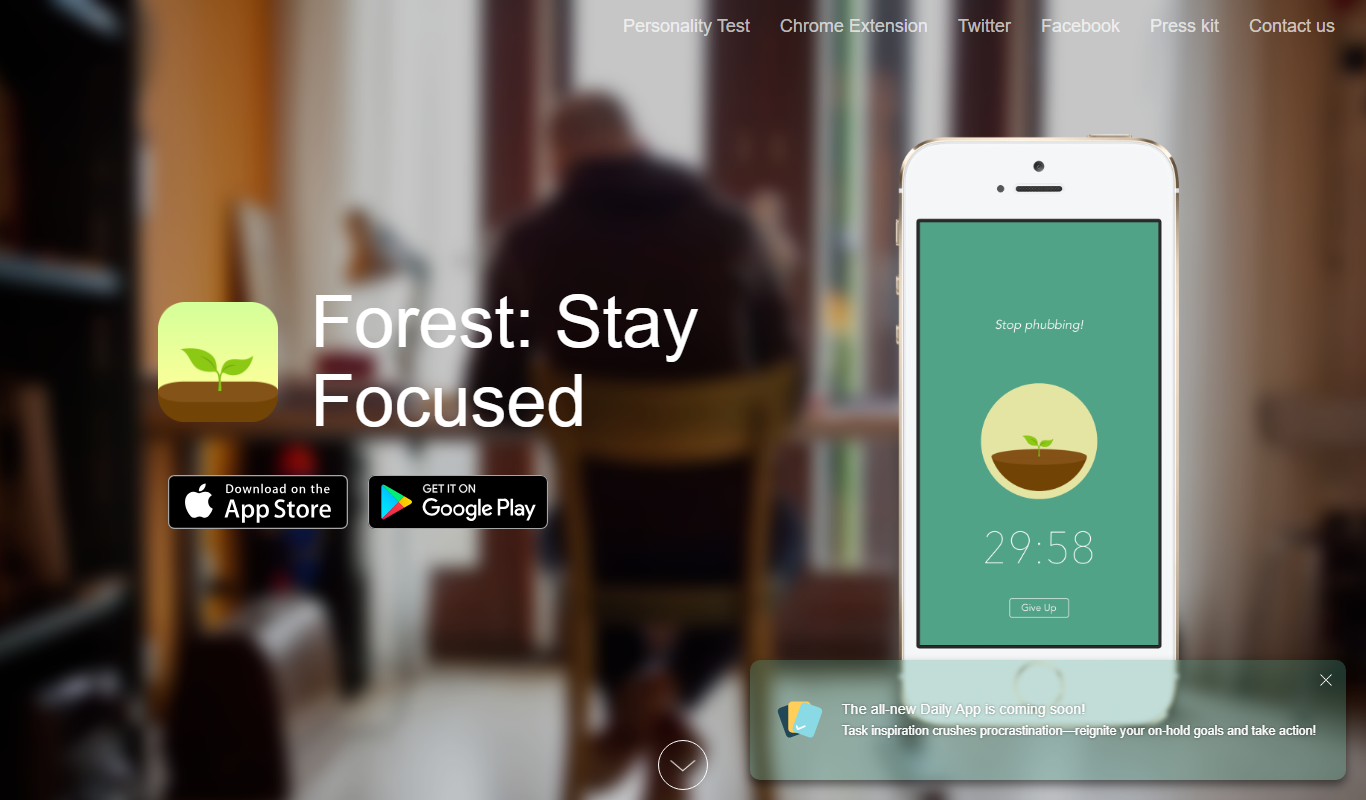
Forest is a productivity app that uses a gamified focus timer to help users stay concentrated by growing virtual trees during timed sessions, discouraging phone distractions.

Trello
Trello is a visual project management tool that helps teams organize tasks and workflows using boards, lists, and cards, with automation and integrations to enhance productivity.

Todoist
Todoist is a cross-platform task management app designed to help users organize tasks, set priorities, collaborate on projects, and track productivity efficiently.
More AI Workflow tools
Other tools in the same category, for when this one is not quite the fit.

Anomali
Anomali is a cybersecurity threat intelligence platform that aggregates and analyzes threat data to help organizations detect and respond to cyber threats efficiently.
Zuora
Zuora is a cloud-based subscription management platform that automates billing, revenue recognition, and subscription analytics for businesses with recurring revenue models.

Workflowy
Workflowy is a web-based outliner tool that helps users organize tasks, notes, and projects using infinite nested lists, tagging, and real-time collaboration.
Kerlink Wanesy Management Center
Kerlink Wanesy Management Center is a centralized platform designed to manage IoT networks and devices, primarily supporting LoRaWAN technology, offering real-time monitoring, device provisioning, and analytics.

Lightspeed POS
Lightspeed POS is a cloud-based point of sale system designed for retail and restaurant businesses, offering inventory management, ecommerce integration, and customer relationship tools.

AutoDS
AutoDS is a dropshipping automation tool that streamlines product imports, price and stock monitoring, and order fulfillment for eCommerce sellers.
LogicalDOC
LogicalDOC is an enterprise document management system that helps organizations organize, automate, and secure their digital documents with features like workflow automation, version control, and API integration.

FoodDocs
FoodDocs is an AI-powered food safety software that automates HACCP plan creation, digital checklists, and compliance monitoring to help food businesses maintain food safety standards efficiently.