

Continual Engine PREP - AI PDF and document accessibility remediation
Continual Engine provides AI-powered digital accessibility solutions, led by PREP software for PDF and document remediation plus accessibility APIs and services for images, video and websites.
- Best for
- PDF and document remediation
- Key capability
- PREP document remediation
Save Continual Engine (CE), follow its updates and vote on it — everything stays in your account.
Sign in or create a free account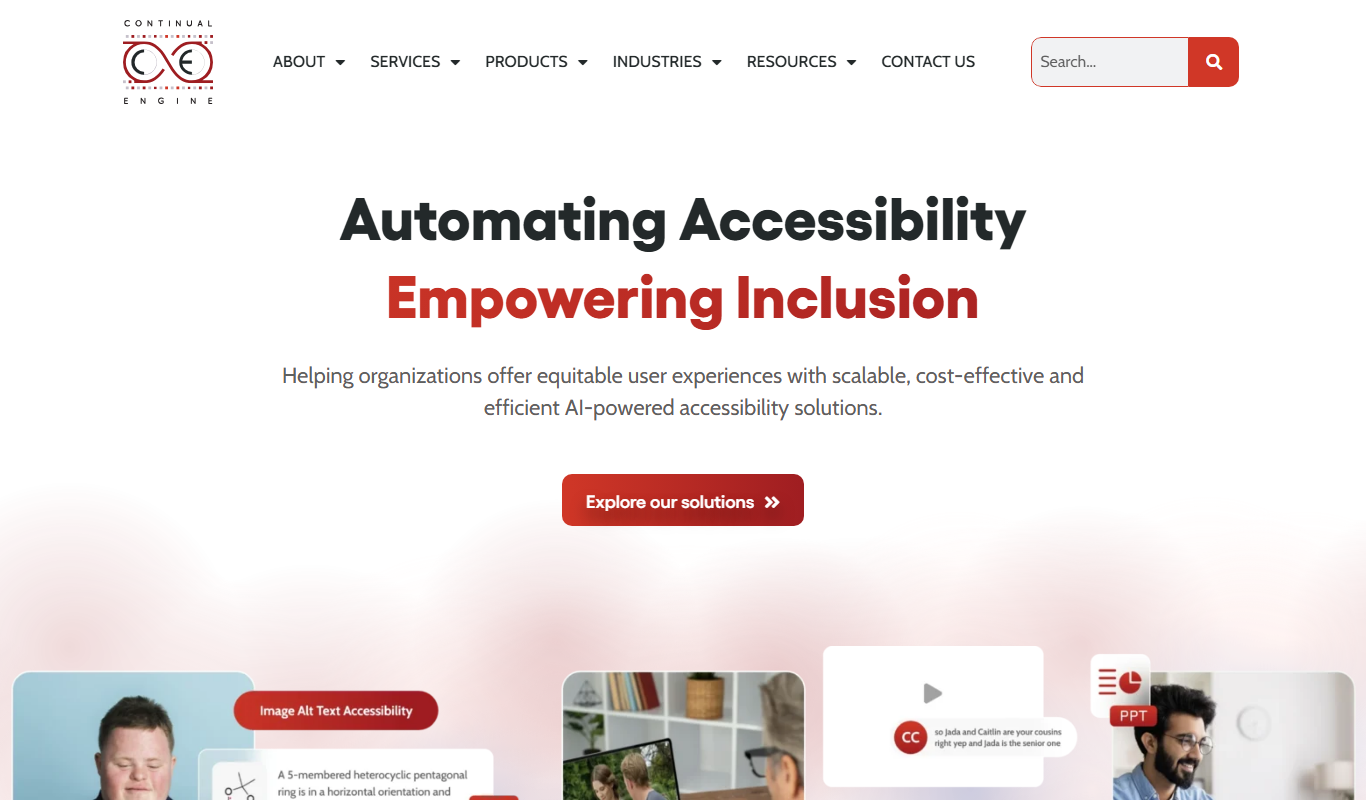
What is Continual Engine (CE)?
Continual Engine is a digital accessibility company that uses AI to make documents and digital content accessible. Its PREP software automates PDF and document remediation for Section 508, ADA Title II, PDF/UA and WCAG compliance, alongside accessibility APIs, alt text generation and accessibility services for video, courseware, presentations and websites.
Key features of Continual Engine (CE)
PREP automates PDF and document remediation, PREP Smart HTML converts PDFs into accessible HTML, and the PREP APIs include an Accessibility Checker API for bulk PDF accessibility validation and an Auto Tag API. Continual Engine also offers website accessibility and alt text tools and services for video and presentations.
PREP document remediation
Simplifies and accelerates PDF and document remediation for Section 508, ADA Title II, PDF/UA and WCAG compliance.
Built-in compliance checker
Checks documents against Section 508, WCAG 2.2, PDF U/A and ADA and generates AI-based alternate text for images, charts and graphs.
OCR for scanned documents
A built-in OCR mode recognizes documents with poor quality or complex structures.
PREP SmartHTML
Automatically converts website PDFs into accessible, screen-reader friendly HTML webpages at scale.
Accessibility APIs
Accessibility Checker API for bulk PDF accessibility validation and Auto Tag API for auto-tagging accessible PDFs.
Pros and cons of Continual Engine (CE)
Pros
- Built-in compliance checker for Section 508, WCAG 2.2, PDF U/A and ADA
- Integrates with platforms such as Canvas and D2L
- Customized training sessions for new users
Cons
- No public prices; pricing is customized per requirements
- The accessible HTML alternative is interim: the PDF itself still needs remediation
Key use cases for Continual Engine (CE)
PDF and document remediation
Automate remediation of PDFs, Word files, scanned pages and more.
Accessible HTML for website PDFs
Convert PDFs into accessible, screen-reader friendly HTML webpages at scale.
Image alt text
Generate high-quality alt text for diverse images across multiple disciplines.
Video accessibility
Closed captions, extended audio descriptions and transcripts for video.
PowerPoint accessibility
Automate accessibility for PowerPoint slides or presentations.
How Continual Engine (CE) works
- 1
Upload
Upload documents to PREP; multiple documents can be uploaded at once.
- 2
Review the tags
PREP applies tags automatically and the user reviews them.
- 3
Run the accessibility checker
Run the accessibility checker that checks against the leading standards.
- 4
Export
Export the remediated document.
- 5
Team collaboration
Templatize document tagging, track your department’s progress and collaborate with teammates.
Who is using Continual Engine (CE)
Continual Engine (CE) pricing
Custom pricing
Contact for pricing
Customized pricing per requirements, set after a demo and a discussion of the licenses needed.
Plans and prices are as published by the vendor and can change. Check the official site before you buy. Open the pricing page (opens in a new tab)
Frequently asked questions about Continual Engine (CE)
PREP is the document remediation software from Continual Engine that simplifies and accelerates PDF and document remediation for Section 508, ADA Title II, PDF/UA and WCAG compliance.
Yes. PREP can be integrated with existing workflows and content management platforms like Canvas and D2L.
Pricing is customized per your requirements; Continual Engine asks buyers to contact it for a quote.
Contact the team, which schedules a brief demo and gathers details about the licenses you need; the next step is signing the contract.
Yes. PREP has a built-in OCR mode for documents with poor quality or complex structures.
No. An HTML alternative does not resolve the accessibility challenge at the file level; the PDF itself still needs to meet accessibility standards.
Conclusion
Accessibility compliance for documents is the core job: PREP, the company’s remediation software, automates the tagging of PDFs and other documents so they can meet Section 508, ADA Title II, PDF/UA and WCAG requirements. A user uploads a file, reviews the tags, runs the built-in accessibility checker and exports the result, while an OCR mode handles scanned or poor-quality documents. PREP SmartHTML offers an interim route by serving accessible HTML versions of a website’s PDFs, though the company notes that the PDF itself still needs remediation.
Beyond PREP, Continual Engine sells APIs for accessibility checks, auto-tagging and image alt text, plus services for video captioning and PowerPoint and website accessibility. The solutions are aimed at educational institutions, publishers and municipalities as well as financial institutions. Prices are not published: buyers request a demo, agree on the licenses they need and sign a contract, with customized training sessions included.
Sources
Sign in to review this tool.
Sign In to ReviewNo reviews yet
Be the first to share how this tool worked for you.
Ask about pricing, limits, or how it compares — or answer someone else.
Sign In to AskNo questions yet
Have a question about using or paying for this tool? Be the first to ask.
Featured on TiorAI



Alternative Tools
Explore similar AI tools that might fit your needs

MLflow
MLflow is an open source platform that manages the machine learning lifecycle by providing tools for experiment tracking, model packaging, registry, and deployment.