

CMS NPI Registry Database Search Tool for Healthcare Provider Identification
The CMS NPI Registry is a free online database maintained by the Centers for Medicare & Medicaid Services that allows users to search and verify healthcare providers using their National Provider Identifier (NPI) number or other identifying information.
- Best for
- Healthcare Provider Identification
- Key capability
- Comprehensive Provider Database
Save CMS NPI Registry, follow its updates and vote on it — everything stays in your account.
Sign in or create a free account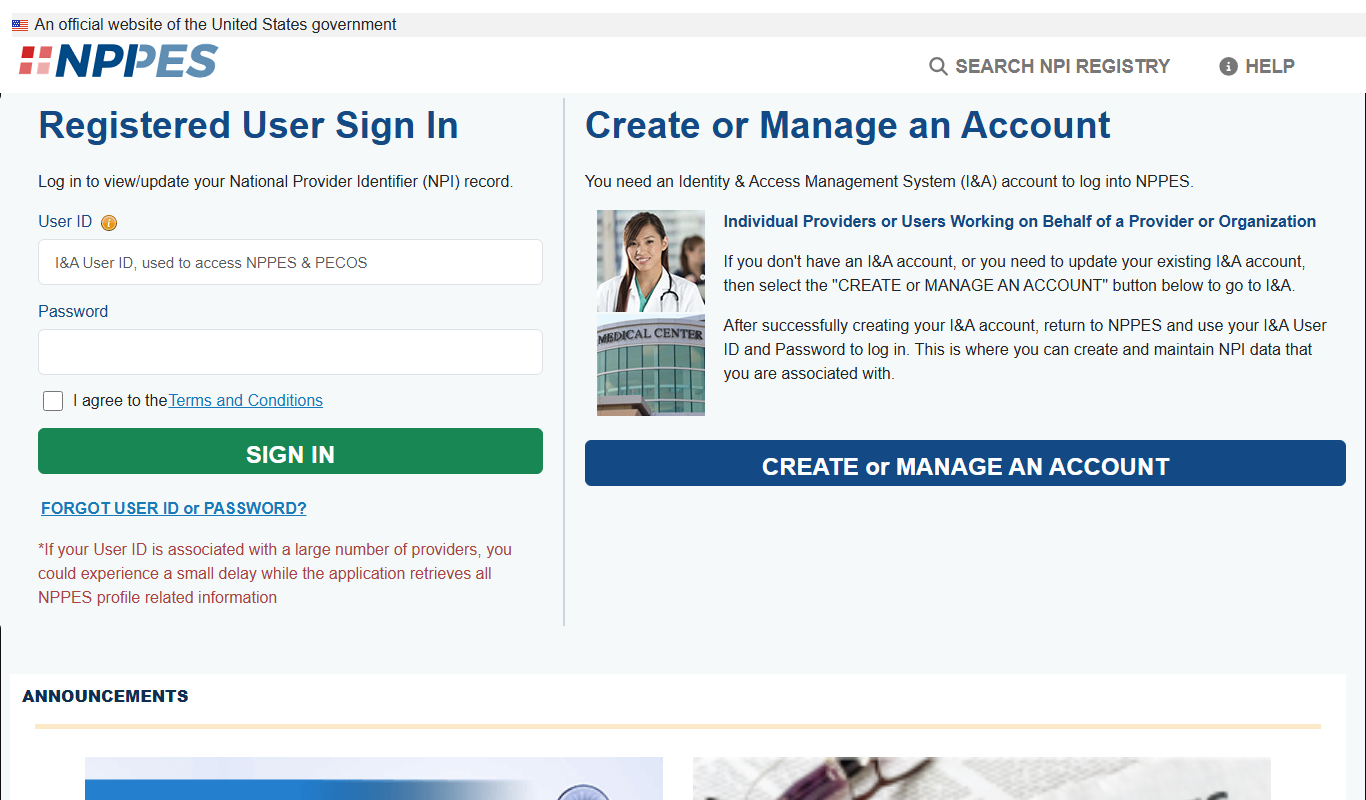
What is CMS NPI Registry?
The CMS NPI Registry is an official online database maintained by the Centers for Medicare & Medicaid Services. It provides free public access to the National Provider Identifier (NPI) database, which contains information about healthcare providers registered in the United States. The tool allows users to search for providers by NPI number, name, or other criteria to verify identities and credentials.
Key features of CMS NPI Registry
The registry offers a searchable interface to access detailed provider information, including practice location, taxonomy codes, and enumeration dates. It is designed to support healthcare organizations, insurers, and the public in verifying provider data for billing, compliance, and research purposes.
Comprehensive Provider Database
Includes all healthcare providers registered with an NPI in the United States.
Free Public Access
No cost to search or retrieve provider information.
Search by Multiple Criteria
Supports searches by NPI number, provider name, taxonomy, and location.
Up-to-Date Information
Regularly updated to reflect current provider status and details.
Pros and cons of CMS NPI Registry
Pros
- Free and publicly accessible
- Comprehensive and authoritative data
- Supports multiple search criteria
- Regularly updated for accuracy
Cons
- Limited to U.S. healthcare providers
- Interface is functional but not modernized
- No advanced analytics or AI features
Key use cases for CMS NPI Registry
Healthcare Provider Identification
Allows users to search and verify healthcare providers using their National Provider Identifier (NPI) number or other identifying information.
Credential Verification
Enables organizations and individuals to confirm the credentials and practice details of healthcare professionals.
Data Access for Billing and Compliance
Supports medical billing, insurance claims processing, and regulatory compliance by providing accurate provider information.
Research and Analytics
Facilitates healthcare research and analytics by providing access to a comprehensive database of providers.
How CMS NPI Registry works
- 1
Access the Website
Navigate to the official CMS NPI Registry website to begin your search.
- 2
Enter Search Criteria
Input the provider’s NPI number, name, or other identifying details into the search form.
- 3
Review Search Results
Browse the list of matching providers and select the correct entry to view detailed information.
- 4
Use Provider Information
Utilize the verified data for billing, credentialing, or research as needed.
Who is using CMS NPI Registry
CMS NPI Registry pricing
Free
$0
Full access to the NPI Registry database with no subscription or fees.
Plans and prices are as published by the vendor and can change. Check the official site before you buy. Open the pricing page (opens in a new tab)
Frequently asked questions about CMS NPI Registry
An NPI (National Provider Identifier) is a unique 10-digit identification number assigned to healthcare providers in the United States.
The Centers for Medicare & Medicaid Services (CMS) maintains the NPI Registry.
Yes, the registry is publicly accessible and free to use.
The database is updated regularly to ensure current and accurate provider information.
It depends on your specific needs and how you plan to use the tool. The official website and documentation are the best sources for the latest details.
Some tools offer a free plan or trial with limited features. Availability can vary, so confirm on the official website.
Yes, it can help with that use case depending on how you configure it and what features are available. You’ll get the best results with clear inputs and a defined goal.
It depends on your specific needs and how you plan to use the tool. The official website and documentation are the best sources for the latest details.
Conclusion
A search in the CMS NPI Registry starts from a provider’s NPI number, name or other identifying details, and selecting the matching entry shows details such as practice location, taxonomy codes and enumeration dates. An NPI is a unique 10-digit identification number assigned to healthcare providers in the United States, and the Centers for Medicare & Medicaid Services maintains the registry. Searches can also be run by taxonomy and location.
Access is public and free, with no subscription or fees. It is designed for healthcare organizations, medical billing professionals, insurance companies and credentialing departments that confirm provider credentials for billing and compliance. Coverage is limited to U.S. healthcare providers, and the interface is functional but not modernized.
Sources
Sign in to review this tool.
Sign In to ReviewNo reviews yet
Be the first to share how this tool worked for you.
Ask about pricing, limits, or how it compares — or answer someone else.
Sign In to AskNo questions yet
Have a question about using or paying for this tool? Be the first to ask.
Featured on TiorAI



More AI Customer Service tools
Other tools in the same category, for when this one is not quite the fit.

CalorieMama
CalorieMama is an AI-driven app that helps users track calories and nutrition by recognizing foods from photos, making diet management easier and more accurate.

Grip
Grip is an AI-driven virtual event platform that facilitates personalized networking and engagement through AI matchmaking, personalized agendas, and interactive sessions for virtual and hybrid events.
GoGuardian
GoGuardian is an education technology platform that helps K-12 schools monitor student activity, manage classrooms, and ensure online safety through AI-powered tools and real-time device monitoring.

MoneyGuidePro
MoneyGuidePro is a financial planning software that helps advisors create personalized, goal-based financial plans with interactive tools for retirement and wealth management.

Nutrium
Nutrium is a nutrition software platform that helps dietitians and health professionals manage clients, create personalized meal plans, analyze nutrition data, and conduct remote consultations.

AiCure
AiCure is an AI-powered platform that remotely monitors patient medication adherence using video confirmation, primarily for clinical trials and healthcare providers.

OptinMonster
OptinMonster is a lead generation software that helps websites convert visitors into subscribers and customers using popups, exit-intent triggers, and targeted campaigns integrated with email marketing services.

LifeLock
LifeLock is a subscription-based service offering identity theft protection, credit monitoring, fraud alerts, and identity restoration support to help users safeguard their personal information.