

Bill.com Automated Accounts Payable and Receivable Software for Businesses
Bill.com is a cloud-based platform that automates accounts payable and receivable workflows, enabling businesses to process invoices, approve payments, and sync with accounting software efficiently.
- Best for
- Automated Invoice Processing
- Key capability
- Invoice Automation
Save Bill.com, follow its updates and vote on it — everything stays in your account.
Sign in or create a free account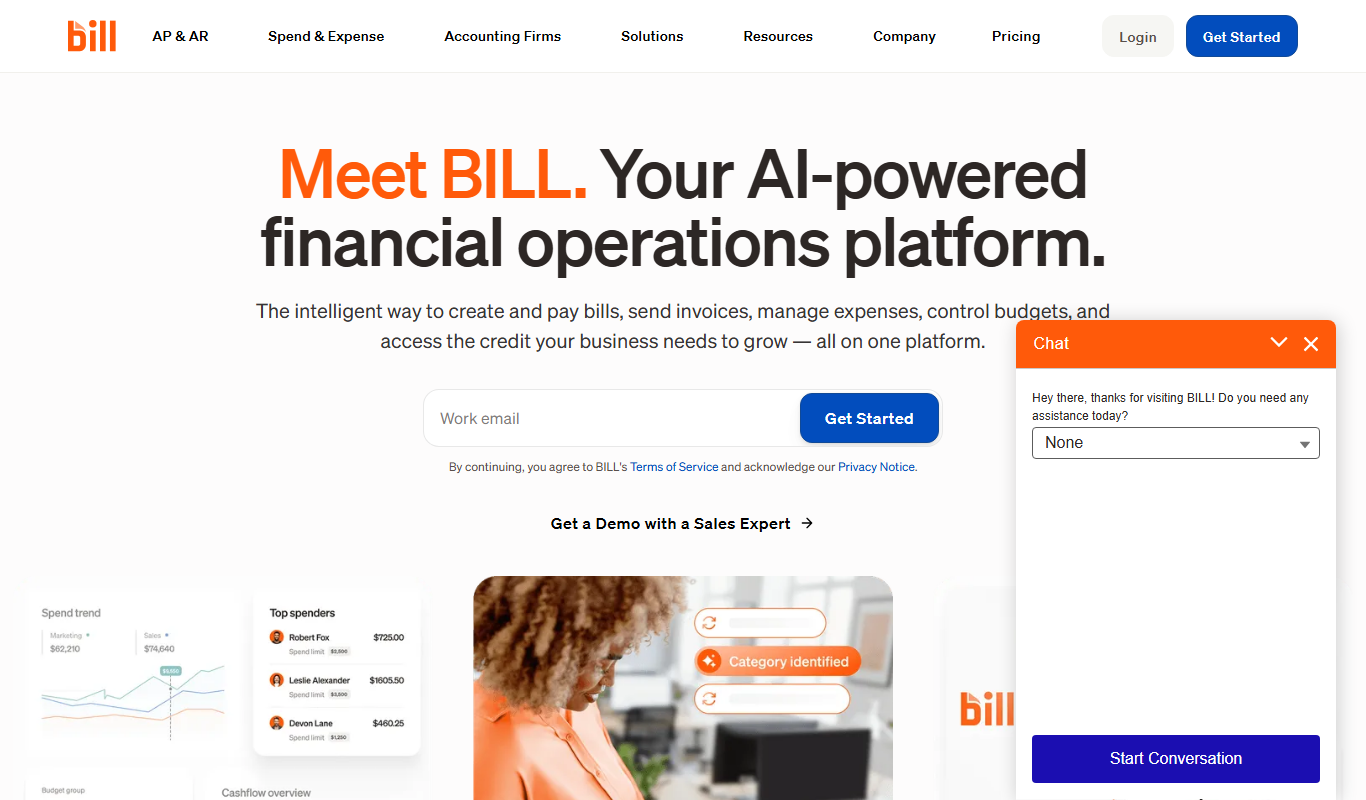
What is Bill.com?
Bill.com is a cloud-based financial automation platform that simplifies and automates accounts payable and receivable processes for businesses. It enables companies to digitize invoice processing, automate payment workflows, and integrate with accounting software to improve efficiency and reduce errors in financial operations.
Key features of Bill.com
Bill.com offers features such as automated invoice capture, customizable approval workflows, electronic payments, vendor management, and integration with major accounting systems. Its platform enhances financial workflow automation, reduces manual data entry, and provides visibility into cash flow.
Invoice Automation
Automatically capture invoice data and route for approval to accelerate processing times.
Electronic Payments
Make secure payments via ACH, virtual card, or paper checks directly from the platform.
Approval Workflows
Customizable multi-level approval processes to maintain control and compliance.
Accounting Integrations
Sync transactions and vendor data with QuickBooks, Xero, NetSuite, and other accounting systems.
Cash Flow Management
Real-time dashboards and reports to monitor payables, receivables, and overall cash position.
Pros and cons of Bill.com
Pros
- Streamlines accounts payable and receivable processes
- Integrates with major accounting software
- Supports multiple electronic payment methods
- Customizable approval workflows enhance control
- Improves cash flow visibility and reporting
Cons
- May have a learning curve for complex workflow setup
- Limited language support (English only)
Key use cases for Bill.com
Automated Invoice Processing
Streamline accounts payable by automating invoice capture, approval workflows, and payment scheduling.
Payment Management
Manage outgoing and incoming payments electronically to vendors and customers with secure ACH, check, and card payments.
Financial Workflow Automation
Automate approval routing, document management, and reconciliation to reduce manual accounting tasks.
Integration with Accounting Software
Sync data seamlessly with popular accounting platforms like QuickBooks, Xero, and NetSuite for accurate bookkeeping.
Cash Flow Visibility
Gain real-time insights into payables and receivables to improve cash flow forecasting and financial decision-making.
How Bill.com works
- 1
Sign Up and Connect Accounting Software
Create a Bill.com account and link it to your existing accounting software for seamless data synchronization.
- 2
Upload or Receive Invoices
Invoices can be uploaded manually, emailed, or received electronically for automatic processing.
- 3
Set Approval Workflows
Configure custom approval chains to ensure invoices and payments are reviewed and authorized appropriately.
- 4
Schedule and Make Payments
Pay vendors electronically via ACH, virtual card, or check, with automated scheduling and tracking.
- 5
Reconcile and Report
Transactions sync back to accounting software for reconciliation and provide reporting dashboards for financial insights.
Who is using Bill.com
Bill.com pricing
Essentials
$49/user/month
AP and AR plan with bill entry, approval workflows and ACH or card payments; accounting sync via manual CSV import/export.
Team
$65/user/month
More granular AP and AR controls with automatic 2-way sync with leading accounting software.
Corporate
$89/user/month
Additional customization to manage AP, AR, and Procurement in one place.
Plans and prices are as published by the vendor and can change. Check the official site before you buy. Open the pricing page (opens in a new tab)
Frequently asked questions about Bill.com
Yes, Bill.com integrates with popular accounting platforms such as QuickBooks, Xero, and NetSuite to ensure seamless data flow.
Yes, Bill.com supports electronic payments via ACH, virtual card, and paper checks.
Bill.com uses bank-level security protocols including encryption and multi-factor authentication to protect your financial information.
Yes, you can set up multi-level approval workflows tailored to your organization’s needs.
It depends on your specific needs and how you plan to use the tool. The official website and documentation are the best sources for the latest details.
Yes, it can help with that use case depending on how you configure it and what features are available. You’ll get the best results with clear inputs and a defined goal.
Data handling and security practices vary by provider. Review the official privacy policy to understand how your data is stored and used.
Integration support depends on the tool and its available connectors or API. Check the official documentation or integrations page to confirm what is supported.
Conclusion
Invoices arrive by manual upload, email or electronic delivery, and their data is captured automatically and routed for approval. Custom multi-level approval chains control how invoices and payments are authorized. Vendors are paid by ACH, virtual card or check with automated scheduling, and transactions sync back to QuickBooks, Xero, NetSuite and other accounting systems for reconciliation.
Small and medium-sized businesses, accounting and finance teams, and bookkeepers and accountants are the main users. Pricing is per user per month: Essentials at $49, Team at $65 and Corporate at $89.
Sources
Sign in to review this tool.
Sign In to ReviewNo reviews yet
Be the first to share how this tool worked for you.
Ask about pricing, limits, or how it compares — or answer someone else.
Sign In to AskNo questions yet
Have a question about using or paying for this tool? Be the first to ask.
Featured on TiorAI



Alternative Tools
Explore similar AI tools that might fit your needs

Tipalti
Tipalti is a cloud-based platform that automates global accounts payable processes including supplier onboarding, tax compliance, invoice management, multi-currency payments, and reconciliation to help finance teams reduce manual work and errors.

Stampli
Stampli is an AI-driven accounts payable automation platform that streamlines invoice processing by automating data extraction, enabling collaborative invoice review, and integrating with ERP systems to accelerate approvals and payments.
More AI Workflow tools
Other tools in the same category, for when this one is not quite the fit.

Intuit ProConnect
Intuit ProConnect is a cloud-based tax software designed for professional accountants and tax firms to prepare, review, and electronically file federal and state tax returns efficiently.

LogicManager
LogicManager is a cloud-based governance, risk, and compliance software platform designed to help organizations identify, assess, and mitigate risks while ensuring regulatory compliance through audit, policy, and incident management tools.
Clinked
Clinked is a secure client portal platform that enables businesses to collaborate with clients and teams through file sharing, task management, messaging, and workflow automation in a branded environment.

Unacademy
Unacademy is an Indian online education platform providing live classes, recorded lectures, and test series for competitive exams and skill development.

ScriptRunner
ScriptRunner is an automation platform that centralizes management, security, and execution of PowerShell scripts to streamline IT workflows and enable self-service automation.

RELEX Solutions
RELEX Solutions is an AI-powered supply chain management platform that helps retailers and wholesalers optimize demand forecasting, inventory, and workforce planning to improve efficiency and reduce costs.
Things 3
Things 3 is a premium task management app designed exclusively for Apple devices, offering intuitive task creation, project organization, and seamless iCloud syncing to boost productivity.

Ziflow
Ziflow is an online proofing software that helps creative teams review, annotate, and approve digital assets efficiently through automated workflows and real-time collaboration.