

From my experience with BeFunky Cartoonizer, I found it excels at providing an easy and accessible way to transform photos into cartoon-style images without requiring advanced skills. The web-based platform is intuitive and integrates well with other photo editing tools, making it a versatile choice for social media users and casual designers. However, the free version includes watermarks, which may limit professional use unless you upgrade. Overall, if you want quick and creative cartoon effects for personal or light commercial projects, BeFunky Cartoonizer delivers solid results with minimal effort.
BeFunky Cartoonizer - Online AI Cartoon Generator and Photo Editor
BeFunky Cartoonizer is an online AI tool that converts photos into cartoon-style images using various artistic filters and editing features.
- Best for
- Create Cartoon Avatars
- Key capability
- Multiple Cartoon Styles

Do you recommend this tool?
What is BeFunky Cartoonizer?
BeFunky Cartoonizer is an online AI-powered photo editing tool that transforms ordinary photos into cartoon-style images. It is part of the BeFunky suite, which offers a range of creative design and photo editing features. The Cartoonizer uses AI algorithms to apply artistic cartoon effects, allowing users to easily create stylized images without advanced graphic design skills.
Key features of BeFunky Cartoonizer
The tool provides a variety of cartoon effects and filters, easy-to-use editing controls, and integration with other BeFunky photo editing features. It supports quick image uploads and exports, making it accessible for casual users and professionals alike.
Multiple Cartoon Styles
Offers a range of cartoon filters to suit different artistic preferences.
User-Friendly Interface
Intuitive controls that make cartoonizing photos simple for all skill levels.
Integrated Photo Editing Tools
Combine cartoon effects with other editing features like cropping, resizing, and color correction.
High-Resolution Export
Save cartoonized images in high quality suitable for printing or online use.
No Software Installation
Fully web-based, requiring no downloads or installations.
Pros and cons of BeFunky Cartoonizer
Pros
- Easy to use with no technical skills required
- Variety of cartoon styles and filters
- Web-based with no installation needed
- Integrates well with other BeFunky editing tools
- Affordable subscription options
Cons
- Free version includes watermarks on images
- Limited advanced customization compared to professional graphic software
- Only available in English
Key use cases for BeFunky Cartoonizer
Create Cartoon Avatars
Transform your photos into cartoon-style avatars for social media profiles or personal branding.
Enhance Photos with Artistic Effects
Apply various cartoon and artistic filters to photos to create unique and creative images.
Social Media Content Creation
Generate eye-catching cartoon images to boost engagement on social media platforms.
Graphic Design Projects
Use cartoonized images as elements in graphic design, marketing materials, or presentations.
Fun Personal Projects
Create playful and entertaining cartoon images for gifts, cards, or personal use.
How BeFunky Cartoonizer works
- 1
Upload Your Photo
Start by uploading a photo from your device or selecting one from BeFunky’s gallery.
- 2
Apply Cartoon Effects
Choose from multiple cartoon styles and filters to transform your photo.
- 3
Customize the Look
Adjust settings like intensity, color, and detail to fine-tune the cartoon effect.
- 4
Save and Share
Download your cartoonized image or share it directly on social media platforms.
Who is using BeFunky Cartoonizer
Social media users
Graphic designers
Content creators
Small business marketers
Casual photo editors
BeFunky Cartoonizer pricing
Free
$0/month
Access to basic cartoon effects and limited editing tools with watermark on images.
Plus
$6.99/month
Removes watermarks, unlocks additional cartoon styles, and provides higher resolution exports.
Premium
$11.99/month
Full access to all features including advanced editing tools, priority support, and commercial use rights.
Plans and prices are as published by the vendor and can change. Check the official site before you buy. Open the pricing page (opens in a new tab)
Frequently asked questions about BeFunky Cartoonizer
Yes, there is a free plan that allows access to basic cartoon effects with some limitations.
No, it is a web-based tool that works directly in your browser.
BeFunky supports common image formats such as JPG, PNG, and BMP for both upload and export.
Commercial use is allowed with the Premium subscription plan.
It depends on your specific needs and how you plan to use the tool. The official website and documentation are the best sources for the latest details.
Some tools offer a free plan or trial with limited features. Availability can vary, so confirm on the official website.
Yes, it can help with that use case depending on how you configure it and what features are available. You’ll get the best results with clear inputs and a defined goal.
Sign in to review this tool.
Sign In to ReviewNo reviews yet
Be the first to share how this tool worked for you.
Ask about pricing, limits, or how it compares — or answer someone else.
Sign In to AskNo questions yet
Have a question about using or paying for this tool? Be the first to ask.
Featured on TiorAI



Alternative Tools
Explore similar AI tools that might fit your needs
Free
ToonMe
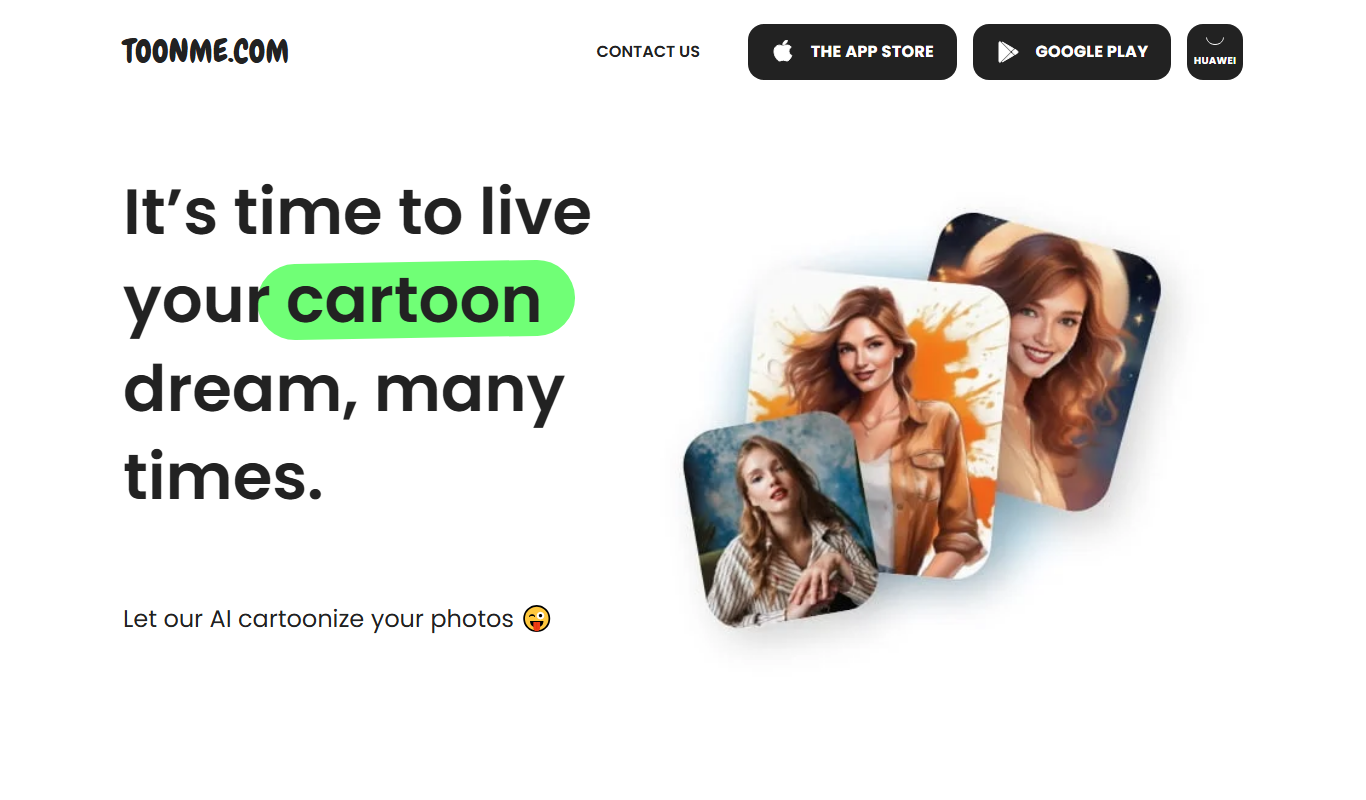
ToonMe is an AI-powered avatar generator that converts photos into cartoon-style images using neural networks, available on web and mobile platforms.

Freemium
Prisma
Prisma is an AI-powered image generator that applies artistic styles to photos using neural networks, available on web and mobile platforms.
More AI Cartoon Generator tools
Other tools in the same category, for when this one is not quite the fit.
Free
Toontastic
Toontastic is a free Google app that lets users, especially children, create animated stories by drawing, animating, and narrating with an easy drag-and-drop interface.

Free
Zmoji
Zmoji is an AI avatar generator that transforms selfies into personalized cartoon emojis and stickers for social media and messaging apps.

Free
PhotoCartoon.net
PhotoCartoon.net is a free online AI tool that converts photos into cartoon-style images instantly without registration.

Free
Toongineer Cartoonizer
Toongineer Cartoonizer is an AI-based online tool by VanceAI that converts photos into cartoon-style images quickly and easily through a web interface.
Free
Avatoon
Avatoon is an AI avatar generator that creates personalized cartoon avatars from photos or manual customization, available on web and mobile platforms.

Free
Piskel
Piskel is a free, web-based pixel art editor designed for creating static pixel images and animated sprites with features like layers, frames, and onion skinning.

Free
Open Peeps
Open Peeps is a free, open source library of modular hand-drawn character illustrations that designers and developers can customize and use in digital projects.