

AudioBot AI Voice Assistant for Automated Audio Content Creation
AudioBot is an AI text-to-speech service specialized in Spanish, with native accents from Mexico, Colombia and Argentina, that downloads audio as MP3.
- Best for
- Podcast Production
- Key capability
- Multi-Language Support
Save AudioBot, follow its updates and vote on it — everything stays in your account.
Sign in or create a free account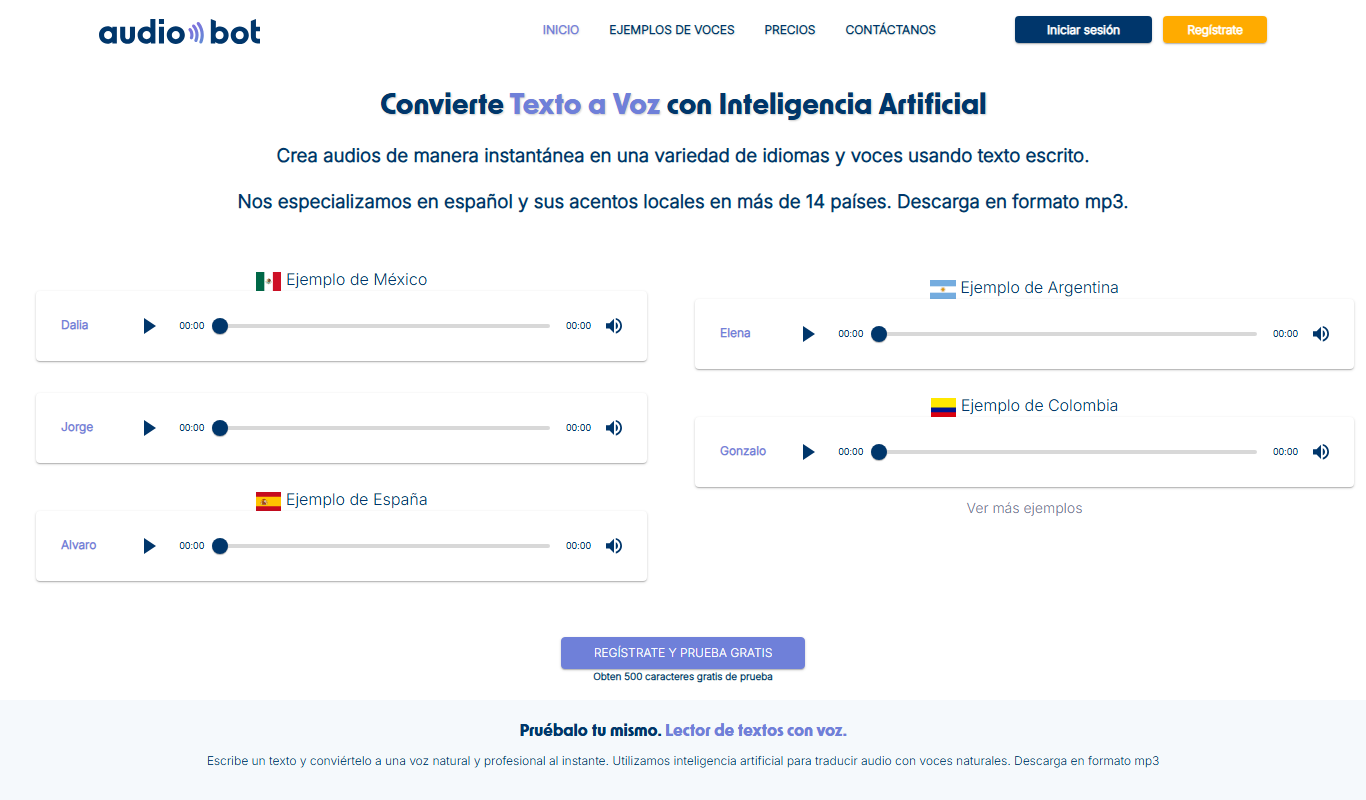
What is AudioBot?
AudioBot is an AI text-to-speech service that specializes in Spanish and its native accents. It transforms written text into spoken audio with natural human voices, with accents from Mexico, Colombia, Argentina, Peru, Venezuela and more than 14 countries where Spanish is spoken, and generates MP3 files ready for videos, podcasts or any project.
Key features of AudioBot
AudioBot offers features such as multi-language support, customizable voice styles, API integration for seamless automation, and real-time audio generation. It supports various audio formats and provides tools to edit and fine-tune voice output to match brand tone and style.
Multi-Language Support
Supports several languages including English, Spanish, French, and German for global reach.
Spanish accents
Native accents from Mexico, Colombia, Argentina, Peru, Venezuela and more than 14 countries where Spanish is spoken.
API Access
Provides API endpoints for developers to automate audio generation within their own systems.
Real-Time Audio Generation
Enables quick conversion of text to speech with minimal latency.
Audio Editing Tools
Includes basic editing features to adjust pacing, emphasis, and pronunciation.
Pros and cons of AudioBot
Pros
- High-quality, natural-sounding AI voices
- Supports multiple languages and voice styles
- API access for seamless integration
- User-friendly web interface
- Flexible pricing plans including free tier
Cons
- Limited advanced audio editing features
- Free plan has restricted usage limits
- Some voices may sound synthetic in complex intonations
Key use cases for AudioBot
Podcast Production
Automate the creation of podcast episodes by generating voice narration from text scripts.
Audiobook Narration
Convert written books into natural-sounding audio formats for easy listening.
Customer Support Automation
Use AI-generated voice responses to handle common customer queries efficiently.
Content Accessibility
Make written content accessible to visually impaired users through audio conversion.
Marketing Voiceovers
Create professional voiceovers for advertisements and promotional materials quickly.
How AudioBot works
- 1
Sign Up
Create an account on the AudioBot platform to access the dashboard and features.
- 2
Input Text
Enter or upload the text content you want to convert into audio.
- 3
Select Voice and Language
Choose from multiple AI-generated voices and languages to suit your project.
- 4
Generate Audio
Use the platform to synthesize the text into natural-sounding speech.
- 5
Download or Integrate
Download the audio files or use API endpoints to integrate audio generation into your applications.
Who is using AudioBot
AudioBot pricing
Free trial
Free
500 free trial characters when you create an account, no credit card needed.
Basico (prepaid)
USD $13 one-time
300,000 characters in total; one-time payment with no time limit to use them, all neural voices, audio file downloads, 100% ownership of intellectual property and a 30-day money-back guarantee.
Profesional (prepaid)
USD $59 one-time
500,000 characters in total; one-time payment with no time limit, all neural voices, audio downloads and a 30-day money-back guarantee.
Elite (prepaid)
USD $99 one-time
1,000,000 characters in total; one-time payment with no time limit, all neural voices, audio downloads and a 30-day money-back guarantee.
Personal (monthly)
17 USD per month
Monthly plan: 200,000 characters per month for personal or commercial use, all neural voices, audio downloads, SSML tag support and generated audio history; no fixed term, cancel any time.
Profesional (monthly)
70 USD per month
Monthly plan: 1,000,000 characters per month for personal or commercial use, all neural voices, audio downloads, SSML tag support and generated audio history; cancel any time.
Plans and prices are as published by the vendor and can change. Check the official site before you buy. Open the pricing page (opens in a new tab)
Frequently asked questions about AudioBot
Yes. The generated audio is yours and can be used in videos, advertising, podcasts, courses and any commercial project without paying royalties.
Audio is downloaded in high-quality MP3 format.
Yes, AudioBot provides API access for integration and automation.
The voices use advanced speech synthesis to produce highly natural and expressive audio.
It depends on your specific needs and how you plan to use the tool. The official website and documentation are the best sources for the latest details.
Yes, it can help with that use case depending on how you configure it and what features are available. You’ll get the best results with clear inputs and a defined goal.
Yes, it can help with that use case depending on how you configure it and what features are available. You’ll get the best results with clear inputs and a defined goal.
Conclusion
Spanish is the specialty here, with native accents from Mexico, Colombia and Argentina among more than 14 countries where Spanish is spoken. Written text is turned into audio with natural human voices and saved as MP3 files ready for videos, podcasts or any project. The generated audio belongs to the user and can go into commercial projects without paying royalties.
Podcast narration, audiobooks, marketing voiceovers and audio versions of written content for visually impaired users appear among the listed use cases. A new account gets 500 free characters for a trial, after which characters are bought as prepaid packs with no time limit or through monthly plans.
Sources
Sign in to review this tool.
Sign In to ReviewNo reviews yet
Be the first to share how this tool worked for you.
Ask about pricing, limits, or how it compares — or answer someone else.
Sign In to AskNo questions yet
Have a question about using or paying for this tool? Be the first to ask.
Featured on TiorAI



More AI Content Creation Tools tools
Other tools in the same category, for when this one is not quite the fit.

Sonnet
Sonnet AI is a meeting assistant and notetaker that records without bots, transcribes, writes custom notes, extracts action items and updates your CRM.

Supermeme.ai
Supermeme.ai is an AI-driven meme generator that creates viral memes quickly using customizable templates and AI-generated captions, ideal for social media marketing and content creation.

AI Song
AI Song is a free online tool that uses artificial intelligence to generate original songs and lyrics based on user input, making music creation accessible to everyone.

Mubert
Mubert is an AI-driven music generator that creates endless royalty-free music streams in real time, suitable for content creators, streamers, and developers needing customizable, copyright-safe audio.

Buzzli
Buzzli uses AI-powered agents to create LinkedIn content, optimize your profile and keep you visible to recruiters, clients and decision-makers.

Plump
Plump is an AI-powered referral network that connects job seekers with employees at tech companies they want to work at.

TailorLinx
TailorLinx uses AI and sales psychology to write personalized cold outreach messages for LinkedIn and email, based on detailed LinkedIn profile analysis.

HyperClapper 2.0
HyperClapper is a LinkedIn engagement tool that brings real likes and comments from 5,000+ professionals to your post's first hour.