

From my experience with AskingTips, I found it excels at providing clear, actionable suggestions that improve the tone and clarity of everyday writing. The interface is straightforward, making it easy for users of all skill levels to enhance their communication quickly. However, its focus on English only and limited advanced features on the free plan may restrict some users. Overall, if you need a simple yet effective AI writing assistant to polish emails, reports, or creative content, AskingTips delivers solid, user-friendly results.
AskingTips AI Writing Assistant for Clear and Effective Communication
AskingTips is an AI writing assistant that improves your writing by offering real-time suggestions for grammar, tone, and clarity to help you communicate more effectively.
- Best for
- Improve Written Communication
- Key capability
- Real-Time Writing Assistance
Your actions
Save AskingTips, follow its updates and vote on it — everything stays in your account.
Sign in or create a free account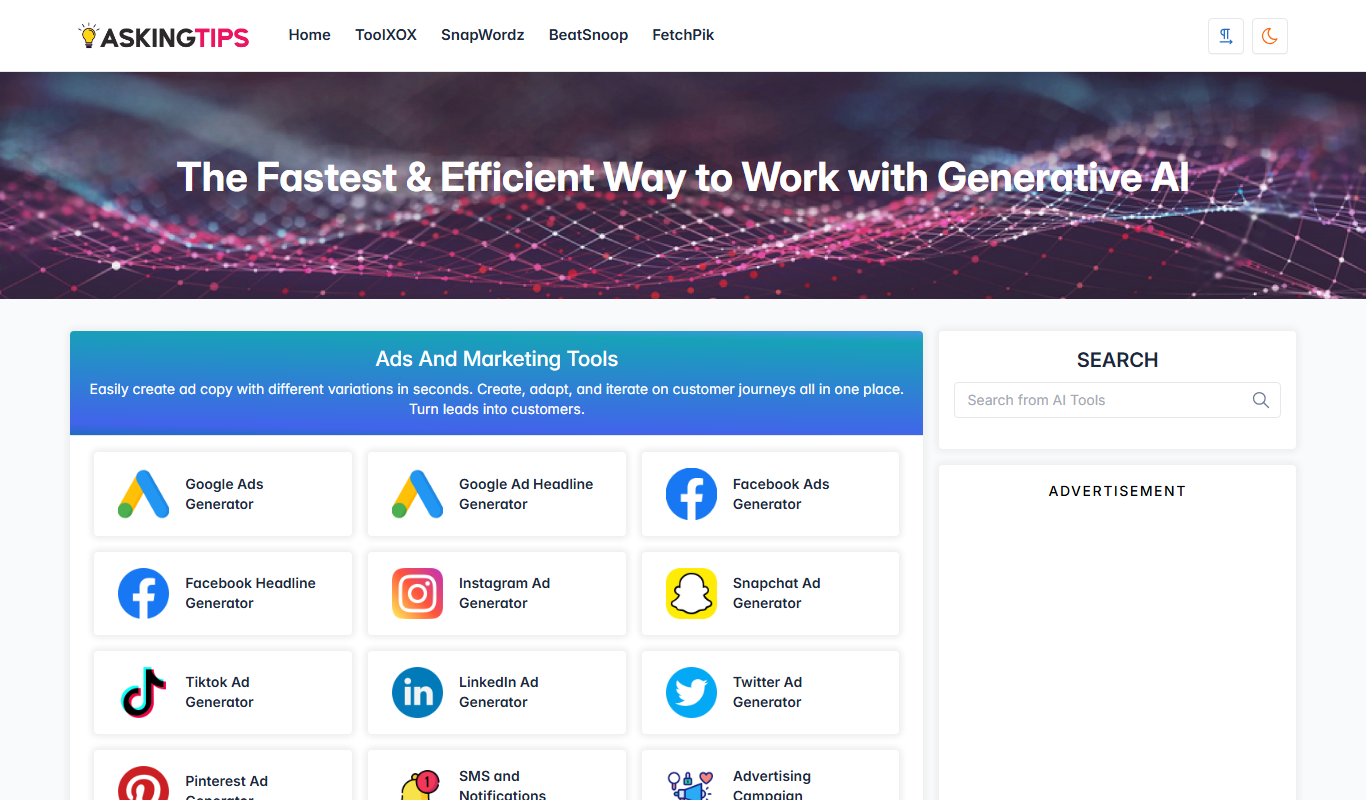
What is AskingTips?
AskingTips is an AI-powered writing assistant designed to help users improve their written communication by providing suggestions for clarity, tone, and style. It aims to make writing easier and more effective, whether for professional emails, creative content, or everyday communication.
Key features of AskingTips
The tool offers real-time writing suggestions, grammar and style corrections, tone adjustments, and idea generation to enhance the quality and impact of written content.
Real-Time Writing Assistance
Instant suggestions to improve grammar, punctuation, and style as you write.
Tone and Clarity Enhancements
Adjusts the tone of your writing to suit different audiences and purposes.
Idea and Phrase Suggestions
Offers alternative phrasing and ideas to enrich your content.
User-Friendly Interface
Clean, intuitive design that makes editing and improving text straightforward.
Pros and cons of AskingTips
Pros
- Easy to use with a clean interface
- Provides helpful tone and clarity suggestions
- Freemium model allows testing before upgrading
Cons
- Supports only English language
- Limited advanced features on free plan
- No mobile app available
Key use cases for AskingTips
Improve Written Communication
Helps users craft clear, concise, and effective written messages for emails, reports, or social media.
Content Editing and Refinement
Assists in refining text by suggesting better phrasing, grammar corrections, and style improvements.
Idea Generation for Writing
Supports brainstorming and generating ideas to overcome writer’s block or enhance content creativity.
Learning and Practicing Writing Skills
Provides feedback and suggestions that help users learn better writing techniques over time.
How AskingTips works
- 1
Input Text
Users enter their draft text into the AskingTips interface.
- 2
Receive Suggestions
The AI analyzes the text and provides recommendations for improvements in clarity, grammar, and tone.
- 3
Apply Changes
Users review and apply the suggested edits to refine their writing.
- 4
Finalize Content
Once satisfied, users can copy or export the polished text for their intended use.
Who is using AskingTips
Students and educators
Business professionals
Content creators
Non-native English speakers
Small business owners
AskingTips pricing
Free
$0/month
Access to basic writing suggestions with daily usage limits.
Premium
$9.99/month
Unlimited access to advanced features including tone adjustments and priority support.
Plans and prices are as published by the vendor and can change. Check the official site before you buy. Open the pricing page (opens in a new tab)
Frequently asked questions about AskingTips
Yes, AskingTips offers a free plan with basic features and usage limits.
Yes, it provides suggestions to make your emails clearer and more effective.
Currently, AskingTips supports English only.
AskingTips follows standard data privacy practices to protect user information.
It depends on your specific needs and how you plan to use the tool. The official website and documentation are the best sources for the latest details.
Yes, it can help with that use case depending on how you configure it and what features are available. You’ll get the best results with clear inputs and a defined goal.
Sign in to review this tool.
Sign In to ReviewNo reviews yet
Be the first to share how this tool worked for you.
Ask about pricing, limits, or how it compares — or answer someone else.
Sign In to AskNo questions yet
Have a question about using or paying for this tool? Be the first to ask.
Featured on TiorAI



More AI Advertising Assistant tools
Other tools in the same category, for when this one is not quite the fit.

Freemium
Readefine
Readefine is an AI reading assistant that helps users understand and summarize complex texts through AI-powered tools available on web and Chrome extension platforms.

Free Trial
Oyeeah all-in-one AI Platform
Oyeeah is a web-based all-in-one AI platform that helps businesses automate content creation, marketing tasks, and customer engagement through AI writing assistants, chatbots, and SEO tools.

Free
freeadcopy.com
FreeAdCopy.com is a free AI-based tool that generates advertising copy quickly and easily for marketers and small businesses without requiring registration.

Free
Clean Inbox for Gmail
Clean Inbox for Gmail is a Google Workspace add-on that organizes a Gmail inbox by sorting emails into categories.

Contact Sales
Almeta ML
Almeta ML is a cloud platform that automates machine learning workflows including data preprocessing, model training, and deployment, designed for both data scientists and business users.

Free
KeywordSearch.com
KeywordSearch.com is a web-based SEO tool that helps users discover relevant keywords, analyze competitor keywords, and plan content strategies using search volume and difficulty data.

Free
SongGenerator.io: Create Music for Free
SongGenerator.io is a free online AI music generator that creates original, royalty-free songs instantly without registration, suitable for content creators and musicians.

Free
Learn Copywriting
Learn Copywriting is an online platform providing courses and resources to help individuals master effective copywriting skills for marketing and content creation.