

Algomo Self-integrating AI Agents for Sales, Support and Lead Generation
Algomo is an AI support and sales agent for your website, wired to the systems your site runs: support from live data, sales from real stock and qualified buyers.
- Best for
- Customer support
- Key capability
- Self-integration
Save Algomo, follow its updates and vote on it — everything stays in your account.
Sign in or create a free account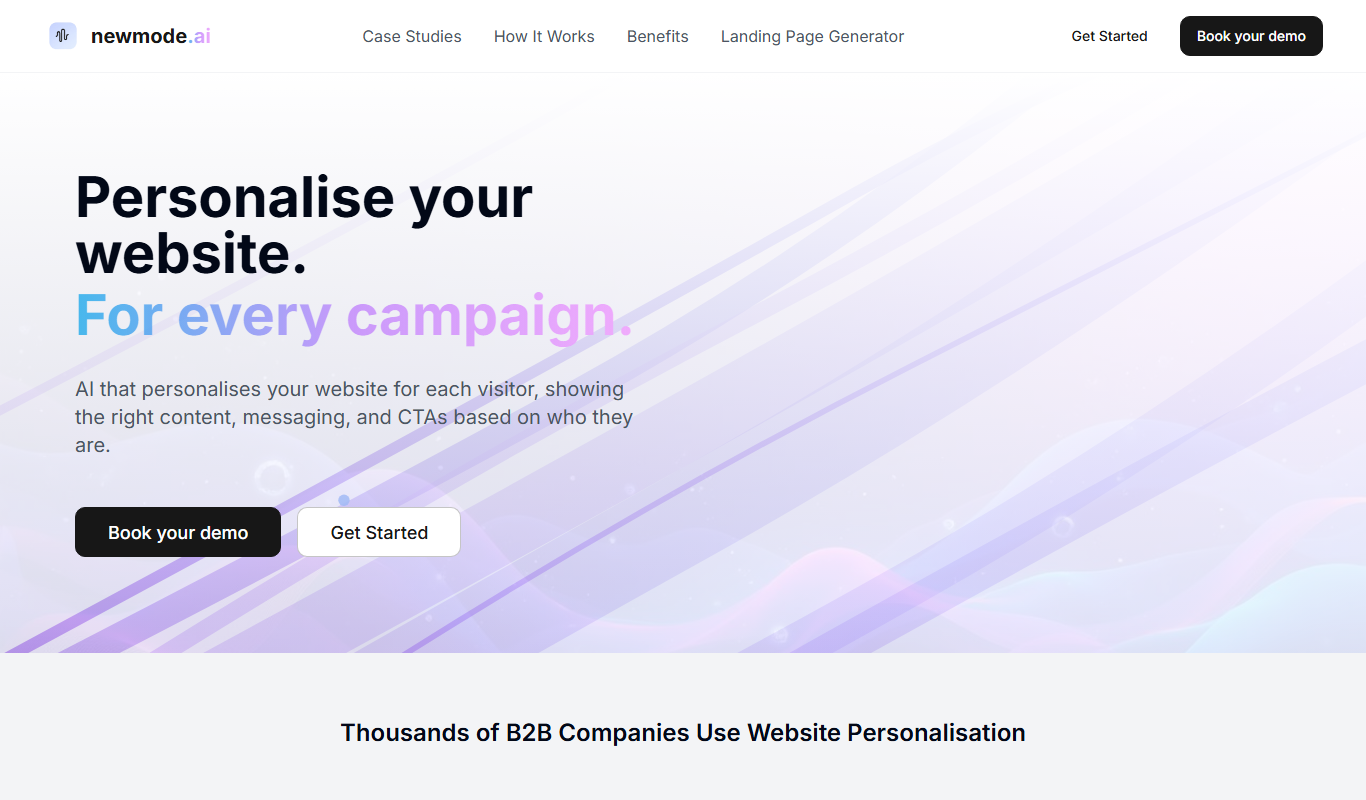
What is Algomo?
Algomo is a self-integrating AI agent for websites that handles customer support, sales and lead generation. When pointed at a website, it finds the endpoints the site’s own pages call, builds tools from them and answers from live data, checks real stock, adds items to the basket and qualifies B2B buyers.
Key features of Algomo
Algomo offers self-integration with a site’s own endpoints, co-navigation of the page with the visitor, cards in chat, an agent builder that works in plain language, staged changes with diffs, agent to human handover and setup through Claude or ChatGPT over MCP.
Self-integration
Reads the stock checks, order lookups and booking searches your pages already make and builds tools from them.
Co-navigation
Works the page with the visitor: filters lists, applies codes, adds to the basket or holds a booking.
Self-healing connections
A watchdog rebuilds the mapping when a redesign breaks an endpoint.
Setup by conversation
Change the agent from Claude, ChatGPT or a coding agent over MCP.
Staged changes
Every change is staged in a session; review the diff and preview it before shipping.
Pros and cons of Algomo
Pros
- No integration project: one snippet, live in minutes
- Answers from live data rather than static content
- Free plan with no credit card required
- Human handover: a team member can take over a live conversation
- Multilingual on every plan
Cons
- Web chat is the only channel: no email inbox, WhatsApp, SMS or voice
- Systems behind a login need to be connected with the Algomo team
- Usage is limited by monthly credits and top-ups are not sold
Key use cases for Algomo
Customer support
Resolve account, billing and order questions from the live systems behind your website.
B2B lead qualification
Qualify buyers in the conversation and book the meeting on the right rep's calendar.
Ecommerce sales
Answer from live store data on stock, delivery and returns, then add the item to the basket.
Industry-specific agents
Tuned for retail, B2B software, travel, financial services, healthcare and logistics.
How Algomo works
- 1
Build
Point Algomo at your site, see what it connected to and shape its answers in plain language.
- 2
Test
Run it against real questions before your visitors do and fix what you find.
- 3
Go live
Add one snippet to your site; the agent does its own integration work.
- 4
Evaluate
Read the conversations, see what it resolved on its own and tighten it week by week.
- 5
Monitor and Optimize
Track live performance and adjust strategies as needed for better results.
Who is using Algomo
Algomo pricing
Free
$0
100 credits per month; the whole agent for one person and one site.
Business
$50/month for 2,000 credits (up to $4,300 for 200,000)
For a live site with real traffic; choose the credits you need and the price follows.
Enterprise
Contact sales
Several agents and users, custom rates, SSO, SLAs, a DPA and a security review.
Plans and prices are as published by the vendor and can change. Check the official site before you buy. Open the pricing page (opens in a new tab)
Frequently asked questions about Algomo
Yes. The Free plan includes 100 credits a month for one person and one site.
Algomo goes live with one snippet because the agent does its own integration work; systems behind a login are connected with the Algomo team.
A watchdog watches every connection and rebuilds the mapping when a redesign breaks an endpoint.
Web chat on your site is the only channel; there is no email inbox, WhatsApp, SMS or voice.
Yes. A person on your team can take a live conversation over from the agent and hand it back.
Yes. The platform works over MCP, so you can describe changes in Claude, ChatGPT or your coding agent.
Run it against real questions before your visitors do and fix what you find in the same conversation.
Conclusion
Setup is unusual: instead of an integration project, the agent is pointed at a website and reads the same stock checks, order lookups and booking searches its pages already call. From those endpoints it builds its own tools, so answers come from live data, and a watchdog rebuilds a connection when a redesign breaks it. In the chat it can also act on the page with the visitor, applying a code, adding to the basket or holding a booking.
Algomo covers three jobs: support from live systems, sales from real stock and qualification of B2B buyers who can be booked straight onto a rep’s calendar. Teams can change its behaviour in plain language, including from Claude or ChatGPT, and every change is staged for review before it ships. A free plan includes 100 credits a month, and on the Business plan users choose the credits they need. The main constraint is reach, because web chat on the site is its only channel, with no email, WhatsApp, SMS or voice.
Sources
Sign in to review this tool.
Sign In to ReviewNo reviews yet
Be the first to share how this tool worked for you.
Ask about pricing, limits, or how it compares — or answer someone else.
Sign In to AskNo questions yet
Have a question about using or paying for this tool? Be the first to ask.
Featured on TiorAI


Alternative Tools
Explore similar AI tools that might fit your needs

TradeStation
TradeStation is a comprehensive trading platform for stocks, options, futures, and cryptocurrencies, featuring advanced charting, a proprietary scripting language for automated strategies, and multi-platform access.

QuantConnect
QuantConnect is a cloud platform that enables users to develop, backtest, and deploy algorithmic trading strategies using C# and Python with access to extensive financial data and brokerage integrations.

MetaTrader
MetaTrader 4 is a free electronic trading platform widely used for forex and CFD trading, offering advanced charting, technical analysis, and automated trading through Expert Advisors.
More AI Artificial Intelligence Tools tools
Other tools in the same category, for when this one is not quite the fit.
Candlestick AI
Candlestick is an AI-powered investing app whose model analyzes business and financial news to pick stocks and runs automatic portfolios tailored to your preferences.

Hooper
Hooper is an AI basketball app for Android and iOS that generates stats and highlight clips from games and workouts recorded with a phone.

gNucleus AI
gNucleus AI is an engineering AI platform that generates parametric CAD parts and assemblies from text and images, with AI agents for simulation and optimization.

MatchThatRoleAI.com
MatchThatRoleAI analyzes your resume with AI, helps optimize it for ATS systems and suggests job opportunities tailored to you.

SchoolAI
SchoolAI.co is an AI writing tool for educators that helps draft emails, mark and grade work, create quizzes, plan lessons and generate ideas, and is now free to use.

Softgen
Softgen is an AI web app builder that turns a description of your idea into a full-stack web app, no coding required.

aiinteriordesign.io
AIInteriorDesign.io is a web-based AI tool that helps users generate interior design layouts, style recommendations, and virtual staging for residential and commercial spaces without prior design experience.

Interior Decorator AI
Interior Decorator AI is a web-based platform that uses artificial intelligence to generate personalized interior design suggestions and visual mockups based on photos of your rooms, helping you style your home easily.