

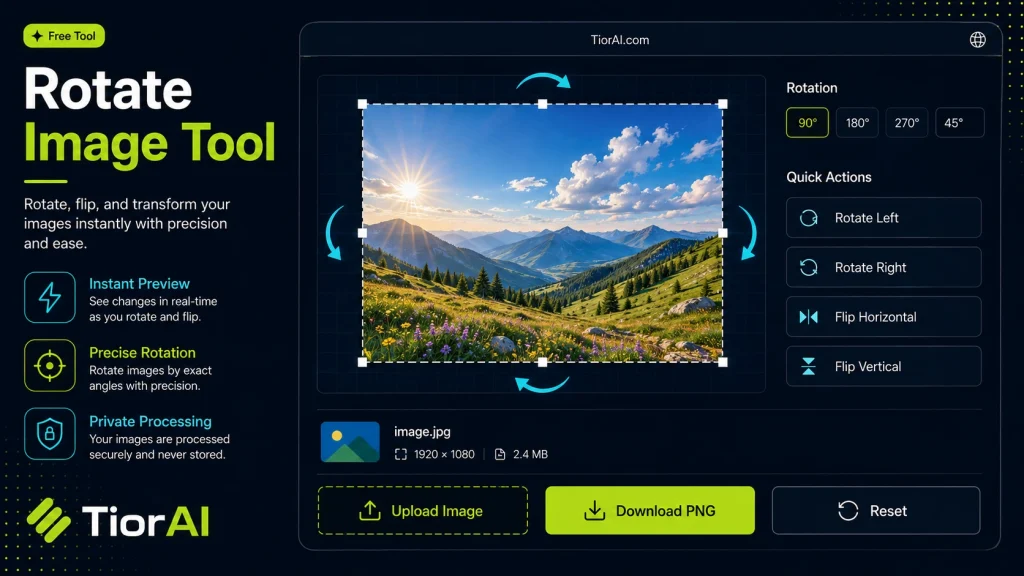
How to use it
- Upload Your Image Upload or drag and drop your image into the Rotate Image Tool. Supports PNG, JPG, WebP, and other common formats.
- Process the Image Configure your desired settings and click process. The tool applies changes to your image in seconds.
- Download the Result Preview the processed image and download it in your preferred format, ready for use.
Tip Use the Rotate Image Tool to prepare images for the web — optimized files load faster and improve Core Web Vitals.
Understanding Image Rotation
Image rotation is the process of turning an image around a fixed point, usually its center, by a specified angle. This operation changes the orientation of the image without altering its content. Rotating images is essential in various contexts, such as correcting photos taken at an incorrect angle, aligning scanned documents, or preparing images for presentations and publications.
Why rotate images?
- To fix orientation issues caused by camera positioning.
- To create artistic effects or adjust composition.
- To prepare images for further editing or printing.
Image rotation can be done in increments of 90 degrees (common for quick adjustments) or by arbitrary angles for more precise control. The process involves recalculating pixel positions and sometimes resizing the image canvas to accommodate the rotated content without cropping.
Common image formats like JPEG, PNG, BMP, and GIF support rotation operations. Online rotate image tools provide a convenient way to perform these adjustments without needing specialized software, making it accessible for users on any device.
What is Image Rotation?
Image rotation involves turning an image around a central point by a specified angle. This changes the image’s orientation without altering its content. It is commonly used to correct photos taken at an angle or to prepare images for specific layouts.
When to Use a Rotate Image Tool
- Fix photos that appear sideways or upside down.
- Align scanned documents that were not placed straight.
- Adjust images for presentations or social media posts.
- Prepare images for printing with the correct orientation.
Common Mistakes to Avoid
- Not saving a backup before rotating, which can lead to losing the original image orientation.
- Assuming the image dimensions stay the same after rotation by arbitrary angles, which can cause unexpected cropping or empty spaces.
Technical Context
Rotating an image involves recalculating pixel positions and sometimes resizing the canvas to fit the rotated content. Most online tools support common formats like JPEG, PNG, BMP, and GIF. While rotating by 90-degree increments is straightforward, arbitrary angle rotation requires more complex processing to maintain image quality and avoid distortion.
Using an online rotate image tool is convenient because it requires no software installation and works across devices. It is especially useful for quick fixes and preparing images for various uses without needing advanced editing software.
Frequently asked questions
Reviews and questions
Whether this tool gave people the answer they needed, and what they asked about it.
Sign in to review this tool.
Sign In to ReviewNo reviews yet
Be the first to say whether this tool gave you what you needed.
Ask how to read the result, or what the tool does with an edge case — or answer someone else.
Sign In to AskNo questions yet
Not sure how to read a result? Be the first to ask.