

PayPal Fee Calculator
Calculate PayPal transaction fees and the amount you'll receive or need to charge.
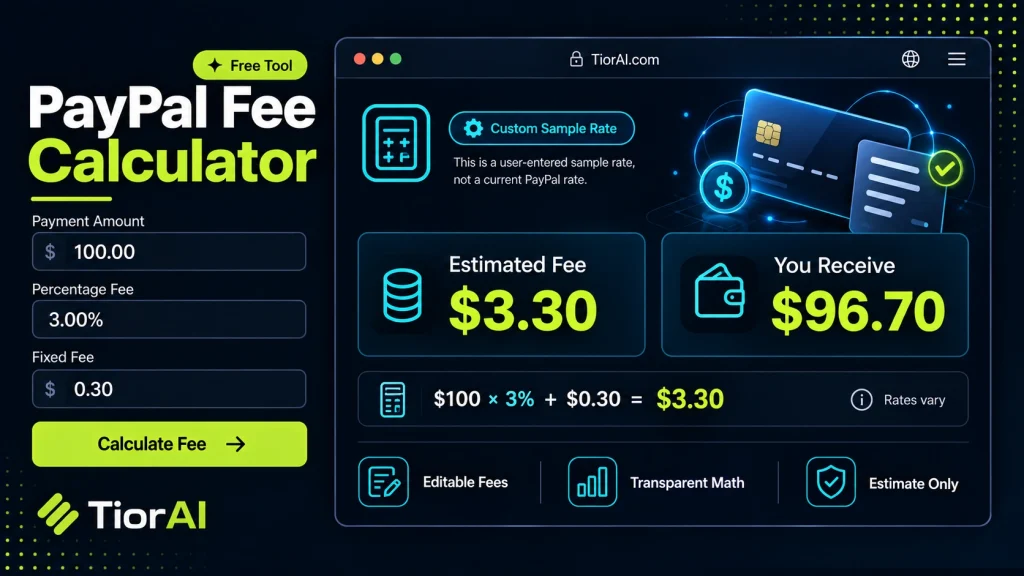
| Measure | Amount |
|---|---|
| Gross Amount | |
| PayPal Fee | |
| Net Amount |
Disclaimer
Rates may vary by country, currency, and account type. Always verify current rates on paypal.com before making financial decisions.
How to use it
- Enter Your Values Input your numbers or parameters into the Paypal Fee Calculator. Fill in all required fields for an accurate calculation.
- Calculate Results Click the calculate button to process your inputs. The Paypal Fee Calculator delivers instant, accurate results.
- Review and Use Review your calculated results, explore the breakdown, and copy or share the output for your needs.
Tip The Paypal Fee Calculator rounds results automatically, but you can use the full decimal output for precision work.
Understanding PayPal Fees and Their Calculation
When you receive payments through PayPal, the platform deducts a fee before the funds reach your account. This fee typically consists of a fixed amount plus a percentage of the transaction value. The general formula to calculate the PayPal fee is:
Fee = (Transaction Amount × Percentage Fee) + Fixed Fee
Here:
- Transaction Amount is the total money sent by the buyer.
- Percentage Fee is PayPal’s variable rate, often around 2.9% for domestic transactions but can vary by country and account type.
- Fixed Fee is a small flat charge per transaction, usually around $0.30 USD.
Understanding this calculation is important for sellers and freelancers who want to know their net income after fees. For example, if you invoice a client $100, the actual amount you receive will be less after PayPal deducts its fee. Calculating this upfront helps you price your services correctly or understand the cost of selling goods online.
In real-world contexts, this calculation is essential for e-commerce businesses, freelancers, and anyone who regularly receives payments via PayPal. It helps with budgeting, accounting, and setting prices that cover fees without eroding profit margins.
Understanding PayPal Fees
PayPal charges fees on transactions that include a percentage of the payment amount plus a fixed fee. This fee structure helps PayPal cover processing costs and varies depending on factors like country, currency, and account type. The formula to calculate the fee is:
Fee = (Transaction Amount × Percentage Fee) + Fixed Fee
Knowing this calculation is essential for anyone receiving payments via PayPal, as it directly affects the net amount received. For example, a $100 payment with a 2.9% fee and $0.30 fixed fee results in a $3.20 deduction, leaving $96.80.
When to Use a PayPal Fee Calculator
- Setting prices to ensure fees are covered and profits maintained.
- Estimating the net amount before withdrawing funds.
- Budgeting and financial planning for businesses relying on PayPal payments.
- Comparing payment platforms to evaluate cost-effectiveness.
Common Mistakes to Avoid
- Forgetting to include the fixed fee in calculations, which leads to underestimating total fees.
- Using outdated fee percentages that do not reflect current PayPal rates, especially for international transactions.
By understanding how PayPal fees are calculated and when to apply this knowledge, users can better manage their finances and pricing strategies when using PayPal as a payment method.
Common use cases
- Calculating fees on a $100 payment
- Fee on a $50 payment
Frequently asked questions
Reviews and questions
Whether this tool gave people the answer they needed, and what they asked about it.
Sign in to review this tool.
Sign In to ReviewNo reviews yet
Be the first to say whether this tool gave you what you needed.
Ask how to read the result, or what the tool does with an edge case — or answer someone else.
Sign In to AskNo questions yet
Not sure how to read a result? Be the first to ask.
AI tools related to this topic
Tools from the TiorAI directory that work on the same kind of job.

PayPal API
PayPal API is a developer toolkit that enables secure online payment processing, subscription management, and invoicing through RESTful APIs and SDKs.