

Image Optimizer
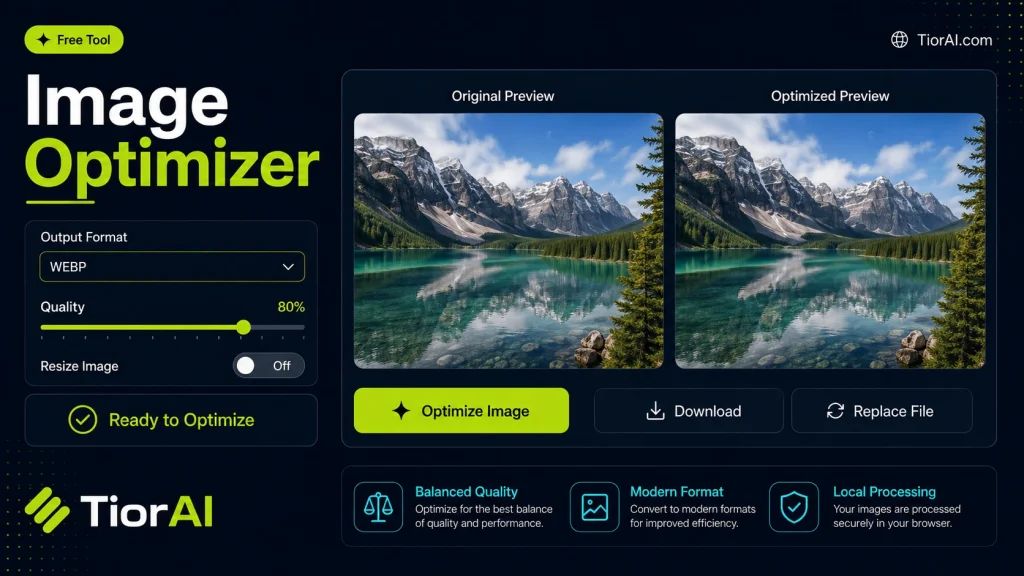
Optimize common image formats in your browser and download the lighter copy.
How to use it
- Upload Your Image Upload or drag and drop your image into the Image Optimizer. Supports PNG, JPG, WebP, and other common formats.
- Process the Image Configure your desired settings and click process. The tool applies changes to your image in seconds.
- Download the Result Preview the processed image and download it in your preferred format, ready for use.
Tip Use the Image Optimizer to prepare images for the web — optimized files load faster and improve Core Web Vitals.
What is Image Optimization?
Image optimization is the process of reducing the file size of an image without significantly compromising its visual quality. This is important because large image files can slow down website loading times, consume more bandwidth, and negatively impact user experience and SEO rankings.
Image optimization typically involves techniques such as compression, resizing, and format conversion. Compression can be lossy (removing some image data to reduce size) or lossless (reducing size without losing any data). Resizing adjusts the image dimensions to better fit the intended display context, avoiding unnecessarily large images.
Common image formats include JPEG, PNG, GIF, and newer formats like WebP and AVIF, which offer better compression. Optimizing images often involves converting them to these more efficient formats.
Why is image optimization needed?
- To improve website performance by reducing page load times.
- To save bandwidth and storage space.
- To enhance mobile user experience where network speeds may be limited.
- To comply with platform or content management system requirements.
People use image optimization in scenarios such as preparing images for websites, emails, social media, or mobile apps where fast loading and responsiveness are critical.
Understanding Image Optimization
Image optimization is the process of reducing the file size of images while preserving their visual quality as much as possible. This is crucial for improving website performance, reducing bandwidth consumption, and enhancing user experience, especially on mobile devices or slower networks.
Optimizing images involves techniques like compression, resizing, and format conversion. Compression can be lossy or lossless, depending on whether some image data is discarded. Resizing adjusts the image dimensions to fit the intended display size, preventing unnecessarily large files. Converting images to modern formats like WebP can also yield better compression results.
When to Use an Image Optimizer
- Before uploading images to websites to ensure faster page load times.
- When preparing images for email campaigns to reduce overall email size.
- To convert images to efficient formats such as WebP for better compression.
- When needing to save storage space on servers or cloud platforms.
- Before sharing images on social media platforms with file size restrictions.
Common Mistakes to Avoid
- Applying too much compression, which causes visible quality degradation.
- Not resizing images to appropriate dimensions before optimizing.
- Using inefficient image formats for the intended use case.
- Unintentionally stripping important metadata during optimization.
By understanding these concepts and using image optimizers correctly, you can significantly improve your digital content’s performance and appearance.
Frequently asked questions
Reviews and questions
Whether this tool gave people the answer they needed, and what they asked about it.
Sign in to review this tool.
Sign In to ReviewNo reviews yet
Be the first to say whether this tool gave you what you needed.
Ask how to read the result, or what the tool does with an edge case — or answer someone else.
Sign In to AskNo questions yet
Not sure how to read a result? Be the first to ask.
AI tools related to this topic
Tools from the TiorAI directory that work on the same kind of job.
Wise Memory Optimizer
Wise Memory Optimizer is a Windows utility that frees up and optimizes RAM to improve PC performance by reducing memory load and preventing slowdowns.