

Humanize AI Text Free Online Tool for Natural Language Editing
Humanize.im is an AI text humanizer that converts AI-generated content into natural, human-like text, with a daily free usage quota and paid plans.
- Best for
- Content Humanization
- Key capability
- Instant Text Humanization
Save Humanize AI Text Free Online, follow its updates and vote on it — everything stays in your account.
Sign in or create a free account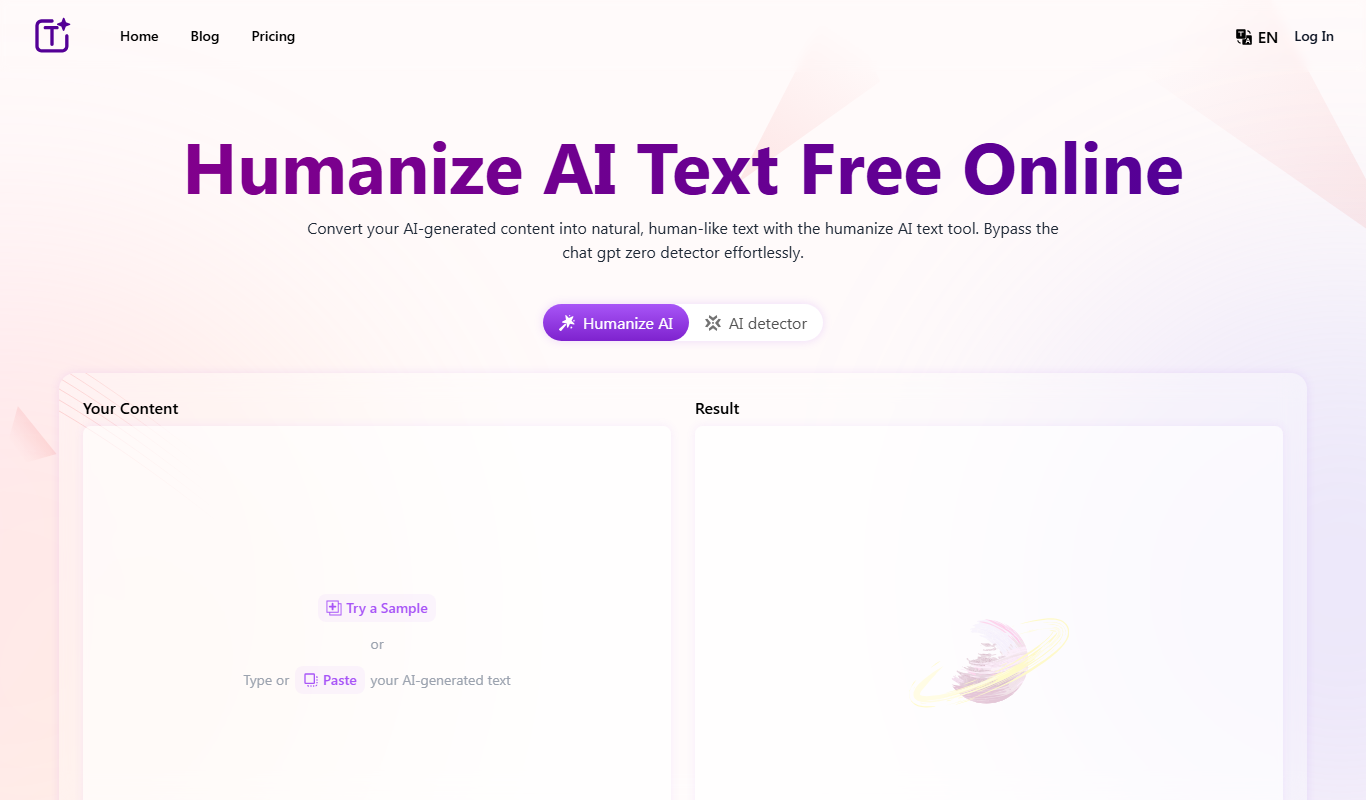
What is Humanize AI Text Free Online?
Humanize AI Text Free Online is a web-based tool designed to convert AI-generated or overly formal text into natural, human-like language. It helps users improve the tone and flow of their writing by making it sound more conversational and engaging, enhancing readability and authenticity.
Key features of Humanize AI Text Free Online
The tool offers a straightforward interface where users can input text and receive a humanized version instantly. It focuses on rewriting sentences to sound more natural, reducing robotic phrasing, and improving overall text quality without altering the original meaning.
Instant Text Humanization
Quickly converts robotic or AI-generated text into natural, human-like language.
Daily Free Quota
A daily free usage quota lets users humanize AI text free online.
Simple Interface
User-friendly design that requires no technical knowledge to operate.
Preserves Original Meaning
Rewrites text to improve tone without changing the core message.
Pros and cons of Humanize AI Text Free Online
Pros
- Daily free usage quota
- Easy and fast to use
- Improves text readability and tone
- No software installation needed
Cons
- Limited to web platform without mobile apps
Key use cases for Humanize AI Text Free Online
Content Humanization
Transform AI-generated or robotic text into more natural, human-like language to improve readability and engagement.
Writing Enhancement
Refine and polish written content by making it sound less mechanical and more conversational.
Marketing Copy Improvement
Make marketing messages feel more authentic and relatable by humanizing the tone and style.
Academic and Professional Writing
Adjust formal or technical text to sound more approachable without losing professionalism.
How Humanize AI Text Free Online works
- 1
Input Text
Paste or type the AI-generated or formal text into the provided text box on the website.
- 2
Process Text
Click the ‘Humanize’ button to let the AI analyze and rewrite the text into a more natural style.
- 3
Review Output
Read the humanized text output and copy it for use in your content or documents.
Who is using Humanize AI Text Free Online
Humanize AI Text Free Online pricing
Free
Free (daily quota)
Daily free usage quota for humanizing AI text free online.
Basic
$7.9/mo, billed yearly
For beginners: a monthly character allowance, 80 humanizer requests per month, 600 characters per request, custom tone selection, basic customer support, ads free.
Pro
$15.9/mo, billed yearly
For freelancers: humanize up to 300,000 characters per month, 200 humanizer requests per month, 1500 characters per request, custom tone selection, priority customer support, ads free.
Ultra
$31.9/mo, billed yearly
For businesses: unlimited characters and unlimited humanizer requests per month, 3000 characters per request, custom tone selection, priority customer support, ads free.
Plans and prices are as published by the vendor and can change. Check the official site before you buy. Open the pricing page (opens in a new tab)
Frequently asked questions about Humanize AI Text Free Online
There is a daily free usage quota. Paid plans offer higher limits on word count and requests, with the Ultra plan providing unlimited usage.
It can humanize AI-generated text in a wide range of languages, including English, Chinese, Russian, Arabic and Japanese.
No, it aims to keep the original meaning intact while improving naturalness.
Some tools offer a free plan or trial with limited features. Availability can vary, so confirm on the official website.
Some tools offer a free plan or trial with limited features. Availability can vary, so confirm on the official website.
Yes, it can help with that use case depending on how you configure it and what features are available. You’ll get the best results with clear inputs and a defined goal.
Conclusion
AI-generated text from ChatGPT, Bard or another AI content writer is pasted into the input box, and the Generate button rewrites it into more natural, human-like prose. The rewrite aims to keep the original meaning while changing tone and flow. Languages handled include English, Chinese, Russian, Arabic and Japanese. The site says its output bypasses detectors like GPTZero.
Free use is limited to a daily free usage quota. Paid Basic, Pro and Ultra plans raise the character and request limits, add custom tone selection and remove ads. Tones on offer include Standard, Professional and Casual.
Sources
Sign in to review this tool.
Sign In to ReviewNo reviews yet
Be the first to share how this tool worked for you.
Ask about pricing, limits, or how it compares — or answer someone else.
Sign In to AskNo questions yet
Have a question about using or paying for this tool? Be the first to ask.
Featured on TiorAI



More AI Text Editing Tools tools
Other tools in the same category, for when this one is not quite the fit.

AI Text Editor
AI Text Editor is an online writing assistant that uses AI to improve grammar, style, and tone, helping users create clearer and more polished text.

AI Humanize AI
AI Humanize AI is a web-based tool that converts robotic or AI-generated text into natural, human-like language by adjusting tone and style to improve readability and engagement.