

TribeBills Group Bill Splitting App for Shared Expenses and Payments
TribeBills is an app that helps groups split bills, scan receipts and track payments for shared expenses, with a Free plan and a Premium plan.
- Best for
- Group Expense Management
- Key capability
- Group Bill Splitting
Save TribeBills, follow its updates and vote on it — everything stays in your account.
Sign in or create a free account

What is TribeBills?
TribeBills is an app for groups, housemates or friends to manage shared expenses. It scans receipts with Smart Scan, splits bills equally, by percentage or by custom amounts, and tracks who has paid, while payments themselves are made outside the app and only recorded in TribeBills.
Key features of TribeBills
Key features include easy bill creation, automatic splitting among group members, payment tracking, reminders, and a clean interface accessible via mobile and web platforms.
Group Bill Splitting
Split bills evenly or customize shares among group members.
Payment Tracking
Keep real-time status of payments made and outstanding balances.
Automated Reminders
Send notifications to group members to ensure timely payments.
Cross-Platform Access
Use TribeBills on iOS, Android, and web browsers seamlessly.
Pros and cons of TribeBills
Pros
- Simple and intuitive interface for easy bill splitting
- Free to use with no hidden fees
- Cross-platform availability on mobile and web
- Automated payment reminders reduce missed payments
Cons
- Does not process payments directly, requiring external payment methods
- Limited to English language support
- No advanced financial reporting features
Key use cases for TribeBills
Group Expense Management
Easily track and split shared expenses among friends, roommates, or family members.
Bill Payment Reminders
Set up reminders for upcoming bills to ensure timely payments within groups.
Event Cost Sharing
Manage and split costs for group events, trips, or outings transparently.
Rent and Utility Splitting
Simplify monthly rent and utility bill division among housemates.
How TribeBills works
- 1
Create a Group
Set up a group with friends, family, or roommates who share expenses.
- 2
Add Bills
Input bills or expenses and assign amounts to group members.
- 3
Track Payments
Monitor who has paid and who still owes money within the group.
- 4
Send Reminders
Automatically remind group members about upcoming or overdue payments.
Who is using TribeBills
TribeBills pricing
Free
$0/month
Perfect for getting started: maximum 5 tribes and 15 bills per month.
Premium
$3.99/month
Unlimited tribes, unlimited bills per month and unlimited OCR processing, with recurring bills, advanced item categorization and priority support.
Plans and prices are as published by the vendor and can change. Check the official site before you buy. Open the pricing page (opens in a new tab)
Frequently asked questions about TribeBills
Yes, the Free plan allows up to 5 tribes and 15 bills per month; Premium removes those limits.
Yes, TribeBills is available on iOS, Android, and web platforms for seamless access.
No, TribeBills tracks and manages bill splits and payments but does not process payments directly.
It depends on your specific needs and how you plan to use the tool. The official website and documentation are the best sources for the latest details.
It depends on your specific needs and how you plan to use the tool. The official website and documentation are the best sources for the latest details.
Yes, it can help with that use case depending on how you configure it and what features are available. You’ll get the best results with clear inputs and a defined goal.
Conclusion
Each group is a tribe, set up for housemates, friends or any shared expense scenario, and members are invited with a unique tribe code. Smart Scan extracts the details from a photo of the receipt, and the bill is then split equally, by percentage or by custom amounts. A visual dashboard shows at a glance who has paid and who still owes.
Payments themselves happen outside the app: each member pays through a preferred payment method, and TribeBills only records the settlement. Bills can be created without internet and sync later, although that offline mode is limited to the iOS app. The Free plan sets a maximum on tribes and bills per month, while Premium has no limits on tribes, bills or OCR processing.
Sources
Sign in to review this tool.
Sign In to ReviewNo reviews yet
Be the first to share how this tool worked for you.
Ask about pricing, limits, or how it compares — or answer someone else.
Sign In to AskNo questions yet
Have a question about using or paying for this tool? Be the first to ask.
Featured on TiorAI



Alternative Tools
Explore similar AI tools that might fit your needs

Splitwise
Splitwise is an app that helps groups split bills and track debts easily by managing shared expenses and simplifying repayments.
Settle Up
Settle Up is a cross-platform app that helps groups track shared expenses, split bills fairly, and settle debts efficiently with multi-currency and offline support.

Venmo
Venmo is a U.S.-based mobile payment app that enables users to send and receive money instantly with friends, split bills, and pay merchants, featuring a social feed to share payment activities.
More AI Finance & Accounting Tools tools
Other tools in the same category, for when this one is not quite the fit.

Tradepost.ai
Tradepost.ai sends one free email every market day: US SEC filings, UK regulatory news, EU market notices and Polymarket odds, analyzed by AI and scored for materiality.

Newmoney.AI
Newmoney.AI is an AI-powered crypto and cash wallet: buy, trade, swap and send crypto across SUI, Solana, Ethereum and Bitcoin with the AI agent Newton, including via WhatsApp and Telegram.

investiment.io
investiment.io is an AI-powered investment platform featuring an intelligent assistant that provides real-time stock analysis across 40+ global exchanges through conversational AI.

FinanceGPT
FinanceGPT is an AI financial analysis platform for analysing financial statements, building forecasts, researching companies and portfolios, and creating financial reports with reviewable assumptions and checks.

Folionomics
FolioNomics is a privacy-first crypto portfolio tool that organizes wallet holdings and DeFi positions across 60+ blockchains in one view.

Procys
Procys is an automated data extraction platform that uses AI-powered OCR to pull data from invoices, purchase orders, receipts and ID documents.

CashKaka
CashKaka is an AI expense tracker that uses WhatsApp to track transactions, savings, investments and expenses and generate detailed reports.
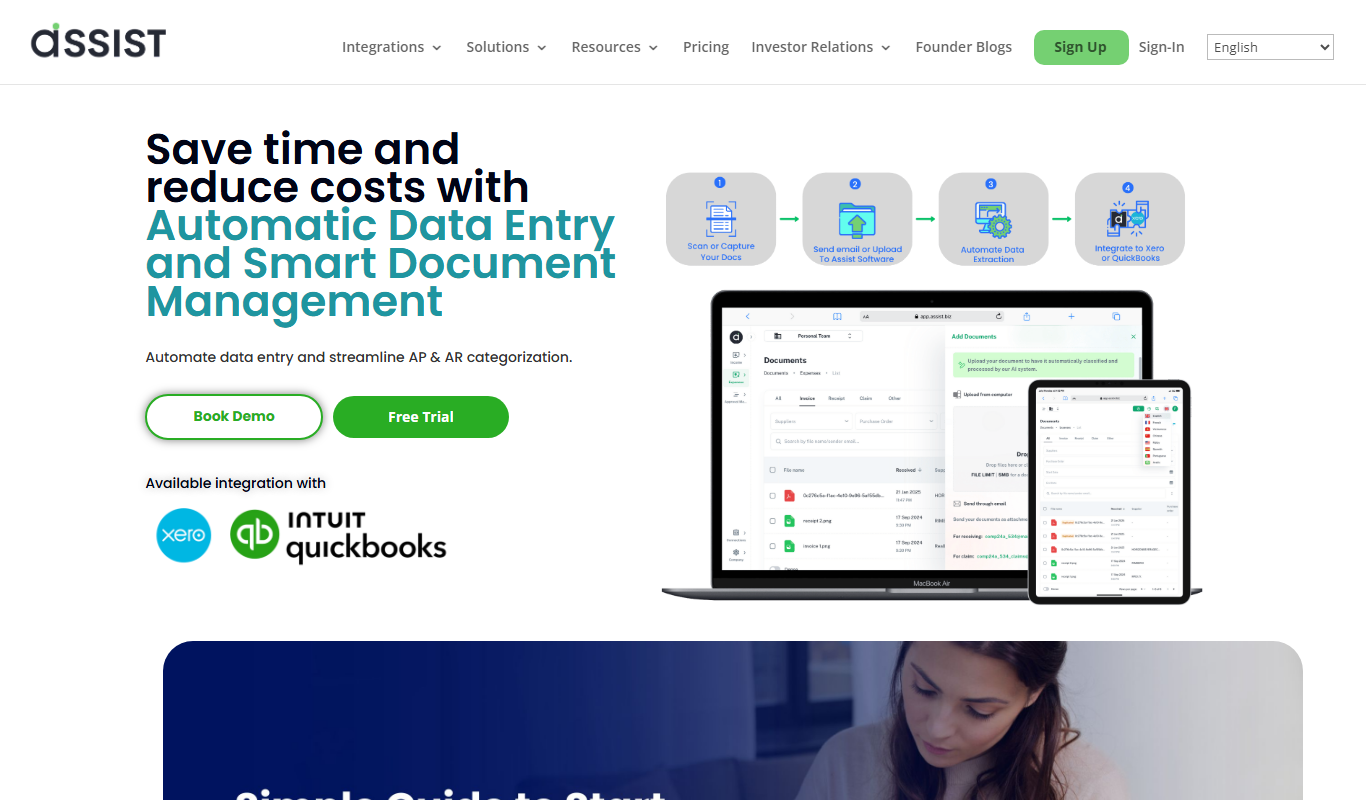
ASSIST Biz
ASSIST Biz automates invoice extraction, approvals, expense claims and e-invoicing for finance teams in Singapore and Malaysia, with Xero and QuickBooks sync.