

CoachAccountable Coaching Software for Client Management and Progress Tracking
CoachAccountable is a coaching management software that helps coaches manage clients, schedule sessions, track progress, and handle billing all in one platform.
- Best for
- Client Management
- Key capability
- Client Management Dashboard
Save CoachAccountable, follow its updates and vote on it — everything stays in your account.
Sign in or create a free account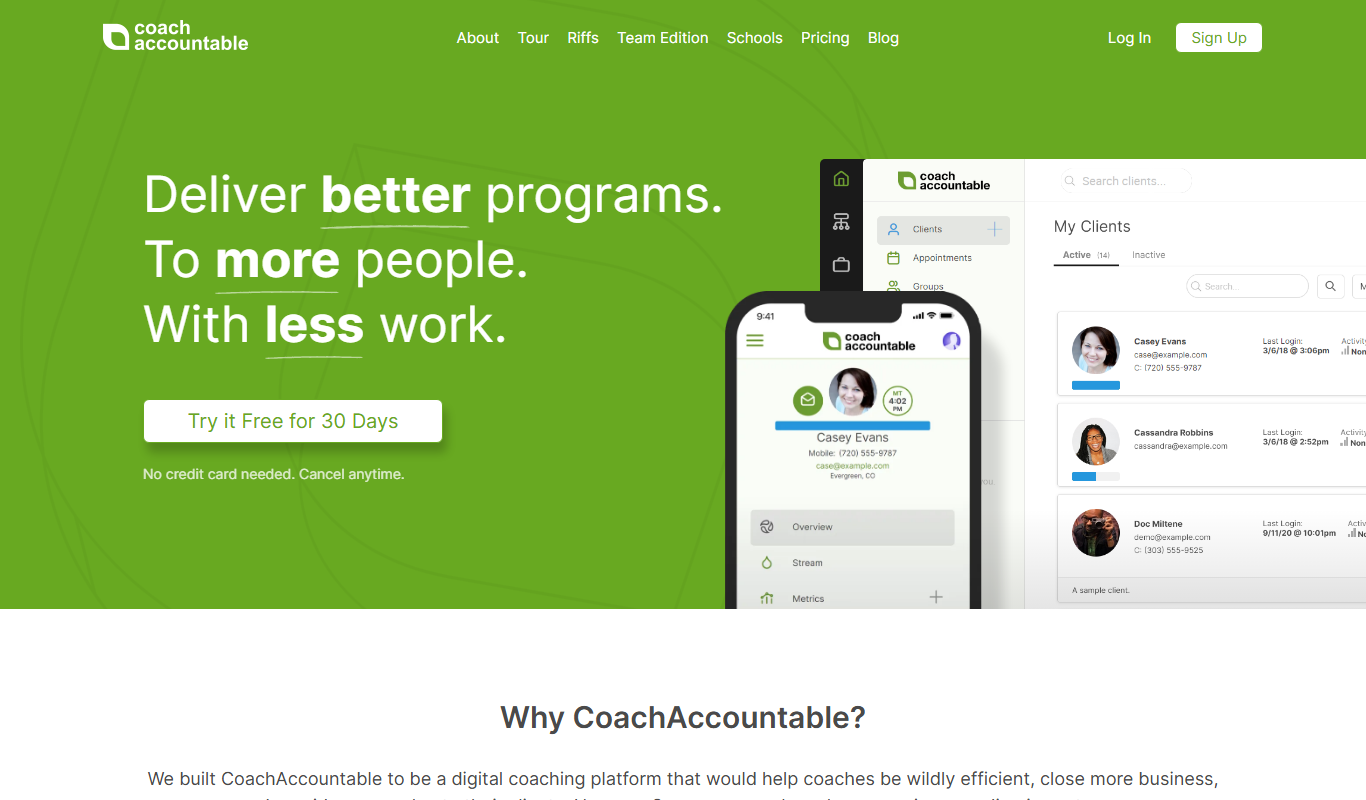
What is CoachAccountable?
CoachAccountable is a comprehensive coaching management software designed to help coaches streamline client management, scheduling, progress tracking, and billing. It provides tools to organize coaching sessions, assign homework, track client goals, and automate administrative tasks, enabling coaches to focus more on client engagement and less on paperwork.
Key features of CoachAccountable
The platform offers session scheduling with reminders, client progress dashboards, automated invoicing, customizable coaching workflows, and secure client communication tools. It integrates goal tracking and assignment management to enhance coaching effectiveness.
Client Management Dashboard
Centralized hub for client profiles, session notes, and coaching history.
Automated Scheduling and Reminders
Integrated calendar with email and SMS reminders to reduce missed appointments.
Goal and Assignment Tracking
Tools to set client goals, assign homework, and monitor completion.
Billing and Payment Processing
Invoicing, payment tracking, and integration with payment gateways.
Customizable Coaching Workflows
Create tailored coaching programs with automated workflows and resource sharing.
Pros and cons of CoachAccountable
Pros
- Comprehensive client and session management in one platform
- Automated scheduling reduces no-shows
- Integrated billing simplifies payment collection
- Customizable workflows support diverse coaching styles
Cons
- No dedicated mobile app limits offline access
- Pricing can increase with larger client bases
- Limited integrations with third-party tools
Key use cases for CoachAccountable
Client Management
Organize and track client information, session notes, and coaching history in one centralized platform.
Session Scheduling
Schedule coaching sessions with automated reminders and calendar integration to reduce no-shows.
Progress Tracking
Monitor client progress through goal setting, assignments, and automated tracking tools.
Billing and Payments
Manage invoicing, payments, and financial tracking directly within the platform.
Coaching Program Delivery
Deliver coaching programs with customizable workflows, assignments, and resource sharing.
How CoachAccountable works
- 1
Create an Account
Sign up for CoachAccountable and set up your coaching profile.
- 2
Add Clients
Import or manually add client details and coaching preferences.
- 3
Schedule Sessions
Use the built-in calendar to schedule coaching sessions with automated reminders.
- 4
Assign Tasks and Track Progress
Create assignments and goals for clients, then monitor their progress through the dashboard.
- 5
Manage Billing
Generate invoices and accept payments directly through the platform.
Who is using CoachAccountable
CoachAccountable pricing
Free Trial
$0 for 30 days
Full access to all features for 30 days to evaluate the platform.
Monthly Subscription
Starting at $20/month
Access to coaching management tools with tiered pricing based on number of clients.
Plans and prices are as published by the vendor and can change. Check the official site before you buy. Open the pricing page (opens in a new tab)
Frequently asked questions about CoachAccountable
Yes, CoachAccountable allows you to import client data via CSV files for easy setup.
Yes, it integrates with popular payment gateways to handle invoicing and payments.
CoachAccountable is accessible via mobile web browsers but does not currently offer a dedicated mobile app.
Yes, the platform supports customizable workflows and assignments tailored to your coaching style.
It depends on your specific needs and how you plan to use the tool. The official website and documentation are the best sources for the latest details.
Pricing depends on the plan and included features. For the most accurate and up-to-date details, check the official pricing page.
Yes, it can help with that use case depending on how you configure it and what features are available. You’ll get the best results with clear inputs and a defined goal.
It depends on your specific needs and how you plan to use the tool. The official website and documentation are the best sources for the latest details.
Conclusion
Coaches using CoachAccountable import client data via CSV files or add it manually, then schedule sessions in a built-in calendar with email and SMS reminders. The reminders are meant to reduce missed appointments, and client profiles, session notes and coaching history sit in a centralized hub. Clients then receive homework assignments and goals, and their progress is monitored through the dashboard. Invoices are generated and payments accepted within the platform, with payment tracking and integration with popular payment gateways.
Designed for coaches, the software also targets therapists and counselors, consultants offering coaching services, health and wellness coaches and small coaching businesses. Secure client communication tools are also included. Workflows and assignments can be customized to fit a coaching style, and coaching programs can be delivered with automated workflows and resource sharing.
A 30-day free trial gives full access, and monthly subscriptions start at $20/month with tiered pricing based on the number of clients, so pricing can increase with larger client bases. It is accessible via mobile web browsers but does not offer a dedicated mobile app, and integrations with third-party tools are limited.
Sources
Sign in to review this tool.
Sign In to ReviewNo reviews yet
Be the first to share how this tool worked for you.
Ask about pricing, limits, or how it compares — or answer someone else.
Sign In to AskNo questions yet
Have a question about using or paying for this tool? Be the first to ask.
Featured on TiorAI



Alternative Tools
Explore similar AI tools that might fit your needs
Satori
Satori is a data platform that provides secure, real-time access to data across multiple sources with centralized governance, dynamic masking, and auditing to ensure compliance and data security.

Practice Better
Practice Better is a client management platform designed for health and wellness professionals, offering scheduling, telehealth, billing, and client communication tools.
More AI CRM tools
Other tools in the same category, for when this one is not quite the fit.

Paddle Checkout
Paddle Checkout is a payment and subscription management platform designed for SaaS and digital product businesses, providing global payment processing, tax compliance, and customer analytics.
Fluxx Grant Management
Fluxx Grant Management is a cloud-based platform that helps foundations and nonprofits manage the entire grant lifecycle, including application processing, collaboration, compliance tracking, and reporting.

TenantCloud
TenantCloud is a cloud-based property management software that helps landlords and property managers handle rental listings, tenant screening, rent payments, maintenance requests, and financial reporting efficiently.
VinSolutions CRM
VinSolutions CRM is a specialized customer relationship management platform designed for automotive dealerships to manage leads, automate sales processes, and run targeted marketing campaigns.

DealerSocket
DealerSocket is an automotive dealership software platform that combines CRM, inventory management, marketing automation, and sales analytics to help dealerships manage operations and improve customer engagement.

Privy
Privy is an e-commerce marketing platform that helps online stores grow email lists, recover abandoned carts, and increase sales through targeted popups, automated emails, and SMS campaigns.

Impartner PRM
Impartner PRM is a partner relationship management platform that helps businesses manage channel partners, streamline onboarding, enable sales and marketing collaboration, and track partner performance.

Route4Me
Route4Me is a route planning and optimization software that helps businesses efficiently plan multi-stop routes, track drivers in real-time, and manage fleet operations to reduce costs and improve delivery speed.