

The Primary Caregiver App for Family Care Management and Support
The Primary Caregiver is a digital platform designed to help family caregivers organize and coordinate care tasks, manage medications, and communicate with other caregivers and healthcare providers.
- Best for
- Care Coordination
- Key capability
- Medication Reminders
Save The Primary Caregiver, follow its updates and vote on it — everything stays in your account.
Sign in or create a free account
What is The Primary Caregiver?
The Primary Caregiver is a comprehensive digital platform designed to support family members who provide care for loved ones. It centralizes care coordination, communication, and health tracking to simplify the complex responsibilities of caregiving. The app helps users manage medications, appointments, and care tasks while facilitating collaboration among family and healthcare providers.
Key features of The Primary Caregiver
The platform offers features such as medication reminders, health tracking logs, shared calendars, secure messaging, and document storage. These tools empower caregivers to stay organized, reduce stress, and improve the quality of care delivered to their loved ones.
Medication Reminders
Automated alerts to ensure timely medication administration.
Shared Care Calendar
Centralized scheduling visible to all caregivers involved.
Health Logs
Track symptoms, vital signs, and daily health updates.
Secure Messaging
Private communication channels for family and healthcare teams.
Document Storage
Store medical records, care instructions, and emergency contacts.
Pros and cons of The Primary Caregiver
Pros
- User-friendly interface tailored for caregivers
- Facilitates family collaboration and communication
- Comprehensive care management tools in one platform
- Accessible on multiple devices including mobile apps
Cons
- Limited language support (English only)
- Some advanced features require paid subscription
Key use cases for The Primary Caregiver
Care Coordination
Helps primary caregivers organize and coordinate care tasks among family members and healthcare providers.
Medication Management
Allows users to track medications, dosages, and schedules to ensure proper adherence.
Health Monitoring
Enables tracking of vital signs, symptoms, and health events to monitor the care recipient’s condition.
Communication Facilitation
Provides tools for sharing updates and care plans with family members and care teams.
Resource Organization
Stores important documents, contacts, and care instructions in one accessible place.
How The Primary Caregiver works
- 1
Create an Account
Sign up on the website or mobile app to start managing care activities.
- 2
Add Care Recipients
Input details about the person receiving care, including medical history and care needs.
- 3
Set Up Care Tasks
Schedule medications, appointments, and daily care routines.
- 4
Invite Family Members
Share access with other caregivers to coordinate responsibilities and communicate.
- 5
Track and Update
Log health information and update care plans as needed.
Who is using The Primary Caregiver
The Primary Caregiver pricing
Free
$0/month
Basic access with limited features suitable for individual caregivers.
Premium
$9.99/month
Full feature access including advanced tracking and multi-user collaboration.
Plans and prices are as published by the vendor and can change. Check the official site before you buy. Open the pricing page (opens in a new tab)
Frequently asked questions about The Primary Caregiver
Yes, there is a free plan with basic features. A premium subscription unlocks additional capabilities.
Yes, the app supports multi-user collaboration to coordinate caregiving tasks.
The platform uses encryption and secure protocols to protect user data and privacy.
Yes, it provides customizable medication alerts to help ensure adherence.
It depends on your specific needs and how you plan to use the tool. The official website and documentation are the best sources for the latest details.
Some tools offer a free plan or trial with limited features. Availability can vary, so confirm on the official website.
Yes, it can help with that use case depending on how you configure it and what features are available. You’ll get the best results with clear inputs and a defined goal.
It depends on your specific needs and how you plan to use the tool. The official website and documentation are the best sources for the latest details.
Conclusion
Family caregivers managing elderly or chronically ill relatives are the core audience, and the platform centralizes care coordination, communication and health tracking for them. Setup begins with details about the person receiving care, including medical history and care needs, followed by scheduled medications, appointments and daily routines. Medication reminders work as customizable alerts meant to support adherence.
Other caregivers can be invited to share access and coordinate responsibilities, with a centralized care calendar visible to everyone involved. Health logs track symptoms and vital signs, and medical records, care instructions and emergency contacts are stored in one accessible place. It also addresses healthcare professionals who coordinate home care.
Sources
Sign in to review this tool.
Sign In to ReviewNo reviews yet
Be the first to share how this tool worked for you.
Ask about pricing, limits, or how it compares — or answer someone else.
Sign In to AskNo questions yet
Have a question about using or paying for this tool? Be the first to ask.
Featured on TiorAI


Alternative Tools
Explore similar AI tools that might fit your needs

CaringBridge
CaringBridge is a free nonprofit platform that allows individuals to create private websites to share health updates, journal their experiences, and receive emotional support from family and friends.

Lotsa Helping Hands
Lotsa Helping Hands is a free platform, available on the web and in iOS and Android apps, that enables families and communities to organize caregiving and volunteer support through private groups, shared calendars and communication tools.
More AI Healthcare & Wellness Tools tools
Other tools in the same category, for when this one is not quite the fit.

Skinive AI
Skinive AI is a CE-certified artificial intelligence platform that analyzes skin images to detect and assess various dermatological conditions, supporting telemedicine and clinical workflows.
Livongo
Livongo is a digital health platform that uses connected devices and AI-driven coaching to help individuals manage chronic conditions such as diabetes and hypertension effectively.

artivatic.ai
Artivatic.ai is an AI platform specializing in automating insurance and healthcare processes like underwriting and fraud detection through machine learning.

Miiskin
Miiskin is a mobile app that helps users monitor their skin for changes, especially moles, to aid early detection of skin cancer by tracking photos over time.
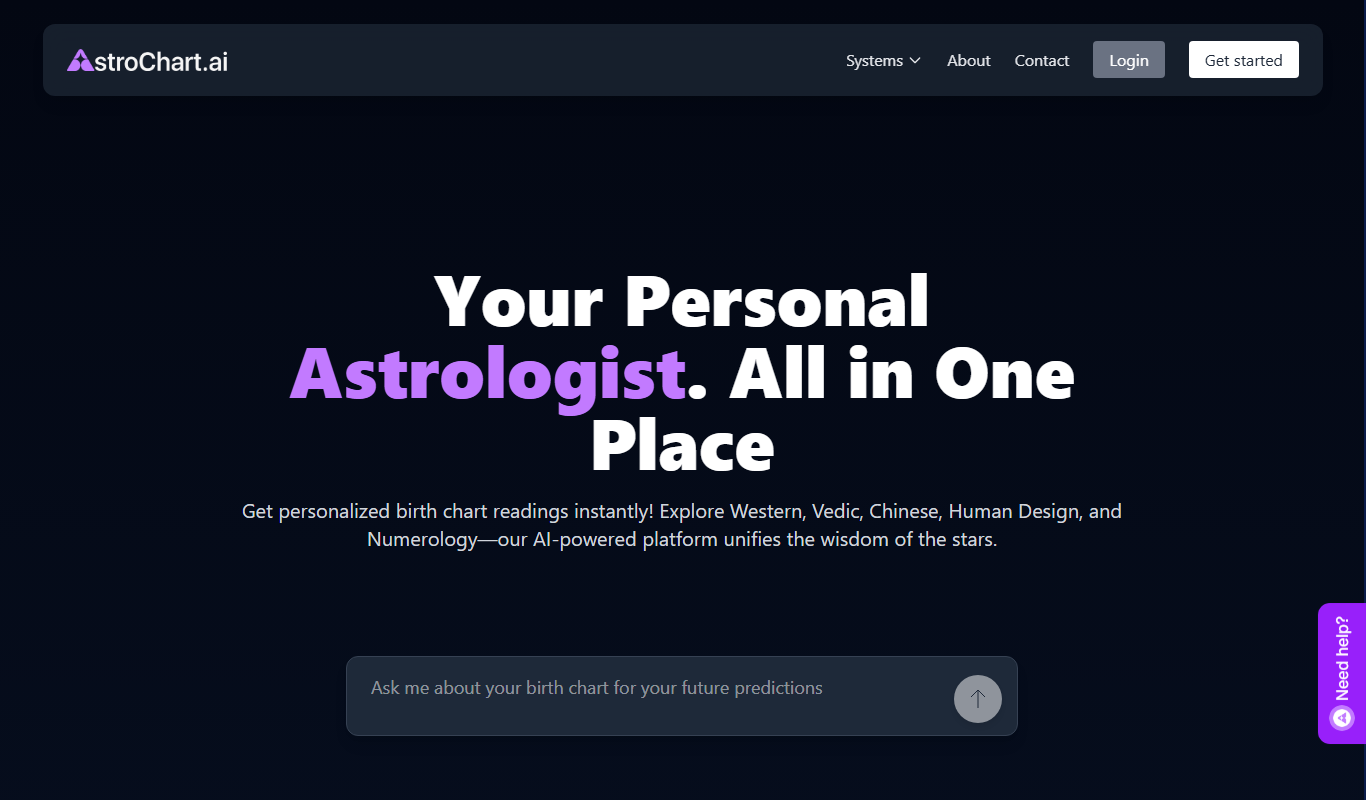
AstroChart.ai
AstroChart.ai is an AI-driven platform that creates personalized astrology birth charts and detailed interpretations based on your birth data, helping users understand their astrological profile easily online.

Dream Advisor
Dream Advisor is an app that helps users record and interpret their dreams using personalized insights to promote mental wellness and self-awareness.

Mind Tracker
Mind Tracker is an app on the App Store and Google Play.

Alya
Alya is an AI therapist app. The site lists 22 languages and more than 100 AI models, with downloads on the App Store and Google Play.