

Co Doctor by brizAI AI OPD software for doctors, clinics and hospitals
Co Doctor by brizAI is AI OPD software for doctors, clinics and hospitals that drafts prescriptions and handles tests, WhatsApp, reports, monitoring, EHR and follow-up.
- Best for
- Repeat OPD prescriptions
- Key capability
- Clinical Synthesis
Save Co Doctor, follow its updates and vote on it — everything stays in your account.
Sign in or create a free account
What is Co Doctor?
Co Doctor by brizAI is AI OPD software described as an AI junior doctor for outpatient departments. Before a consult it assembles the chief complaint, history, vitals, red flags and reports; once the doctor selects a likely diagnosis it drafts the differential, prognosis, prescription, investigations and advice for review; and after the doctor marks the visit complete it handles printing, WhatsApp messages, EHR sync, reminders, monitoring and follow-up. It also gives reception, nurses, lab and pharmacy their own consoles on the same visit record.
Key features of Co Doctor
Co Doctor offers a clinical workspace, AI drafts of Rx, tests and advice, WhatsApp and patient portal follow-up, EMR/EHR workflow, HMS integration planning and team consoles for reception, nursing, lab and pharmacy.
Clinical Synthesis
Chief complaint, history, vitals, red flags, prior plan and reports are assembled before the consult.
AI prescription drafts
After the doctor selects a diagnosis, Co Doctor drafts the differential, prognosis, Rx, investigations, advice and red flags in the doctor's style.
Mark complete automation
Printing, WhatsApp, EHR sync, lab and pharmacy handoff, reminders, monitoring and follow-up start from the approved plan.
Team consoles
Reception, nursing, doctors, lab, pharmacy, patients and admin each get a console on the same OPD visit.
Pros and cons of Co Doctor
Pros
- Learns each doctor's prescribing style from approved prescriptions
- Data is not shared with other doctors or practices
- Doctor approves, edits or defers every draft
- Labs can work inside Co Doctor or upload reports from their own system
Cons
- Not a replacement for licensed medical judgment
- HMS and EHR integration is an add-on or upgrade on the Clinic plan
- Prices are listed in rupees
Key use cases for Co Doctor
Repeat OPD prescriptions
Common diagnoses open with the doctor's usual brands, doses and investigations drafted for review.
Clinic operations
Run reception, nurses, doctors, lab, pharmacy and follow-up from one visit record.
Patient follow-up
Keep patients connected through WhatsApp, reminders and booking after the visit.
Hospital OPD integration
Hospitals connect the OPD layer to existing HMS and EHR systems.
How Co Doctor works
- 1
Gather
Patient history, vitals and reports are ready before the doctor starts.
- 2
Start Treatment
The doctor selects the likely diagnosis or order and reviews the drafted plan.
- 3
Approve
The doctor approves, edits, defers or completes; the system does not take over judgment.
- 4
Mark complete
Print, WhatsApp, EHR sync, reminders and monitoring start from the approved plan.
- 5
Follow up
Patients keep no-login access to plans, reports, instructions, reminders and booking.
Who is using Co Doctor
Co Doctor pricing
Clinic
INR 5,999 per month
For independent OPDs: AI-assisted consultation, prescription automation and connected follow-through without HMS/EHR work.
Hospital
INR 10,999 per month
For hospitals that want the doctor-led OPD layer connected to existing systems and departments.
Enterprise
Custom rollout
For networks that need governance, scale control and adoption reviews.
Plans and prices are as published by the vendor and can change. Check the official site before you buy. Open the pricing page (opens in a new tab)
Frequently asked questions about Co Doctor
An AI junior doctor for OPD that handles Rx, tests, WhatsApp, reports, monitoring, EHR and follow-up.
No. The doctor approves, edits, defers or completes each consultation.
It is designed as the OPD clinical layer; clinics can run it directly, while hospitals can add HMS/EHR integration.
No. Learning is strictly per doctor and per practice, and data is never shared with other doctors or practices.
Yes. Bring one patient case and see it work in 20 minutes.
Yes. Labs can manage tests inside Co Doctor or upload final PDF or image reports from an existing system.
Yes, it can help with that use case depending on how you configure it and what features are available. You’ll get the best results with clear inputs and a defined goal.
Conclusion
Outpatient consultations are where Co Doctor works: the case opens with complaint, history, vitals, red flags and reports already assembled. Once the doctor picks a likely diagnosis, it drafts the prognosis, prescription, investigations and advice, learning the doctor’s usual brands and doses from approved prescriptions. Marking the visit complete triggers printing, WhatsApp messages, EHR sync, reminders and follow-up.
Reception, nurses, lab and pharmacy get their own consoles on the same visit record, and hospitals can connect it to an existing HMS or EHR. The doctor approves, edits or defers every draft, and the company states that the software is not a replacement for licensed medical judgment. Plans are aimed at clinics, hospitals and larger networks and are priced in rupees.
Sources
Sign in to review this tool.
Sign In to ReviewNo reviews yet
Be the first to share how this tool worked for you.
Ask about pricing, limits, or how it compares — or answer someone else.
Sign In to AskNo questions yet
Have a question about using or paying for this tool? Be the first to ask.
Featured on TiorAI



More AI Healthcare & Wellness Tools tools
Other tools in the same category, for when this one is not quite the fit.

Freed AI Medical Scribe
Freed AI Medical Scribe is an AI-driven tool that automates medical note-taking by transcribing and structuring physician-patient conversations, integrating seamlessly with EHR systems to improve clinical workflow.

Emocional
Emocional is a platform of wellbeing, training and benefits for employees, combining courses, therapy, coaching and nutrition sessions, emoticoin rewards and the Eva AI assistant.

meals.chat
Meals.Chat is an AI calorie counter in iMessage, WhatsApp or Telegram: send a photo of anything you eat and get calories, macros and ingredients back in seconds.
Aivocado
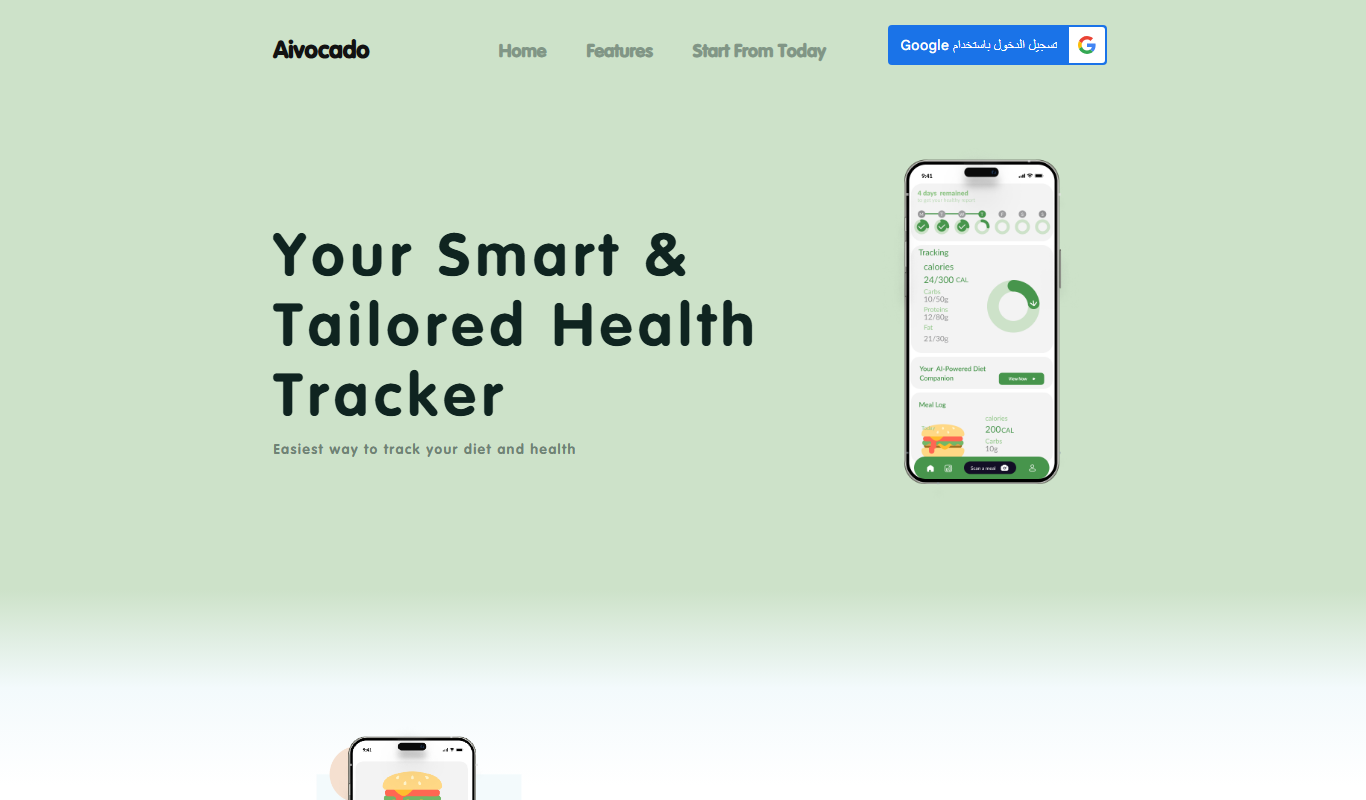
Aivocado is an AI diet and health tracker that gives a nutrition analysis and tailored diet advice from a photo of your meal.

Cal AI
Cal AI is an AI calorie tracker app: snap a photo, scan a barcode or describe your meal and get instant calorie and nutrient info.

Astra Health AI
Astra Health is a multilingual AI medical scribe that drafts structured clinical notes from consultations, with a 14-day free trial.

Rash Detector
Rash Detector is an AI-powered app for web and Android that analyzes three photos of a skin rash and returns a report with detected abnormalities, condition information and a risk assessment.

Lycaste AI
Lycaste AI is an AI skin scan that uses your phone's camera to identify your skin's primary needs and recommend a personalized skincare routine with Lycaste creams and boosters.