

AccurateScribe.ai AI Transcription Software for Fast, Precise Audio to Text
AccurateScribe.ai is an AI transcription tool that converts audio and video files into accurate text transcripts quickly, featuring speaker identification and easy editing.
- Best for
- Meeting Transcriptions
- Key capability
- High Accuracy Transcription
Save AccurateScribe.ai, follow its updates and vote on it — everything stays in your account.
Sign in or create a free account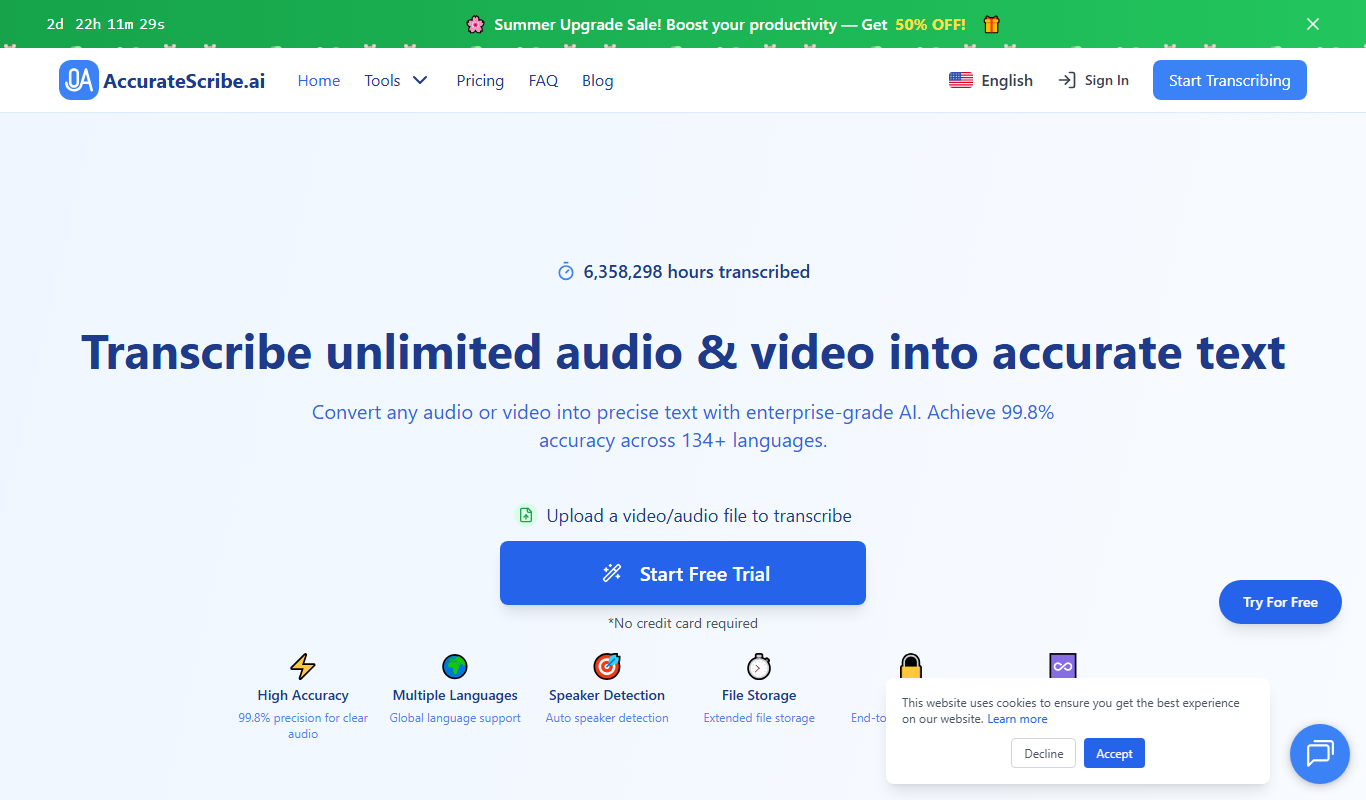
What is AccurateScribe.ai?
AccurateScribe.ai is an AI-powered transcription software designed to convert audio and video files into precise text transcripts quickly and efficiently. It leverages advanced speech recognition technology to deliver high accuracy in transcribing spoken words, making it ideal for professionals who need reliable transcription services without manual effort.
Key features of AccurateScribe.ai
The platform offers fast transcription turnaround, speaker identification, punctuation and formatting, and supports multiple audio file formats. Its user-friendly web interface allows easy upload and management of files, with options to edit transcripts directly within the tool.
High Accuracy Transcription
Utilizes advanced AI algorithms to ensure precise conversion of speech to text.
Speaker Identification
Automatically distinguishes between different speakers in the audio.
Punctuation and Formatting
Adds appropriate punctuation and formats transcripts for readability.
Multi-format Export
Supports exporting transcripts in multiple file formats for versatile use.
User-friendly Interface
Simple and intuitive web platform for uploading, editing, and managing transcripts.
Pros and cons of AccurateScribe.ai
Pros
- High transcription accuracy with AI technology
- Easy-to-use web interface
- Speaker identification feature
- Multiple export formats
- Affordable pricing tiers
Cons
- Advanced features require paid subscription
Key use cases for AccurateScribe.ai
Meeting Transcriptions
Convert audio recordings of meetings into accurate text transcripts for easy review and sharing.
Podcast Transcriptions
Generate text versions of podcast episodes to improve accessibility and SEO.
Interview Transcriptions
Quickly transcribe interviews for research, journalism, or content creation purposes.
Lecture and Seminar Notes
Automatically transcribe lectures or seminars to create detailed notes for study or reference.
Content Repurposing
Transform spoken content into written format for blogs, articles, or social media posts.
How AccurateScribe.ai works
- 1
Upload Audio or Video
Users upload their audio or video files through the web interface.
- 2
AI Transcription Processing
The AI engine processes the audio to generate a text transcript with speaker labels and punctuation.
- 3
Review and Edit
Users can review the transcript and make any necessary edits directly in the platform.
- 4
Export Transcript
Final transcripts can be exported in various formats such as TXT, DOCX, or PDF.
Who is using AccurateScribe.ai
AccurateScribe.ai pricing
Unlimited (yearly)
$9.99/month, billed annually at $119.99/year
Unlimited transcription usage and subtitle generation, files up to 10 hours each, 134+ languages, speaker identification, export to DOCX, PDF, SRT, VTT, TXT and CSV.
Unlimited (monthly)
$19.99/month
Same features as the yearly plan, billed monthly: unlimited transcription usage and subtitle generation, files up to 10 hours each, speaker identification.
Plans and prices are as published by the vendor and can change. Check the official site before you buy. Open the pricing page (opens in a new tab)
Frequently asked questions about AccurateScribe.ai
It supports common audio formats including MP3, WAV, and M4A.
Yes, the platform provides an editor to review and make corrections to transcripts.
Yes, the tool can automatically identify and label different speakers.
Yes. It supports over 100 languages for transcription and 130+ for translation, including English, Spanish and Chinese.
It depends on your specific needs and how you plan to use the tool. The official website and documentation are the best sources for the latest details.
Yes, it can help with that use case depending on how you configure it and what features are available. You’ll get the best results with clear inputs and a defined goal.
Yes, it can help with that use case depending on how you configure it and what features are available. You’ll get the best results with clear inputs and a defined goal.
Conclusion
Audio or video files up to 10 hours long or 5GB each are transcribed with Whisper-based AI, and up to 50 files can be batch processed at once. Speaker recognition labels each speaker, an interactive editor with time-stamps allows precise edits, and transcripts export to formats such as DOCX, PDF and SRT. Transcription covers over 100 languages, and transcripts can be translated into 130+ languages.
Besides the web app, it is offered as an iOS app, a Microsoft Store app and a Chrome extension. Journalists, podcasters and researchers can use it for interviews, podcast episodes and lecture notes. A free trial shows only partial transcripts, while full use comes through a single Unlimited plan billed monthly or yearly.
Sources
Sign in to review this tool.
Sign In to ReviewNo reviews yet
Be the first to share how this tool worked for you.
Ask about pricing, limits, or how it compares — or answer someone else.
Sign In to AskNo questions yet
Have a question about using or paying for this tool? Be the first to ask.
Featured on TiorAI



More AI Ai Tools tools
Other tools in the same category, for when this one is not quite the fit.

Planit Teachers
Planit Teachers generates lesson plans, slide decks, worksheets and marking feedback for primary and secondary teachers, aligned to the National Curriculum.

The Prompt Index
The Prompt Index combines 780+ curated AI prompts with 24 built-in AI tools for writing, research, decisions, images and slides, with a Free plan and paid Basic and Pro plans.

AiPPT
AiPPT is an AI-driven web tool that helps users create professional presentations quickly by generating slide content and designs automatically.

PresentationGPT
PresentationGPT is an AI-driven tool that helps users quickly create professional presentation slides by generating content and layouts based on user input.

Spectre Camera
Spectre Camera is an iOS app that uses AI to create long exposure photos by stabilizing shots and combining multiple frames, enabling effects like light trails and motion blur without professional equipment.

aimusic.one
aimusic.one is an AI-driven online platform that generates original, royalty-free music tracks customized by style, mood, and tempo, suitable for content creators and hobbyists.

DiffRhythm
DiffRhythm is an AI music generation platform that creates custom soundtracks and beats tailored to your project’s style and mood.

PracticeInterview.ai
PracticeInterview.ai is an AI-driven platform that simulates job interviews with tailored questions and provides personalized feedback to help users improve their interview skills.