

Fusion AI Multi-Model AI Chatbot Paid with Usage Credits
Fusion AI integrates leading AI models from OpenAI, Anthropic and Google into one chatbot that routes each request to the most suitable models, paid with usage credits.
- Best for
- Analyzing a marketing campaign
- Key capability
- Request routing
Save Fusion AI, follow its updates and vote on it — everything stays in your account.
Sign in or create a free account

What is Fusion AI?
Fusion AI is a multi-model AI chatbot that integrates leading AI models into a single platform. It analyzes each request, sends it to the most suitable AI models, and has them work together, cross-checking results before answering. Usage is paid with credits rather than subscriptions.
Key features of Fusion AI
Fusion AI analyzes a request and sends it to the most suitable AI models, which share insights, cross-check results and refine the answer; it uses models from OpenAI, Anthropic and Google and is paid with usage credits.
Request routing
The platform analyzes your request and sends it to the most suitable AI models.
Cross-checked answers
The AI models work together behind the scenes, sharing insights, cross-checking results and refining solutions.
Several model providers
Combines models from OpenAI, Anthropic and Google, including o4 mini, GPT-5, Sonnet 4 and Gemini 2.5 Pro.
Usage credits
No subscriptions: credits are purchased as you need them.
Fusion Business
A business version with a multi-model chat interface, admin and governance dashboards, logging and company knowledge base integrations.
Pros and cons of Fusion AI
Pros
- Several AI models through one interface
- Models cross-check each other's results
- Pay per use with no subscriptions
- Free credits to start
- Kept up to date with the latest AI advancements
Cons
- Currently supports only English language
- Limited integrations compared to some competitors
- No mobile app available yet
Key use cases for Fusion AI
Analyzing a marketing campaign
Ask the combined models to analyze a marketing campaign.
Writing a report
Have the models draft a report together.
Understanding a complex dataset
Get help understanding a complex dataset.
Company AI platform
Give employees secure company knowledge base integrations and no-code agentic workflow creation.
SEO Optimization
Produce SEO-friendly content that aligns with keyword strategies to boost search rankings.
How Fusion AI works
- 1
Tell Fusion what you need
Ask for anything from analyzing a marketing campaign to writing a report or understanding a complex dataset.
- 2
Request is routed
The platform analyzes the request and sends it to the most suitable AI models.
- 3
Models collaborate
The models share insights, cross-check results and refine the solution.
- 4
Follow up
Follow-up questions use a high-performance model for quick responses.
- 5
Pay per use
Credits are purchased as needed, with no monthly commitment.
Who is using Fusion AI
Fusion AI pricing
Free credits
$5 in free credits
Free credits to try Fusion AI.
Pay as you go credits
$0.05 per credit
Initial prompts cost 5 credits ($0.25) and follow-ups 1 credit ($0.05). No subscriptions.
Enterprise
Custom pricing
Tailored solutions with advanced features, dedicated support, and team collaboration tools.
Plans and prices are as published by the vendor and can change. Check the official site before you buy. Open the pricing page (opens in a new tab)
Frequently asked questions about Fusion AI
Models from OpenAI, Anthropic and Google, including o4 mini, GPT-5, Sonnet 4 and Gemini 2.5 Pro.
No. Pricing is based on usage credits, not subscriptions; you purchase credits as you need them.
An initial Fusion question uses the full AI collaboration process and costs more credits than a follow-up, which uses a single high-performance model.
Yes. Fusion Business is a full-stack AI platform tailored to an organization’s needs, with admin and governance dashboards and logging.
Any request, such as analyzing a marketing campaign, writing a report or understanding a complex dataset, answered by several AI models working together.
It is pay per use with credits; see the pricing section for the credit price and what initial prompts and follow-ups cost.
You maintain full control over your data, with security measures in place.
Yes. New users get free credits to start.
Conclusion
Rather than making users pick a model, the chatbot analyzes each request and sends it to the AI models it judges most suitable. Those models then work together behind the scenes, sharing insights and cross-checking results before an answer comes back. The pool draws on OpenAI, Anthropic and Google, with GPT-5, Sonnet 4 and Gemini 2.5 Pro among the named models. Requests can range from analyzing a marketing campaign to writing a report or making sense of a complex dataset.
Billing follows usage instead of a monthly plan: credits are bought as needed, a first full question costs more than a follow-up handled by a single high-performance model, and new users start with free credits. Data scientists, marketing professionals and people looking for a creative boost are the users the site addresses. Organizations get a separate Fusion Business platform with admin and governance dashboards, logging and company knowledge base integrations.
Sources
Sign in to review this tool.
Sign In to ReviewNo reviews yet
Be the first to share how this tool worked for you.
Ask about pricing, limits, or how it compares — or answer someone else.
Sign In to AskNo questions yet
Have a question about using or paying for this tool? Be the first to ask.
Featured on TiorAI



More AI Assistant tools
Other tools in the same category, for when this one is not quite the fit.

IntelliMuse
IntelliMuse offers custom AI companions called Muses, with their own personalities, expertise and voices, for text chat on the web or voice calls on iPhone.

Empai: Empathic AI Assistant
Empai is an iPhone and iPad app that decodes what people really mean and helps you rewrite dull or angry texts.

Mammouth
Mammouth gives you GPT, Claude, Gemini, Mistral, FLUX and other GenAI models in one subscription, with one-click reprompting between models.

AiGenda
AiGenda is an AI meeting assistant that records calls in Google Meet, Zoom or Telemost, transcribes them and delivers a structured meeting summary in under 5 minutes.

Cantian AI
Cantian AI offers free AI fortune telling and a BaZi calculator, combining eastern astrology with AI to give insights into love and wealth.

exa.ai
Exa is a search API for AI agents that need real-time web data, deep research and structured content from one endpoint.

MeetCody
Cody AI offers specialized AI agents (Assist, Convert, Clear and Live) that answer questions from your knowledge base, convert website visitors, deliver controlled responses and create live experiences.
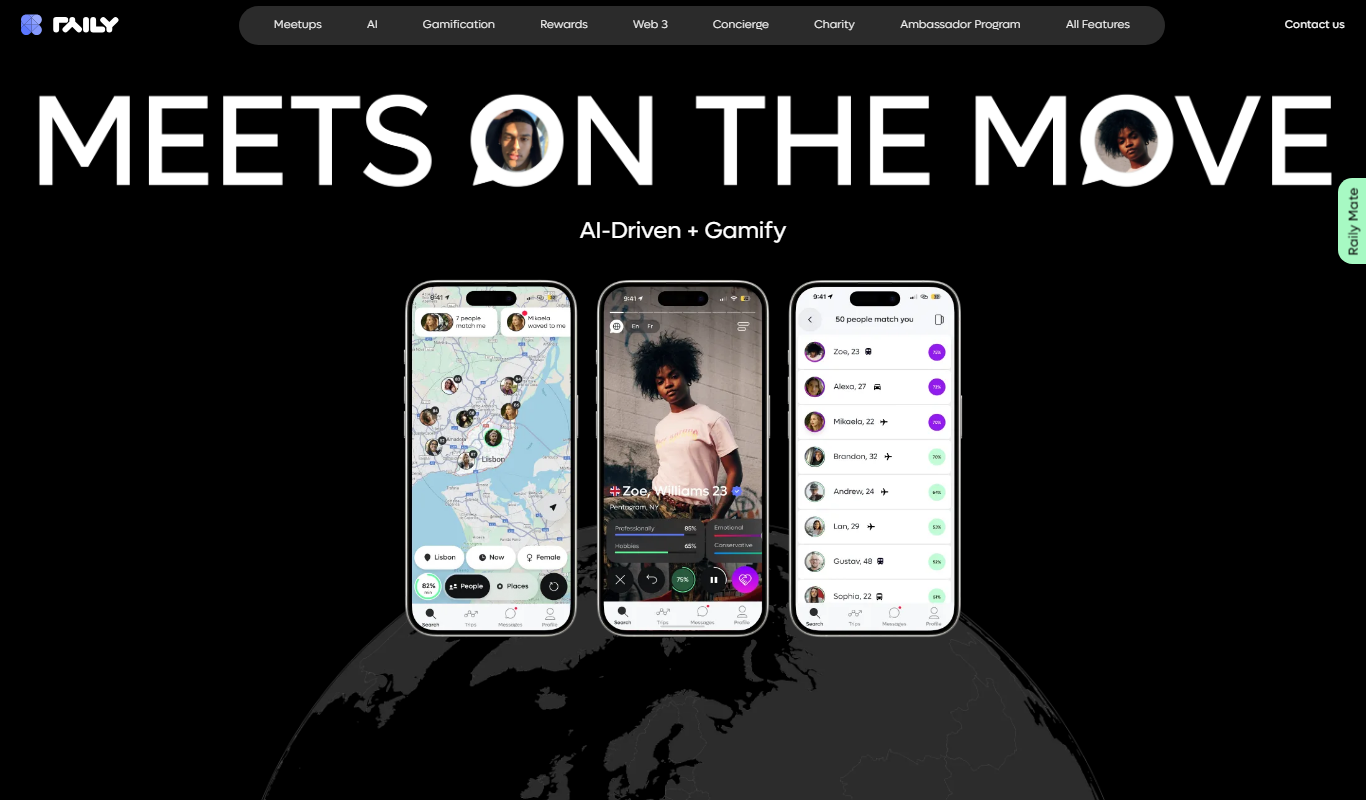
Raily
Raily gives you a personal AI agent that searches for compatible people, talks to their agents first and brings you in when both sides fit.