

AiGenda AI Meeting Assistant for Efficient Scheduling and Notes
AiGenda is an AI meeting assistant that records calls in Google Meet, Zoom or Telemost, transcribes them and delivers a structured meeting summary in under 5 minutes.
- Best for
- Meeting Transcription
- Key capability
- Automatic Meeting Protocol
Save AiGenda, follow its updates and vote on it — everything stays in your account.
Sign in or create a free account
What is AiGenda?
AiGenda is an AI meeting assistant that translates speech from meetings into text and creates an automatic meeting protocol using artificial intelligence. It joins calls in Google Meet, Zoom or Telemost, records them and delivers a transcript and summary in under 5 minutes.
Key features of AiGenda
AiGenda offers automatic transcription with speaker names and timecodes, an automatic meeting protocol with the main information, and sharing of results as a PDF summary or a link.
Automatic Meeting Protocol
Automatically determines the type of meeting and compiles a protocol with the main information.
Automated Meeting Notes
Generates accurate and concise meeting summaries without manual effort.
Action Item Extraction
Identifies tasks and follow-ups discussed during meetings for easy tracking.
Video Conferencing Integration
Works with the video conferencing platforms Zoom, Google Meet and Telemost.
Telegram Bot
The AI assistant can also be used in Telegram, where the bot is integrated with the messenger.
Pros and cons of AiGenda
Pros
- Automates meeting transcription and note-taking
- Integrates smoothly with popular calendar platforms
- AI-generated summaries save time and improve accuracy
- User-friendly Chrome extension for quick access
Cons
- Limited language support (English only)
- Some advanced features require paid subscription
Key use cases for AiGenda
Meeting Transcription
Turns work calls or uploaded video and audio into text.
Meeting Notes and Summaries
The tool automatically generates meeting notes and summaries to keep participants aligned and save time on manual note-taking.
Task and Action Item Tracking
AiGenda identifies and tracks tasks and action items discussed during meetings to ensure follow-up and accountability.
Sharing Meeting Results
Send a PDF summary or a link to detailed meeting results to students or colleagues in one click.
How AiGenda works
- 1
Invite the bot
Invite the AI assistant to a meeting in Google Meet, Zoom or Telemost.
- 2
Transcribe the meeting
The bot records the call and turns speech into text with punctuation and speaker names with timecodes.
- 3
Join and Record Meetings
During meetings, AiGenda records conversations and uses AI to generate notes and identify action items.
- 4
Review and Share Notes
After meetings, users can review AI-generated summaries and share them with attendees.
Who is using AiGenda
AiGenda pricing
Free
RUB 0/month
150 minutes, transcription, summary, video loading and Zoom, Google Meet and Telemost integration, with low processing priority and no editing or export of the summary.
Start
RUB 990/month
540 minutes, transcription, summary, video loading, high processing priority, editing of the result and export of the summary.
Pro
RUB 1890/month
1200 minutes, transcription, summary, video loading, high processing priority, editing of the result and export of the summary.
Plans and prices are as published by the vendor and can change. Check the official site before you buy. Open the pricing page (opens in a new tab)
Frequently asked questions about AiGenda
AiGenda joins meetings in Zoom, Google Meet and Telemost.
Yes, AiGenda can record meetings and generate AI-powered notes and summaries.
Yes, AiGenda offers a free plan with basic features and usage limits.
AiGenda follows industry-standard security practices and encrypts user data to protect privacy.
It depends on your specific needs and how you plan to use the tool. The official website and documentation are the best sources for the latest details.
Yes, it can help with that use case depending on how you configure it and what features are available. You’ll get the best results with clear inputs and a defined goal.
Some tools offer a free plan or trial with limited features. Availability can vary, so confirm on the official website.
Yes, it can help with that use case depending on how you configure it and what features are available. You’ll get the best results with clear inputs and a defined goal.
Conclusion
Work calls in Google Meet, Zoom or Telemost are the starting point: the AI assistant joins as a bot, records the conversation and delivers the results in under 5 minutes. Transcripts take punctuation into account and show the names of the speakers with timecodes. The system then determines the type of meeting and compiles a protocol with the main information, so key moments are easier to find later. Any video or audio file can also be translated into text through video loading.
Speech recognition covers 10 languages, among them Russian, English, German and Spanish. Results go out as a PDF summary or a link in one click, and the same assistant is available as a bot in Telegram. A free tier includes a limited number of minutes, while the paid Start and Pro plans add more minutes, high processing priority and the ability to edit and export the summary.
Sources
Sign in to review this tool.
Sign In to ReviewNo reviews yet
Be the first to share how this tool worked for you.
Ask about pricing, limits, or how it compares — or answer someone else.
Sign In to AskNo questions yet
Have a question about using or paying for this tool? Be the first to ask.
Featured on TiorAI



More AI Assistant tools
Other tools in the same category, for when this one is not quite the fit.

Empai: Empathic AI Assistant
Empai is an iPhone and iPad app that decodes what people really mean and helps you rewrite dull or angry texts.

Mammouth
Mammouth gives you GPT, Claude, Gemini, Mistral, FLUX and other GenAI models in one subscription, with one-click reprompting between models.

Cantian AI
Cantian AI offers free AI fortune telling and a BaZi calculator, combining eastern astrology with AI to give insights into love and wealth.

exa.ai
Exa is a search API for AI agents that need real-time web data, deep research and structured content from one endpoint.

MeetCody
Cody AI offers specialized AI agents (Assist, Convert, Clear and Live) that answer questions from your knowledge base, convert website visitors, deliver controlled responses and create live experiences.
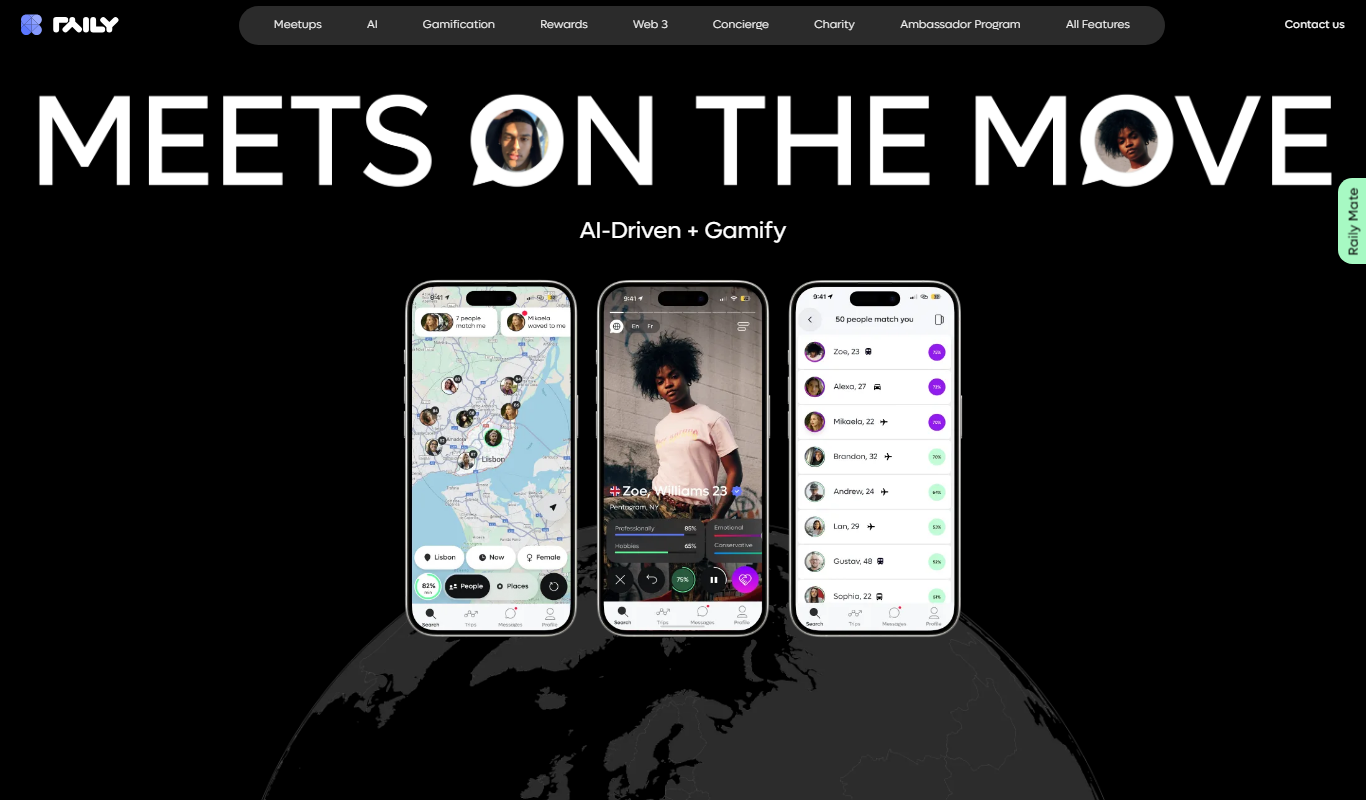
Raily
Raily gives you a personal AI agent that searches for compatible people, talks to their agents first and brings you in when both sides fit.

dataing
Dataing is a dating app with Cupid, an AI relationship ally that suggests one person worth noticing, explains why they might fit and helps plan a real meeting.

VoxNote
VoxNote is a phone call notetaker for iPhone that transcribes and summarizes your phone calls automatically and works with your existing phone number.