

GetBot AI Assistant Sidebar for Chrome, Edge and Visual Studio Code
GetBot is a multi-model AI assistant for Chrome, Edge and Visual Studio Code that chats with GPT, Claude and Gemini, generates images, summarizes videos and detects AI content.
- Best for
- Comparing AI answers
- Key capability
- Group AI chat
Save GetBot, follow its updates and vote on it — everything stays in your account.
Sign in or create a free account
What is GetBot?
GetBot is an AI assistant that works as a sidebar on any webpage and as extensions for Chrome, Edge and Visual Studio Code. It chats with several AI models such as GPT, Claude and Gemini, writes, translates and explains text, generates images, summarizes videos and detects AI-generated content.
Key features of GetBot
GetBot offers group AI chat, an AI image generator, audio, image and video to text, text to voice, a YouTube summarizer, GetBot Code and an AI content detector.
Group AI chat
Compare answers from multiple AI models in one chat.
Browser and Visual Studio Code extensions
AI-powered extensions for Chrome, Edge and Visual Studio Code.
AI image generation
Create images with AI models.
Summaries and transcription
YouTube summarizer plus audio, image and video to text.
AI content detection
Detects AI-generated content and checks for plagiarism.
Pros and cons of GetBot
Pros
- Several AI models in one extension
- Free plan with daily credits
- Works on any webpage
- Detailed analytics for performance tracking
Cons
- Free users have a daily usage limit and request limits during high traffic
- Advanced models use a small separate credit allowance
Key use cases for GetBot
Comparing AI answers
Ask several AI models the same question and compare the results.
Reading and translating web pages
Translate, rephrase and explain text on any web page.
Summarizing videos
Summarize YouTube videos with AI.
Checking content
Check text for AI-generated content and plagiarism.
How GetBot works
- 1
Install the extension
Install GetBot from the browser web store.
- 2
Create an account
Create an account and choose a plan.
- 3
Chat on any page
Chat, generate images, summarize videos and detect AI content without leaving the page.
- 4
Monitor and Optimize
Track chatbot interactions and performance metrics to continuously improve responses.
Who is using GetBot
GetBot pricing
Free
Free
20 credits for basic models daily, with daily limits on images, uploads and summaries.
Silver
$7.99/month
3,600 credits for basic models and 200 credits for advanced models monthly.
Gold
$15.99/month
12,000 credits for basic models and 400 credits for advanced models monthly, plus video generation.
Plans and prices are as published by the vendor and can change. Check the official site before you buy. Open the pricing page (opens in a new tab)
Frequently asked questions about GetBot
An AI-powered copilot in Chrome to chat, generate images, summarize videos and detect AI content without leaving the page.
Models such as GPT-5, Claude and Gemini, and more.
You can start for free with a daily usage limit; advanced features need a paid plan.
Chrome, Edge and Visual Studio Code.
Install GetBot from the browser web store, create an account and choose a plan.
Yes. It can translate, rephrase and explain text on any web page.
Yes. It offers AI-generated content detection and plagiarism verification.
Conclusion
A sidebar on whatever page is open is where this assistant lives, through extensions for Chrome, Edge and Visual Studio Code. A group chat sends one question to several models such as GPT-5, Claude and Gemini so their answers can be compared, and the same panel translates, rephrases or explains text on the page. Image generation, a YouTube summarizer, audio and video to text, and AI content and plagiarism checks come bundled as well.
Setup is an install from the browser web store followed by an account and a plan choice. The free plan gives daily credits for basic models but has a daily usage limit, while the monthly paid plans add larger credit allowances and a smaller separate pool for advanced models.
Sources
Sign in to review this tool.
Sign In to ReviewNo reviews yet
Be the first to share how this tool worked for you.
Ask about pricing, limits, or how it compares — or answer someone else.
Sign In to AskNo questions yet
Have a question about using or paying for this tool? Be the first to ask.
Featured on TiorAI



More AI Assistant tools
Other tools in the same category, for when this one is not quite the fit.

IntelliMuse
IntelliMuse offers custom AI companions called Muses, with their own personalities, expertise and voices, for text chat on the web or voice calls on iPhone.

Empai: Empathic AI Assistant
Empai is an iPhone and iPad app that decodes what people really mean and helps you rewrite dull or angry texts.

Mammouth
Mammouth gives you GPT, Claude, Gemini, Mistral, FLUX and other GenAI models in one subscription, with one-click reprompting between models.

AiGenda
AiGenda is an AI meeting assistant that records calls in Google Meet, Zoom or Telemost, transcribes them and delivers a structured meeting summary in under 5 minutes.

Cantian AI
Cantian AI offers free AI fortune telling and a BaZi calculator, combining eastern astrology with AI to give insights into love and wealth.

exa.ai
Exa is a search API for AI agents that need real-time web data, deep research and structured content from one endpoint.

MeetCody
Cody AI offers specialized AI agents (Assist, Convert, Clear and Live) that answer questions from your knowledge base, convert website visitors, deliver controlled responses and create live experiences.
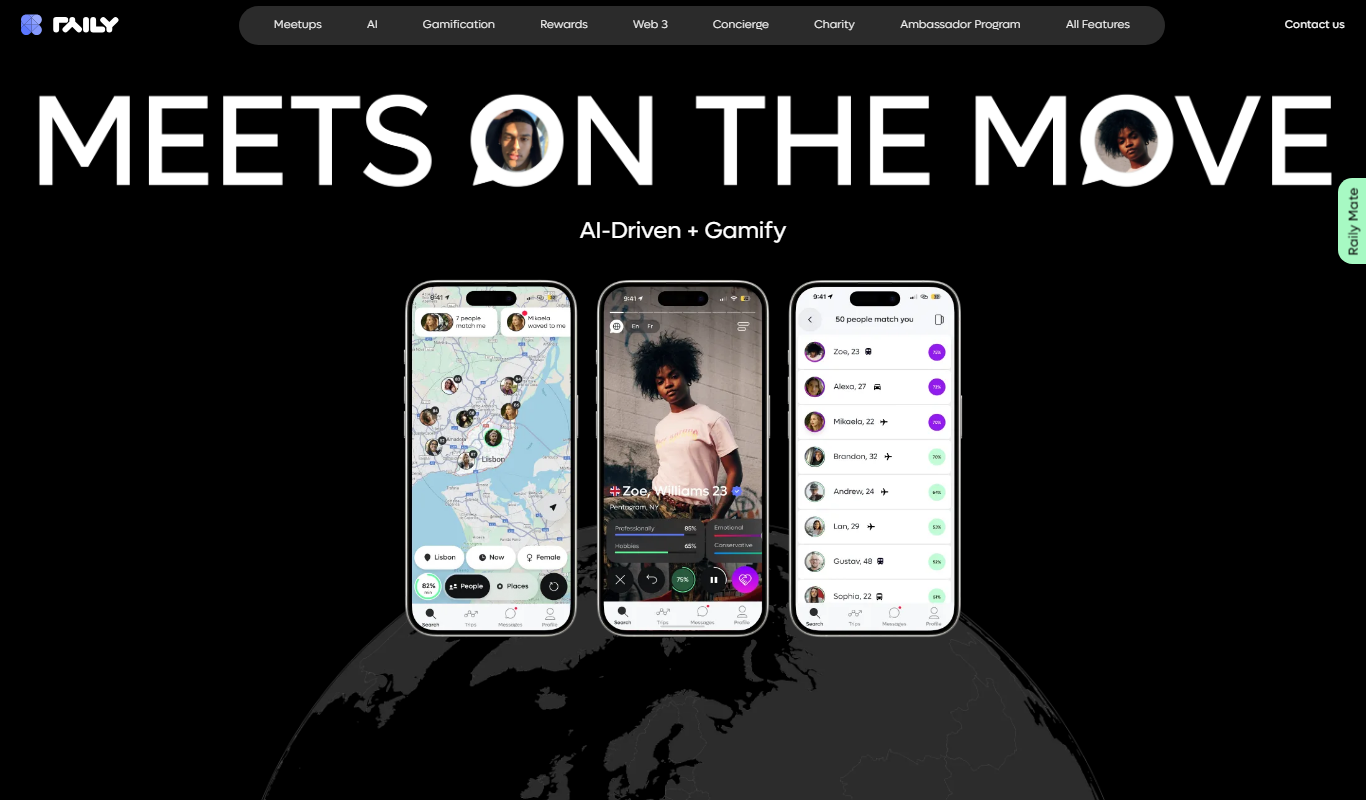
Raily
Raily gives you a personal AI agent that searches for compatible people, talks to their agents first and brings you in when both sides fit.