

Wondercraft AI Podcast Maker for Automated Audio Content Creation
Wondercraft is an AI-native studio with a real editor where users create podcasts, videos and more by simply chatting with AI.
- Best for
- Podcast Production
- Key capability
- AI Voice Cloning
Save Wondercraft AI, follow its updates and vote on it — everything stays in your account.
Sign in or create a free account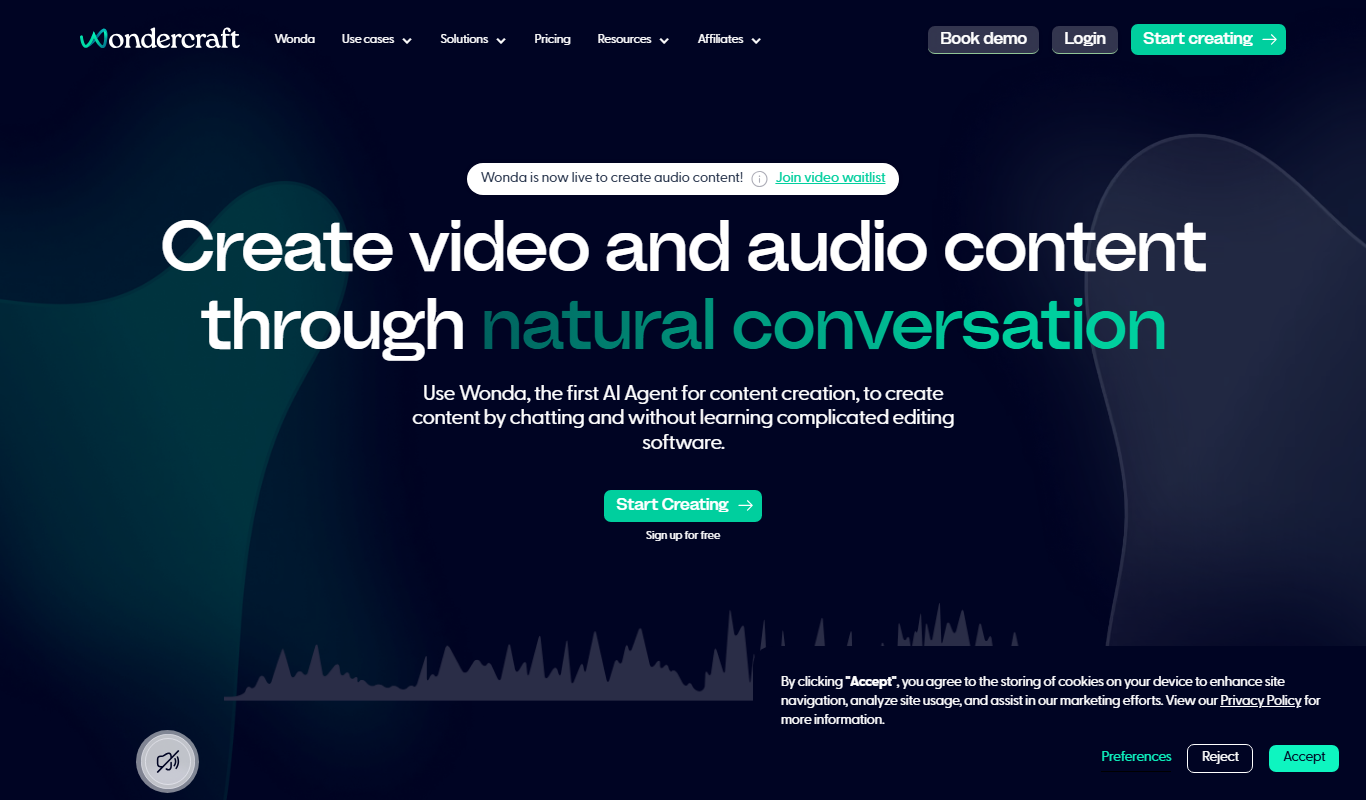
What is Wondercraft AI?
Wondercraft is an AI-native studio with a real editor, top AI models and an AI agent as creative assistant. Users create podcasts, audio, videos and more by simply chatting with AI, with voice cloning, text to speech and an AI podcast generator.
Key features of Wondercraft AI
Key features include AI voice cloning, script-to-audio conversion, customizable voice options, seamless editing tools, and easy publishing capabilities. The platform supports transforming text content into natural-sounding podcasts rapidly.
AI Voice Cloning
Create a digital replica of your voice for personalized podcast narration.
Script-to-Audio Conversion
Automatically convert text scripts into natural-sounding audio episodes.
Customizable Voices
Select from multiple AI voices with adjustable tone and style.
Editing Tools
Edit generated audio to improve flow, pacing, and clarity.
Easy Publishing
Publish podcasts directly to platforms or download for manual distribution.
Pros and cons of Wondercraft AI
Pros
- Simplifies podcast creation with AI automation
- Offers voice cloning for personalized narration
- User-friendly interface suitable for beginners
- Supports quick script-to-audio conversion
- Affordable pricing with a free tier
Cons
- Limited language support (English only)
- Editing capabilities are basic compared to professional DAWs
- Dependent on internet connection as a web-based tool
Key use cases for Wondercraft AI
Podcast Production
Create professional-sounding podcasts quickly using AI-generated voices and scripts.
Content Repurposing
Transform blog posts or written content into engaging audio episodes.
Voice Cloning
Use AI to clone voices for personalized or branded podcast narration.
Audio Marketing
Generate audio ads or promotional content for marketing campaigns.
Educational Content
Produce audio lessons or tutorials with natural-sounding AI voices.
How Wondercraft AI works
- 1
Sign Up and Access Platform
Create an account on Wondercraft AI’s website to start using the podcast maker.
- 2
Input or Import Script
Enter your podcast script manually or import written content to convert into audio.
- 3
Select AI Voice
Choose from available AI-generated voices or clone your own voice for narration.
- 4
Generate and Edit Audio
Let the AI produce the audio, then use editing tools to refine the episode.
- 5
Publish or Download
Publish your podcast directly or download the audio file for distribution.
Who is using Wondercraft AI
Wondercraft AI pricing
Free
$0/month
150 free credits, limited access to AI models, access to all video editing, up to 720p export resolution.
Creator
$25/month, or $21/month billed yearly
1,000 credits; no watermark and full commercial rights, access to all premium AI models, 1 custom AI character, API access.
Pro
$45/month
For professionals and teams: team collaboration up to 3 users, unlimited custom AI characters, upscaling to 4K resolution.
Enterprise
Let's talk
For bigger teams needing governance and scale: custom credits and seats, custom terms with SLA and DPA assurances.
Plans and prices are as published by the vendor and can change. Check the official site before you buy. Open the pricing page (opens in a new tab)
Frequently asked questions about Wondercraft AI
Yes, Wondercraft AI offers voice cloning to create a digital version of your voice for podcast narration.
Absolutely, the platform is designed to be user-friendly and requires no prior audio production experience.
Text to speech converts any script to natural audio in many styles and languages, and voice cloning supports narration and dubbing.
Yes, you can publish your podcasts directly or download audio files for distribution on other platforms.
It depends on your specific needs and how you plan to use the tool. The official website and documentation are the best sources for the latest details.
Yes, it can help with that use case depending on how you configure it and what features are available. You’ll get the best results with clear inputs and a defined goal.
Some tools offer a free plan or trial with limited features. Availability can vary, so confirm on the official website.
Conclusion
Episodes are planned, recorded and auto-edited with music and chapters by the AI podcast generator, and Convo Mode adds editable NotebookLM-style audio. Voices can be cloned from samples for narration, dubbing and versions, while text to speech converts any script to natural audio in many styles and languages. Everything is created by chatting with AI inside a studio that also has a real editor.
Video is the newer direction, with an AI video generator, AI avatars and image to video, although the site says the video launch is next week and only audio is live today. The free tier gives 150 credits with limited access to AI models and exports up to 720p. Paid plans remove the watermark and add full commercial rights and API access, and Pro supports team collaboration for up to 3 users.
Sources
Sign in to review this tool.
Sign In to ReviewNo reviews yet
Be the first to share how this tool worked for you.
Ask about pricing, limits, or how it compares — or answer someone else.
Sign In to AskNo questions yet
Have a question about using or paying for this tool? Be the first to ask.
Featured on TiorAI



More AI Content Creation Tools tools
Other tools in the same category, for when this one is not quite the fit.

JotBot AI
JotBot AI is an AI writing assistant that writes in your personal style and helps you find and cite sources without leaving your document.

Sonnet
Sonnet AI is a meeting assistant and notetaker that records without bots, transcribes, writes custom notes, extracts action items and updates your CRM.

Supermeme.ai
Supermeme.ai is an AI-driven meme generator that creates viral memes quickly using customizable templates and AI-generated captions, ideal for social media marketing and content creation.

AI Song
AI Song is a free online tool that uses artificial intelligence to generate original songs and lyrics based on user input, making music creation accessible to everyone.

Mubert
Mubert is an AI-driven music generator that creates endless royalty-free music streams in real time, suitable for content creators, streamers, and developers needing customizable, copyright-safe audio.

Buzzli
Buzzli uses AI-powered agents to create LinkedIn content, optimize your profile and keep you visible to recruiters, clients and decision-makers.

Plump
Plump is an AI-powered referral network that connects job seekers with employees at tech companies they want to work at.

TailorLinx
TailorLinx uses AI and sales psychology to write personalized cold outreach messages for LinkedIn and email, based on detailed LinkedIn profile analysis.