

Stable Video Diffusion Online Tool to Convert Images and Text into Videos
Stable Video generates short videos online from an initial image or a text prompt using Stable Video Diffusion, a latent video diffusion model.
- Best for
- Creative Video Content Production
- Key capability
- Text-to-Video Generation
Save Stable Video, follow its updates and vote on it — everything stays in your account.
Sign in or create a free account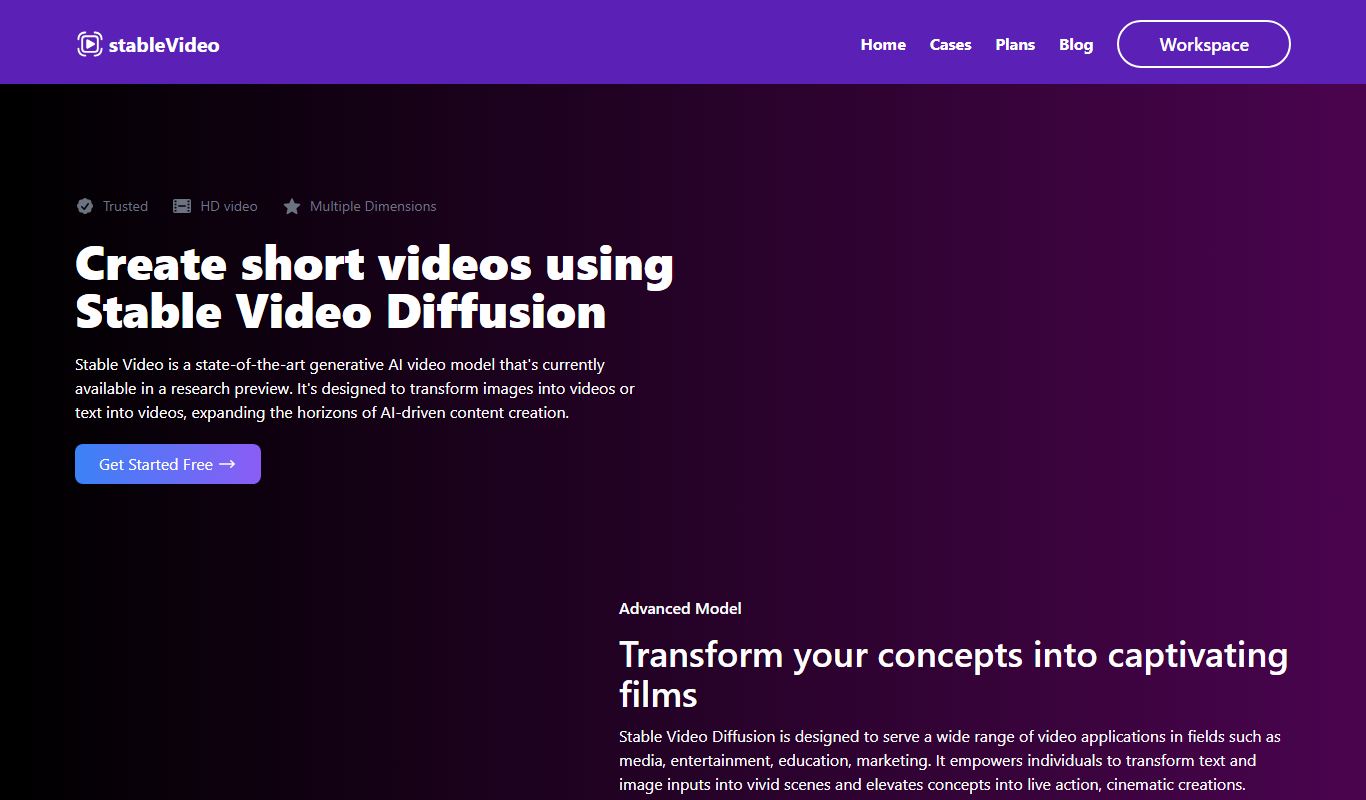
What is Stable Video?
Stable Video is an online tool that generates short videos from an initial image or text using Stable Video Diffusion, a latent video diffusion model.
Key features of Stable Video
Stable Video converts pictures or text into short videos and supports three aspect ratios, 16:9 (1024×576), 9:16 (576×1024) and 1:1 (768×768), with no watermarks on the generated videos.
Text-to-Video Generation
Create videos directly from descriptive text prompts using AI synthesis.
Multiple aspect ratios
Generates videos in common aspect ratios such as 16:9, 9:16 and 1:1.
Image and text to video
Converts pictures into videos and also converts text into videos.
High-Resolution Output
Produce videos in high definition suitable for professional use.
Pros and cons of Stable Video
Pros
- User-friendly interface for quick video creation
- Supports text-to-video generation for creative flexibility
- High-quality video output options
- AI-powered editing tools streamline post-production
Cons
- Limited language support (English only)
- Web-only platform without mobile apps
- Optimized for short clips, typically around four seconds long
Key use cases for Stable Video
Creative Video Content Production
Generate unique and high-quality videos for marketing, social media, and entertainment using AI-driven synthesis.
Video Editing and Enhancement
Enhance existing videos or create new clips with AI-assisted editing tools to improve visual quality and effects.
Rapid Prototyping for Video Projects
Quickly produce video drafts or concepts to visualize ideas without extensive manual editing.
Educational and Training Videos
Create engaging instructional videos with AI-generated visuals to support learning and presentations.
How Stable Video works
- 1
Create an Account
Sign up on the Stable Video website to access the platform’s video generation tools.
- 2
Add an image or text
Upload an initial image or enter a text prompt for the video.
- 3
Customize Settings
Adjust style, length, and quality parameters to tailor the output to your needs.
- 4
Generate video
Start the generation; a video from a picture uses 20 credits, a video from text uses 25 credits, and failed generations are not charged.
- 5
Download and Share
Review the generated video, make any necessary adjustments, then download or share your content.
Who is using Stable Video
Stable Video pricing
Hobby
Free, 25 credits/mo
25 credits per month, no watermark, high definition, 1 image to video and 1 text to video.
Pro plan
$29/mo
2500 credits per month, no watermark, high definition, 125 image to video and 100 text to video.
Basic plan
$9/mo
600 credits per month, no watermark, high definition, 30 image to video and 24 text to video.
Growth plan
$19/mo
1500 credits per month, no watermark, high definition, 75 image to video and 60 text to video.
Plans and prices are as published by the vendor and can change. Check the official site before you buy. Open the pricing page (opens in a new tab)
Compare similar tools
How Stable Video lines up against the tools people weigh it against.
 Runway
 vs Stable Video: Best AI Video Generator in 2026?
Frequently asked questions about Stable Video
Yes, Stable Video allows users to create videos by inputting descriptive text prompts.
Videos come in three aspect ratios: 16:9 (1024×576), 9:16 (576×1024) and 1:1 (768×768), and the generated videos have no watermarks.
Stable Video offers a free tier with limited features to try the service before subscribing.
Yes, the platform includes AI-assisted video editing tools to enhance and modify your videos.
It depends on your specific needs and how you plan to use the tool. The official website and documentation are the best sources for the latest details.
Pricing depends on the plan and included features. For the most accurate and up-to-date details, check the official pricing page.
Yes, it can help with that use case depending on how you configure it and what features are available. You’ll get the best results with clear inputs and a defined goal.
It depends on your specific needs and how you plan to use the tool. The official website and documentation are the best sources for the latest details.
Conclusion
Behind the site is Stable Video Diffusion, a latent video diffusion model that turns an initial image or a text prompt into a short video. The service is run by Wisdom Tech, which says it is not the same company as Stability AI but has a cooperative relationship with it. Clips are optimized for short durations, typically around four seconds, and come out in 16:9, 9:16 or 1:1 aspect ratios without watermarks.
Credits are consumed when generating videos, a video from a picture consumes fewer credits than a video from text, and failed generations are not charged. A free Hobby plan allows limited usage at lower queue priority, while paid plans add more credits, faster processing and higher priority. Refunds cannot be offered because of the substantial expenses of the GPU processing time, according to the plans page. Media, entertainment, education and marketing work are the fields the model is designed to serve.
Sources
Sign in to review this tool.
Sign In to ReviewNo reviews yet
Be the first to share how this tool worked for you.
Ask about pricing, limits, or how it compares — or answer someone else.
Sign In to AskNo questions yet
Have a question about using or paying for this tool? Be the first to ask.
Featured on TiorAI



More AI Content Creation Tools tools
Other tools in the same category, for when this one is not quite the fit.

JotBot AI
JotBot AI is an AI writing assistant that writes in your personal style and helps you find and cite sources without leaving your document.

Sonnet
Sonnet AI is a meeting assistant and notetaker that records without bots, transcribes, writes custom notes, extracts action items and updates your CRM.

Supermeme.ai
Supermeme.ai is an AI-driven meme generator that creates viral memes quickly using customizable templates and AI-generated captions, ideal for social media marketing and content creation.

AI Song
AI Song is a free online tool that uses artificial intelligence to generate original songs and lyrics based on user input, making music creation accessible to everyone.

Mubert
Mubert is an AI-driven music generator that creates endless royalty-free music streams in real time, suitable for content creators, streamers, and developers needing customizable, copyright-safe audio.

Buzzli
Buzzli uses AI-powered agents to create LinkedIn content, optimize your profile and keep you visible to recruiters, clients and decision-makers.

Plump
Plump is an AI-powered referral network that connects job seekers with employees at tech companies they want to work at.

TailorLinx
TailorLinx uses AI and sales psychology to write personalized cold outreach messages for LinkedIn and email, based on detailed LinkedIn profile analysis.