
From my experience with Beaver Builder, it stands out for its clean, intuitive drag-and-drop interface that makes WordPress website design accessible to users without coding skills. Its real-time front-end editing and responsive design controls allow for efficient creation of professional-looking sites. While the free version is somewhat limited, the premium plans offer robust features including WooCommerce integration and developer-friendly options like white-labeling. This makes Beaver Builder especially suitable for freelancers, agencies, and small business owners who want flexibility without complexity. However, some advanced customizations may still require technical knowledge, which is a reasonable trade-off for its ease of use.
Beaver Builder WordPress Page Builder Plugin for Drag-and-Drop Website Design
Beaver Builder is a WordPress plugin that provides a drag-and-drop front-end page builder for creating responsive websites without coding.
What is Beaver Builder?
Beaver Builder is a popular WordPress page builder plugin that enables users to design and customize websites visually using a drag-and-drop interface. It eliminates the need for coding by providing an intuitive front-end editor, pre-built templates, and a variety of content modules. This tool is ideal for both beginners and professionals looking to build responsive, mobile-friendly WordPress sites quickly and efficiently.
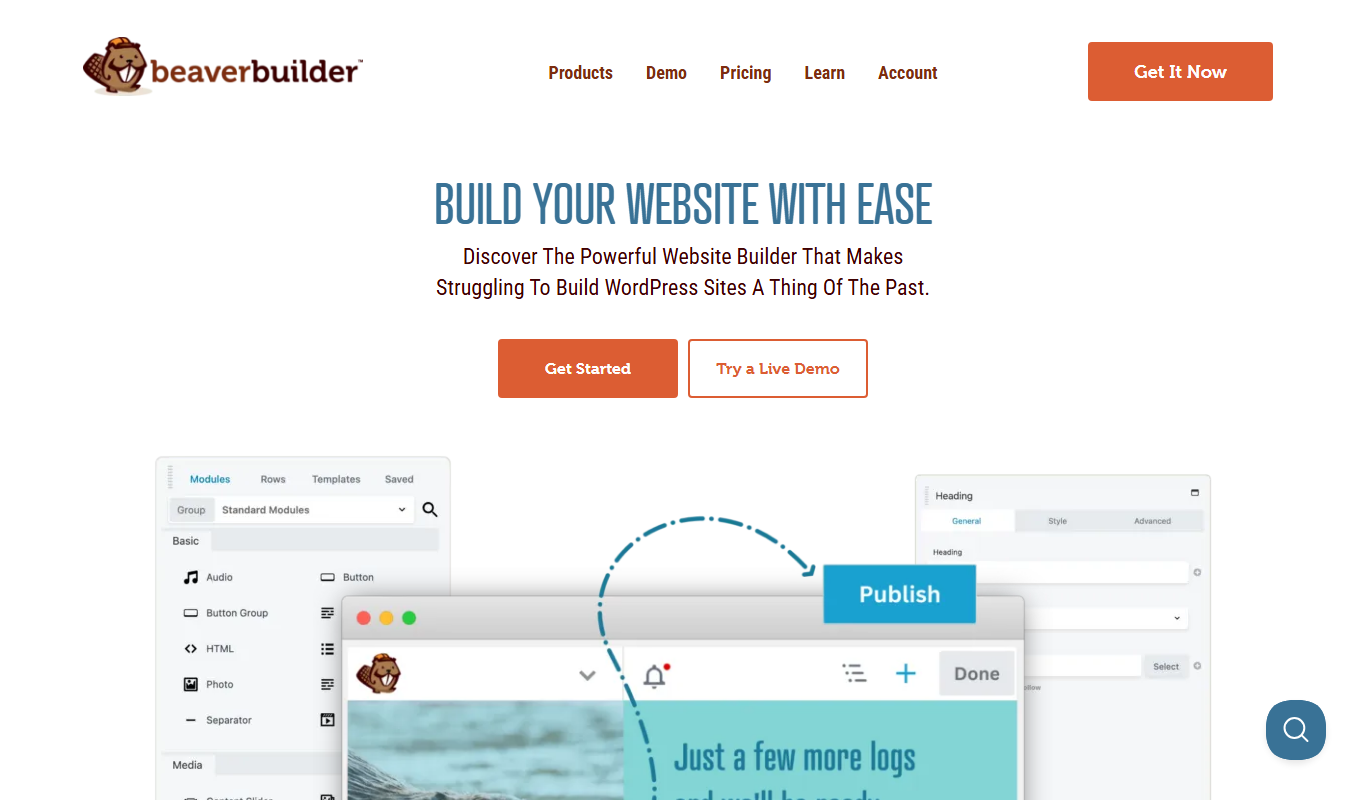
Key Features of Beaver Builder
Drag-and-Drop Front-End Editor
Intuitive visual editor that allows real-time page building without coding.
Pre-Built Templates and Modules
Access a library of professionally designed templates and content modules.
Responsive Design Controls
Easily create mobile-friendly layouts with device-specific customization.
WooCommerce Integration
Build and customize online stores with seamless WooCommerce support.
Developer Friendly
Supports custom modules, white-labeling, and clean code output for developers.
Pros and Cons of Beaver Builder
Pros
- User-friendly drag-and-drop interface
- Clean code output for SEO and performance
- Strong WooCommerce support
- Developer-friendly with custom module options
- White-labeling available for agencies
Cons
- Premium features require paid plans
- Limited free version compared to competitors
- Some advanced customizations may require coding
Key Use Cases for Beaver Builder
Website Design
Create and customize responsive WordPress websites using drag-and-drop tools without coding.
Landing Page Creation
Build high-converting landing pages quickly with pre-built templates and modules.
Content Layout Management
Easily manage and arrange page content layouts with flexible rows, columns, and modules.
Ecommerce Site Building
Design WooCommerce product pages and online stores with visual editing capabilities.
Agency Client Projects
Develop client websites efficiently with reusable templates and white-label options.
How Beaver Builder Works
-
1
Install and Activate
Install Beaver Builder as a WordPress plugin and activate it on your site.
-
2
Launch the Page Builder
Open the Beaver Builder editor on any page or post to start designing visually.
-
3
Drag and Drop Modules
Add content modules such as text, images, videos, buttons, and more by dragging them onto the page.
-
4
Customize Layout and Style
Adjust rows, columns, and module settings to tailor the design and responsiveness.
-
5
Save and Publish
Save your work and publish the page to make it live on your WordPress site.
Who's Using Beaver Builder
Small business owners
Freelance web designers
Digital marketing agencies
Ecommerce store owners
WordPress developers
Beaver Builder Pricing
Free
$0/month
Basic page builder features with limited modules and templates.
Standard
$99/year
Full access to page builder, templates, and support for one site.
Pro
$199/year
Includes multisite support, WooCommerce modules, and premium templates.
Agency
$399/year
White-labeling, unlimited sites, and priority support for agencies.
Frequently Asked Questions About Beaver Builder
Beaver Builder works with most well-coded WordPress themes, but for best results, it is recommended to use themes designed for page builders.
Yes, Beaver Builder integrates with WooCommerce, allowing you to design and customize your ecommerce store pages.
No, Beaver Builder is designed for users without coding experience, offering a drag-and-drop interface for easy website building.
Yes, it includes tools to create mobile-friendly layouts and preview designs on different device sizes.
This tool is designed to help users accomplish its core tasks more efficiently. It is typically used by individuals or teams looking to improve productivity and workflow.
Some tools offer a free plan or trial with limited features. Availability can vary, so confirm on the official website.
Yes, it can help with that use case depending on how you configure it and what features are available. You’ll get the best results with clear inputs and a defined goal.
It depends on your specific needs and how you plan to use the tool. The official website and documentation are the best sources for the latest details.
Share your review
Reviews are limited to one per logged-in user and are published after moderation.
You need an account to review this tool.
0.0
★
★
★
★
★
0 reviews
5 star
0
4 star
0
3 star
0
2 star
0
1 star
0
No reviews yet
Be the first to share how this tool worked for you.
Questions from the community
Read questions and answers about this tool, or ask your own.
No questions yet
Start the conversation by asking the first question about this tool.
Is this tool helpful?
Alternative Tools
Explore similar AI tools that might fit your needs

Free
Elementor
Elementor is a WordPress plugin that allows users to build websites visually with drag-and-drop tools, templates, and advanced design features without coding.

Freemium
Divi Builder
Divi Builder is a WordPress plugin that enables users to design websites visually with drag-and-drop tools, pre-built layouts, and responsive controls, requiring no coding skills.

Freemium
WPBakery Page Builder
WPBakery Page Builder is a WordPress plugin that allows users to create and customize website pages using an intuitive drag and drop interface without coding.
Free
docdocsai
DocDocsAI is a free web-based AI tool that summarizes and extracts insights from PDFs and text documents using natural language processing.
Custom Pricing
Salesforce Einstein 1 Platform for Application Development
Salesforce Einstein 1 Platform is an AI-powered development platform that enables building intelligent applications integrated with Salesforce CRM data, offering machine learning, NLP, and automation capabilities.

Free
PuTTY
PuTTY is a free, open-source SSH and Telnet client used to securely connect to remote servers and network devices via encrypted terminal sessions.

Free
chatGpt to pdf of chrome plugin
ChatGPT to PDF is a free Chrome extension that lets you export your ChatGPT conversations as PDF files quickly and easily, preserving the chat format.

Free
MagicAnimate Playground
MagicAnimate Playground is a free, browser-based tool that allows users to create frame-by-frame 2D animations with features like onion skinning and GIF export, ideal for beginners and quick animation projects.
Free
AntV
AntV is an open-source JavaScript data visualization library developed by Alibaba that enables developers to create interactive, customizable charts and graphs for web applications.
Free
IconFinder
IconFinder is an online platform that allows users to search, customize, and download millions of free and premium icons in various formats for design and development projects.

Free
SuperAPI.ai
SuperAPI.ai is an AI-powered platform that enables developers and businesses to automate and simplify API integrations using a no-code interface and real-time monitoring.