

Photo Eraser App for Removing Unwanted Objects from Photos Easily
Photo Eraser is an AI photo editor on the web and mobile that removes unwanted objects, people and blemishes, enhances image quality and removes or replaces backgrounds.
- Best for
- Remove Unwanted Objects
- Key capability
- One-Click Object Removal
Save Photo Eraser, follow its updates and vote on it — everything stays in your account.
Sign in or create a free account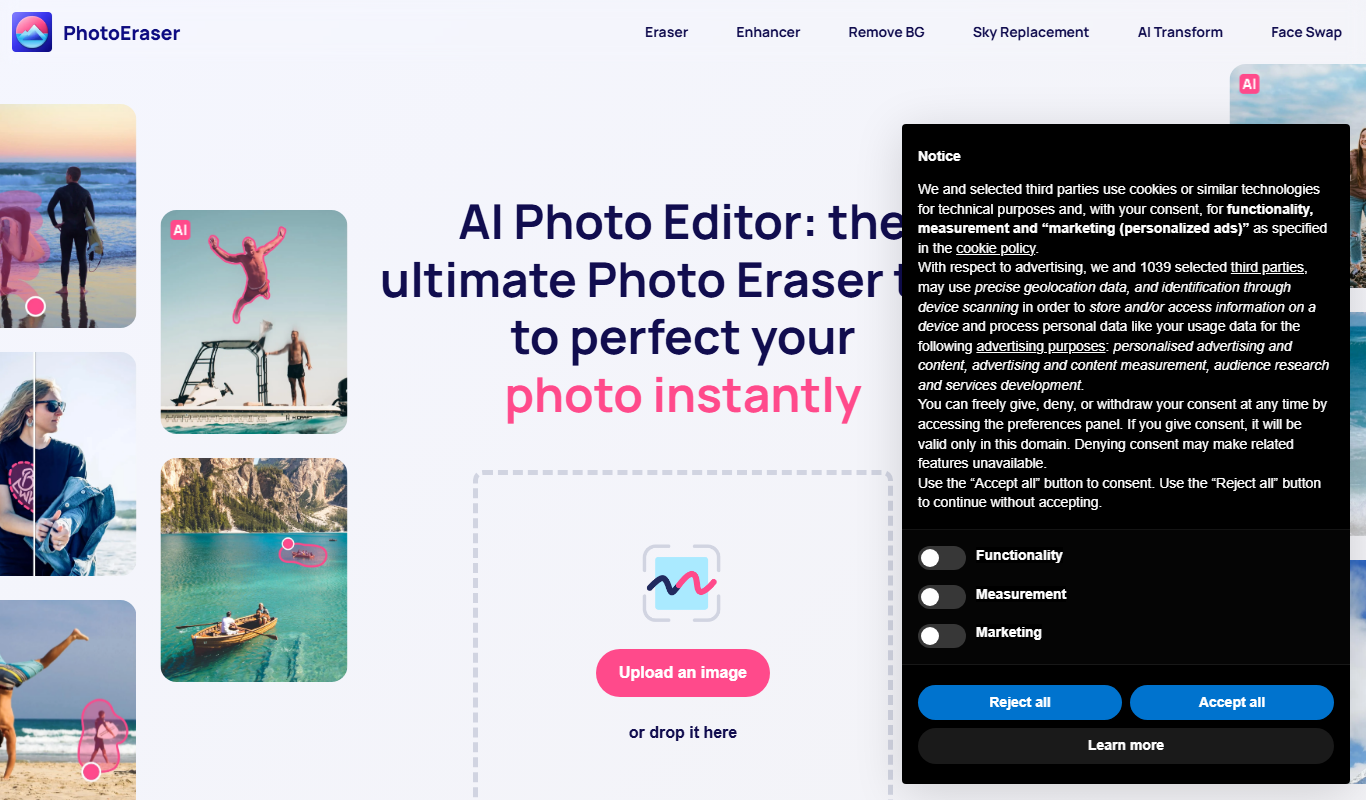

What is Photo Eraser?
Photo Eraser is an AI photo editing tool that runs as a web app and as a mobile app. It lets users remove unwanted objects, people or blemishes from photos, and it also offers an enhancer tool to improve image quality and a background remover tool to replace or remove the background.
Key features of Photo Eraser
The app offers simple tools for object removal, scratch and spot removal, and background cleanup. It supports batch processing and provides an intuitive interface suitable for both beginners and advanced users.
One-Click Object Removal
Remove unwanted elements from photos quickly with a single click.
Scratch and Spot Removal
Restore old photos by removing scratches and spots.
Batch Processing
Edit multiple photos at once to save time.
User-Friendly Interface
Simple and intuitive design suitable for all skill levels.
Pros and cons of Photo Eraser
Pros
- Easy to use with minimal learning curve
- Effective at removing various unwanted objects
- Supports batch processing for efficiency
Cons
- Free version adds watermark to edited photos
- Limited advanced editing features compared to professional software
Key use cases for Photo Eraser
Remove Unwanted Objects
Easily erase people, watermarks, logos, or other unwanted objects from photos.
Restore Old Photos
Clean up scratches, spots, and blemishes on old or damaged photographs.
Enhance Social Media Images
Quickly remove distractions to create cleaner images for social media posts.
Background Cleanup
Remove unwanted background elements to improve photo composition.
How Photo Eraser works
- 1
Import Photo
Open the photo you want to edit within the app.
- 2
Select Object
Use the selection tool to mark the unwanted object or area.
- 3
Erase and Process
Click the erase button to remove the object; the app automatically fills the area.
- 4
Save Edited Photo
Review the result and save the cleaned photo to your device.
Who is using Photo Eraser
Photo Eraser pricing
Free Trial
$0
Limited features with watermark on output images.
Full Version
$19.99 one-time
Unlock all features with no watermarks and lifetime updates.
Plans and prices are as published by the vendor and can change. Check the official site before you buy. Open the pricing page (opens in a new tab)
Frequently asked questions about Photo Eraser
Yes, Photo Eraser can effectively remove watermarks from your photos.
Yes, the Photoeraser tool can remove unwanted objects from photos for free. A paid subscription is also offered.
Photo Eraser works in the browser as a web app, and the Photoeraser app can be downloaded for iPhone or Android.
It depends on your specific needs and how you plan to use the tool. The official website and documentation are the best sources for the latest details.
Some tools offer a free plan or trial with limited features. Availability can vary, so confirm on the official website.
Yes, it can help with that use case depending on how you configure it and what features are available. You’ll get the best results with clear inputs and a defined goal.
Conclusion
Unwanted objects, people and blemishes are the main target, and the editing happens in a browser web app or in the mobile app. Areas are marked with the Free Hand and Lasso tools, while AI Magic Object Detection identifies objects and people for removal automatically. Uploads accept PNG, JPG and HEIC files of all dimensions, and the edited photo can then be downloaded and shared.
Two further tools sit next to the eraser: an enhancer that sharpens blurry images and increases resolution, and a background remover that can replace a backdrop with a new image or a solid color. Typical jobs include removing tourists or other people from travel photos and removing unwanted text or graffiti from images. Removing objects is offered for free, and a paid subscription can be cancelled at any time without a refund for the unused portion.
Sources
Sign in to review this tool.
Sign In to ReviewNo reviews yet
Be the first to share how this tool worked for you.
Ask about pricing, limits, or how it compares — or answer someone else.
Sign In to AskNo questions yet
Have a question about using or paying for this tool? Be the first to ask.
Featured on TiorAI



Alternative Tools
Explore similar AI tools that might fit your needs

Inpaint
Inpaint is a photo editing software that removes unwanted objects and restores images by intelligently filling selected areas with matching backgrounds.
More AI Background Remover tools
Other tools in the same category, for when this one is not quite the fit.

Snap2List
Snap2List is AI eBay listing software that creates optimized listings from photos in 30 seconds, with a bulk listing tool, inventory management, profit tracking and automation for eBay sellers.

Icons8
Icons8 is a platform offering a large collection of customizable icons, illustrations, and photos with plugins and API access for designers and developers.

Clickmajic ai
Clickmajic is an image background remover that cuts out subjects automatically and replaces backgrounds, with bulk uploads and an API.

background-remover.com
Background-Remover.com is a free online AI tool that automatically removes backgrounds from images, allowing users to download transparent PNGs quickly without manual editing.

AI Photo Editor
AI Photo Editor edits and generates images from simple text prompts with the Nano Banana and GPT Image 2 models, on a credit system, with free background removal and image to prompt tools.

Hotpot.ai
Hotpot.ai is an AI-powered creative platform offering tools for AI art generation, image enhancement, background removal, and AI writing to help users create digital content efficiently.

Blend
Blend is a digital lending and account opening platform that helps banks, credit unions and mortgage providers streamline mortgage, home equity, consumer loan and deposit journeys.

Cutout.Pro
Cutout.Pro is an AI-driven online tool that automatically removes image backgrounds, enhances photos, and offers batch processing and API integration for developers.