

eMastered AI Audio Enhancer for Professional Music Mastering Online
eMastered is an AI-driven online audio mastering platform that automates professional mastering processes, enabling musicians and podcasters to enhance audio quality easily through a web interface.
- Best for
- Music Mastering
- Key capability
- AI-Powered Mastering Engine
Save eMastered, follow its updates and vote on it — everything stays in your account.
Sign in or create a free account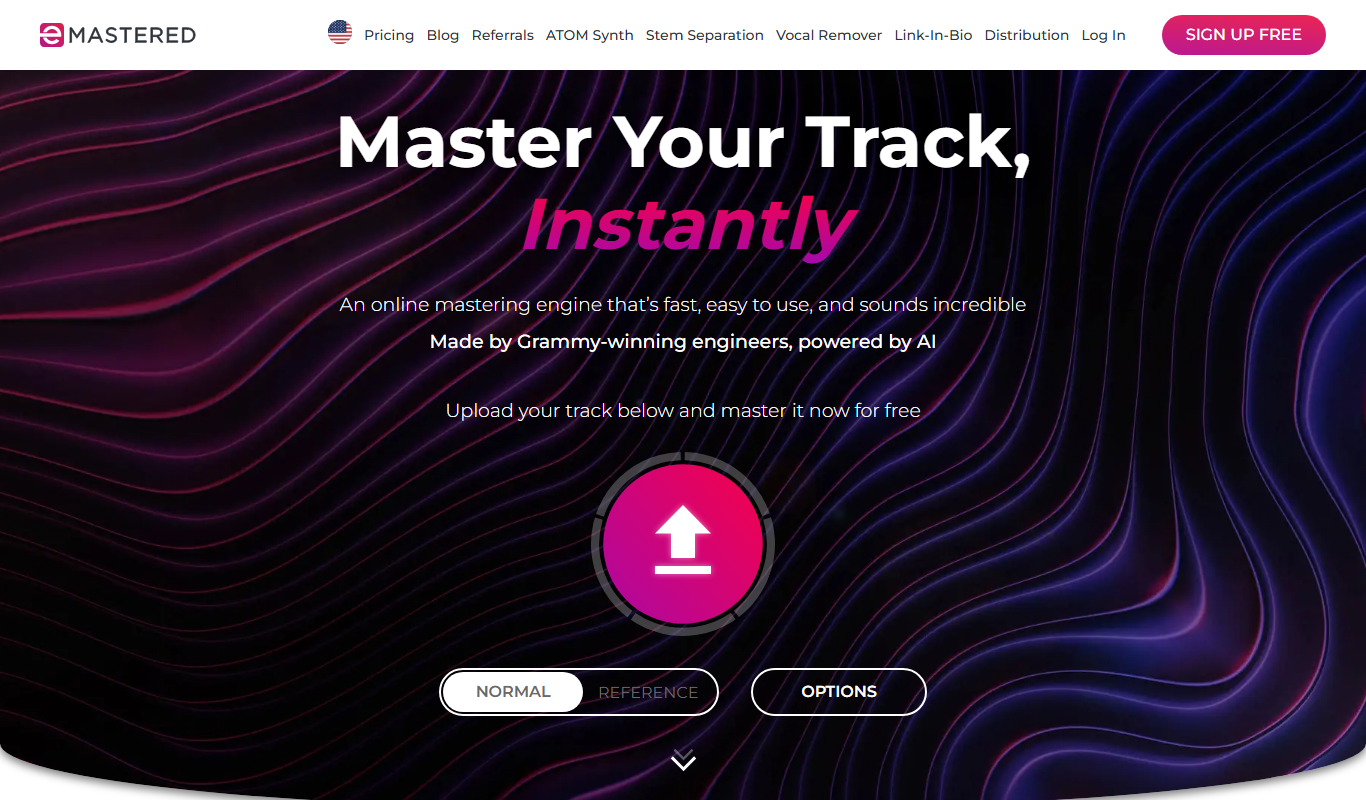
What is eMastered?
eMastered is an AI-powered online audio mastering platform designed to help musicians, producers, and podcasters enhance their audio tracks with professional-quality mastering. By leveraging artificial intelligence, it automates complex mastering processes such as equalization, compression, stereo enhancement, and loudness optimization, making high-end audio mastering accessible without requiring deep technical knowledge or expensive studio equipment.
Key features of eMastered
eMastered offers automated mastering with customizable presets, real-time audio preview, batch processing, and cloud-based delivery. It supports various audio formats and provides a user-friendly interface that simplifies the mastering workflow for creators of all skill levels.
AI-Powered Mastering Engine
Utilizes advanced machine learning algorithms to deliver professional mastering results.
Genre-Specific Presets
Offers presets optimized for various music styles to tailor the mastering process.
Real-Time Audio Preview
Allows users to instantly hear changes and compare before and after mastering.
Batch Processing
Enables mastering multiple tracks simultaneously to save time.
Cloud-Based Platform
No software installation required; accessible from any modern web browser.
Pros and cons of eMastered
Pros
- Easy-to-use interface suitable for beginners
- Fast processing with real-time previews
- Affordable subscription plans
- No software installation required
- Supports batch mastering
Cons
- Limited customization compared to manual mastering
- Only available in English
- Requires internet connection
Key use cases for eMastered
Music Mastering
Automatically master audio tracks to achieve professional sound quality suitable for distribution.
Audio Enhancement
Improve clarity, loudness, and tonal balance of music and audio recordings using AI algorithms.
Demo and Indie Artist Production
Enable independent musicians and producers to polish their tracks without expensive studio time.
Podcast Audio Improvement
Enhance spoken word recordings for podcasts to sound clearer and more engaging.
Quick Audio Processing
Provide fast turnaround for mastering needs directly from a web browser without technical expertise.
How eMastered works
- 1
Upload Your Track
Drag and drop your audio file onto the platform or select it from your device.
- 2
Select Mastering Style
Choose from different mastering presets tailored for genres or desired sound characteristics.
- 3
AI Processing
The AI analyzes and processes your audio to apply mastering effects automatically.
- 4
Preview and Adjust
Listen to the mastered track and tweak settings if needed before finalizing.
- 5
Download Mastered Audio
Download the mastered file in high-quality formats ready for distribution or streaming.
Who is using eMastered
eMastered pricing
Free Trial
$0
Limited number of free masters to test the service.
Studio plan, monthly
$39/month
Pay month-to-month, cancel anytime; unlimited mastering, unlimited distribution, unlimited stem separation, ATOM Synthesizer and Linkify.
Studio plan, yearly
$180/year ($15/month billed upfront)
Same Studio features; pay upfront once per year, or commit to a full year and pay in monthly installments at a discounted rate.
Plans and prices are as published by the vendor and can change. Check the official site before you buy. Open the pricing page (opens in a new tab)
Frequently asked questions about eMastered
eMastered supports common audio formats including WAV, MP3, AIFF, and FLAC.
Yes, eMastered offers batch processing to master multiple files simultaneously.
No, eMastered is fully web-based and works on any modern browser without additional software.
There are no strict limits, but very long tracks may take longer to process.
It depends on your specific needs and how you plan to use the tool. The official website and documentation are the best sources for the latest details.
It depends on your specific needs and how you plan to use the tool. The official website and documentation are the best sources for the latest details.
Yes, it can help with that use case depending on how you configure it and what features are available. You’ll get the best results with clear inputs and a defined goal.
Some tools offer a free plan or trial with limited features. Availability can vary, so confirm on the official website.
Conclusion
A track is dropped onto the page or picked from the device, a preset suited to a genre or sound is chosen, and the AI engine applies the mastering. Changes can be compared before and after mastering and tweaked if needed before finalizing. The engine was made by Grammy-winning engineers, and a first track can be mastered for free.
Independent musicians and producers are the core users, alongside podcasters who want clearer spoken word recordings. Studio plans now go beyond mastering, adding unlimited distribution to major streaming platforms, unlimited stem separation and the ATOM Synthesizer plugin. All Studio plans share the same core features and differ only in billing: month to month, yearly upfront, or a yearly commitment paid monthly. A fair usage policy applies to every plan.
Sources
Sign in to review this tool.
Sign In to ReviewNo reviews yet
Be the first to share how this tool worked for you.
Ask about pricing, limits, or how it compares — or answer someone else.
Sign In to AskNo questions yet
Have a question about using or paying for this tool? Be the first to ask.
Featured on TiorAI



More AI Audio Editing tools
Other tools in the same category, for when this one is not quite the fit.

Mimi Hearing Test
Mimi Hearing Test is a free hearing test app for iOS that creates personalized hearing profiles to optimize audio playback. The Android version was removed in 2024.

Spreaker
Spreaker is a podcast hosting and live audio streaming platform that enables creators to record, edit, distribute, and monetize audio content with integrated analytics and live audience engagement.

NUGEN Audio VisLM
NUGEN Audio VisLM is a professional loudness metering plugin that ensures audio content complies with international loudness standards such as EBU R128 and ATSC A/85, widely used in broadcast and post-production environments.

SongShift
SongShift is a mobile app that enables users to transfer playlists and favorites between multiple music streaming platforms like Spotify and Apple Music, preserving song order and metadata.
AudioKit
AudioKit offers open-source Swift audio libraries for iOS, macOS and tvOS.

Kompoz
Kompoz is a web-based platform that allows musicians to collaborate remotely by uploading, sharing, and mixing audio tracks to create music together online.

Sonic Visualiser
Sonic Visualiser is a free, open-source desktop application for viewing and analyzing audio files with detailed visualizations like spectrograms and waveforms, widely used in music research and education.

AudioCipher
AudioCipher is a text-to-MIDI desktop plugin for Windows and macOS that turns words into musical notes inside Ableton, Logic and FL Studio.