

JavaScript Regex Tester
Test regular expressions against sample text in real-time. Supports all JavaScript regex flags and patterns.
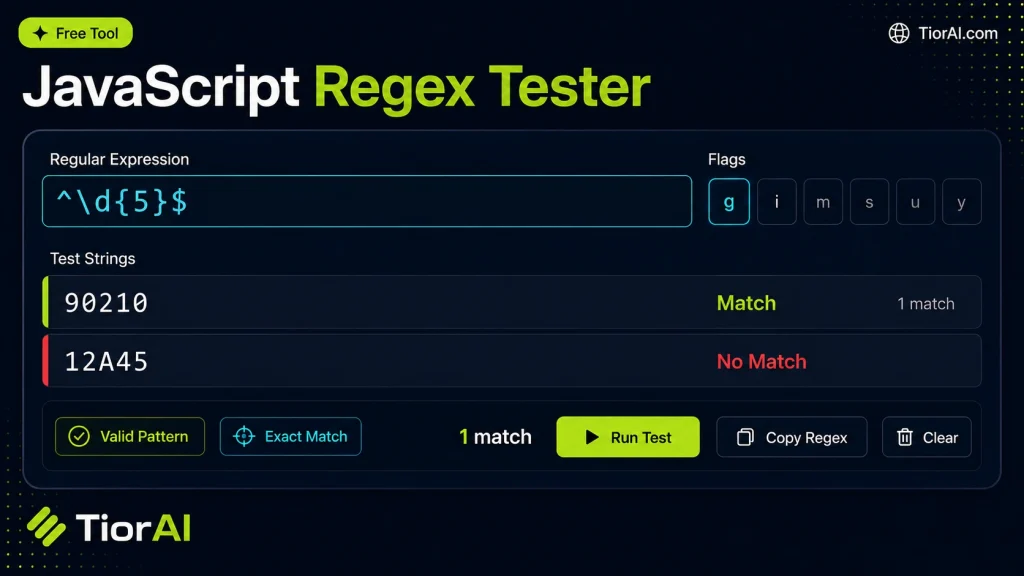
JavaScript Regex Tester
g global |
i case-insensitive |
m multiline |
s dotAll |
u unicodeMatch Details
How to use it
- Paste Your Input Paste your code or data into the Javascript Regex Tester. The tool accepts standard input formats and validates your entry.
- Process and Transform Click the action button to process your input. Results are generated instantly with proper formatting.
- Export the Output Copy the processed output to your clipboard or download it for use in your development workflow.
Tip Paste minified code into the Javascript Regex Tester to instantly format and debug it without installing any extensions.
About JavaScript Regex Tester
Regular expressions (regex) are patterns used to match character combinations in strings. In JavaScript, regex is a powerful tool for searching, validating, and manipulating text. A JavaScript regex tester is an online utility that allows developers to write, test, and debug these regex patterns interactively.
Regex testers provide immediate feedback by showing which parts of a test string match the pattern, helping users understand how their regex behaves. This is essential because regex syntax can be complex and unintuitive, especially for beginners.
Why use a JavaScript regex tester?
- Validation: Quickly check if a regex correctly matches intended inputs, such as email addresses or phone numbers.
- Debugging: Identify why a regex is not matching as expected by visualizing matches and capturing groups.
- Learning: Experiment with regex syntax and flags to see their effects in real time.
Common scenarios include form validation, data extraction from text, and input sanitization. Since JavaScript regex has its own syntax and flags, testing in a dedicated JavaScript environment ensures compatibility and accuracy.
Understanding JavaScript Regular Expressions
Regular expressions are patterns used to find or manipulate text within strings. JavaScript supports regex natively, allowing developers to perform tasks like validation, searching, and text replacement efficiently. However, regex syntax can be complex and prone to errors, which is why testing is essential.
A JavaScript regex tester is a utility that lets you input a regex pattern and a test string, then immediately see which parts of the string match. This instant feedback helps you understand how your regex works and identify mistakes.
When to Use a JavaScript Regex Tester
- Validating user inputs such as emails, phone numbers, or postal codes.
- Debugging complex regex patterns to ensure they match the intended text.
- Learning and experimenting with regex syntax and flags in a safe environment.
- Testing regex before integrating it into your JavaScript codebase.
- Quickly verifying regex behavior without writing additional code.
Common Mistakes to Avoid
- Not escaping special characters like
.,*, or?, which can cause unexpected matches. - Confusing greedy quantifiers (which match as much as possible) with lazy quantifiers (which match as little as possible).
- Using regex features unsupported by your JavaScript environment, such as lookbehind assertions in older browsers.
- Forgetting to apply necessary flags like
ifor case-insensitive matching, leading to failed matches.
Using a JavaScript regex tester helps you avoid these pitfalls by providing real-time insights into how your pattern behaves.
Frequently asked questions
Reviews and questions
Whether this tool gave people the answer they needed, and what they asked about it.
Sign in to review this tool.
Sign In to ReviewNo reviews yet
Be the first to say whether this tool gave you what you needed.
Ask how to read the result, or what the tool does with an edge case — or answer someone else.
Sign In to AskNo questions yet
Not sure how to read a result? Be the first to ask.