

Labeljoy Labeling Software for Barcode and QR Code Printing Solutions
Labeljoy is a Windows-based label printing software that allows users to design and print labels with barcodes and QR codes, supporting database import and batch printing for various business needs.
- Best for
- Product Labeling
- Key capability
- Barcode and QR Code Generator
Save Labeljoy, follow its updates and vote on it — everything stays in your account.
Sign in or create a free account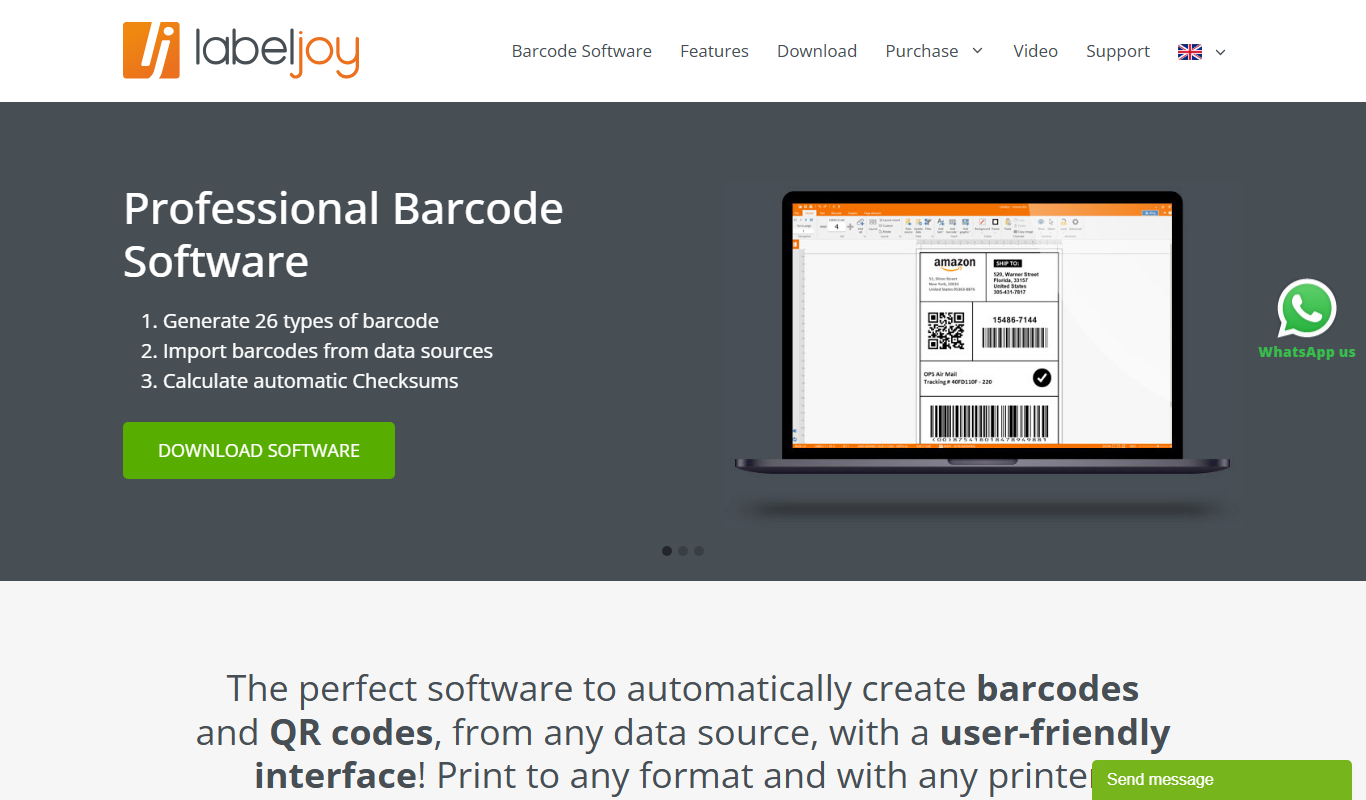
What is Labeljoy?
Labeljoy is a professional label printing software designed to create and print labels with barcodes, QR codes, texts, images, and shapes. It supports a wide range of barcode types and offers an intuitive interface for designing labels for products, inventory, shipping, and more. Labeljoy simplifies the process of generating barcode labels and printing them on various printers.
Key features of Labeljoy
Labeljoy provides barcode and QR code generation, label design templates, database import for batch printing, support for multiple barcode standards, and print preview. It also offers automation features and supports various printer types including thermal and laser printers.
Barcode and QR Code Generator
Supports over 100 barcode types including Code 128, EAN, UPC, and QR codes.
Database Integration
Import data from external sources to automate label creation and batch printing.
Label Design Tools
Rich set of design tools including text formatting, images, shapes, and templates.
Print Preview and Printer Support
Accurate print preview and compatibility with thermal, laser, and inkjet printers.
Automation Features
Automate repetitive tasks and label generation with scripting and macros.
Pros and cons of Labeljoy
Pros
- User-friendly interface with drag-and-drop design
- Supports a wide variety of barcode standards
- Powerful database integration for batch printing
- Comprehensive print preview and printer compatibility
Cons
- Windows-only software with no native Mac version
- Pricing may be high for casual users
- Limited cloud or mobile platform support
Key use cases for Labeljoy
Product Labeling
Design and print professional labels with barcodes and QR codes for product packaging.
Inventory Management
Generate barcode labels to track inventory efficiently in warehouses and stores.
Asset Tracking
Create custom labels for asset identification and management in businesses.
Shipping and Logistics
Print shipping labels with barcodes and QR codes to streamline logistics operations.
Event and Ticketing
Produce labels and tickets with QR codes for event access control and management.
How Labeljoy works
- 1
Download and Install
Download Labeljoy from the official website and install it on your Windows PC.
- 2
Create a New Label
Start a new label project using templates or from scratch with the design tools.
- 3
Add Barcodes and Elements
Insert barcodes, QR codes, text, images, and shapes to customize your label.
- 4
Import Data for Batch Printing
Import data from Excel, CSV, or databases to generate multiple labels automatically.
- 5
Preview and Print
Preview your labels and print them using your preferred printer.
Who is using Labeljoy
Labeljoy pricing
Free Trial
$0
Full-featured trial version available for 30 days.
Flex
$14.90/month
Subscription with monthly or annual billing, cancel anytime, up to 20 seats per license, with Care+ always included.
Business
$379 one-time
Perpetual one-time license designed for SMBs, expandable to up to 12 workstations.
Enterprise
$1,799 one-time
Natively multi-user license for Windows Server, from 25 users and expandable, built for large-scale operations.
Plans and prices are as published by the vendor and can change. Check the official site before you buy. Open the pricing page (opens in a new tab)
Frequently asked questions about Labeljoy
Labeljoy supports most printers including thermal, laser, and inkjet printers.
Yes, you can import data from Excel, CSV, and databases to print multiple labels.
Labeljoy offers a 30-day free trial with full features.
Labeljoy supports over 100 barcode types including Code 128, EAN, UPC, and QR codes.
Yes, it can help with that use case depending on how you configure it and what features are available. You’ll get the best results with clear inputs and a defined goal.
Yes, it can help with that use case depending on how you configure it and what features are available. You’ll get the best results with clear inputs and a defined goal.
It depends on your specific needs and how you plan to use the tool. The official website and documentation are the best sources for the latest details.
Conclusion
Barcodes, QR codes, text, images and shapes are inserted to customize each label. For batch printing, data imported from Excel, CSV or databases generates multiple labels automatically. An accurate print preview comes before printing on thermal, laser or inkjet printers. Typical jobs include product packaging labels, barcode labels to track inventory in warehouses and stores, shipping labels and QR code tickets for event access control.
It is Windows-only software with no native Mac version. Licensing comes as Flex at $14.90/month or as one-time Business and Enterprise licenses at $379 and $1,799.
Sources
Sign in to review this tool.
Sign In to ReviewNo reviews yet
Be the first to share how this tool worked for you.
Ask about pricing, limits, or how it compares — or answer someone else.
Sign In to AskNo questions yet
Have a question about using or paying for this tool? Be the first to ask.
Featured on TiorAI



Alternative Tools
Explore similar AI tools that might fit your needs

BarTender
BarTender is a label design and barcode printing software by Seagull Scientific that supports RFID encoding, enterprise automation, and compliance labeling.
More Business Management tools
Other tools in the same category, for when this one is not quite the fit.
Stenote
Stenote is an AI meeting assistant that provides real-time transcription and AI-generated summaries to help teams capture and share meeting notes efficiently.

topin.tech
topin.tech is an AI hiring and placement platform: AI-powered assessments and interviews for companies to find top talent, and job-readiness tools for colleges to prepare students.

Notion Business OS
Notion Business OS is a comprehensive Notion template by Landmark Labs that helps small businesses and teams manage projects, clients, content, and workflows in one centralized workspace.

Lava Metrics
Lava Metrics provides the B2B marketing reports you wish HubSpot had, built automatically from your live HubSpot data.

interviewer.ai
Interviewer.AI is an AI video interview platform that helps businesses, staffing agencies and universities screen, score and shortlist candidates.

ApplicantAI
ApplicantAI is an AI recruitment tool that automates resume screening and candidate matching to streamline hiring processes and improve candidate selection accuracy.

Insight7
Insight7 analyzes customer calls, scores every conversation, coaches reps and deploys AI voice and chat agents for customer teams.
Competitors App
Competitors App is a web-based platform that enables businesses to monitor and analyze their competitors’ pricing, marketing, and product strategies in real time to make informed decisions.