

Spectate: uptime monitoring, status pages and incident management
Spectate monitors websites, APIs and servers, alerts you before users notice issues and keeps status pages updated with AI, with a free plan.
- Best for
- Client site monitoring for agencies
- Key capability
- Uptime and performance monitoring
Save Spectate, follow its updates and vote on it — everything stays in your account.
Sign in or create a free account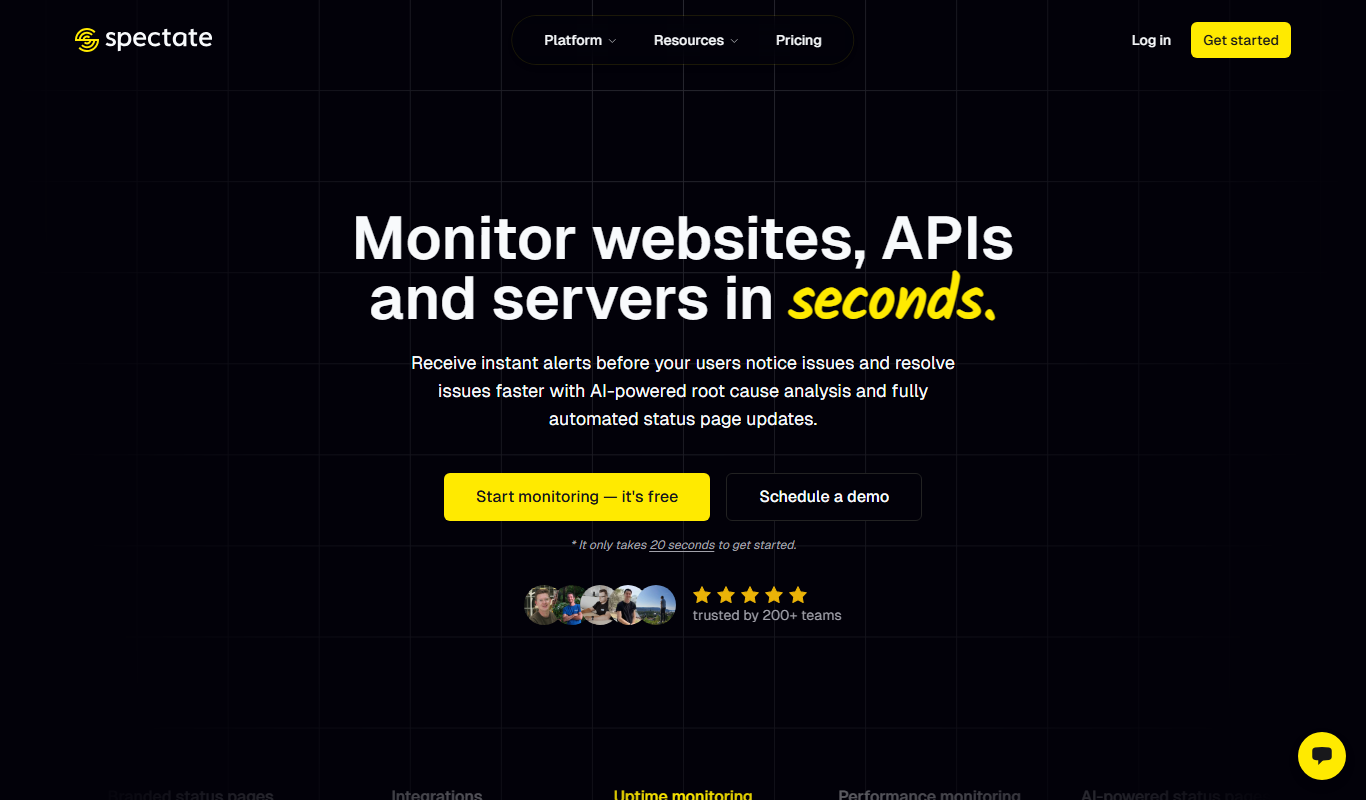
What is Spectate?
Spectate is a full-stack monitoring and incident management platform. It monitors the uptime and performance of websites, APIs, servers and domain names from locations around the globe, sends alerts through integrations or phone calls, and runs branded status pages with AI-powered status updates and root cause analysis.
Key features of Spectate
Spectate offers uptime and performance monitoring for websites and APIs from locations around the globe, built-in server monitoring, domain name monitoring, incident management with AI-powered root cause analysis, custom alert policies and branded status pages with AI-powered updates.
Uptime and performance monitoring
Monitor the uptime of websites and APIs from 10+ locations around the globe.
Server monitoring
Built-in server monitoring watches your resources and alerts you before your websites go down.
AI-powered status pages
Custom, branded status pages kept up to date with AI-powered status updates.
Alerting and incident management
Custom alert policies with notifications via Slack or a phone call, plus incident management with root cause analysis by AI.
Pros and cons of Spectate
Pros
- Free Hobby plan with no credit card required
- Monitoring from 10+ locations around the globe
- Status pages updated automatically with AI
Cons
- AI features start on the Pro plan
- The free Hobby plan has email alerts only, without integrations
Key use cases for Spectate
Client site monitoring for agencies
Monitor your clients' applications to keep them running smoothly.
Incident communication for SaaS
Communicate incidents in real time and reduce support queries.
Server resource monitoring
Monitor server resources and get alerted before websites go down.
Domain name monitoring
Track your domain names alongside websites and servers.
How Spectate works
- 1
Sign up for free
Start monitoring for free, no credit card required.
- 2
Add monitors
Monitor websites, APIs and servers in seconds.
- 3
Set alert policies
Define custom alert policies and choose the integration that notifies you.
- 4
Publish a status page
Create a status page that keeps customers informed with AI-powered status updates.
Who is using Spectate
Spectate pricing
Hobby
Free forever
5 monitors or servers, 1 status page and email alerts.
Solo
$12/month ($144 billed yearly)
1 user, 15 monitors/servers, 1-minute checks, unlimited domains, 1 public status page with customization.
Pro
$24/month ($288 billed yearly)
50 monitors/servers, 30-second checks, 2 public status pages, 25 Voice/SMS credits, AI features.
Scale
$72/month ($864 billed yearly)
Unlimited users, 100 monitors/servers, 30-second checks, unlimited public status pages, 100 Voice/SMS credits, AI features, password protected status pages.
Business
$169/month ($2,028 billed yearly)
Unlimited users, 250 monitors/servers, 30-second checks, unlimited status pages, unlimited Voice/SMS credits, AI features.
Plans and prices are as published by the vendor and can change. Check the official site before you buy. Open the pricing page (opens in a new tab)
Frequently asked questions about Spectate
Websites, APIs, servers and domain names, for uptime and performance.
Through custom alert policies, for example a phone call when a server is down or a Slack message for a performance issue.
Yes. You can create custom status pages kept up to date with AI-powered status updates.
Yes. The Hobby plan is free forever with 5 monitors or servers, 1 status page and email alerts.
Yes. Enterprise features such as SSO, audit logs, phone support and custom SLAs are available on a custom quote.
Spectate is a product of Realify, a software development company based in The Netherlands.
Conclusion
Downtime is the problem it targets: websites, APIs and servers are checked for uptime and performance from 10+ locations, and alerts go out before users notice. Alert policies are custom, so a dead server can trigger a phone call while a slow page only posts to Slack. Built-in server monitoring and domain name tracking sit next to the uptime checks.
When something breaks, AI-powered root cause analysis supports the incident work and branded status pages update automatically to keep customers informed. The service is aimed at agencies monitoring client applications, startups and SaaS companies. A free Hobby plan covers a few monitors with email alerts, while integrations and AI features sit on the paid tiers. Spectate is built by Realify in the Netherlands.
Sources
Sign in to review this tool.
Sign In to ReviewNo reviews yet
Be the first to share how this tool worked for you.
Ask about pricing, limits, or how it compares — or answer someone else.
Sign In to AskNo questions yet
Have a question about using or paying for this tool? Be the first to ask.
Featured on TiorAI



Alternative Tools
Explore similar AI tools that might fit your needs

Twitch
Twitch is a live streaming platform focused on gaming and creative content, allowing users to broadcast and watch live video with interactive chat and monetization options.
More AI DevOps Assistant tools
Other tools in the same category, for when this one is not quite the fit.

KubeHA
KubeHA is a GenAI-powered SaaS platform for Kubernetes monitoring, observability, remediation and exploration (MORE), with KubeHA GPT for plain English questions.

SRE.ai
SRE.ai is an AI-native systems integrator that automates enterprise systems delivery, with a Command Center for deployments and AI agents that code, test and deploy.

Warehouse Optimization
Keebo Warehouse Optimization uses agentic AI to rightsize Snowflake and Databricks warehouses 24/7, tuning size, auto-suspend and scaling within your SLAs.

Defang
Defang deploys your Compose file to your own AWS, GCP or Azure account, with preview environments and one path to production for people and agents.

Latitude
Latitude is an open-source AI agent observability platform that traces agents in production, discovers failing behavior, sends alerts and helps verify fixes.

Uniskai by Profisea Labs
Uniskai by Profisea Labs is a FinOps platform that reduces cloud costs across AWS, Azure and GCP with cost visibility, rightsizing, spot instances and waste management.

CockroachDB
CockroachDB is a distributed SQL database designed for cloud-native applications that require strong consistency, high availability, and horizontal scalability across multiple regions.

Octopus Deploy
Octopus Deploy is a DevOps automation tool that simplifies continuous delivery by automating application deployments, managing releases, and integrating with CI/CD pipelines.