

Walnut Interactive Demo Software for SaaS Sales Enablement and Onboarding
Walnut is a no-code interactive demo platform that helps SaaS companies create engaging product demos and walkthroughs to accelerate sales and improve customer onboarding.
- Best for
- SaaS Product Demos
- Key capability
- No-Code Demo Builder
Save Walnut, follow its updates and vote on it — everything stays in your account.
Sign in or create a free account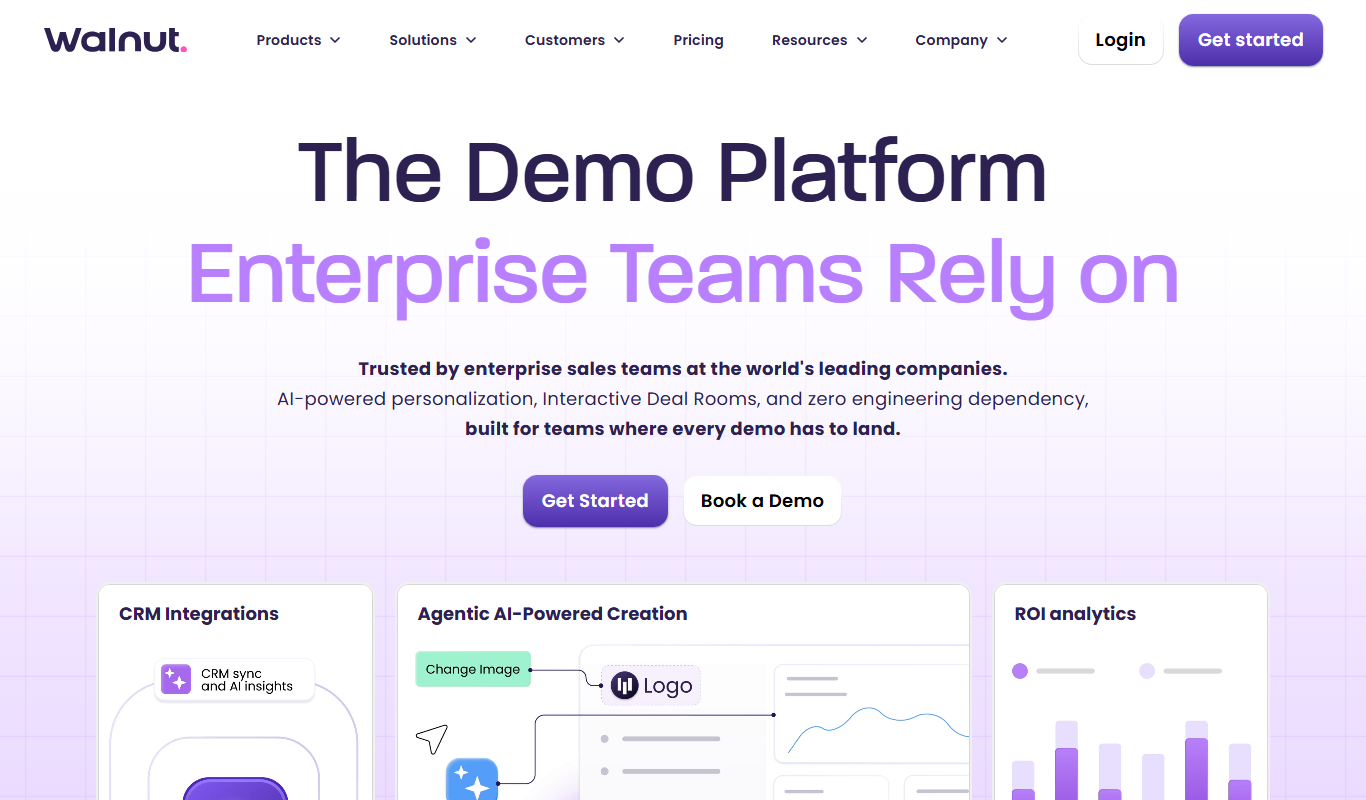
What is Walnut?
Walnut is a no-code interactive demo platform designed to help SaaS companies create realistic product demos and walkthroughs. It enables sales, marketing, and customer success teams to build engaging, clickable demos that simulate the actual software experience without requiring users to install or configure anything. This helps accelerate sales cycles, improve onboarding, and increase product adoption.
Key features of Walnut
Walnut offers no-code demo creation, customizable interactive walkthroughs, analytics on user engagement, integrations with CRM and marketing tools, and the ability to personalize demos for different audiences. Its cloud-based platform allows easy sharing and embedding of demos across websites, emails, and sales presentations.
No-Code Demo Builder
Create interactive product demos without any coding or technical skills.
Customizable Walkthroughs
Design tailored user journeys that highlight key product features.
Analytics Dashboard
Monitor demo engagement metrics to understand prospect behavior.
CRM and Marketing Integrations
Connect Walnut with popular CRM and marketing platforms for seamless workflows.
Cloud-Based Sharing
Easily share demos via links or embed them on websites and emails.
Pros and cons of Walnut
Pros
- Easy no-code demo creation
- Customizable and interactive walkthroughs
- Useful analytics for engagement tracking
- Integrates with CRM and marketing tools
- Cloud-based with simple sharing options
Cons
- Limited to web platform only
Key use cases for Walnut
SaaS Product Demos
Create interactive, no-code product demos that showcase software features without requiring downloads or installations.
Sales Enablement
Equip sales teams with customizable demo experiences to engage prospects and accelerate deal cycles.
Customer Onboarding
Guide new users through product features with interactive walkthroughs to improve adoption and reduce churn.
Marketing Campaigns
Use interactive demos as part of marketing funnels to educate leads and increase conversion rates.
Training and Support
Provide self-service training materials and support guides through interactive product simulations.
How Walnut works
- 1
Sign Up
Create an account on Walnut’s web platform to start building demos.
- 2
Build Demo
Use the no-code editor to create interactive product demos by recording and customizing user flows.
- 3
Customize Experience
Add branding, tailor content for specific audiences, and configure interactive elements.
- 4
Share Demo
Distribute demos via links, embed in websites, or integrate with sales and marketing tools.
- 5
Analyze Engagement
Track how prospects interact with demos to optimize messaging and follow-up strategies.
Who is using Walnut
Walnut pricing
Annual plan (lower tier)
$575/month billed annually
Billed annually, with credit packs.
Annual plan (higher tier)
$1,550/month billed annually
Billed annually, with credit packs.
Plans and prices are as published by the vendor and can change. Check the official site before you buy. Open the pricing page (opens in a new tab)
Frequently asked questions about Walnut
No, Walnut provides a no-code editor that allows anyone to build interactive demos without programming knowledge.
Yes, Walnut supports integrations with popular CRM and marketing tools to streamline your sales processes.
Absolutely, Walnut’s interactive walkthroughs help guide new users through your product features effectively.
You can share demos via direct links, embed them on your website, or include them in emails and presentations.
This tool is designed to help users accomplish its core tasks more efficiently. It is typically used by individuals or teams looking to improve productivity and workflow.
It depends on your specific needs and how you plan to use the tool. The official website and documentation are the best sources for the latest details.
Yes, it can help with that use case depending on how you configure it and what features are available. You’ll get the best results with clear inputs and a defined goal.
It depends on your specific needs and how you plan to use the tool. The official website and documentation are the best sources for the latest details.
Conclusion
Demos are built in a no-code editor by recording and customizing user flows, then adding branding and interactive elements tailored for specific audiences. The result simulates the actual software experience without requiring users to install or configure anything. Demos are shared via direct links, embedded on websites or included in emails and presentations, and engagement metrics show how prospects interact with them.
SaaS sales teams use the demos to engage prospects, while customer success and training teams guide new users through product features with interactive walkthroughs. Beyond Interactive Demos, the site also presents Deal Rooms and Buyer Xpert. Pricing is published at $575 or $1,550 per month billed annually, along with credit packs.
Sources
Sign in to review this tool.
Sign In to ReviewNo reviews yet
Be the first to share how this tool worked for you.
Ask about pricing, limits, or how it compares — or answer someone else.
Sign In to AskNo questions yet
Have a question about using or paying for this tool? Be the first to ask.
Featured on TiorAI



More Business Management tools
Other tools in the same category, for when this one is not quite the fit.

MarketResearch.com
MarketResearch.com is an online platform offering extensive market research reports and industry analysis from multiple publishers, helping businesses and investors make informed decisions.

IBISWorld
IBISWorld is a subscription-based platform providing detailed industry research reports and market analysis to help businesses and investors make informed decisions.

Jeda.ai – Ai Workspace Canvas
Jeda.ai is an AI-powered collaborative workspace canvas that helps teams brainstorm, plan, and manage projects visually with AI assistance.

Pitch
Pitch is a collaborative presentation software that enables teams to create, edit, and share presentations in real-time with integrated design tools and version control.

Clarity.fm
Clarity.fm is a platform that connects users with business experts for paid one-on-one phone calls to receive personalized advice and mentorship.

GrowthMentor
GrowthMentor is an online platform that connects entrepreneurs and marketers with vetted mentors for personalized advice via live video sessions, helping startups grow and solve business challenges.

Percepto Autonomous Inspection
Percepto Autonomous Inspection is an AI-powered autonomous drone platform that automates industrial site inspections, providing real-time anomaly detection, 3D mapping, and remote asset monitoring to enhance safety and operational efficiency.

Intuit ProConnect
Intuit ProConnect is a cloud-based tax software designed for professional accountants and tax firms to prepare, review, and electronically file federal and state tax returns efficiently.