
From my experience with VSDECO, I found it excels at providing an accessible and straightforward video editing platform that balances ease of use with essential features. After spending time with the software, I can say it’s particularly well-suited for content creators and small business marketers who need to produce quality videos without the complexity of professional-grade editors. However, there’s a trade-off: it lacks some advanced features found in high-end software and does not offer a mobile app. Overall, if you need a reliable and user-friendly video editor for everyday projects, VSDECO delivers solid results.
VSDECO Video Editing Software for Creators and Professionals
VSDECO is a video editing software designed for creators and professionals, featuring multi-track editing, drag-and-drop interface, customizable effects, and export options.
What is VSDECO?
VSDECO is a video editing software designed to provide creators and professionals with an accessible yet powerful platform for editing videos. It offers a range of editing tools, effects, and templates to help users produce high-quality video content efficiently.
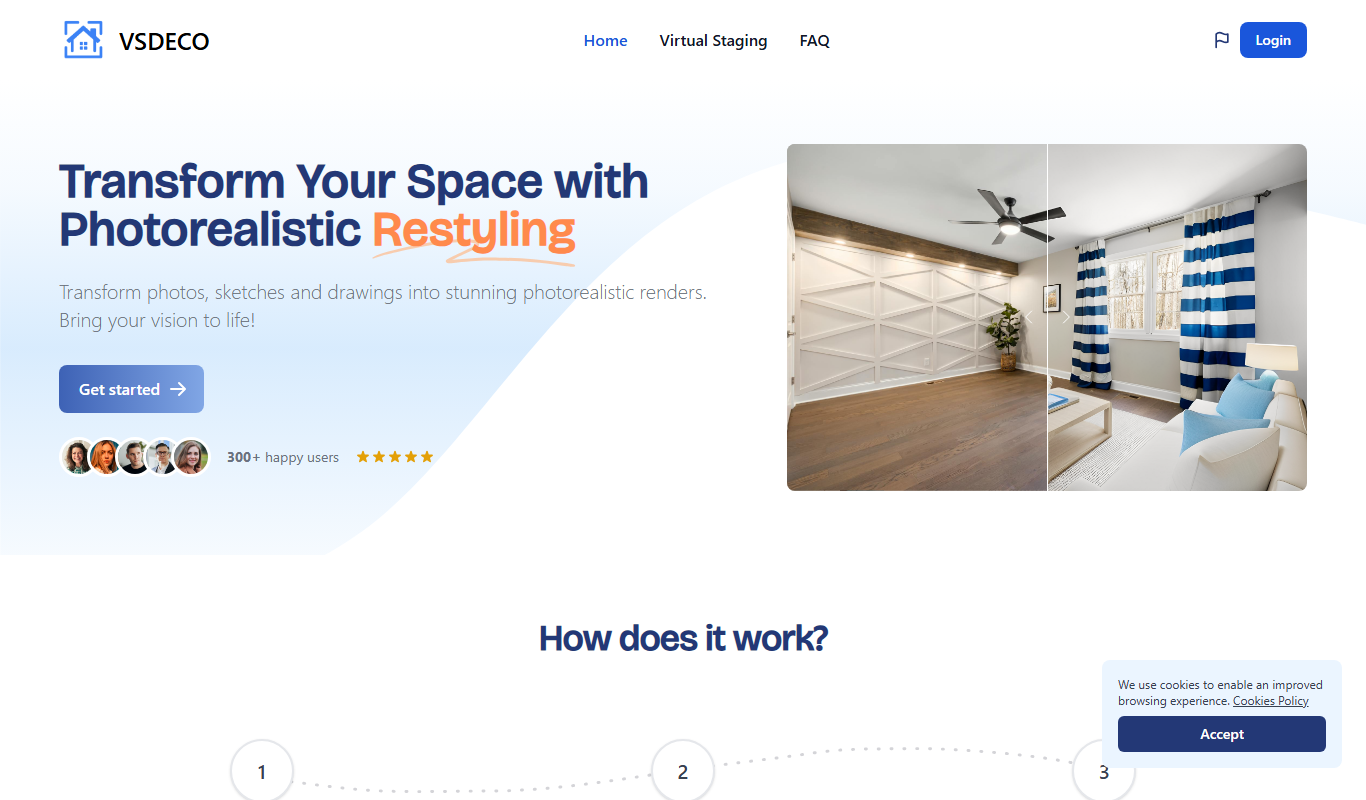
Key Features of VSDECO
Multi-track Timeline
Allows layering of video, audio, and effects for complex editing projects.
Drag-and-Drop Interface
User-friendly interface that simplifies arranging and editing clips.
Customizable Effects and Transitions
Wide range of video effects and transitions to enhance visual storytelling.
Export Options
Supports exporting videos in multiple formats optimized for social media and other platforms.
Pros and Cons of VSDECO
Pros
- User-friendly drag-and-drop interface
- Supports multi-track editing
- Customizable effects and transitions
- Affordable subscription pricing
Cons
- Limited advanced features compared to professional-grade editors
- No mobile app available
Key Use Cases for VSDECO
Video Editing for Creators
Edit and enhance videos with professional tools suitable for YouTubers, vloggers, and social media content creators.
Marketing Video Production
Create engaging marketing videos with customizable templates and effects to promote brands and products.
Educational Content Creation
Produce instructional and educational videos with easy-to-use editing features for teachers and trainers.
Personal Video Projects
Edit personal videos such as travel logs, family events, and hobby projects with intuitive tools.
How VSDECO Works
-
1
Sign Up
Create an account on the VSDECO website to access the video editing platform.
-
2
Upload or Import Media
Add your video clips, images, and audio files to the project workspace.
-
3
Edit Video
Use the drag-and-drop timeline to arrange clips, apply effects, transitions, and make adjustments.
-
4
Preview and Export
Preview your edited video and export it in the desired format and resolution.
Who's Using VSDECO
Content creators
Small business marketers
Educators and trainers
Amateur video editors
VSDECO Pricing
Free Trial
$0
Access to basic editing features with limited export options.
Pro Subscription
$19.99/month
Full access to all features, unlimited exports, and premium support.
Frequently Asked Questions About VSDECO
Yes, VSDECO offers an intuitive interface and helpful templates that make it accessible for users new to video editing.
Yes, the Pro subscription allows exporting videos in HD and other high-resolution formats.
VSDECO includes basic audio editing features such as trimming, volume adjustment, and adding background music.
The best alternative depends on your workflow, features you need, and budget. Compare plans, integrations, and output quality to choose the closest fit.
The best alternative depends on your workflow, features you need, and budget. Compare plans, integrations, and output quality to choose the closest fit.
Pricing depends on the plan and included features. For the most accurate and up-to-date details, check the official pricing page.
Share your review
Reviews are limited to one per logged-in user and are published after moderation.
You need an account to review this tool.
0.0
★
★
★
★
★
0 reviews
5 star
0
4 star
0
3 star
0
2 star
0
1 star
0
No reviews yet
Be the first to share how this tool worked for you.
Questions from the community
Read questions and answers about this tool, or ask your own.
No questions yet
Start the conversation by asking the first question about this tool.
Is this tool helpful?
Alternative Tools
Explore similar AI tools that might fit your needs

Free
DaVinci Resolve
DaVinci Resolve is a professional video editing software combining editing, color grading, visual effects, and audio post-production in one platform, available in free and paid Studio versions.
Freemium
Unbound AI – Built for Creators
Unbound AI is an AI-driven content creation and collaboration platform designed to help creators and marketing teams generate, optimize, and collaborate on written content efficiently.

Free
KlipLab
KlipLab is a video creation and editing platform that helps users produce social media-optimized videos quickly using customizable templates and mobile apps.

Freemium
VidNarrate
VidNarrate is an AI video narration tool that automates voiceover creation and captioning, supporting multiple languages and customizable voices for quick video production.

Freemium
Leelo-ai
Leelo-ai is an AI-powered writing assistant designed to help users create marketing content, blog posts, and social media copy with SEO optimization features.

Freemium
Genera
Genera is an AI-powered writing assistant that helps users generate and refine written content such as blog posts, marketing copy, and creative ideas using GPT-3 technology.

Free Trial
avua
Avua is an AI-powered writing assistant designed to help marketers and content creators generate high-quality, SEO-optimized content efficiently through customizable tone and collaboration features.

Free
AI Coffee Club
AI Coffee Club is a web-based platform that combines AI writing assistance with collaborative tools to help teams create, brainstorm, and manage content projects efficiently.

Free
GeniusReview
GeniusReview is an AI writing assistant that provides real-time grammar and style corrections to help users improve their written content efficiently.