

From my experience with Voice Inbox, I found it excels at simplifying asynchronous team communication by combining voice messaging with instant AI transcription. This dual format helps reduce misunderstandings and saves time compared to typing long messages. The Chrome extension integration is particularly handy for quick voice notes during work sessions. However, the platform currently supports only English transcription and lacks a dedicated mobile app, which might limit accessibility for some users. Overall, if your team values efficient voice communication with readable transcripts, Voice Inbox offers a practical and affordable solution.
Voice Inbox AI Transcription and Voice Messaging Platform for Teams
Voice Inbox is an AI-driven platform that enables users to send voice messages with automatic transcription, enhancing team communication and collaboration.
- Best for
- Team Communication
- Key capability
- AI-Powered Voice Transcription
Your actions
Save Voice Inbox, follow its updates and vote on it — everything stays in your account.
Sign in or create a free account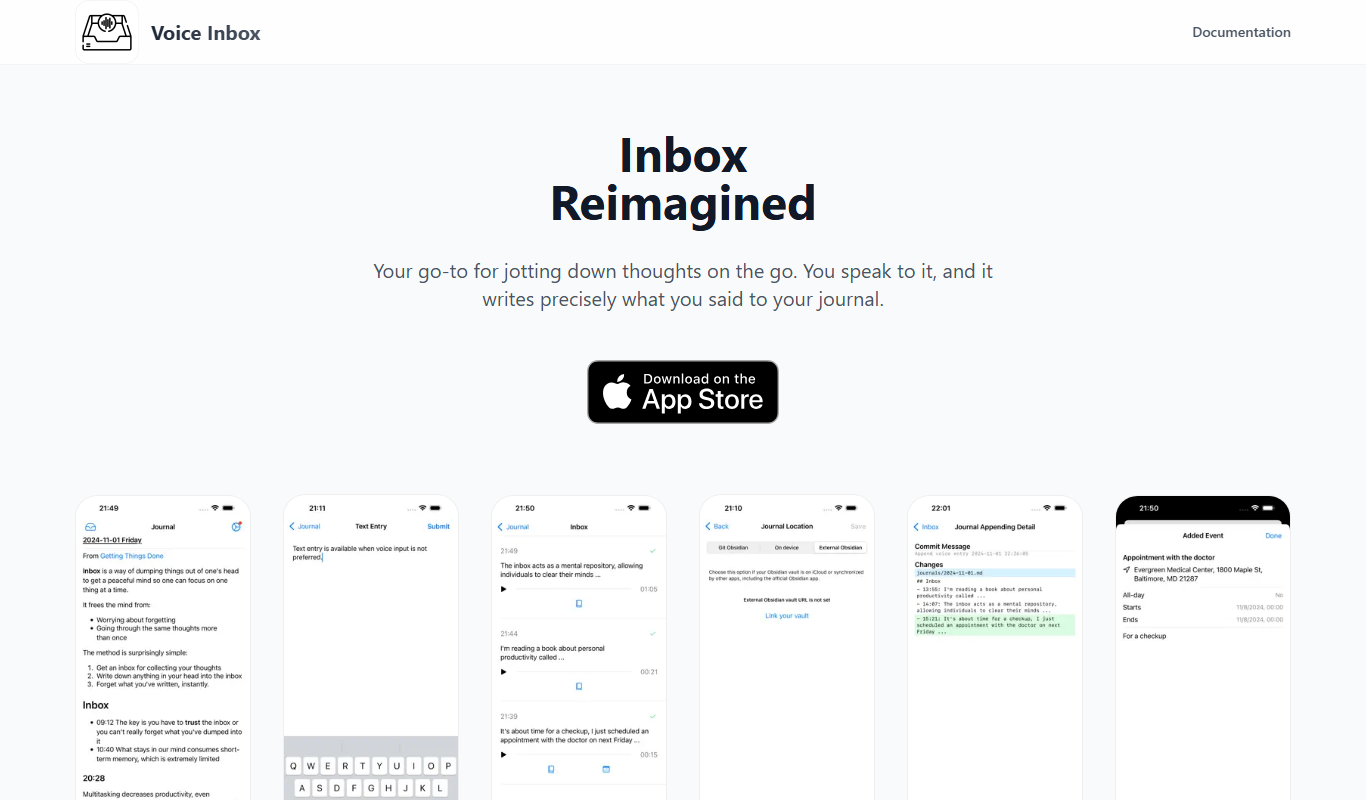

What is Voice Inbox?
Voice Inbox is an AI-powered voice messaging platform designed to enhance team communication by allowing users to send voice messages that are automatically transcribed into text. It integrates seamlessly with browsers via a Chrome extension and offers a web-based interface, enabling teams to communicate asynchronously with clarity and efficiency.
Key features of Voice Inbox
The platform offers real-time voice message transcription, easy playback controls, message organization, and team collaboration features. Its AI transcription ensures messages are accessible in both audio and text formats, improving communication speed and reducing the need for lengthy typing.
AI-Powered Voice Transcription
Automatically converts voice messages into accurate text transcripts in real-time.
Chrome Extension Integration
Enables quick voice messaging directly from the browser without switching apps.
Message Playback Controls
Users can play, pause, and replay voice messages easily within the interface.
Team Collaboration Tools
Organize messages by threads and share voice notes across teams for better communication.
Pros and cons of Voice Inbox
Pros
- Easy-to-use voice messaging with instant transcription
- Improves asynchronous team communication
- Chrome extension allows quick access
- Affordable pricing with a free tier
Cons
- Supports only English language transcription
- Limited features on free plan
- No dedicated mobile app, only mobile web access
Key use cases for Voice Inbox
Team Communication
Send and receive voice messages with automatic transcription to streamline team conversations and reduce misunderstandings.
Remote Work Collaboration
Facilitate asynchronous communication among remote teams by sharing voice notes that can be read or listened to anytime.
Meeting Summaries
Record voice messages during meetings and get instant transcriptions for easy reference and sharing.
Customer Support
Use voice messages to quickly respond to customer inquiries with clear transcriptions for record-keeping.
How Voice Inbox works
- 1
Install Extension or Access Web App
Users install the Voice Inbox Chrome extension or access the web app to start sending voice messages.
- 2
Record Voice Message
Click the record button to capture your voice message directly within the platform.
- 3
Automatic Transcription
The AI engine transcribes the voice message into text instantly for easy reading.
- 4
Send and Collaborate
Send the voice message with transcription to team members who can listen or read and respond asynchronously.
Who is using Voice Inbox
Remote teams
Customer support agents
Marketing and sales teams
Small to medium businesses
Freelancers and consultants
Voice Inbox pricing
Free
$0/month
Basic voice messaging with limited transcription minutes and message storage.
Pro
$9.99/month
Unlimited voice messages, extended transcription minutes, and priority support.
Plans and prices are as published by the vendor and can change. Check the official site before you buy. Open the pricing page (opens in a new tab)
Frequently asked questions about Voice Inbox
Currently, Voice Inbox supports English transcription only.
Yes, you can use the web app directly without the extension, but the extension offers quicker access.
Free plan users have a limit on message length and transcription minutes; Pro users have higher limits.
It depends on your specific needs and how you plan to use the tool. The official website and documentation are the best sources for the latest details.
Some tools offer a free plan or trial with limited features. Availability can vary, so confirm on the official website.
Yes, it can help with that use case depending on how you configure it and what features are available. You’ll get the best results with clear inputs and a defined goal.
Sign in to review this tool.
Sign In to ReviewNo reviews yet
Be the first to share how this tool worked for you.
Ask about pricing, limits, or how it compares — or answer someone else.
Sign In to AskNo questions yet
Have a question about using or paying for this tool? Be the first to ask.
Featured on TiorAI



More AI Productivity Tools tools
Other tools in the same category, for when this one is not quite the fit.

Freemium
EasyTrip AI
EasyTrip AI is an AI-driven travel planner that generates customized trip itineraries based on your travel dates, destinations, and preferences, helping you organize your trip efficiently.

Freemium
PlaninGo
PlaninGo is an AI travel planning tool that generates personalized trip itineraries and guides based on your preferences, helping you plan efficient and enjoyable trips.

Freemium
Travel Itinerary AI
Travel Itinerary AI is an AI-powered web tool that creates personalized travel itineraries based on your preferences, helping you plan and manage trips efficiently.

Freemium
Wanderlust Browser Extension V2
Wanderlust Browser Extension V2 is the browser extension of the Wanderlust trip planner that clips articles, Instagram posts, and hotel pages into the right trip.

Free
aigclist
AIGCList is a free online directory that aggregates and categorizes AI tools, providing detailed information, user reviews, and AI industry news to help users discover and compare AI solutions.

Subscription
Textie AI
Textie.ai is an all-in-one AI platform for generating texts and images, chatting with AI, AI agents, document translations, presentations and voice services.

Free
Excel Formula GPT
Excel Formula GPT is an AI tool that converts plain English descriptions into Excel formulas and explains existing formulas to simplify spreadsheet tasks.

Free Trial
ExcelMaster.ai
ExcelMaster.ai is an Excel AI agent that writes complex formulas, generates VBA, runs Python and cleans data inside Excel.