

From my experience with Unshift AI, it stands out for its context-aware code completion and early bug detection capabilities, which noticeably speed up development workflows. The tool integrates well with popular IDEs, making adoption straightforward for developers. However, its current language support is somewhat limited compared to other AI coding assistants, which may affect teams working with less common languages. Overall, if you are a developer or team focused on mainstream languages like Python or JavaScript and want to improve code quality and productivity, Unshift AI offers a practical and effective solution.
Unshift AI Review: AI-Powered Code Completion for Developers
Unshift AI is an AI-powered code completion and bug detection tool that integrates with IDEs to provide real-time coding suggestions, bug alerts, and code review assistance to improve developer productivity.
- Best for
- Code Completion
- Key capability
- Context-Aware Code Completion
Your actions
Do you recommend this tool?
What is Unshift AI?
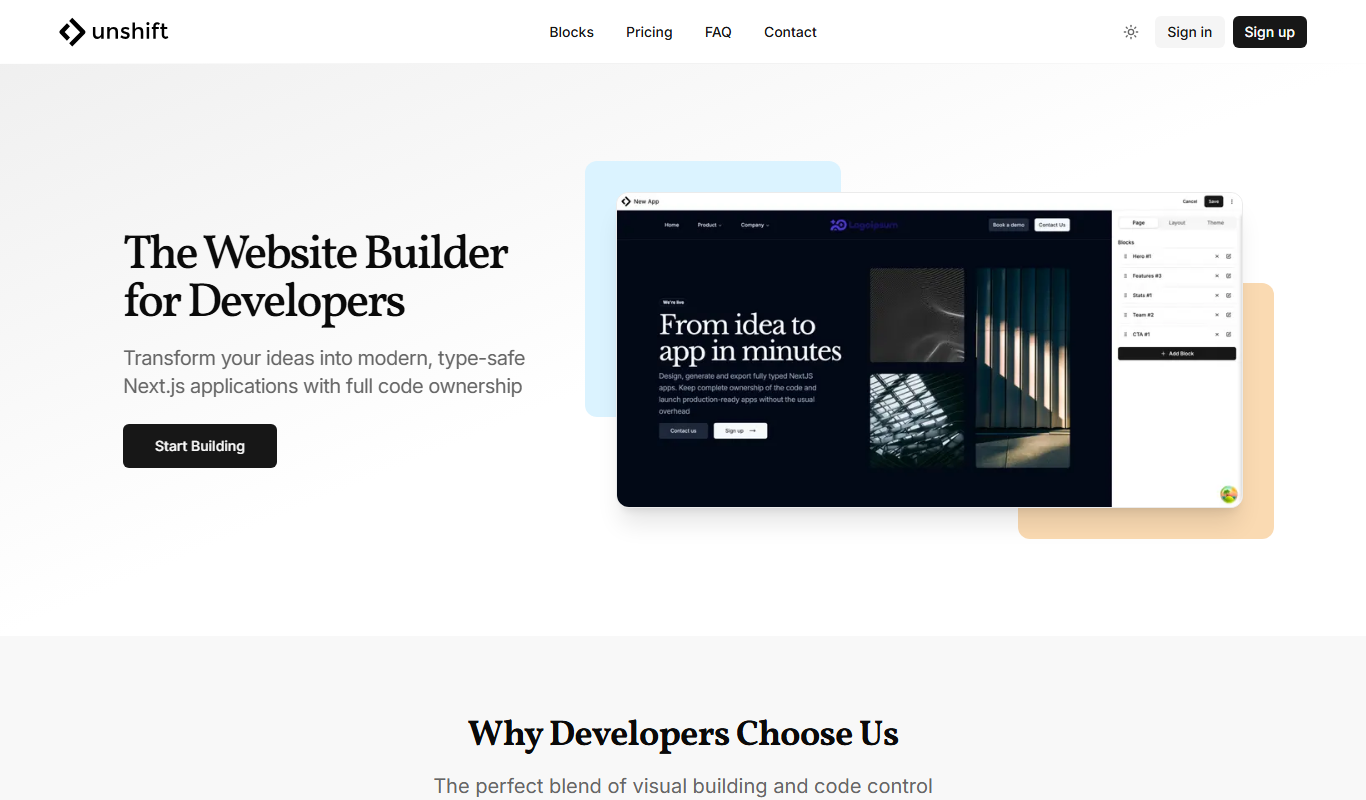
Unshift AI is an AI-driven code completion and assistance tool designed to enhance developer productivity. It integrates with popular IDEs and editors to provide real-time, context-aware code suggestions, bug detection, and code review support. By leveraging machine learning models trained on vast codebases, Unshift AI helps developers write cleaner, more efficient code faster.
Key features of Unshift AI
Unshift AI offers intelligent code completion, bug detection, and code review assistance. It integrates seamlessly into development environments, providing contextual suggestions and highlighting potential issues to improve code quality and speed up development cycles.
Context-Aware Code Completion
Provides relevant code suggestions based on the current coding context.
Bug Detection
Automatically identifies potential bugs and errors in your code.
Code Review Assistance
Highlights problematic code patterns and suggests best practices.
IDE Integration
Supports popular IDEs for seamless workflow integration.
Pros and cons of Unshift AI
Pros
- Improves coding speed with intelligent suggestions
- Helps catch bugs early in development
- Integrates smoothly with popular IDEs
Cons
- Limited language support compared to some competitors
- Subscription cost may be high for individual developers
Key use cases for Unshift AI
Code Completion
Provides AI-powered code suggestions to speed up programming and reduce errors.
Bug Detection
Helps identify potential bugs and issues in code before deployment.
Code Review Assistance
Assists developers by highlighting problematic code patterns and suggesting improvements.
Learning and Onboarding
Supports new developers by offering contextual code examples and explanations.
How Unshift AI works
- 1
Install Plugin
Add the Unshift AI plugin to your preferred IDE or editor.
- 2
Authenticate Account
Sign in to your Unshift AI account to enable personalized suggestions.
- 3
Write Code
Start coding and receive real-time AI-powered code completions and bug alerts.
- 4
Review Suggestions
Review AI recommendations and apply improvements to your code.
Who is using Unshift AI
Software developers
Development teams
Tech startups
Coding bootcamp students
QA engineers
Unshift AI pricing
Free Trial
$0 for 14 days
Full access to all features during the trial period.
Pro
$29/month
Unlimited usage with advanced AI features and priority support.
Plans and prices are as published by the vendor and can change. Check the official site before you buy. Open the pricing page (opens in a new tab)
Frequently asked questions about Unshift AI
Unshift AI supports popular IDEs such as Visual Studio Code, JetBrains IDEs, and others via plugins.
Yes, Unshift AI ensures your code is processed securely and respects your privacy.
Unshift AI currently supports major languages like Python, JavaScript, and Java, with plans to expand.
It depends on your specific needs and how you plan to use the tool. The official website and documentation are the best sources for the latest details.
Yes, it can help with that use case depending on how you configure it and what features are available. You’ll get the best results with clear inputs and a defined goal.
Data handling and security practices vary by provider. Review the official privacy policy to understand how your data is stored and used.
Sign in to review this tool.
Sign In to ReviewNo reviews yet
Be the first to share how this tool worked for you.
Ask about pricing, limits, or how it compares — or answer someone else.
Sign In to AskNo questions yet
Have a question about using or paying for this tool? Be the first to ask.
Featured on TiorAI


