

UnrealPerson AI Face Generator for Realistic Synthetic Human Images
UnrealPerson is a free AI-powered web tool that generates unique, realistic synthetic human faces instantly without requiring registration.
- Best for
- Content Creation
- Key capability
- 100% Free Usage
Save UnrealPerson, follow its updates and vote on it — everything stays in your account.
Sign in or create a free account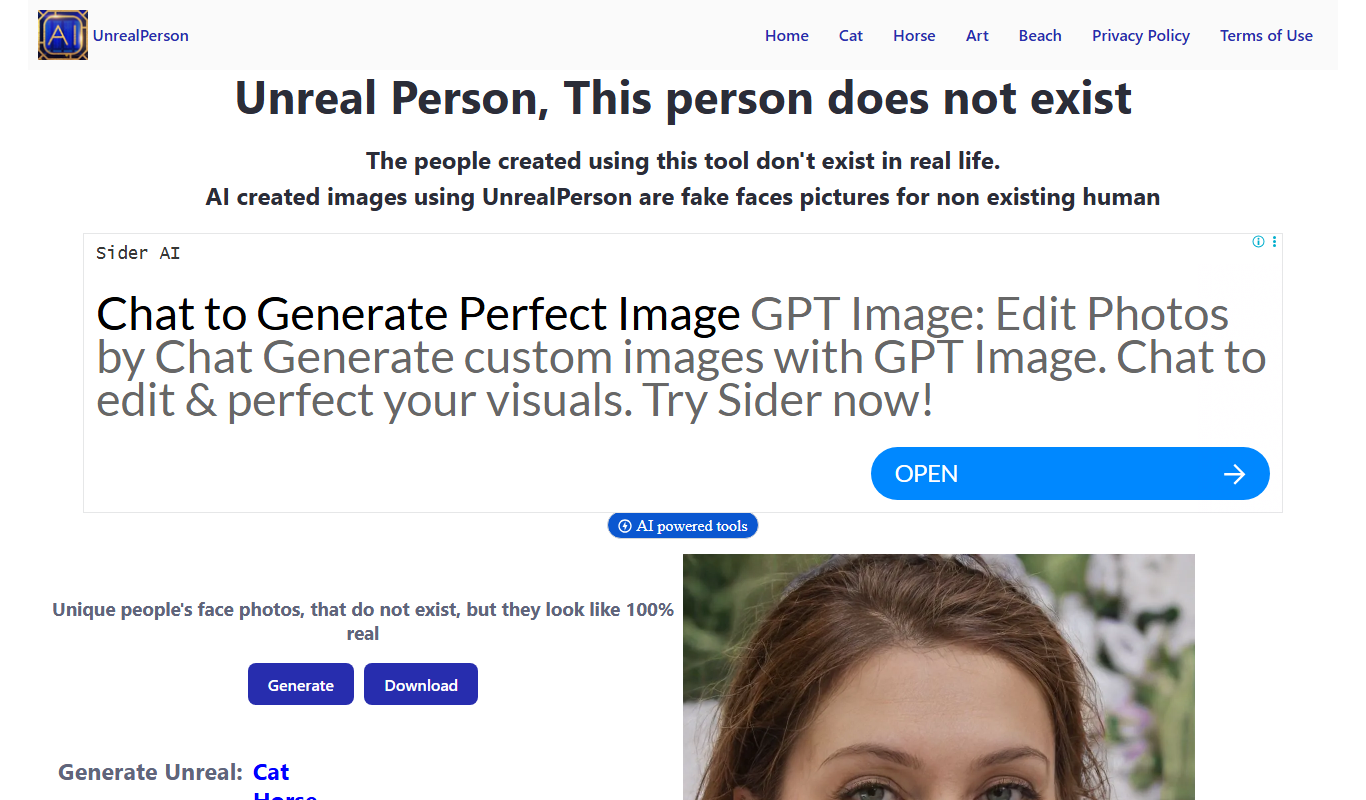
What is UnrealPerson?
UnrealPerson is a free web-based AI tool that generates highly realistic synthetic human faces using advanced deep learning techniques. It produces unique, photorealistic portraits of people who do not exist, enabling users to obtain diverse human images without privacy or copyright issues.
Key features of UnrealPerson
The tool offers instant generation of high-quality, diverse human faces with options to download images for personal or commercial use. It requires no signup or payment, making it accessible and easy to use for various creative and professional applications.
100% Free Usage
No fees, subscriptions, or signups required to generate and download faces.
High-Resolution Images
Produces clear, detailed, and realistic human face images.
Unique Synthetic Faces
Each generated face is unique and does not correspond to any real individual.
Instant Generation
Faces are generated quickly with minimal wait time.
Pros and cons of UnrealPerson
Pros
- Completely free with no signup required
- Generates highly realistic and unique human faces
- Fast and easy to use with instant downloads
Cons
- Limited to face image generation only
- No customization options for generated faces
Key use cases for UnrealPerson
Content Creation
Generate realistic human faces for use in digital content, marketing, and social media without privacy concerns.
Design and Advertising
Create diverse and unique faces for advertising campaigns, avoiding the need for model releases.
Privacy Protection
Use synthetic faces to protect individual privacy in projects requiring human images.
Testing and Development
Provide realistic human faces for software testing, UI/UX design, and app development.
How UnrealPerson works
- 1
Access the Website
Visit unrealperson.com on any web browser to start generating faces.
- 2
Generate Faces
Click the generate button to create a new synthetic human face instantly.
- 3
Download Images
Download the generated face images directly without any registration or cost.
Who is using UnrealPerson
UnrealPerson pricing
Free
$0
Unlimited access to generate and download synthetic human faces.
Plans and prices are as published by the vendor and can change. Check the official site before you buy. Open the pricing page (opens in a new tab)
Frequently asked questions about UnrealPerson
No, all faces are synthetically generated by AI and do not belong to any real person.
Yes, the images are free to use for personal and commercial projects without attribution.
No, the tool is accessible without any registration or login.
Some tools offer a free plan or trial with limited features. Availability can vary, so confirm on the official website.
Yes, it can help with that use case depending on how you configure it and what features are available. You’ll get the best results with clear inputs and a defined goal.
It depends on your specific needs and how you plan to use the tool. The official website and documentation are the best sources for the latest details.
Conclusion
Each click of the generate button produces a new synthetic human face that can be downloaded directly at no cost. The portraits show people who do not exist, so every face is unique and does not correspond to any real individual. A customized human faces generator by age and gender is also available, along with Cat, Horse and Art options.
Typical uses include faces for marketing and social media content, advertising faces that avoid the need for model releases, and realistic faces for software testing and UI/UX design. App developers and privacy-conscious users sit alongside content creators and graphic designers as intended users. Synthetic faces can also stand in where a project needs human images but individual privacy has to be protected.
Sources
Sign in to review this tool.
Sign In to ReviewNo reviews yet
Be the first to share how this tool worked for you.
Ask about pricing, limits, or how it compares — or answer someone else.
Sign In to AskNo questions yet
Have a question about using or paying for this tool? Be the first to ask.
Featured on TiorAI



More AI Image & Visual Tools tools
Other tools in the same category, for when this one is not quite the fit.

AI Image Generator/Search
AI Image Generator/Search is a web platform that allows users to generate images from text prompts and search a database of AI-created images for creative and commercial use.

Illusion Diffusion AI Online
Illusion Diffusion AI Online is an AI optical illusion image generator that turns any design, text or photo into illusion art, using credits bought as one-time packs.

Business Portrait AI
Business Portrait AI is an online tool that uses artificial intelligence to create professional business portraits and corporate headshots quickly and affordably without traditional photoshoots.

KiraHeadshots
KiraHeadshots is an AI-based web tool that generates professional-quality headshots from user photos, ideal for resumes and social media profiles.

Headshot Photo
Headshot Photo is an AI-based web tool that generates professional-quality headshots from your photos, offering style customization and high-resolution downloads.

AiPassportPhotos
AiPassportPhotos is an AI-powered online tool that helps users create compliant passport, visa, and ID photos by automatically removing backgrounds and resizing images according to country-specific standards.

FilterPixel
FilterPixel is an AI-powered photo culling tool that automates the selection of the best photos by analyzing technical quality and facial expressions, saving photographers time and effort.

A1 Art
A1 Art is a web-based AI image generator that creates digital artwork from text prompts, offering free and subscription plans for users.