

Transcri AI Transcription Software for Accurate Audio to Text Conversion
Transcri is an AI-driven transcription tool that converts audio and video recordings into accurate, editable text transcripts via a secure web platform.
- Best for
- Meeting Transcriptions
- Key capability
- High Accuracy AI Transcription
Save Transcri, follow its updates and vote on it — everything stays in your account.
Sign in or create a free account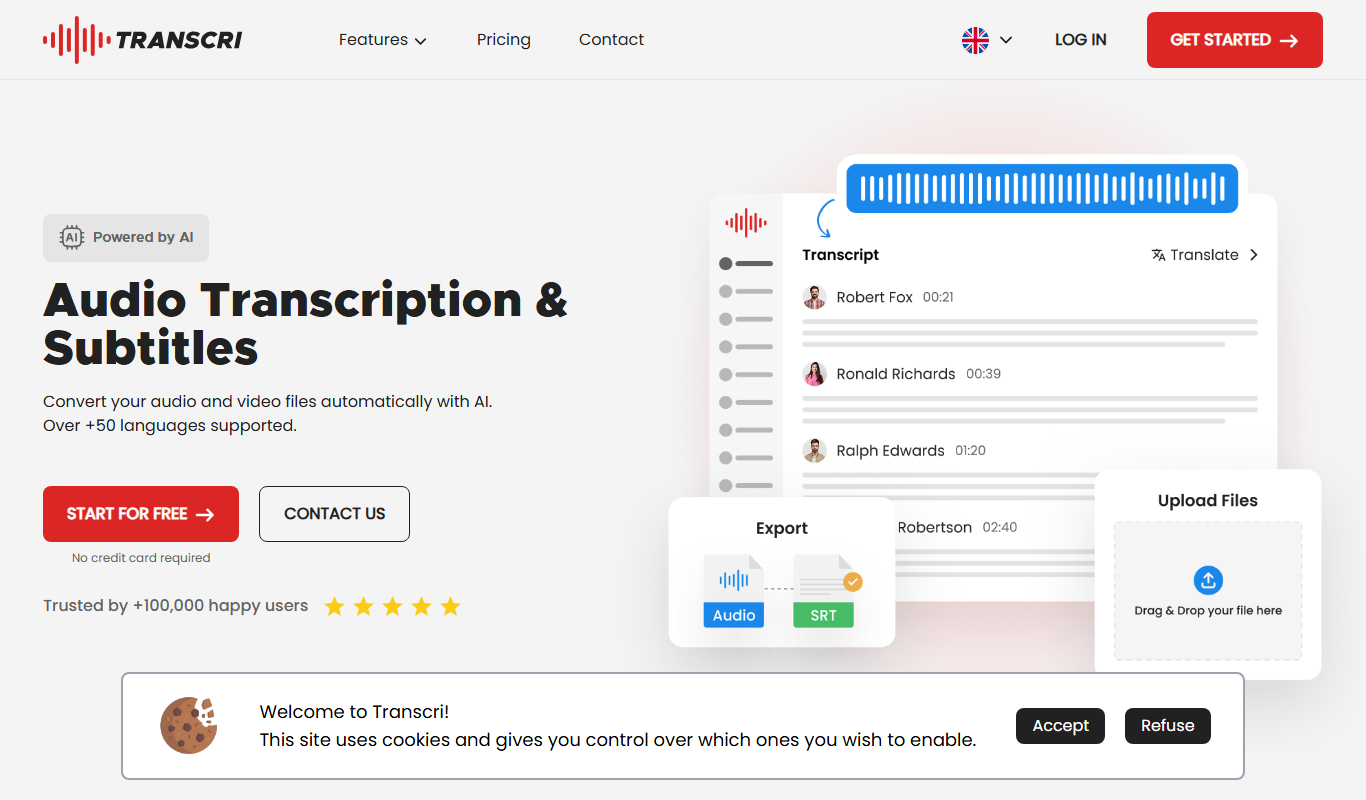
What is Transcri?
Transcri is an AI-powered transcription software designed to convert audio and video files into accurate, editable text transcripts. It leverages advanced speech recognition technology to deliver fast and reliable transcriptions, helping users save time and improve productivity across various industries.
Key features of Transcri
Transcri offers automated transcription with high accuracy, supports multiple audio formats, provides easy editing and exporting options, and ensures data security. Its user-friendly web platform enables quick uploads and efficient transcript management.
High Accuracy AI Transcription
Utilizes advanced AI models to deliver precise speech-to-text conversion.
Multi-format Support
Accepts various audio and video file formats for transcription.
Editable Transcripts
Provides an intuitive editor to correct and format transcripts easily.
Secure Cloud Storage
Ensures user data and files are protected with encryption and privacy controls.
Fast Turnaround
Processes files quickly to deliver transcripts in minimal time.
Pros and cons of Transcri
Pros
- User-friendly web interface
- Fast and accurate AI transcription
- Supports multiple audio formats
- Editable transcripts with export options
- Secure data handling
Cons
- No mobile app available
- Subscription required for extended use
Key use cases for Transcri
Meeting Transcriptions
Automatically convert meeting recordings into accurate text transcripts for easy review and sharing.
Interview Transcriptions
Transcribe interviews quickly to streamline content creation, research, or documentation.
Content Creation
Generate text from audio recordings to assist bloggers, podcasters, and video creators in producing written content.
Academic Research
Convert lectures and seminars into searchable text to aid note-taking and study.
Legal Documentation
Create precise transcripts of depositions and legal proceedings for record-keeping and analysis.
How Transcri works
- 1
Upload Audio or Video
Users upload their recordings directly to the Transcri web platform.
- 2
AI Transcription Processing
The AI engine processes the audio, converting speech to text with contextual understanding.
- 3
Review and Edit
Users review the generated transcript and make any necessary edits using the built-in editor.
- 4
Export Transcript
Final transcripts can be exported in multiple formats such as TXT, DOCX, or PDF.
Who is using Transcri
Transcri pricing
Free
EUR 0/month
15 minutes per month, standard processing, no translation, no credit card required.
Starter
EUR 3/month, billed annually
For occasional users: 60 minutes per month, priority processing, English translation.
Pro
EUR 9/month, billed annually
For professionals with frequent needs: 300 minutes per month, priority processing, multilingual translation, batch processing.
Business
EUR 15/month, billed annually
For businesses and teams with substantial needs: a larger monthly minute allowance, priority processing, multilingual translation, batch processing, speaker identification, up to 5 users.
Plans and prices are as published by the vendor and can change. Check the official site before you buy. Open the pricing page (opens in a new tab)
Frequently asked questions about Transcri
Transcri supports common audio formats including MP3, WAV, M4A, and more.
Accuracy depends on audio quality but generally ranges above 90% with clear recordings.
Yes, Transcri provides an online editor to review and modify transcripts.
Yes, Transcri uses encryption and secure cloud storage to protect your files and data privacy.
It depends on your specific needs and how you plan to use the tool. The official website and documentation are the best sources for the latest details.
Yes, it can help with that use case depending on how you configure it and what features are available. You’ll get the best results with clear inputs and a defined goal.
Yes, it can help with that use case depending on how you configure it and what features are available. You’ll get the best results with clear inputs and a defined goal.
Data handling and security practices vary by provider. Review the official privacy policy to understand how your data is stored and used.
Conclusion
Audio and video files are converted automatically with AI, and the same upload can become subtitles or a translation in over 100 languages. Files can be imported and exported in 20+ formats, and the online editor switches between dialogue mode and subtitle mode. A built-in AI assistant can summarize discussions, extract key moments, write reports or add chapters to a video.
Journalists, podcasters and academic researchers can use it for interviews and lectures, and teams can be invited into shared projects. The Free plan offers 15 minutes per month with no translation, while Starter, Pro and Business are billed annually and add priority processing and translation. Speaker identification is limited to the Business plan, which covers up to 5 users.
Sources
Sign in to review this tool.
Sign In to ReviewNo reviews yet
Be the first to share how this tool worked for you.
Ask about pricing, limits, or how it compares — or answer someone else.
Sign In to AskNo questions yet
Have a question about using or paying for this tool? Be the first to ask.
Featured on TiorAI



More AI Productivity Tools tools
Other tools in the same category, for when this one is not quite the fit.

EasyTrip AI
EasyTrip AI is an AI-driven travel planner that generates customized trip itineraries based on your travel dates, destinations, and preferences, helping you organize your trip efficiently.

PlaninGo
PlaninGo is an AI travel planning tool that generates personalized trip itineraries and guides based on your preferences, helping you plan efficient and enjoyable trips.

Travel Itinerary AI
Travel Itinerary AI is an AI-powered web tool that creates personalized travel itineraries based on your preferences, helping you plan and manage trips efficiently.

Wanderlust Browser Extension V2
Wanderlust Browser Extension V2 is the browser extension of the Wanderlust trip planner that clips articles, Instagram posts, and hotel pages into the right trip.

aigclist
AIGCList is a free online directory that aggregates and categorizes AI tools, providing detailed information, user reviews, and AI industry news to help users discover and compare AI solutions.

Textie AI
Textie.ai is an all-in-one AI platform for generating texts and images, chatting with AI, AI agents, document translations, presentations and voice services.

Excel Formula GPT
Excel Formula GPT is an AI tool that converts plain English descriptions into Excel formulas and explains existing formulas to simplify spreadsheet tasks.

ExcelMaster.ai
ExcelMaster.ai is an Excel AI agent that writes complex formulas, generates VBA, runs Python and cleans data inside Excel.