

CELA Technology 3D product configurators for complex industrial products
CELA Technology builds interactive 3D configuration experiences that help customers understand, explore and co-create complex industrial products.
- Best for
- Recreational vehicles
- Key capability
- 3D product visualization
Save thecela.com, follow its updates and vote on it — everything stays in your account.
Sign in or create a free account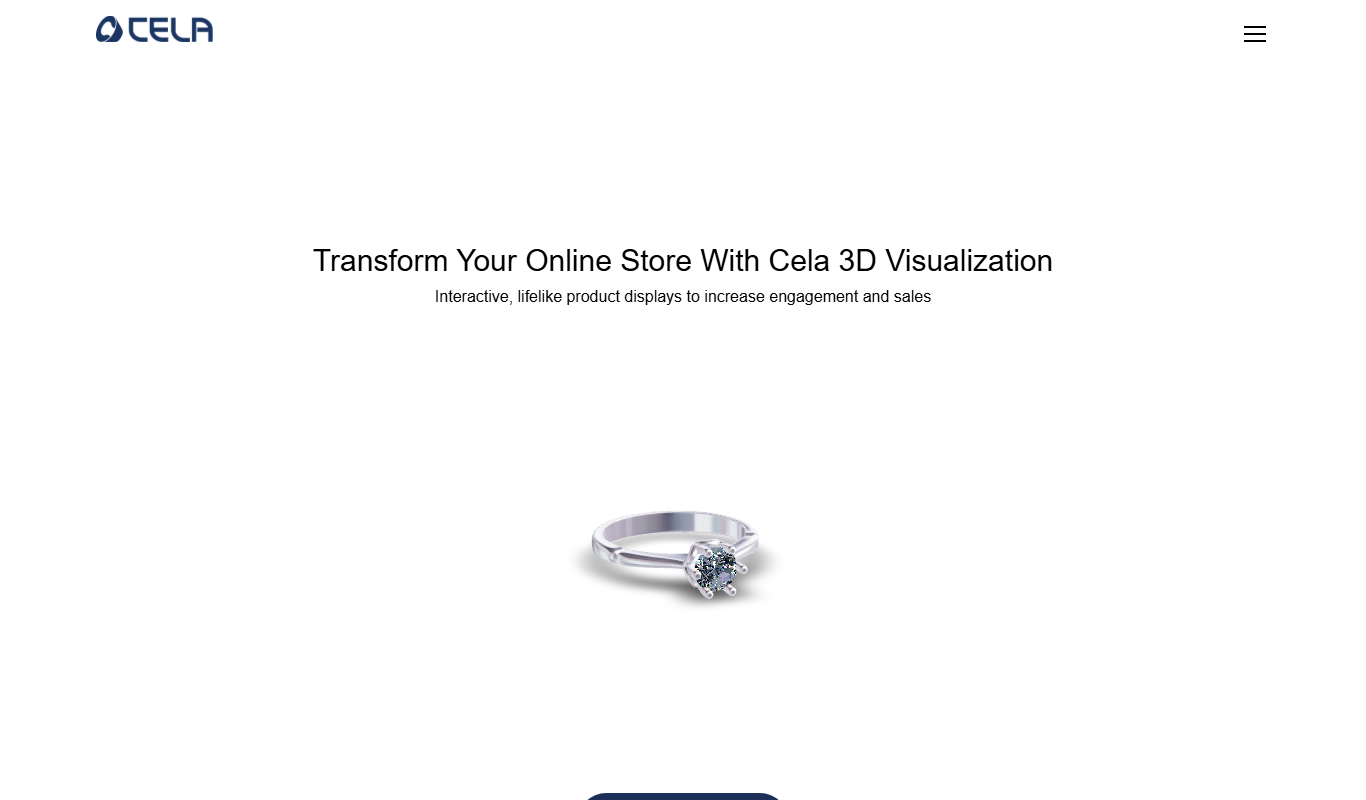
What is thecela.com?
CELA Technology is a configuration engineering partner that builds interactive configuration experiences for manufacturers of complex industrial products. It combines 3D product visualization, configuration logic and dynamic pricing and quoting into one guided buying experience, delivered as a client project.
Key features of thecela.com
CELA delivers 3D product visualization, configuration logic for rules, options and dependencies, dynamic pricing and quote-ready outputs, brand-aligned interfaces and ongoing updates after launch.
3D product visualization
Lets customers explore complex products clearly before purchase.
Configuration logic
Turns product rules, options, dependencies and constraints into a guided experience.
Dynamic pricing and quoting
Reflects configuration choices in pricing, packages and quote-ready outputs.
Brand-aligned interface
The configurator interface is designed to feel native to the client's brand, on desktop and mobile.
Ongoing maintenance
CELA stays involved after launch so products, rules and pricing stay accurate and current.
Pros and cons of thecela.com
Pros
- Combines 3D visualization, configuration logic and quoting in one experience
- Interface designed to feel native to the client's brand
- Ongoing updates as products, rules and pricing change
Cons
- A custom project service, not self-serve software
- No published prices; engagement starts with a meeting
- Pricing may be high for small users
Key use cases for thecela.com
Recreational vehicles
Guide buyers through floorplans, packages, finishes and compatible options.
Industrial equipment
Clarify technical specifications, accessories, dependencies and quote-ready configurations.
Aerospace and drones
Connect mission requirements to compatible platforms, payloads, components and services.
Marine and waterfront
Make vessel layouts, equipment, materials and waterfront systems easier to explore.
Editing and Refinement
Enhance and polish existing text to improve clarity and engagement.
How thecela.com works
- 1
Book a meeting
Discuss your product complexity and configuration goals with CELA.
- 2
Product discovery
CELA learns the product from product images, CAD files, option lists, technical references and conversations with the client.
- 3
Real-time 3D
Each component is reviewed, rebuilt, optimized and prepared for real-time use.
- 4
Interface and product logic
Dependencies, conflicts, required selections and compatibility rules are translated into a maintainable configuration system with a brand-aligned interface.
- 5
Launch and ongoing updates
After launch, CELA keeps the configurator accurate and aligned with the way the client sells.
Who is using thecela.com
thecela.com pricing
Free
$0/month
Basic access with limited content generation and features.
Pro
$29/month
Unlimited content generation, advanced features, and priority support.
Plans and prices are as published by the vendor and can change. Check the official site before you buy. Open the pricing page (opens in a new tab)
Frequently asked questions about thecela.com
Interactive configuration experiences that help customers understand, explore and co-create complex industrial products.
Product images, CAD files, option lists, technical references and direct conversations with the client.
Manufacturers with high-variation products, such as recreational vehicles, marine, residential products, industrial equipment, aerospace and drones, and luxury products.
Yes. As products, rules, pricing and systems change, CELA keeps the configuration experience accurate and current.
Book a meeting with CELA to discuss your product complexity and configuration goals.
CELA was founded in Vancouver, Canada.
CELA is researching AI-driven 3D spatial interaction and intelligent buying experiences for future configuration platforms.
Some tools offer a free plan or trial with limited features. Availability can vary, so confirm on the official website.
Conclusion
Manufacturers of complex, high-variation products are the clients here, since CELA Technology works as a configuration engineering partner rather than selling self-serve software. Each engagement turns a product’s rules, options and dependencies into a guided 3D buying experience, with pricing and quote-ready outputs that follow every choice. Work starts from product images, CAD files, option lists and conversations with the client, and each component is rebuilt for real-time use.
Recreational vehicles, marine, industrial equipment and drones are among the industries it covers. The configurator’s interface is styled to feel native to the client’s brand, and the team stays involved after launch as rules and pricing change. No prices are published; projects begin by booking a meeting to discuss product complexity and configuration goals.
Sources
Sign in to review this tool.
Sign In to ReviewNo reviews yet
Be the first to share how this tool worked for you.
Ask about pricing, limits, or how it compares — or answer someone else.
Sign In to AskNo questions yet
Have a question about using or paying for this tool? Be the first to ask.
Featured on TiorAI



More Business Automation tools
Other tools in the same category, for when this one is not quite the fit.
IAcomunia
IAcomunia is a personality quiz website with short quizzes on emotions, habits, relationships and self-discovery, and no account required.

accent-technologies.com
Accent Technologies provides an AI-powered revenue enablement platform that combines AI, content and coaching to help revenue teams sell more effectively.

Jeeves.Ai
Jeeves.Ai is a chat and copywriting assistant powered by GPT3 and GPT4, with hundreds of templates, image tools and a free PRO trial.
ai4bd.com
AI4BD offers AI products for businesses on its modular CBR software platform, including document processing, smart maintenance and master data management.

PulpSense
PulpSense is an AI automation agency that automates sales, marketing and operations with AI agents, onboarding flows, content engines and dashboards, starting from a free strategy call.

Nexal AI – All In One AI Platform
Nexal AI is an all-in-one AI chat and image creation platform with models such as ChatGPT, Gemini, Llama, Mistral AI and Claude on web, Android and iOS.

Zedblock
Zedblock builds, hosts and manages AI automation systems for service businesses such as law firms, accounting practices and consultancies that want faster operations and more qualified leads.

Atbridges
AtBridges is an AI platform that automates lead generation, social media, outreach, customer engagement and appointment booking for businesses.