

TalkNotes AI Meeting Notes Generator for Efficient Team Collaboration
TalkNotes is an AI voice note app that transcribes voice notes and structures them into actionable text, in 50+ languages.
- Best for
- Automated Meeting Notes
- Key capability
- Real-Time Transcription
Save TalkNotes, follow its updates and vote on it — everything stays in your account.
Sign in or create a free account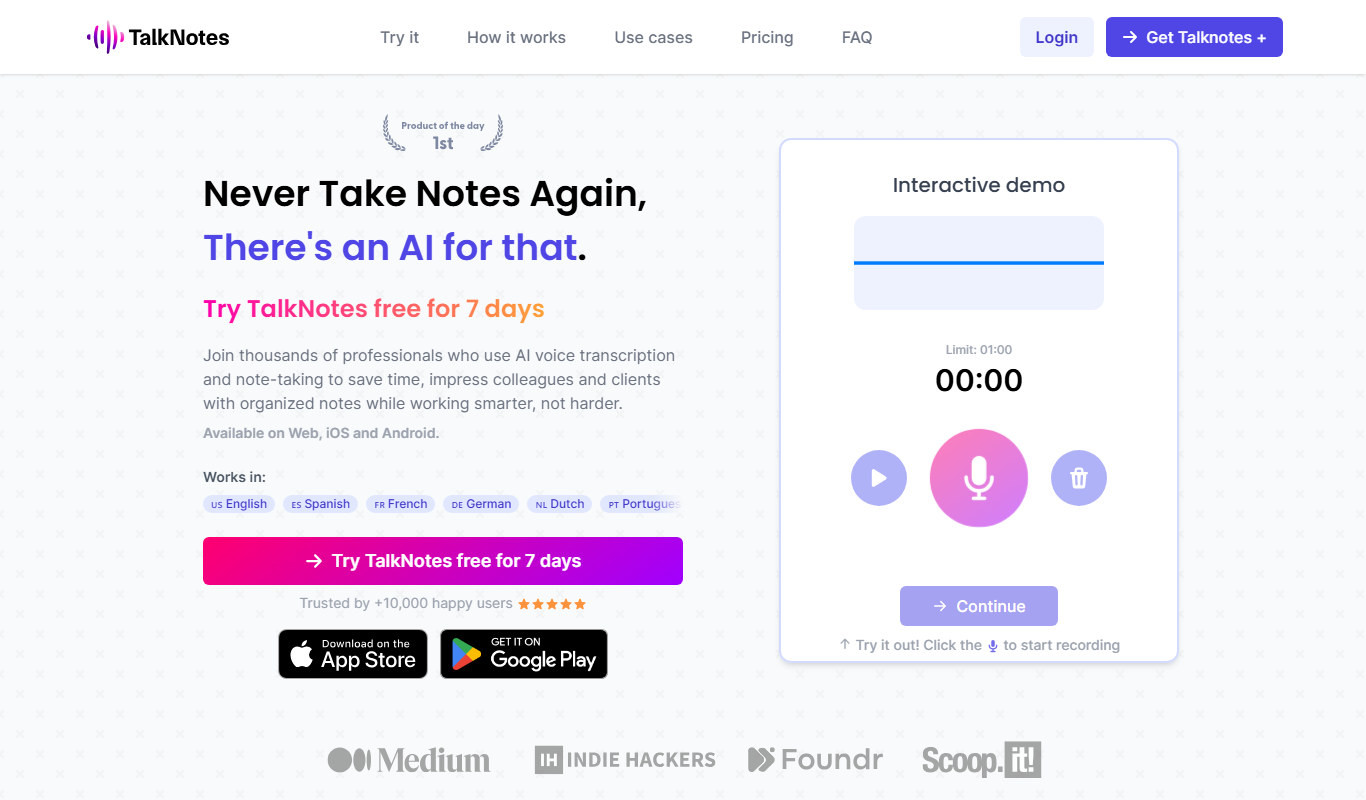
What is TalkNotes?
TalkNotes is an AI voice note app. Users record voice notes, and the AI transcribes and structures them into actionable text such as task lists, transcripts and blog posts. It works in 50+ languages.
Key features of TalkNotes
TalkNotes offers real-time transcription, AI-generated summaries, action item extraction, and easy sharing options. It integrates seamlessly with popular meeting platforms and supports team collaboration through a user-friendly web interface and Chrome extension.
Real-Time Transcription
Records voice notes with one button and transcribes them with AI.
AI-Powered Summaries
Creates clear, concise summaries to capture essential meeting points.
Action Item Extraction
Identifies tasks and decisions automatically for easy follow-up.
Multi-Platform Support
Available on Web, iOS and Android.
Easy Sharing
Allows quick distribution of notes to team members via links or integrations.
Pros and cons of TalkNotes
Pros
- Accurate real-time transcription
- AI-generated concise summaries
- Automatic action item detection
- Easy sharing and collaboration
- User-friendly interface
Cons
- Some advanced features require paid subscription
Key use cases for TalkNotes
Automated Meeting Notes
Automatically transcribe and summarize meetings to save time and improve accuracy.
Team Collaboration
Share notes instantly with team members to keep everyone aligned and informed.
Task Management
Extract action items and decisions from meetings to streamline follow-ups.
Remote Work Support
Facilitate effective communication for remote teams by providing clear meeting summaries.
How TalkNotes works
- 1
Connect Your Meeting
Record a voice note with one button or upload your own audio files.
- 2
Automatic Transcription
Select a style for meeting notes, task lists, brainstorming sessions and more, or create your own style.
- 3
Generate Summaries
AI analyzes the transcript to create concise summaries and highlight action items.
- 4
Share and Collaborate
Distribute notes to team members and integrate with task management tools.
Who is using TalkNotes
TalkNotes pricing
Monthly
$19.97/month billed monthly
All features: iOS and Android app, unlimited notes, 2h recording, upload files, custom styles, export to text, mail, URL, store and organize your notes; free trial.
Yearly
$197.00 /year ($16/month billed annually)
Same features as Monthly: iOS and Android app, unlimited notes, 2h recording, upload files, custom styles, export, store and organize your notes; free trial.
Plans and prices are as published by the vendor and can change. Check the official site before you buy. Open the pricing page (opens in a new tab)
Frequently asked questions about TalkNotes
TalkNotes records voice notes and then uses AI to transcribe and structure them into text; the official pages do not describe real-time transcription during meetings.
Absolutely, notes can be easily shared via links or integrated platforms.
TalkNotes is available on Web, iOS and Android.
There is no free plan; TalkNotes can be tried free for 7 days, and a free demo is available.
It depends on your specific needs and how you plan to use the tool. The official website and documentation are the best sources for the latest details.
Some tools offer a free plan or trial with limited features. Availability can vary, so confirm on the official website.
Yes, it can help with that use case depending on how you configure it and what features are available. You’ll get the best results with clear inputs and a defined goal.
Conclusion
Recording takes one button, and the AI transcribes the voice note and structures it into actionable text such as task lists, transcripts or blog posts. The 9 ready-made styles range from a short note or journal entry to flashcards, tweets and LinkedIn posts, and users can create their own style. It works in 50+ languages and is available on web, iOS and Android. Paid users can also upload their own audio files, and a Zapier integration sends notes to other apps.
It is pitched at professionals capturing thoughts on the go, from brainstorming to turning a phone or Zoom call into text. There is no free plan beyond a 7-day free trial and a free demo, and paid access is billed monthly or yearly. Notes up to 20 minutes are unlimited, while longer recordings of up to 2 hours use Pro credits. An internet connection is required for the full range of features.
Sources
Sign in to review this tool.
Sign In to ReviewNo reviews yet
Be the first to share how this tool worked for you.
Ask about pricing, limits, or how it compares — or answer someone else.
Sign In to AskNo questions yet
Have a question about using or paying for this tool? Be the first to ask.
Featured on TiorAI


