

From my experience with SumyAI, I found it excels at quickly condensing lengthy articles and documents into clear, digestible summaries. The straightforward web interface makes it easy to use without any technical knowledge, which is great for students, researchers, and busy professionals alike. However, the tool currently supports only English and imposes usage limits on the free plan, which might be restrictive for heavy users. Overall, if you need a reliable and fast AI summarizer to save time on reading and content review, SumyAI delivers solid and practical results.
SumyAI AI Text Summarizer Tool for Efficient Content Condensation
SumyAI is an AI-based tool that summarizes long texts and articles into concise, easy-to-read summaries using advanced natural language processing.
- Best for
- Content Summarization
- Key capability
- AI-Powered Summarization
Your actions


Do you recommend this tool?
What is SumyAI?
SumyAI is an AI-powered text summarization tool designed to help users quickly extract the most important information from lengthy texts. By leveraging advanced natural language processing algorithms, it condenses articles, reports, and documents into clear, concise summaries, saving time and improving content comprehension.
Key features of SumyAI
SumyAI offers fast and accurate text summarization with options to input URLs or paste text directly. It supports multiple summary lengths and formats, making it versatile for various professional and academic needs. The tool is accessible via a user-friendly web interface without requiring installation.
AI-Powered Summarization
Uses advanced AI models to accurately identify key points and generate summaries.
URL and Text Input
Supports summarization from both direct text input and web page URLs.
Customizable Summary Length
Allows users to select how brief or detailed the summary should be.
User-Friendly Web Interface
Accessible online without installation, with a clean and intuitive design.
Pros and cons of SumyAI
Pros
- Quickly condenses lengthy content into clear summaries
- Supports both URL and direct text input
- Simple and intuitive web interface
- Affordable pricing with a free tier
Cons
- Limited language support (English only)
- Free plan has usage restrictions
- No mobile app available
Key use cases for SumyAI
Content Summarization
Condense long articles, reports, or documents into concise summaries for quick understanding.
Research Efficiency
Help researchers and students quickly grasp key points from academic papers or lengthy texts.
Business Communication
Summarize meeting notes, emails, or business documents to save time and improve clarity.
Content Creation
Assist writers and marketers in generating summaries for blogs, newsletters, and social media posts.
How SumyAI works
- 1
Input Text or URL
Users provide the text or link to the content they want summarized.
- 2
Select Summary Length
Choose the desired summary length or level of detail.
- 3
Generate Summary
SumyAI processes the input using AI algorithms and produces a concise summary.
- 4
Review and Export
Users can review the summary and copy or export it for their needs.
Who is using SumyAI
Students and researchers
Content marketers and writers
Business professionals
Educators and trainers
SumyAI pricing
Free
$0/month
Basic summarization features with daily usage limits.
Pro
$9.99/month
Unlimited summaries, faster processing, and priority support.
Plans and prices are as published by the vendor and can change. Check the official site before you buy. Open the pricing page (opens in a new tab)
Frequently asked questions about SumyAI
SumyAI works best with well-structured articles, reports, and documents but may be less effective with highly technical or unstructured text.
The free plan has daily limits on text length and number of summaries; the Pro plan offers higher or unlimited limits.
Currently, SumyAI primarily supports English text summarization.
It depends on your specific needs and how you plan to use the tool. The official website and documentation are the best sources for the latest details.
Some tools offer a free plan or trial with limited features. Availability can vary, so confirm on the official website.
Yes, it can help with that use case depending on how you configure it and what features are available. You’ll get the best results with clear inputs and a defined goal.
Sign in to review this tool.
Sign In to ReviewNo reviews yet
Be the first to share how this tool worked for you.
Ask about pricing, limits, or how it compares — or answer someone else.
Sign In to AskNo questions yet
Have a question about using or paying for this tool? Be the first to ask.
Featured on TiorAI



More AI Content Optimization Tools tools
Other tools in the same category, for when this one is not quite the fit.

Free Trial
TikNeuron
TikNeuron is an AI-driven platform that helps TikTok creators and marketers grow their accounts by providing analytics, trend discovery, and content optimization recommendations.

Freemium
AlphaRank
AlphaRank is an AI-driven SEO platform that helps users track keyword rankings, optimize website content, analyze competitors, and generate SEO reports to improve search engine performance.

Free
FREE AI Meta Description Generator
The FREE AI Meta Description Generator by SEO Roast creates concise, SEO-friendly meta descriptions for webpages using AI technology, helping improve search engine snippets and click-through rates.
Freemium
Mango SEO AI
Mango SEO AI is an AI-powered SEO tool that analyzes and optimizes website content by providing keyword research, competitor analysis, and actionable SEO recommendations to improve search rankings.

Freemium
White Hat
White Hat AI is an AI chatbot focused on providing ethical SEO guidance and content optimization to improve website rankings without violating search engine policies.
Free
WPSummarize
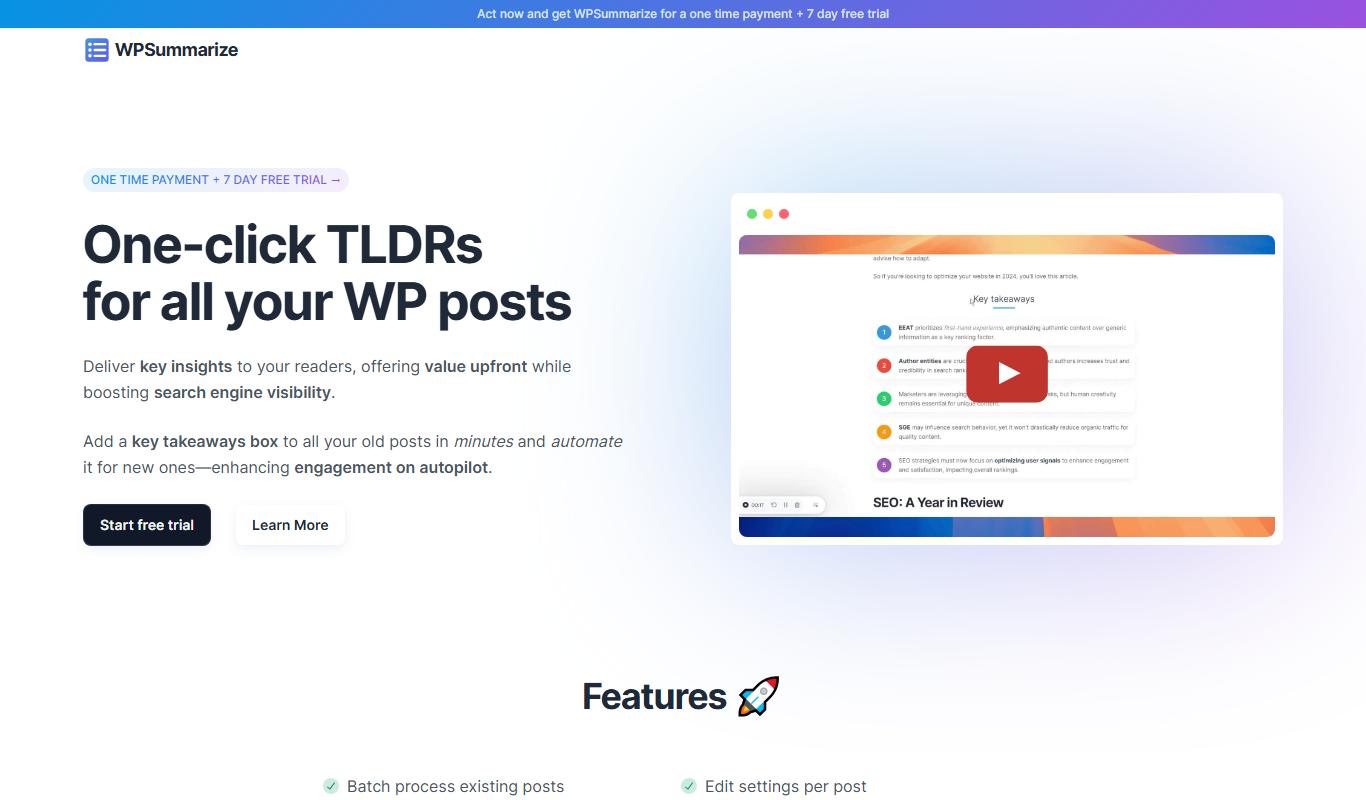
WPSummarize is an AI-based WordPress plugin that creates concise summaries of long articles to enhance readability and SEO.

Freemium
Stealthly AI Humanizer
Stealthly AI Humanizer is an AI tool that rewrites AI-generated or robotic text into natural, human-like language to improve readability and engagement.

Free Trial
Content Optimizor
Content Optimizor by Clearscope is a web-based SEO tool that helps marketers optimize content by providing keyword research, content grading, and competitor analysis to improve search rankings.