

From my experience with Smart Paste, I found it excels at quickly condensing lengthy text into clear, concise summaries, which is a huge time saver when handling large volumes of information. The tool’s seamless clipboard integration makes it practical for daily use without interrupting workflow. It’s particularly well-suited for content creators, researchers, and professionals who need to extract key points efficiently. However, the lack of dedicated mobile or desktop apps and limited language support may restrict some users. Overall, if you want a straightforward, web-based AI summarization tool, Smart Paste delivers reliable and fast results.
Smart Paste AI Tool for Effortless Text Summarization and Content Extraction
Smart Paste is an AI-driven web tool that simplifies text summarization and content extraction from copied text, helping users save time and improve productivity.
- Best for
- Quick Text Summarization
- Key capability
- AI-Powered Summarization
Your actions
Save Smart Paste, follow its updates and vote on it — everything stays in your account.
Sign in or create a free account

What is Smart Paste?
Smart Paste is a web-based AI-powered tool designed to simplify the process of extracting and summarizing content from copied text. It helps users quickly convert lengthy or cluttered text into concise, readable summaries or clean content snippets, improving productivity and information processing.
Key features of Smart Paste
Smart Paste offers instant text summarization, clipboard content extraction, and clean formatting features. It integrates AI to understand and condense text efficiently, making it ideal for researchers, writers, and professionals who handle large volumes of text.
AI-Powered Summarization
Automatically condenses lengthy text into key points without losing essential information.
Clipboard Integration
Seamlessly works with copied text for quick pasting and summarization.
Clean Formatting
Removes unnecessary clutter and formats text for easy readability.
Web-Based Access
Accessible from any device with a web browser, no installation needed.
Pros and cons of Smart Paste
Pros
- Quick and accurate text summarization
- Easy to use with clipboard integration
- No software installation required
- Affordable pricing for extended use
Cons
- Limited to English language support
- No dedicated mobile or desktop apps
- Free plan has usage limits
Key use cases for Smart Paste
Quick Text Summarization
Summarize long paragraphs or articles instantly to get the key points without reading the entire text.
Content Extraction from Clipboard
Automatically extract and clean relevant content from copied text to streamline workflows.
Note Taking and Research
Use Smart Paste to condense research notes or meeting transcripts for easier review and sharing.
Improving Productivity
Reduce time spent on manual summarization and content formatting during writing or editing tasks.
How Smart Paste works
- 1
Copy Text
Copy any text content from your source, such as articles, emails, or documents.
- 2
Paste into Smart Paste
Paste the copied text into the Smart Paste web interface.
- 3
Get Summarized Output
The AI processes the text and provides a concise summary or cleaned content instantly.
- 4
Use or Export
Copy the summarized text for your notes, reports, or further editing.
Who is using Smart Paste
Content creators
Researchers and students
Writers and editors
Business professionals
Marketing teams
Smart Paste pricing
Free
$0/month
Basic summarization features with daily usage limits.
Pro
$9/month
Unlimited usage with faster processing and priority support.
Plans and prices are as published by the vendor and can change. Check the official site before you buy. Open the pricing page (opens in a new tab)
Frequently asked questions about Smart Paste
Yes, Smart Paste offers a free plan with limited daily usage.
Smart Paste is web-based and accessible via mobile browsers but does not have a dedicated mobile app.
Currently, Smart Paste supports English text summarization.
It depends on your specific needs and how you plan to use the tool. The official website and documentation are the best sources for the latest details.
Yes, it can help with that use case depending on how you configure it and what features are available. You’ll get the best results with clear inputs and a defined goal.
Sign in to review this tool.
Sign In to ReviewNo reviews yet
Be the first to share how this tool worked for you.
Ask about pricing, limits, or how it compares — or answer someone else.
Sign In to AskNo questions yet
Have a question about using or paying for this tool? Be the first to ask.
Featured on TiorAI



Alternative Tools
Explore similar AI tools that might fit your needs

Free
SummarizeBot
SummarizeBot offers a free AI summarization chatbot for Slack and Google Chat alongside enterprise AI products, including a Natural Language Processing API and CER automation.
More AI Pdf Editor tools
Other tools in the same category, for when this one is not quite the fit.

Freemium
SnapEdit – All-in-one AI Photo Editor
SnapEdit is a web-based AI photo editor that automates background removal, object erasing, and photo retouching to help users enhance images quickly without advanced skills.
Free
pdf2gpt
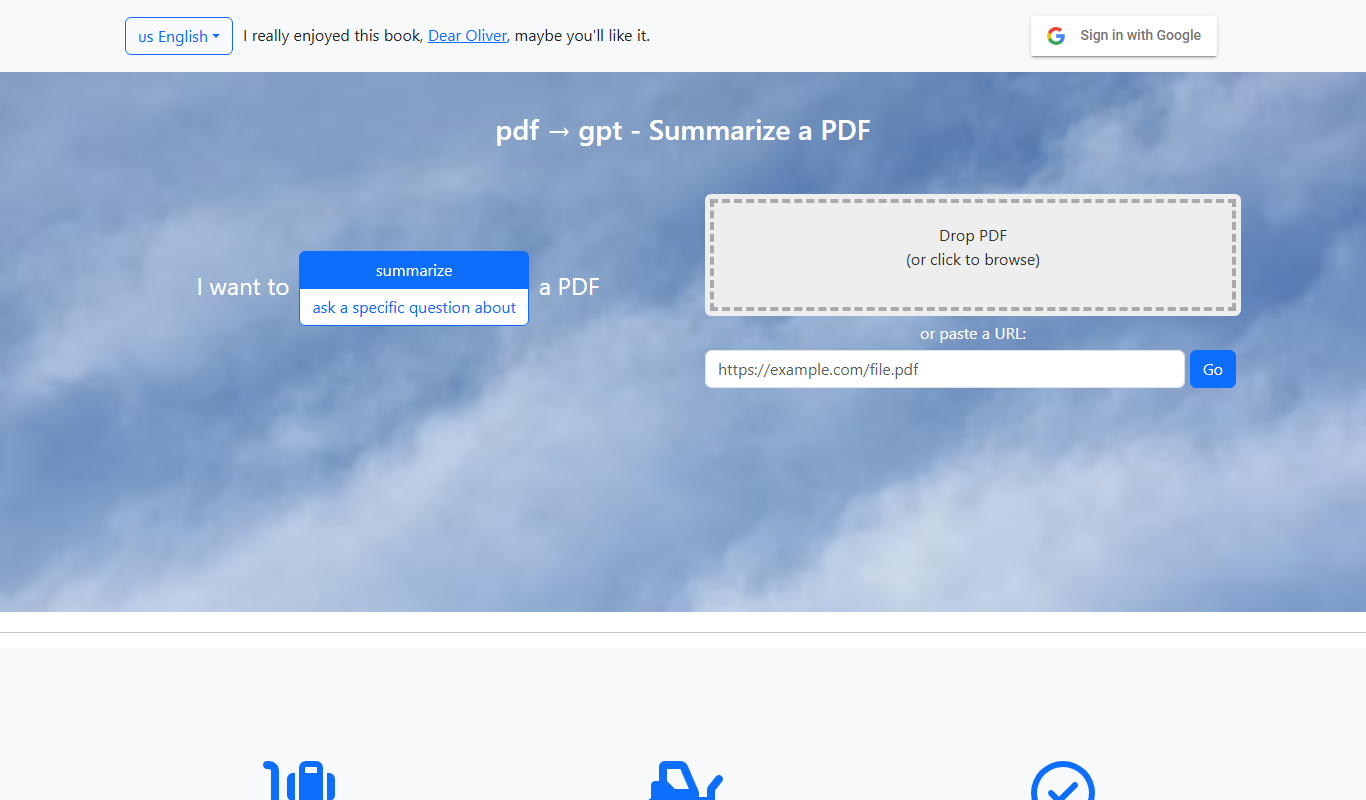
PDF2GPT is an AI tool that transforms PDF documents into interactive chatbots using GPT technology, enabling users to ask questions and get summaries from PDFs instantly.

Free
GPTOCR
GPTOCR is an AI-powered online OCR tool that extracts text from images and PDFs, enabling fast and accurate document digitization without software installation.

Freemium
Editor.do
Editor.do is an AI writing assistant that provides real-time grammar, style, and clarity improvements to help users create polished written content efficiently.

Free
DocXter
DocXter is an AI-driven platform that automates document creation using GPT-3 technology, enabling users to generate professional documents quickly and efficiently.

Free
Free AI PDF Reader
Free AI PDF Reader is a web-based tool that allows users to upload PDFs and use AI to search and summarize document content quickly and for free.

Freemium
Edutor AI
Edutor AI is an AI-driven educational platform that personalizes learning content and pace for students, providing homework assistance, test prep, and progress tracking for educators.

Free
Healactively back wellness app
Healactively is a back wellness app that provides personalized exercise plans, posture correction guidance, and pain relief routines to help users manage and improve back health.