

From my experience with Sendoso, I found it excels at simplifying the complex process of sending personalized gifts and direct mail at scale, especially for sales and marketing teams focused on account-based strategies. The platform’s deep CRM integrations and automation capabilities make it a powerful tool to increase engagement and build stronger relationships with prospects and customers. However, the custom pricing and enterprise focus mean it might not be the best fit for smaller businesses with limited budgets. Overall, if your goal is to enhance sales outreach and customer retention through thoughtful gifting, Sendoso delivers a robust and scalable solution.
Sendoso Platform for Personalized Direct Mail and Corporate Gifting Solutions
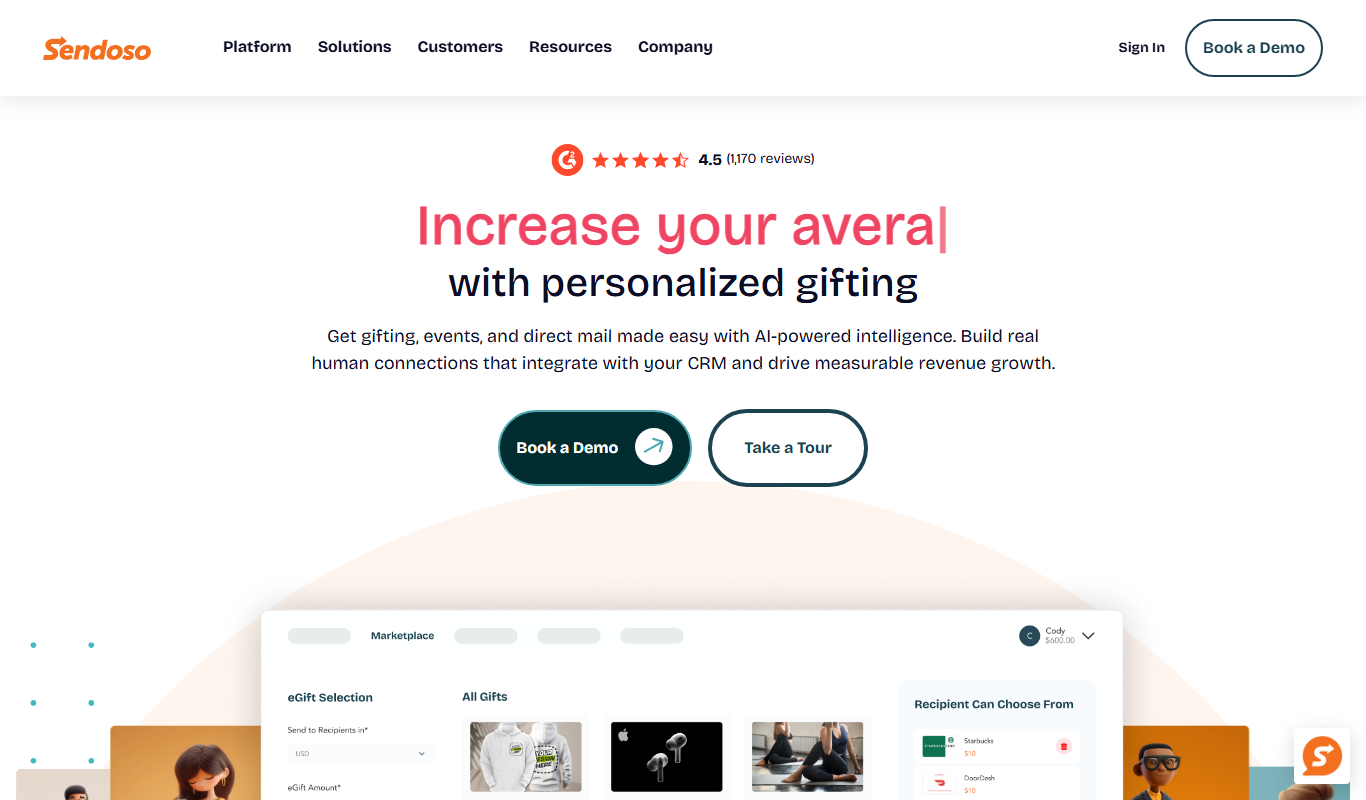
Sendoso is a platform that helps businesses automate sending personalized gifts and direct mail to prospects and customers, integrating with CRM tools to improve engagement and sales outcomes.
- Best for
- Account-Based Marketing
- Key capability
- Gift and Direct Mail Marketplace
Do you recommend this tool?
What is Sendoso?
Sendoso is a comprehensive sending platform that enables businesses to deliver personalized gifts, direct mail, and digital experiences to prospects, customers, and employees. It integrates with CRM and marketing automation tools to streamline sending physical and digital items at scale, helping companies improve engagement, build relationships, and drive revenue growth.
Key features of Sendoso
Sendoso offers features such as a wide selection of customizable gifts, direct mail automation, integration with popular CRMs, real-time tracking of sends and deliveries, and analytics to measure campaign effectiveness. The platform supports both physical and digital gifting campaigns tailored to various business objectives.
Gift and Direct Mail Marketplace
Access a broad selection of curated gifts and direct mail options suitable for various industries and occasions.
CRM and Marketing Automation Integrations
Seamlessly connect with platforms like Salesforce, HubSpot, and Marketo to automate sending workflows.
Personalization and Automation
Customize gifts and messages and automate sends based on customer data and behavior triggers.
Real-Time Tracking and Analytics
Track delivery status and engagement metrics to evaluate campaign success and ROI.
Global Fulfillment Network
Leverage Sendoso’s logistics capabilities to send gifts worldwide with reliable delivery.
Pros and cons of Sendoso
Pros
- Streamlines sending personalized gifts at scale
- Strong CRM and marketing automation integrations
- Real-time tracking and analytics for campaign insights
- Wide variety of gift options and direct mail services
- Global fulfillment capabilities
Cons
- Pricing is custom and may be expensive for small businesses
- Primarily designed for B2B use cases, less suited for casual gifting
Key use cases for Sendoso
Account-Based Marketing
Send personalized gifts and direct mail to targeted accounts to increase engagement and conversion rates.
Sales Engagement
Enable sales teams to send physical and digital gifts to prospects and customers to build relationships and accelerate deals.
Customer Retention
Strengthen customer loyalty by sending thoughtful gifts and experiences at key moments in the customer lifecycle.
Event Marketing
Enhance event invitations and follow-ups with customized gifts to improve attendance and post-event engagement.
Employee Recognition
Use the platform to send rewards and recognition gifts to employees to boost morale and retention.
How Sendoso works
- 1
Integrate with CRM
Connect Sendoso with your CRM or marketing automation platform to sync contacts and automate sending workflows.
- 2
Select Gifts or Experiences
Choose from a curated marketplace of physical gifts, direct mail options, or digital experiences to send.
- 3
Personalize and Automate
Customize messages and automate sending based on triggers such as deal stages, events, or customer milestones.
- 4
Track Deliveries
Monitor real-time delivery status and recipient engagement through the Sendoso dashboard.
- 5
Analyze Campaigns
Use built-in analytics to measure ROI and optimize future sending strategies.
Who is using Sendoso
Sales teams
Marketing professionals
Account-based marketing specialists
Customer success managers
Event planners
HR and employee engagement teams
Sendoso pricing
Custom Pricing
Contact for pricing
Pricing tailored based on company size, sending volume, and feature requirements.
Plans and prices are as published by the vendor and can change. Check the official site before you buy. Open the pricing page (opens in a new tab)
Frequently asked questions about Sendoso
Sendoso offers a wide range of physical gifts, direct mail items, and digital experiences that can be personalized for recipients.
Yes, Sendoso integrates with popular CRMs like Salesforce, HubSpot, and marketing automation platforms to automate sending workflows.
Yes, the platform provides real-time tracking and notifications for all sends.
While Sendoso primarily targets mid-market and enterprise clients, small businesses can contact sales to discuss options.
It depends on your specific needs and how you plan to use the tool. The official website and documentation are the best sources for the latest details.
Integration support depends on the tool and its available connectors or API. Check the official documentation or integrations page to confirm what is supported.
Sign in to review this tool.
Sign In to ReviewNo reviews yet
Be the first to share how this tool worked for you.
Ask about pricing, limits, or how it compares — or answer someone else.
Sign In to AskNo questions yet
Have a question about using or paying for this tool? Be the first to ask.
Featured on TiorAI



More AI CRM tools
Other tools in the same category, for when this one is not quite the fit.

Annual subscription
NinjaOutreach
NinjaOutreach is a web-based influencer marketing and outreach software that helps businesses find influencers, automate email campaigns, manage contacts, and run affiliate marketing programs.

Custom Pricing
Traackr
Traackr is an influencer marketing platform that enables brands to discover influencers, manage campaigns, and measure performance to optimize marketing ROI.

Enterprise
Salesforce Einstein
Salesforce Einstein is an AI technology integrated into Salesforce CRM that automates business processes, predicts outcomes, and personalizes customer experiences using machine learning.

Free
HubSpot AI
HubSpot AI is an integrated AI suite within HubSpot's CRM platform that automates marketing, sales, and customer service tasks using AI-driven content generation, lead scoring, chatbots, and analytics.
Custom Pricing
Liquidnet
Liquidnet is a global institutional trading platform that connects asset managers and brokers to execute large block equity trades anonymously via a dark pool, providing liquidity and advanced analytics to optimize trade execution.

Free Trial
Campaign Monitor
Campaign Monitor is an email marketing platform that enables businesses to create, automate, and analyze email campaigns with advanced segmentation and real-time analytics.

Custom Pricing
Well Health
Well Health is a HIPAA-compliant patient communication platform that helps healthcare providers securely message patients, automate appointment reminders, and support telehealth services.

Custom Pricing
Solutionreach
Solutionreach is a healthcare-focused patient communication platform that automates appointment reminders, enables secure messaging, supports telehealth, and manages patient reviews to improve engagement and practice efficiency.