

From my experience with Saved.gg, I found it excels at providing a straightforward and community-focused platform for gamers to share their best gameplay moments. The ease of uploading clips and engaging with other gamers makes it a valuable tool for both casual players and esports enthusiasts. However, the lack of a dedicated mobile app and limited language options may restrict accessibility for some users. Overall, if you want a free, simple way to showcase and discover gaming highlights, Saved.gg delivers a solid and focused experience.
Saved.gg Review - Game Clip Sharing and Highlights Platform for Gamers
Saved.gg is a free web platform where gamers can upload, share, and engage with gaming clips and highlights in a community-driven environment.
- Best for
- Game Clip Sharing
- Key capability
- Simple Clip Uploading

Do you recommend this tool?
What is Saved?
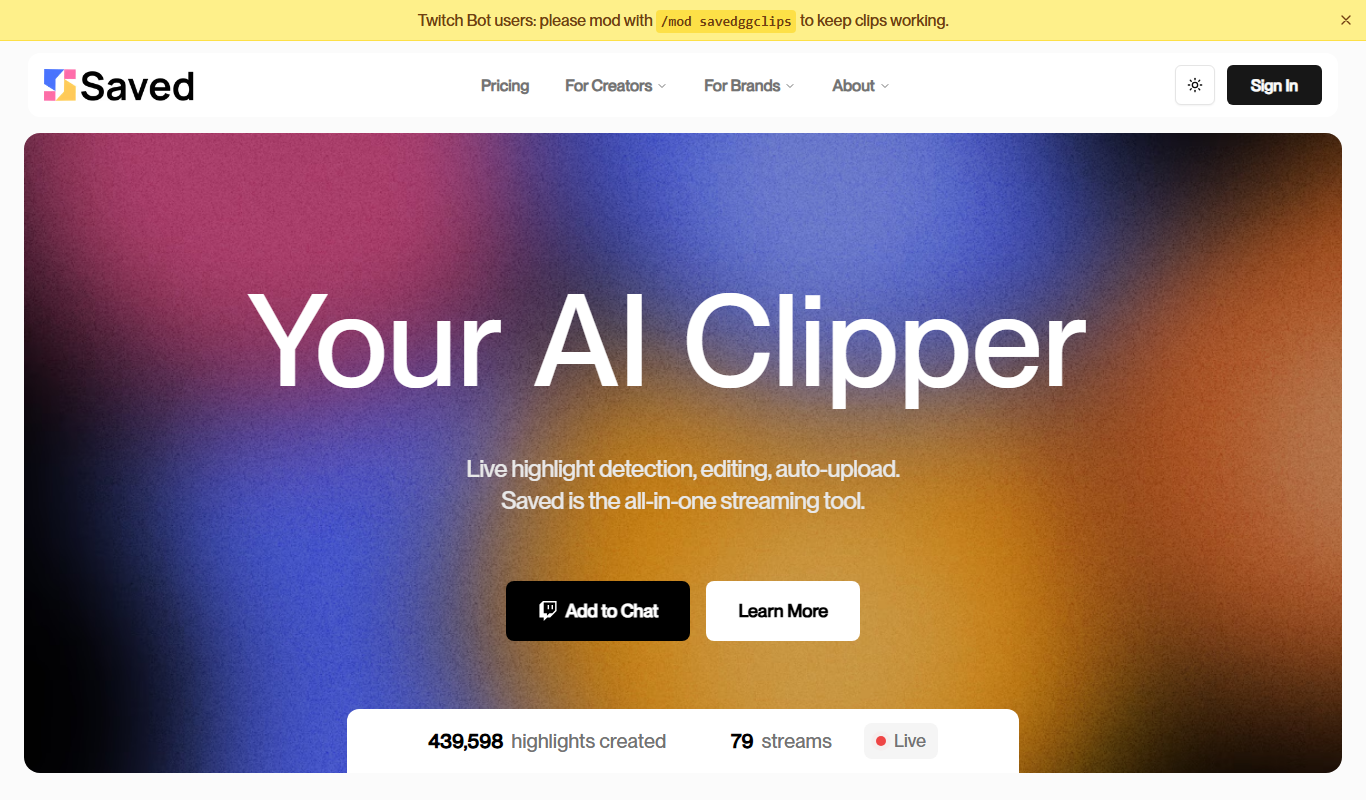
Saved.gg is a web-based platform designed for gamers to easily upload, share, and discover gaming clips and highlights. It serves as a social hub where players can showcase their best moments, engage with other gamers, and build a community around shared gaming experiences.
Key features of Saved
Saved.gg offers an intuitive interface for uploading game clips, browsing trending highlights, following favorite gamers, and engaging through comments and likes. It focuses on community-driven content sharing tailored specifically for gaming enthusiasts.
Simple Clip Uploading
Quickly upload gaming clips without complicated steps.
Community Interaction
Comment, like, and follow other gamers to build connections.
Trending Highlights
Discover the most popular and exciting clips from the community.
User Profiles
Create and customize profiles to showcase your clips and gaming identity.
Pros and cons of Saved
Pros
- Easy and fast clip uploading
- Strong community engagement features
- Free to use with unlimited uploads
- Focused on gaming and esports content
Cons
- No dedicated mobile app available
- Limited language support (English only)
- No advanced video editing tools
Key use cases for Saved
Game Clip Sharing
Users can upload and share their best gaming moments and highlights with the community.
Community Engagement
Gamers can follow others, comment, and engage with shared clips to build a social network around gaming.
Esports Highlights
Esports fans and players can showcase competitive gameplay clips and analyze key moments.
Content Discovery
Users can browse trending and popular clips to discover new games and players.
How Saved works
- 1
Create an Account
Sign up on Saved.gg to start uploading and interacting with gaming clips.
- 2
Upload Clips
Easily upload your gameplay highlights directly through the web interface.
- 3
Engage with Community
Follow other gamers, comment on clips, and participate in discussions.
- 4
Discover Content
Browse trending and popular clips to find new games and players.
Who is using Saved
Casual and competitive gamers
Esports players and fans
Content creators focusing on gaming
Gaming communities and clans
Saved pricing
Free
$0/month
Access to all platform features with unlimited clip uploads and community interaction.
Plans and prices are as published by the vendor and can change. Check the official site before you buy. Open the pricing page (opens in a new tab)
Frequently asked questions about Saved
Yes, Saved.gg offers free access to all its features without subscription fees.
Saved.gg supports clips from all video games, focusing on popular and esports titles.
Yes, you can follow other users to stay updated on their latest clips.
Currently, Saved.gg is available as a web platform without dedicated mobile apps.
It depends on your specific needs and how you plan to use the tool. The official website and documentation are the best sources for the latest details.
Sign in to review this tool.
Sign In to ReviewNo reviews yet
Be the first to share how this tool worked for you.
Ask about pricing, limits, or how it compares — or answer someone else.
Sign In to AskNo questions yet
Have a question about using or paying for this tool? Be the first to ask.
Featured on TiorAI



Alternative Tools
Explore similar AI tools that might fit your needs

Free
Streamable
Streamable is a web-based platform that allows users to upload, share, and embed videos quickly with simple links and embed codes, ideal for content creators and marketers.
More AI Gaming Tools tools
Other tools in the same category, for when this one is not quite the fit.

Subscription
MimicPC
MimicPC is a cloud PC platform that provides remote Windows desktops with customizable hardware configurations, enabling users to game, develop, and work remotely from any device.

Freemium
VirtuGF
VirtuGF is a virtual gaming platform that supports multiplayer gaming, esports tournaments, and virtual reality experiences, connecting gamers globally.

Free
v3RPG
v3RPG is an AI Dungeon Master tool that generates interactive RPG stories, enabling immersive solo or group role-playing experiences through a web-based interface.

Free
Dubo
Dubo is an AI assistant designed for game streamers to automate chat moderation, manage alerts, and enhance viewer engagement on platforms like Twitch and YouTube Gaming.

Free
UNTOLD
UNTOLD is an immersive adventure game focused on interactive storytelling and exploration, available on web and desktop with free and premium content options.

Free
SteamPulse
SteamPulse is a free web-based tool that provides real-time status updates, latency monitoring, and outage notifications for Steam game servers, helping gamers and admins track server health.

Free
PokerGPT
PokerGPT is an AI assistant that helps poker players analyze hands, improve strategies, and receive real-time advice primarily for Texas Hold'em games.

Free
Steam Summarize
Steam Summarize is a free AI tool that generates concise summaries and review insights for Steam games, helping users quickly understand game features and community opinions.