

From my experience with Prompthancer, I found it excels at quickly generating creative prompts that help overcome writer’s block and spark new ideas. The platform’s simplicity and prompt customization options make it particularly well-suited for writers and content creators seeking inspiration without complexity. However, the tool currently supports only English and lacks direct integration with popular AI writing platforms, which could limit seamless workflows for some users. Overall, if you need a straightforward AI prompt generator to boost creativity and productivity, Prompthancer delivers solid, user-friendly results.
Prompthancer AI Prompt Generator for Enhanced Creative Writing and Productivity
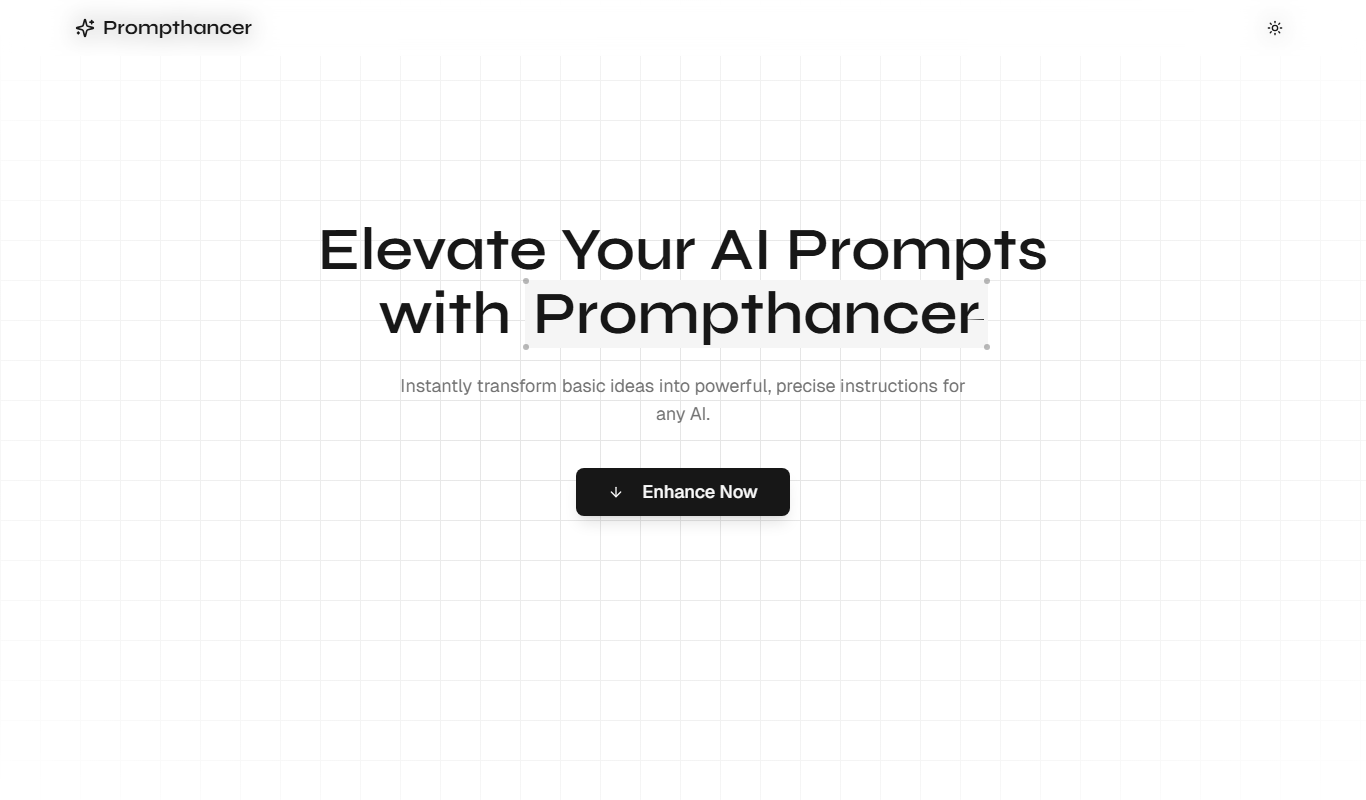
Prompthancer is an AI-driven tool that generates creative and customizable prompts to assist writers, content creators, and professionals in enhancing their productivity and creativity.
- Best for
- Creative Writing
- Key capability
- AI-Powered Prompt Generation
Your actions
Do you recommend this tool?
What is Prompthancer?
Prompthancer is an AI-powered prompt generator designed to help writers, content creators, and professionals craft effective and creative prompts. It aims to enhance productivity and creativity by providing tailored prompt suggestions that can be used with AI language models or for personal brainstorming.
Key features of Prompthancer
Prompthancer offers a user-friendly interface to generate diverse prompts, supports customization to fit different writing styles and needs, and provides tools to refine and optimize prompts for better AI interaction.
AI-Powered Prompt Generation
Leverages AI to produce creative and relevant prompts quickly.
Prompt Customization
Allows users to modify and refine prompts for personalized use.
Multiple Prompt Categories
Supports various prompt types catering to different writing and creative needs.
User-Friendly Interface
Clean and intuitive design for easy navigation and prompt generation.
Pros and cons of Prompthancer
Pros
- Easy to use with a clean interface
- Helps overcome writer's block effectively
- Offers prompt customization for tailored needs
- Affordable pricing with a free tier
Cons
- Limited language support (English only)
- No mobile app available currently
- Lacks integration with popular AI platforms
Key use cases for Prompthancer
Creative Writing
Generate diverse and inspiring prompts to overcome writer's block and spark creativity.
Content Creation
Assist content creators in brainstorming ideas and structuring content with AI-generated prompts.
Productivity Enhancement
Improve workflow efficiency by quickly generating relevant prompts for various writing tasks.
Prompt Engineering
Help users craft better AI prompts to optimize outputs from language models.
How Prompthancer works
- 1
Access the Platform
Visit the Prompthancer website and create a free account to start generating prompts.
- 2
Select Prompt Type
Choose the category or style of prompt you want to generate based on your writing needs.
- 3
Generate Prompts
Use the AI-powered engine to create multiple prompt suggestions instantly.
- 4
Customize and Refine
Edit and tailor the generated prompts to better suit your specific project or AI model.
- 5
Export or Use Prompts
Copy, save, or directly use the prompts in your writing or AI applications.
Who is using Prompthancer
Writers and authors
Content creators and marketers
Educators and students
AI prompt engineers
Small business owners
Prompthancer pricing
Free
$0/month
Basic access with limited prompt generations and features.
Pro
$9.99/month
Unlimited prompt generations, advanced customization, and priority support.
Plans and prices are as published by the vendor and can change. Check the official site before you buy. Open the pricing page (opens in a new tab)
Frequently asked questions about Prompthancer
No, creating a free account is required to access prompt generation features.
It can generate prompts for creative writing, content creation, brainstorming, and AI prompt engineering.
Free users have a limited number of prompt generations per month, while Pro users have unlimited access.
This tool is designed to help users accomplish its core tasks more efficiently. It is typically used by individuals or teams looking to improve productivity and workflow.
It depends on your specific needs and how you plan to use the tool. The official website and documentation are the best sources for the latest details.
Some tools offer a free plan or trial with limited features. Availability can vary, so confirm on the official website.
Sign in to review this tool.
Sign In to ReviewNo reviews yet
Be the first to share how this tool worked for you.
Ask about pricing, limits, or how it compares — or answer someone else.
Sign In to AskNo questions yet
Have a question about using or paying for this tool? Be the first to ask.
Featured on TiorAI



More AI Prompt Engineering Tools tools
Other tools in the same category, for when this one is not quite the fit.

Free
Promptist
Promptist is a free AI-powered tool by Microsoft that generates creative and effective text prompts to enhance interactions with AI language models.

Free
Video to Prompt Generator
Video to Prompt Generator is a free web tool that converts video content into descriptive text prompts for AI creative applications by analyzing video frames and generating detailed prompts.

Free
Image to Prompt
Image to Prompt is a free web tool that converts images into detailed text prompts for AI art generation, helping users create or modify visuals using AI platforms.

Free
Prompt Genie
Prompt Genie is an AI-powered tool that generates creative and customizable prompts to improve outputs from AI models and assist content creators.

Free
16x Prompt
16x Prompt is a web tool that automates the generation and optimization of prompts to improve AI language model responses, boosting productivity for developers and content creators.

Free
PromptPoint
PromptPoint is a web platform that helps users create, manage, and optimize AI prompts to improve the quality and relevance of AI-generated content, with features for collaboration and analytics.

Free
promptengineering.org
promptengineering.org is a free educational platform offering tutorials, prompt examples, and best practices to help users master prompt engineering for AI language models.

Free
Prompting Sheets™
Prompting Sheets™ offers curated, ready-to-use AI prompt templates in Google Sheets format to help ChatGPT and GPT-4 users generate high-quality outputs efficiently.