

From my experience with Pandas AI, it stands out as a practical bridge between natural language and Python data analysis, making it easier to explore and manipulate data without writing code manually. It is particularly well-suited for data scientists and Python developers who want to speed up their workflow or learn Pandas interactively. However, it does require some familiarity with Python and depends on AI backend services, which may limit offline use. Overall, if you want to simplify data analysis tasks and generate Pandas code automatically, Pandas AI offers a solid, open-source solution.
Pandas AI: AI-Powered Data Analysis and Python Pandas Assistant Tool
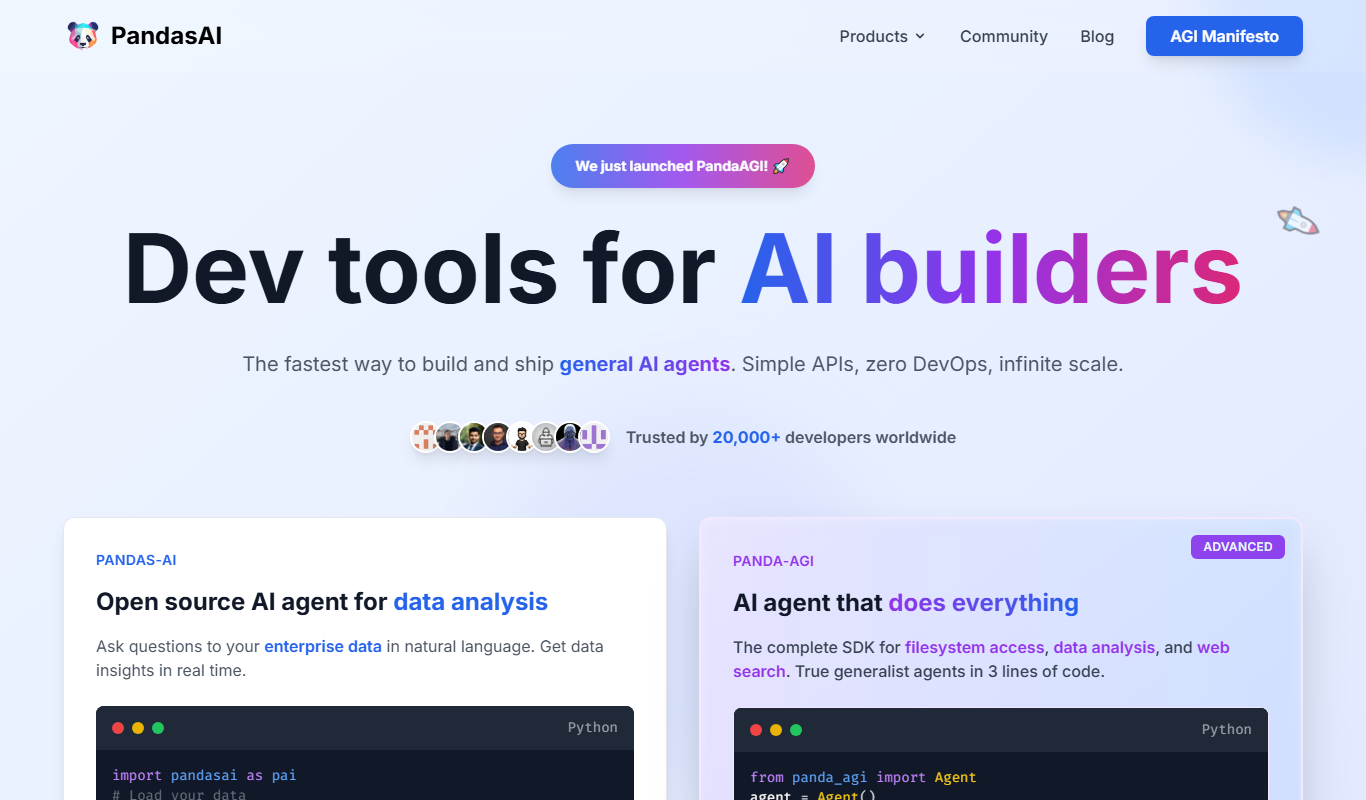
Pandas AI is an open-source Python library that integrates AI to allow natural language queries on Pandas dataframes, automatically generating Python code for data analysis.
- Best for
- Data Exploration
- Key capability
- Natural Language Interface
Your actions

Do you recommend this tool?
What is Pandas AI?
Pandas AI is an open-source Python library that integrates artificial intelligence capabilities with the popular Pandas data analysis library. It enables users to interact with their data using natural language queries, automatically generating Python code to perform data analysis tasks. This tool bridges the gap between human language and programming, making data exploration and manipulation more accessible and efficient.
Key features of Pandas AI
Pandas AI offers natural language querying of dataframes, automatic code generation for data analysis, integration with existing Pandas workflows, and support for multiple AI backends to interpret user queries. It is designed to simplify data science tasks by translating human questions into executable Python code.
Natural Language Interface
Interact with dataframes using plain English queries without writing code manually.
Automatic Code Generation
Generates Python Pandas code snippets to perform requested data operations.
Multiple AI Backend Support
Supports various AI models such as OpenAI GPT to interpret and process queries.
Seamless Pandas Integration
Works directly with Pandas dataframes, fitting naturally into existing Python data workflows.
Open Source and Extensible
Available under an open-source license, allowing customization and community contributions.
Pros and cons of Pandas AI
Pros
- Simplifies data analysis with natural language queries
- Generates executable Pandas code automatically
- Open source and free to use
- Integrates smoothly with existing Python workflows
- Supports multiple AI backends for flexibility
Cons
- Requires some familiarity with Python and Pandas
- Dependent on AI backend availability and API keys
- May not handle very complex or domain-specific queries perfectly
Key use cases for Pandas AI
Data Exploration
Use Pandas AI to quickly explore datasets by asking natural language questions and receiving code and insights.
Automated Data Analysis
Automate complex data analysis tasks by leveraging AI to generate Python Pandas code snippets.
Data Science Education
Assist learners in understanding data manipulation and analysis with interactive AI explanations and code generation.
Rapid Prototyping
Accelerate prototyping of data workflows by generating ready-to-use Pandas code from simple queries.
How Pandas AI works
- 1
Install and Import
Install Pandas AI via pip and import it alongside Pandas in your Python environment.
- 2
Load Your Data
Load your dataset into a Pandas dataframe as usual.
- 3
Initialize Pandas AI
Create a Pandas AI instance, optionally specifying the AI backend.
- 4
Ask Questions
Use natural language to ask questions about your data; Pandas AI generates and executes the corresponding Pandas code.
- 5
Review Results
Receive the analysis results directly or view the generated code for further customization.
Who is using Pandas AI
Data scientists
Python developers
Data analysts
Educators and students in data science
Researchers needing rapid data exploration
Pandas AI pricing
Free
$0
Open-source library available for free with community support.
Plans and prices are as published by the vendor and can change. Check the official site before you buy. Open the pricing page (opens in a new tab)
Frequently asked questions about Pandas AI
Yes, Pandas AI is an open-source Python library available for free.
Basic knowledge of Python and Pandas is helpful, but Pandas AI simplifies data analysis by allowing natural language queries.
Pandas AI supports multiple AI backends, including OpenAI’s GPT models.
Yes, the tool provides the generated Python code so you can review and modify it.
This tool is designed to help users accomplish its core tasks more efficiently. It is typically used by individuals or teams looking to improve productivity and workflow.
It depends on your specific needs and how you plan to use the tool. The official website and documentation are the best sources for the latest details.
Some tools offer a free plan or trial with limited features. Availability can vary, so confirm on the official website.
Sign in to review this tool.
Sign In to ReviewNo reviews yet
Be the first to share how this tool worked for you.
Ask about pricing, limits, or how it compares — or answer someone else.
Sign In to AskNo questions yet
Have a question about using or paying for this tool? Be the first to ask.
Featured on TiorAI



More AI Artificial Intelligence Tools tools
Other tools in the same category, for when this one is not quite the fit.

Freemium
EasyTrip AI
EasyTrip AI is an AI-driven travel planner that generates customized trip itineraries based on your travel dates, destinations, and preferences, helping you organize your trip efficiently.

Freemium
Travel Itinerary AI
Travel Itinerary AI is an AI-powered web tool that creates personalized travel itineraries based on your preferences, helping you plan and manage trips efficiently.

Free
NilgAI Travel
NilgAI Travel is an AI-driven travel planning tool that creates personalized itineraries based on your preferences, travel dates, and budget, helping you efficiently plan trips worldwide.

Custom Pricing
sentiance.com
Sentiance is an AI-powered platform that transforms sensor and contextual data into actionable behavioral insights, enabling businesses to understand user behavior and deliver personalized experiences in real-time.

Contact for pricing
ODESIS
ODESIS is an AI-driven analytics platform that helps businesses transform data into actionable insights through machine learning, visualization, and predictive analytics.

Contact for pricing
QUINETICS
Quinetics is an AI platform that provides businesses with advanced data analytics, workflow automation, and custom machine learning model development to optimize operations and decision-making.

Free
aigclist
AIGCList is a free online directory that aggregates and categorizes AI tools, providing detailed information, user reviews, and AI industry news to help users discover and compare AI solutions.

Free
AI Tool Center
AI Tool Center is a free online directory that helps users discover, compare, and review AI tools across various categories and industries.