

From my experience with Ocular AI, I found it excels at delivering fast and accurate visual search capabilities that can be customized to specific business needs. The platform’s API integration is straightforward, making it practical for developers to embed image recognition features into their applications. It’s particularly well-suited for e-commerce and brand protection teams looking to enhance user experience and monitor digital assets. However, the pricing details require direct contact for enterprise plans, and the lack of multi-language support might limit some global users. Overall, Ocular AI offers a robust solution for companies needing scalable AI-powered image recognition.
Ocular AI Review: AI-Powered Visual Search and Image Recognition Platform
Ocular AI is an AI platform specializing in visual search and image recognition, offering customizable models and API integration for businesses.
- Best for
- E-commerce Visual Search
- Key capability
- Visual Search Engine
Your actions
Save Ocular AI and vote on it — everything stays in your account.
Sign in or create a free account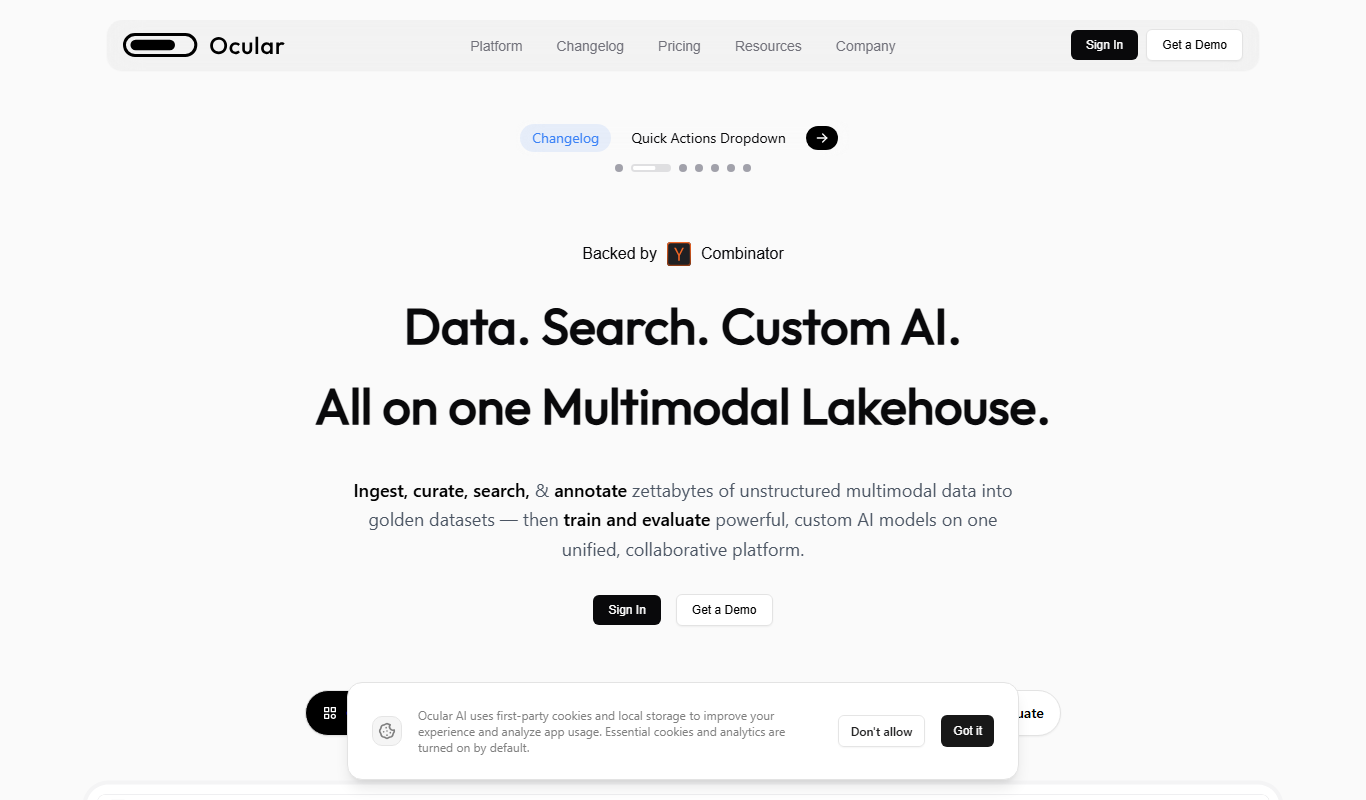
What is Ocular AI?
Ocular AI is an advanced artificial intelligence platform specializing in visual search and image recognition. It uses deep learning and computer vision technologies to analyze and interpret images, enabling businesses to implement powerful search capabilities, automate content moderation, and enhance digital asset management. The platform offers APIs and web interfaces to integrate AI-driven image analysis into various applications.
Key features of Ocular AI
Ocular AI provides robust visual search functionality, real-time image recognition, customizable AI models, and scalable API access. It supports automatic tagging, similarity search, and brand monitoring, making it suitable for e-commerce, media, and security sectors.
Visual Search Engine
Find images or products by uploading a photo, enabling intuitive search experiences.
Real-Time Image Recognition
Detect objects, logos, and scenes within images instantly using AI models.
Customizable AI Models
Train and fine-tune models to recognize specific objects or categories relevant to your business.
API Access
Integrate Ocular AI’s capabilities into your applications with scalable and secure APIs.
Brand Monitoring
Track unauthorized use of brand assets across digital platforms.
Pros and cons of Ocular AI
Pros
- Accurate and fast visual search capabilities
- Customizable AI models for specific needs
- Easy API integration with good documentation
- Supports brand protection and monitoring
- Scalable for enterprise use cases
Cons
- Pricing details are not fully transparent without contacting sales
- Limited language support currently (English only)
- No dedicated mobile app, primarily web and API-based
Key use cases for Ocular AI
E-commerce Visual Search
Enable customers to find products by uploading images, improving shopping experience and conversion rates.
Content Moderation
Automatically detect and filter inappropriate or copyrighted images to maintain platform compliance.
Digital Asset Management
Organize and tag large image libraries using AI-powered recognition for efficient retrieval.
Brand Protection
Monitor unauthorized use of brand images and logos across the web.
Security and Surveillance
Leverage image recognition to identify objects or persons of interest in security footage.
How Ocular AI works
- 1
Sign Up
Create an account on the Ocular AI platform to access the dashboard and API keys.
- 2
Upload Images or Connect API
Upload your image datasets or integrate Ocular AI via API into your application.
- 3
Configure AI Models
Customize recognition parameters and train models if needed to suit your use case.
- 4
Perform Visual Search or Recognition
Use the platform to search images by visual similarity or detect objects within images.
- 5
Analyze Results and Integrate
Review AI-generated tags and insights, then integrate results into your workflows or products.
Who is using Ocular AI
E-commerce businesses
Digital marketing agencies
Media and content platforms
Security and surveillance companies
Brand management teams
Ocular AI pricing
Free Trial
$0 for 14 days
Access core features with limited API calls to evaluate the platform.
Professional
$99/month
Includes higher API limits, advanced features, and email support.
Enterprise
Custom pricing
Tailored solutions with dedicated support, SLAs, and on-premise options.
Plans and prices are as published by the vendor and can change. Check the official site before you buy. Open the pricing page (opens in a new tab)
Frequently asked questions about Ocular AI
Ocular AI can recognize a wide range of images including products, logos, scenes, and objects using its customizable AI models.
Yes, Ocular AI provides a RESTful API that developers can integrate into web and mobile applications.
Yes, the platform allows you to train and fine-tune AI models to better suit your specific recognition needs.
Yes, it supports real-time image recognition for instant results.
It depends on your specific needs and how you plan to use the tool. The official website and documentation are the best sources for the latest details.
Yes, it can help with that use case depending on how you configure it and what features are available. You’ll get the best results with clear inputs and a defined goal.
Some tools offer a free plan or trial with limited features. Availability can vary, so confirm on the official website.
It depends on your specific needs and how you plan to use the tool. The official website and documentation are the best sources for the latest details.
Sign in to review this tool.
Sign In to ReviewNo reviews yet
Be the first to share how this tool worked for you.
Ask about pricing, limits, or how it compares — or answer someone else.
Sign In to AskNo questions yet
Have a question about using or paying for this tool? Be the first to ask.
Featured on TiorAI



Alternative Tools
Explore similar AI tools that might fit your needs

Enterprise
Clarifai
Clarifai is an AI platform specializing in image and video recognition, offering pre-trained and custom models for visual data analysis, content moderation, and visual search via API integration.
More AI Artificial Intelligence Tools tools
Other tools in the same category, for when this one is not quite the fit.

Freemium
EasyTrip AI
EasyTrip AI is an AI-driven travel planner that generates customized trip itineraries based on your travel dates, destinations, and preferences, helping you organize your trip efficiently.

Freemium
Travel Itinerary AI
Travel Itinerary AI is an AI-powered web tool that creates personalized travel itineraries based on your preferences, helping you plan and manage trips efficiently.

Free
NilgAI Travel
NilgAI Travel is an AI-driven travel planning tool that creates personalized itineraries based on your preferences, travel dates, and budget, helping you efficiently plan trips worldwide.

Custom Pricing
sentiance.com
Sentiance is an AI-powered platform that transforms sensor and contextual data into actionable behavioral insights, enabling businesses to understand user behavior and deliver personalized experiences in real-time.

Contact for pricing
ODESIS
ODESIS is an AI-driven analytics platform that helps businesses transform data into actionable insights through machine learning, visualization, and predictive analytics.

Contact for pricing
QUINETICS
Quinetics is an AI platform that provides businesses with advanced data analytics, workflow automation, and custom machine learning model development to optimize operations and decision-making.

Free
aigclist
AIGCList is a free online directory that aggregates and categorizes AI tools, providing detailed information, user reviews, and AI industry news to help users discover and compare AI solutions.

Free
AI Tool Center
AI Tool Center is a free online directory that helps users discover, compare, and review AI tools across various categories and industries.