

From my experience with Neighborbrite, I found it excels at simplifying neighborhood communication and fostering community connections through an intuitive platform accessible on both web and mobile. It is particularly well-suited for local residents and community organizers seeking to improve engagement and safety in their neighborhoods. However, the platform currently supports only English and lacks transparent pricing for premium features, which may limit accessibility for some users. Overall, if you want a straightforward tool to build stronger neighborhood ties and organize local events, Neighborbrite offers solid functionality.
Neighborbrite Neighborhood Engagement Platform for Community Building
Neighborbrite is a community engagement platform that connects neighbors through communication tools, event planning, and resource sharing to foster stronger local communities.
- Best for
- Neighborhood Communication
- Key capability
- Neighborhood Feed
Your actions
Save Neighborbrite, follow its updates and vote on it — everything stays in your account.
Sign in or create a free account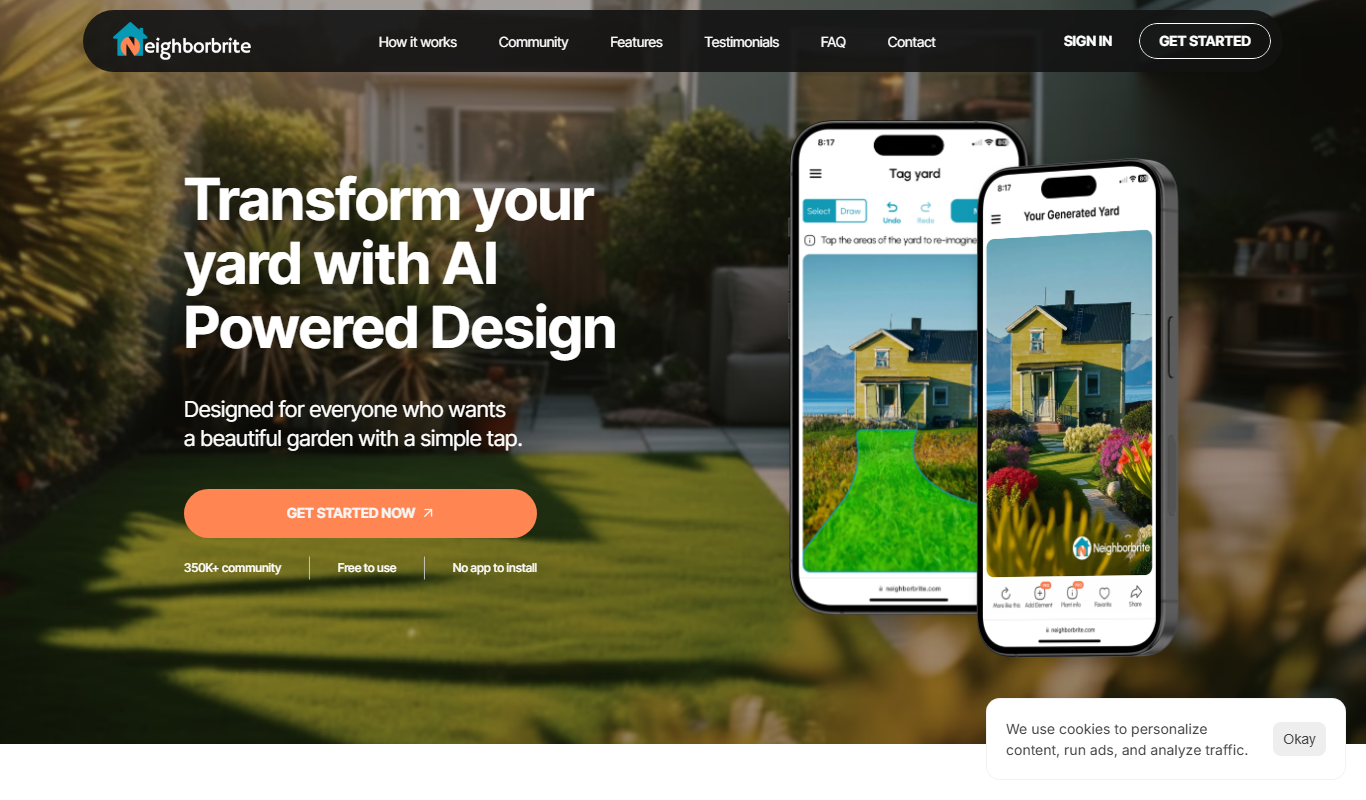
What is Neighborbrite?
Neighborbrite is a neighborhood engagement platform designed to connect residents within local communities. It offers tools for communication, event planning, and resource sharing to foster stronger social bonds and improve neighborhood safety and collaboration.
Key features of Neighborbrite
Neighborbrite provides a user-friendly interface for neighbors to communicate, organize events, share resources, and receive safety alerts. It supports mobile and web access, making it easy for users to stay connected wherever they are.
Neighborhood Feed
A central feed for sharing news, updates, and discussions within the neighborhood.
Event Management
Tools to create, manage, and RSVP to local events easily.
Direct Messaging
Private messaging capabilities to communicate one-on-one with neighbors.
Safety Alerts
Broadcast important safety notifications to keep the community informed.
Resource Sharing
Share recommendations, services, and items available within the neighborhood.
Pros and cons of Neighborbrite
Pros
- Easy to use interface for all age groups
- Supports both web and mobile platforms
- Facilitates real-time neighborhood communication
- Helps build stronger community connections
Cons
- Limited language support (English only)
- Premium pricing details are not publicly listed
Key use cases for Neighborbrite
Neighborhood Communication
Facilitates direct communication among neighbors to share news, alerts, and updates.
Community Event Planning
Enables organizing and promoting local events to increase neighborhood participation.
Local Resource Sharing
Allows neighbors to share recommendations, services, and resources within the community.
Safety and Alerts
Provides a platform for sharing safety alerts and neighborhood watch information.
Building Social Connections
Helps neighbors connect and build relationships to foster a stronger community.
How Neighborbrite works
- 1
Sign Up
Create an account using your email or social media to join your neighborhood community.
- 2
Join or Create a Neighborhood
Find your neighborhood or create a new community group to start connecting with neighbors.
- 3
Engage with Neighbors
Post updates, share events, and communicate directly with other residents.
- 4
Organize Events
Plan and promote neighborhood events to encourage participation and socializing.
Who is using Neighborbrite
Neighborhood associations
Community organizers
Local residents
Safety and watch groups
Small town and suburban communities
Neighborbrite pricing
Free
$0/month
Basic access to neighborhood communication and event features.
Premium
Contact for pricing
Advanced tools and customization options for community leaders and organizations.
Plans and prices are as published by the vendor and can change. Check the official site before you buy. Open the pricing page (opens in a new tab)
Frequently asked questions about Neighborbrite
Neighborbrite offers a free plan with basic features, while premium plans with additional tools are available upon request.
Yes, users can create new neighborhood groups to start building their community on the platform.
Neighborbrite prioritizes user privacy and employs security measures to protect personal information.
It depends on your specific needs and how you plan to use the tool. The official website and documentation are the best sources for the latest details.
Yes, it can help with that use case depending on how you configure it and what features are available. You’ll get the best results with clear inputs and a defined goal.
Sign in to review this tool.
Sign In to ReviewNo reviews yet
Be the first to share how this tool worked for you.
Ask about pricing, limits, or how it compares — or answer someone else.
Sign In to AskNo questions yet
Have a question about using or paying for this tool? Be the first to ask.
Featured on TiorAI



Alternative Tools
Explore similar AI tools that might fit your needs

Free
Nextdoor
Nextdoor is a private social networking platform that connects neighbors to share local news, events, safety alerts, and business recommendations within verified neighborhood groups.
More AI Backyard Design tools
Other tools in the same category, for when this one is not quite the fit.
Free Trial
luw.ai
luw.ai is an AI-driven platform that automates customer support through chatbots, integrating with helpdesk systems to improve response times and reduce workload.

Beta Access
Car Concepts AI (BETA)
Car Concepts AI Beta is a free web-based AI tool that generates unique car concept images from user text prompts, ideal for automotive design inspiration and marketing visuals.

Free
Bench_AI
Bench AI is an AI-driven developer assistant that helps programmers generate, complete, and debug code efficiently using machine learning models.

Free
Package Design
Package Design is a web-based tool that helps users create custom product packaging and labels using templates and 3D mockups, suitable for small businesses and designers.

Enterprise
connecterra.ai
Connecterra AI is a smart farm management platform that uses AI and wearable sensors to monitor dairy cow health, optimize milk production, and improve farm operations through real-time data analytics.

Freemium
Bourdain
Bourdain is an AI-powered writing assistant designed to help users generate and optimize content for SEO and marketing purposes efficiently.

Freemium
AI HomeDesign
AI HomeDesign is a web-based interior design tool that uses artificial intelligence to help users create, customize, and visualize home layouts and floor plans with 3D visualization and furniture placement features.

Free
Design My Bingo
Design My Bingo is an online tool that lets users create and customize bingo cards for events, education, and marketing, offering easy design features and downloadable cards.