

AI-Powered Real Estate Listing Generator for Agents and Brokers
My Real Estate Listing is a web app where users upload property photos and answer 10 questions, and AI generates a professional 6-page real estate brochure PDF.
- Best for
- Property Description Creation
- Key capability
- AI brochure generation
Save My Real Estate Listing – AI, follow its updates and vote on it — everything stays in your account.
Sign in or create a free account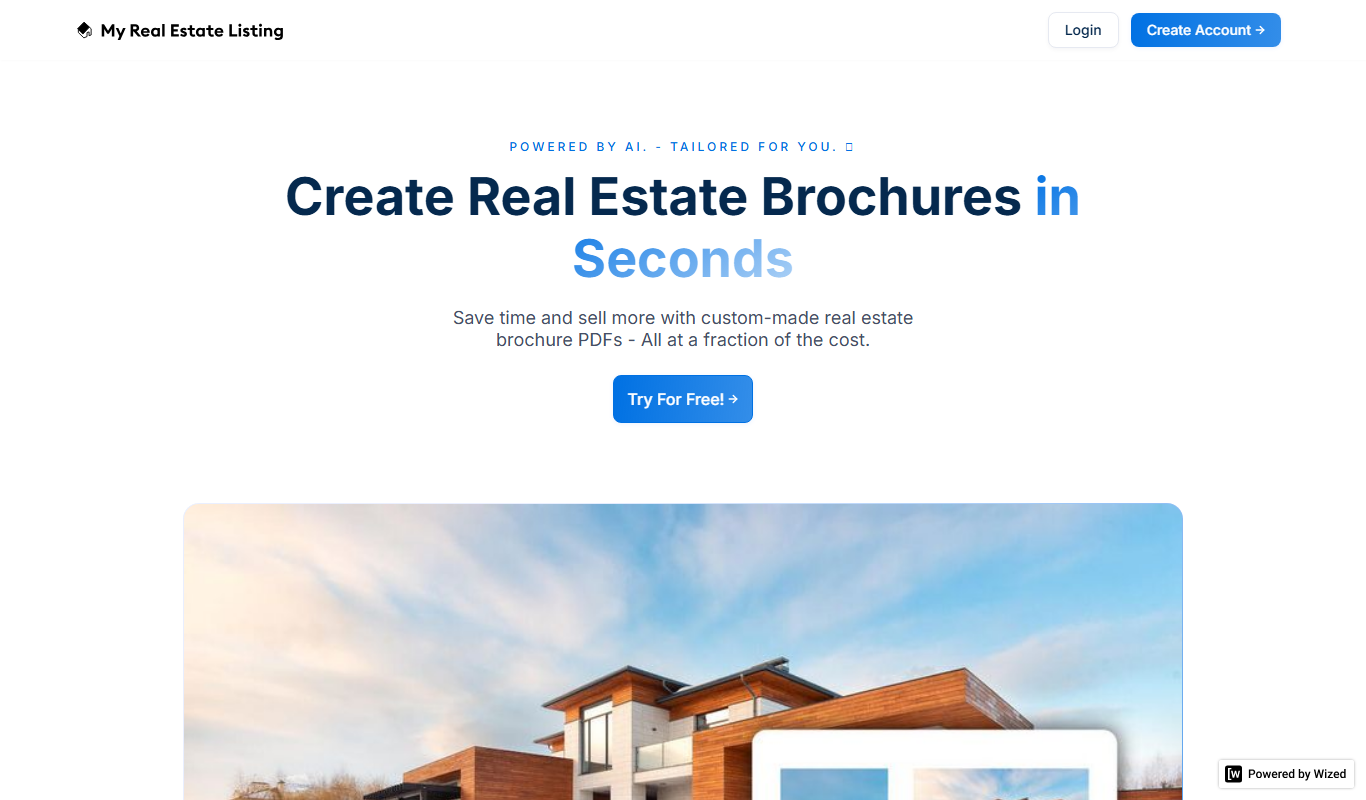
What is My Real Estate Listing – AI?
My Real Estate Listing is a web app that creates AI-powered real estate brochures: users upload property photos and answer 10 questions, and the AI generates a professional 6-page real estate brochure PDF in minutes.
Key features of My Real Estate Listing – AI
The app turns a 10-question form and uploaded property photos into an AI-written 6-page real estate brochure PDF, with 3 templates and AI-written copy.
AI brochure generation
You answer ten questions about your object and AI creates a fully tailored sales brochure, structured across six slides in a designed template.
Three templates
Preview every template live, light, dark or classic, and pick what fits the property best.
User-Friendly Interface
Simple and intuitive design for quick content creation without technical expertise.
Time Efficiency
Reduces time spent on writing and editing property listings.
Pros and cons of My Real Estate Listing – AI
Pros
- Speeds up creation of real estate listing descriptions
- Easy to use with minimal learning curve
- Customizable content tone and style
Cons
- Limited language support (English only)
- No mobile app available, web-only platform
Key use cases for My Real Estate Listing – AI
Property Description Creation
Generate compelling and accurate descriptions for real estate listings to attract potential buyers.
Real Estate Marketing
Enhance marketing efforts by producing professional content quickly for listings, brochures, and online platforms.
Time-saving Automation
Automate the writing process for multiple listings, reducing manual workload for agents and brokers.
Lead Generation Support
Create engaging listing content that helps capture leads and improve client interest.
How My Real Estate Listing – AI works
- 1
Input Property Details
Enter key information about the property such as location, features, and unique selling points.
- 2
Generate Description
The AI processes the input and creates a professional, engaging property description.
- 3
Review and Edit
Users can review the generated content and make any necessary adjustments before publishing.
- 4
Use in Marketing
Apply the finalized description across listings, websites, and marketing materials.
Who is using My Real Estate Listing – AI
My Real Estate Listing – AI pricing
Free
Free
No card, no subscription; 3 credits every month, 1 credit = 1 finished brochure; six-page brochure, all three templates, as many previews as you like, download every PDF.
Plans and prices are as published by the vendor and can change. Check the official site before you buy. Open the pricing page (opens in a new tab)
Frequently asked questions about My Real Estate Listing – AI
Yes, the tool allows you to adjust the style and tone to better fit your brand voice.
The app is free to use with 3 credits every month; 1 credit = 1 finished brochure.
No, the interface is designed to be user-friendly and requires no technical expertise.
It depends on your specific needs and how you plan to use the tool. The official website and documentation are the best sources for the latest details.
Yes, it can help with that use case depending on how you configure it and what features are available. You’ll get the best results with clear inputs and a defined goal.
Some tools offer a free plan or trial with limited features. Availability can vary, so confirm on the official website.
Conclusion
Four steps lead from form to finished PDF: a quick 10-question form with the essential property details, an image upload, a theme choice and a final review. From those answers the AI crafts a bespoke narrative and structures it across six slides in a designed template, producing a real estate brochure PDF. Templates can be previewed live in light, dark or classic styles. The finished PDFs are intended for client presentations, print brochures and email marketing campaigns.
Real estate agents and property brokers are the main audience, and no design or writing skills are needed. There is no paid tier: the app is free to use, with no card and no subscription, and a monthly allowance of credits where one credit equals one finished brochure.
Sources
Sign in to review this tool.
Sign In to ReviewNo reviews yet
Be the first to share how this tool worked for you.
Ask about pricing, limits, or how it compares — or answer someone else.
Sign In to AskNo questions yet
Have a question about using or paying for this tool? Be the first to ask.
Featured on TiorAI


