

From my experience with My Home Guide, I found it excels at simplifying the often overwhelming process of home renovation by connecting homeowners with reliable local contractors and providing practical cost estimation tools. The platform’s straightforward interface and free access to valuable resources make it especially well-suited for homeowners and DIY enthusiasts who want to plan projects with confidence. However, it does not offer project management features or mobile apps, which means users still need to coordinate execution independently. Overall, if you’re looking for a trustworthy starting point to find contractors and estimate renovation costs, My Home Guide delivers solid, user-friendly support.
My Home Guide - Comprehensive Home Improvement and Renovation Platform
My Home Guide is a free online platform that helps homeowners find local contractors, estimate renovation costs, and access expert home improvement advice.
- Best for
- Finding Local Contractors
- Key capability
- Contractor Directory
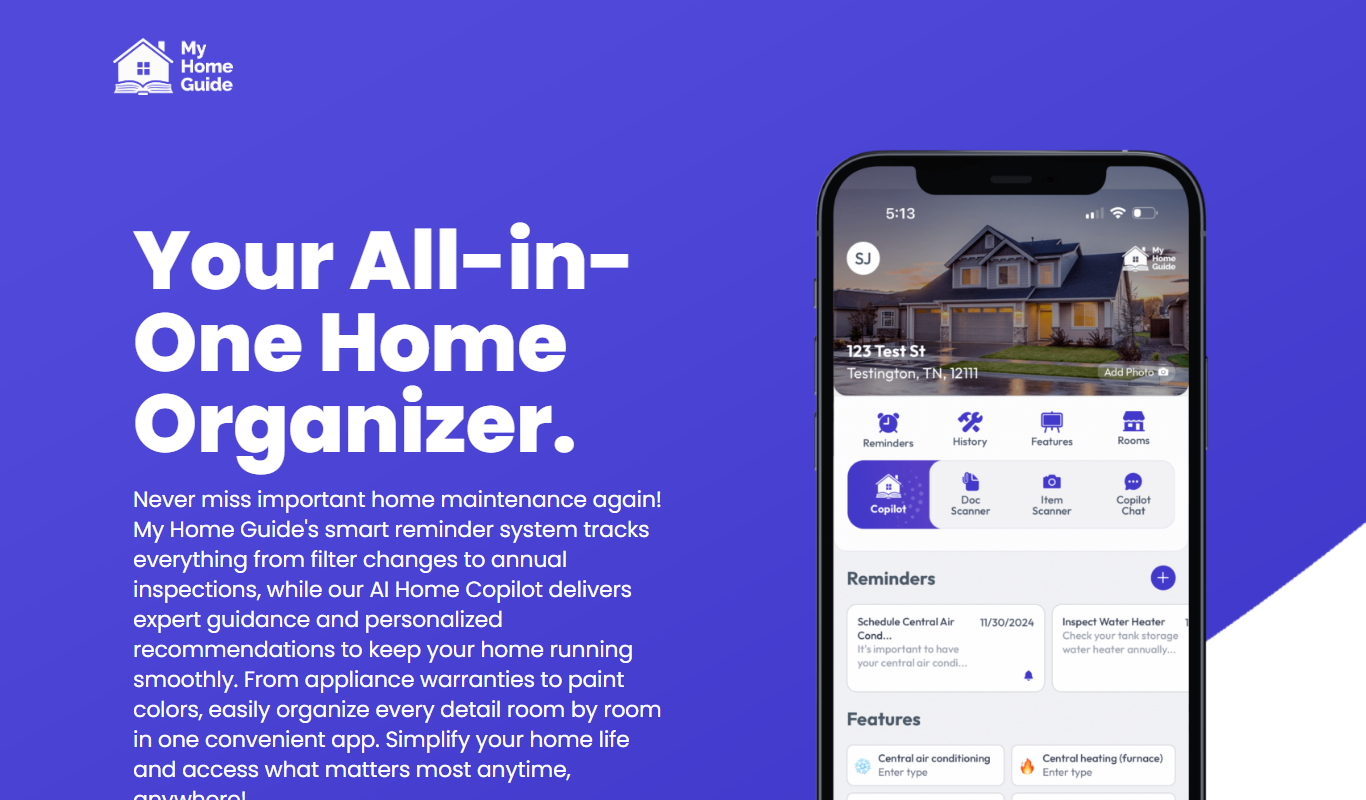

What is My Home Guide –?
My Home Guide is an online platform designed to assist homeowners in planning and executing home improvement and renovation projects. It connects users with local contractors, provides cost estimates, and offers expert advice to simplify the renovation process.
Key features of My Home Guide –
The platform features contractor matching, project planning tools, cost estimation resources, and a library of home improvement articles to guide users through their renovation journey.
Contractor Directory
A curated list of local contractors with ratings and reviews.
Cost Estimator
Tools to help estimate renovation expenses based on project type and location.
Expert Advice Articles
Informative content covering various home improvement topics.
Project Planning Resources
Guides and checklists to assist in organizing renovation projects.
Pros and cons of My Home Guide –
Pros
- Easy access to local contractors
- Helpful cost estimation tools
- Free to use with no hidden fees
- Comprehensive home improvement advice
Cons
- Limited to the United States market
- No mobile app available
- Does not manage project execution
Key use cases for My Home Guide –
Finding Local Contractors
Users can search and connect with trusted local contractors for various home improvement projects.
Project Planning
Provides guidance and resources to help homeowners plan renovation projects effectively.
Cost Estimation
Offers tools and information to estimate the costs associated with home improvement tasks.
Home Improvement Advice
Delivers expert tips and articles to assist users in making informed decisions about their homes.
How My Home Guide – works
-
1
Search for Contractors
Enter your project details and location to find qualified local contractors.
-
2
Compare and Select
Review contractor profiles, ratings, and quotes to choose the best fit.
-
3
Plan Your Project
Use available resources and guides to organize your renovation steps.
-
4
Start Renovation
Connect with your chosen contractor and begin your home improvement project.
Who is using My Home Guide –
Homeowners planning renovations
DIY enthusiasts seeking guidance
Individuals looking for trusted contractors
Real estate investors improving properties
My Home Guide – pricing
Free
$0
Access to contractor listings, cost estimators, and home improvement resources.
Plans and prices are as published by the vendor and can change. Check the official site before you buy. Open the pricing page (opens in a new tab)
Frequently asked questions about My Home Guide –
Yes, the platform offers free access to its contractor directory and home improvement resources.
You can search by project type and location to view profiles and contact local contractors.
Yes, the platform provides tools to estimate costs based on your project details.
It depends on your specific needs and how you plan to use the tool. The official website and documentation are the best sources for the latest details.
Pricing depends on the plan and included features. For the most accurate and up-to-date details, check the official pricing page.
Sign in to review this tool.
Sign In to ReviewNo reviews yet
Be the first to share how this tool worked for you.
Ask about pricing, limits, or how it compares — or answer someone else.
Sign In to AskNo questions yet
Have a question about using or paying for this tool? Be the first to ask.
Featured on TiorAI



Alternative Tools
Explore similar AI tools that might fit your needs

Free
Houzz
Houzz is a free online platform offering home design inspiration, a directory of home improvement professionals, and an integrated marketplace for home products.
More AI Copilot tools
Other tools in the same category, for when this one is not quite the fit.

Free Trial
CloudTruth Config & Secrets AI Copilot
CloudTruth Config & Secrets AI Copilot is a cloud-native platform that centralizes and secures application configuration and secrets management, enhanced with AI to automate and optimize workflows.

Free Trial
ReplyPilot
ReplyPilot is an AI email assistant that automates and streamlines email replies using a Chrome extension integrated with Gmail and other web email clients.

Free Trial
DataDripper
DataDripper is an AI-driven platform that automates web data extraction, enabling users to scrape and export structured data from websites easily without programming skills.

Free Trial
SlidesPilot
SlidesPilot is an AI-powered tool that automates the creation of professional slide presentations by generating content and design from user inputs, helping users save time and improve slide quality.

Freemium
Scopilot.ai
Scopilot.ai is an AI-powered writing assistant that helps users generate SEO-friendly content, including articles, blog posts, and marketing copy, with built-in editing and keyword integration.

Free Trial
copilot.us
Copilot.us is an AI writing assistant designed to help marketers and content creators generate various types of marketing content quickly and efficiently using AI technology.

Free Trial
Cardamon
Cardamon is an AI-driven data privacy platform that helps organizations enforce real-time access control, detect anomalies, and ensure compliance with data protection regulations.

Free Trial
MacCopilot
MacCopilot is an AI-powered assistant for macOS that helps automate tasks and improve productivity using natural language commands.