

From my experience with MobileGPT, I found it excels at providing quick and accessible AI chatbot interactions directly on mobile devices. The app’s streamlined interface and GPT-powered responses make it a practical tool for users needing on-the-go assistance with writing, research, or casual conversation. However, the reliance on an internet connection and limited free usage can be a constraint for some users. Overall, if you want a mobile-first AI chatbot that balances ease of use with powerful language capabilities, MobileGPT is a solid choice.
MobileGPT AI Chatbot App for On-the-Go Conversations and Productivity
MobileGPT is a mobile application that provides GPT-based AI chatbot capabilities on iOS and Android, enabling users to chat with an AI assistant for productivity, creative writing, and information retrieval.
- Best for
- Conversational AI Assistant
- Key capability
- Mobile-Optimized Chat Interface

Do you recommend this tool?
What is MobileGPT?
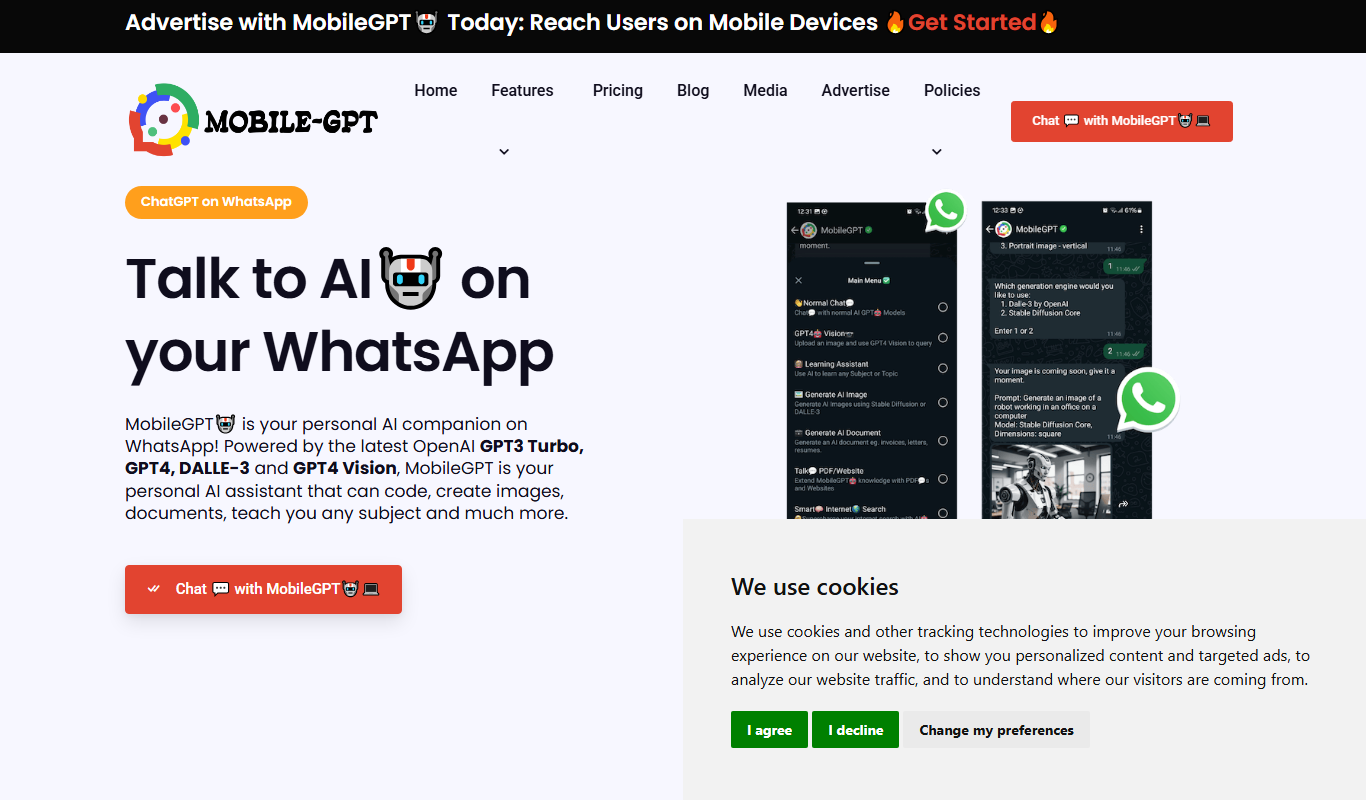
MobileGPT is a mobile application that brings the power of GPT-based conversational AI directly to your smartphone. It enables users to chat with an AI assistant for a variety of purposes including information retrieval, productivity support, creative brainstorming, and casual conversation. Designed for iOS and Android platforms, MobileGPT offers an accessible way to leverage advanced AI language models on the go.
Key features of MobileGPT
MobileGPT features an intuitive chat interface optimized for mobile devices, real-time AI responses, and support for diverse conversational topics. It offers both free and subscription-based plans, allowing users to access basic AI chat capabilities or unlock enhanced features and usage limits.
Mobile-Optimized Chat Interface
A clean, user-friendly chat UI designed specifically for smartphones.
GPT-Powered AI Responses
Leverages advanced GPT language models to generate coherent and context-aware replies.
Multi-Purpose Use
Supports a wide range of tasks from casual conversation to productivity and creative writing.
Subscription Plans
Offers free access with limits and paid plans for extended usage and features.
Pros and cons of MobileGPT
Pros
- Convenient mobile access to GPT-powered AI chat
- User-friendly interface optimized for smartphones
- Flexible pricing with free and premium options
Cons
- Requires internet connection for AI responses
- Limited free usage may restrict heavy users
- No desktop or web version currently available
Key use cases for MobileGPT
Conversational AI Assistant
Engage in natural language conversations for information, brainstorming, or casual chat.
On-the-Go Productivity
Use MobileGPT to quickly generate ideas, draft messages, or get answers while mobile.
Learning and Research
Ask questions and receive detailed explanations to support learning or research tasks.
Creative Writing Aid
Generate story ideas, outlines, or text snippets to assist creative writing projects.
How MobileGPT works
- 1
Download and Install
Get MobileGPT from the Apple App Store or Google Play Store and install it on your device.
- 2
Create an Account
Sign up or log in to personalize your experience and access subscription options.
- 3
Start Chatting
Type your questions or prompts and receive AI-generated responses instantly.
- 4
Upgrade for More Features
Choose a subscription plan to increase usage limits and access premium functionalities.
Who is using MobileGPT
Mobile users seeking AI chat assistance
Content creators and writers on the go
Students and researchers needing quick answers
Professionals looking for productivity tools
MobileGPT pricing
Free
$0/month
Basic access with limited daily messages and standard AI capabilities.
Premium
$9.99/month
Increased message limits, faster response times, and priority access.
Pro
$19.99/month
Unlimited messages, highest priority, and access to advanced AI features.
Plans and prices are as published by the vendor and can change. Check the official site before you buy. Open the pricing page (opens in a new tab)
Frequently asked questions about MobileGPT
Yes, MobileGPT offers a free tier with limited daily usage and basic features.
MobileGPT is available on both iOS and Android devices.
Yes, MobileGPT requires an active internet connection to communicate with AI servers.
Yes, it can assist with generating ideas, outlines, and text snippets for creative projects.
This tool is designed to help users accomplish its core tasks more efficiently. It is typically used by individuals or teams looking to improve productivity and workflow.
Yes, it can help with that use case depending on how you configure it and what features are available. You’ll get the best results with clear inputs and a defined goal.
The best alternative depends on your workflow, features you need, and budget. Compare plans, integrations, and output quality to choose the closest fit.
Sign in to review this tool.
Sign In to ReviewNo reviews yet
Be the first to share how this tool worked for you.
Ask about pricing, limits, or how it compares — or answer someone else.
Sign In to AskNo questions yet
Have a question about using or paying for this tool? Be the first to ask.
Featured on TiorAI



Alternative Tools
Explore similar AI tools that might fit your needs

Free
Replika
Replika is an AI chatbot designed to provide personalized emotional support and companionship through text and voice conversations, helping users manage loneliness and stress.
More AI Chatbot tools
Other tools in the same category, for when this one is not quite the fit.

Free Trial
Smarbot
Smarbot is an AI chatbot platform that helps businesses automate customer interactions, support, and lead generation through customizable conversational agents deployed on websites and APIs.

Free
Kyber
Kyber is an AI chatbot platform that automates customer support and engagement using natural language processing, customizable conversational flows, and multi-channel integration.

Freemium
Chat University v1
Chat University v1 is an AI chatbot platform focused on education and training, enabling users to create interactive chatbots for tutoring, corporate training, and e-learning.

Free
psychoroid.com
Psychoroid is an AI-powered chatbot designed to provide empathetic mental health support and therapy assistance through conversational AI available 24/7 on the web.

Free Trial
WisBot
WisBot is an AI-powered chatbot platform that enables businesses to automate customer interactions across multiple channels using a no-code builder and natural language processing.

Free
PaperChat
PaperChat is an AI-powered chatbot that enables users to upload academic papers and interact with them through questions and summaries, simplifying research and study.

Custom Pricing
SOM AI
SOM AI is an Indonesian AI chatbot platform that automates customer service by understanding Indonesian and English queries, enabling businesses to provide 24/7 support through customizable chatbots integrated with websites and messaging apps.

Freemium
Solvemigo – ChatGPT for Telegram
Solvemigo is a ChatGPT-powered Telegram bot that allows users to interact with AI for conversations, content creation, and automation within Telegram chats.