

From my experience with LogicLoop AI SQL Copilot, I found it excels at bridging the gap between natural language and complex SQL query creation. The platform is particularly well-suited for data analysts and business professionals who want to reduce reliance on manual SQL coding. Its collaborative features and query optimization suggestions add real value for teams working with databases. However, the tool currently supports only English and lacks a mobile app, which might limit accessibility for some users. Overall, if you need to automate SQL query generation and streamline data analysis workflows, LogicLoop delivers a practical and efficient solution.
LogicLoop AI SQL Copilot for Automated Database Query Generation and Analysis
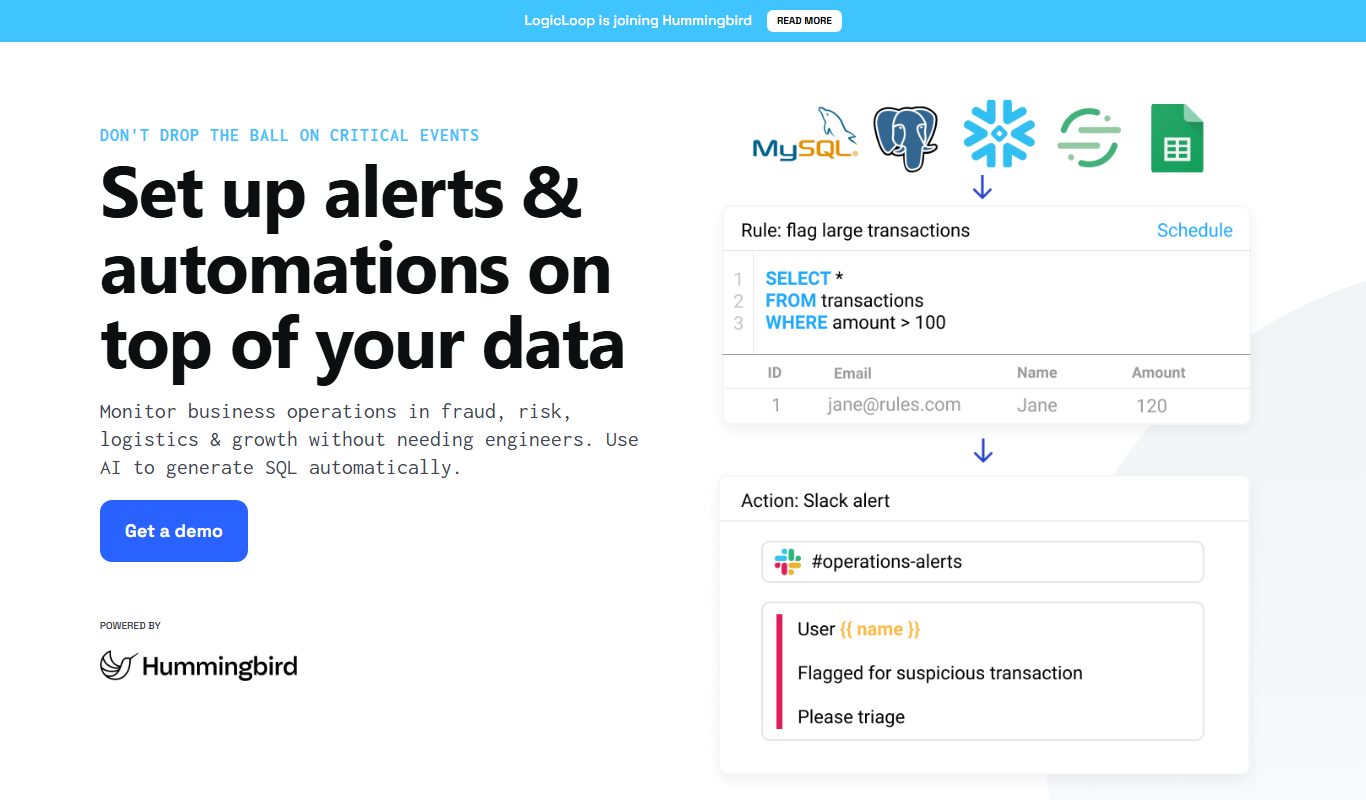
LogicLoop AI SQL Copilot is an AI-powered tool that converts natural language inputs into optimized SQL queries, enabling users to analyze and manage databases efficiently without deep SQL knowledge.
- Best for
- Automated SQL Query Generation
- Key capability
- Natural Language to SQL Conversion
Do you recommend this tool?
What is LogicLoop AI SQL Copilot?
LogicLoop AI SQL Copilot is an AI-powered assistant designed to simplify and automate the process of writing SQL queries. It enables users to interact with databases using natural language, generating accurate SQL code that can be used for data analysis, reporting, and business intelligence. This tool helps reduce the technical barrier for non-expert users and accelerates workflows for data professionals.
Key features of LogicLoop AI SQL Copilot
The tool offers natural language to SQL conversion, query optimization suggestions, integration with popular databases, and a user-friendly web interface that supports collaborative query building and sharing.
Natural Language to SQL Conversion
Translate plain English questions into complex SQL queries automatically.
Query Optimization Suggestions
Receive recommendations to improve query performance and efficiency.
Database Integrations
Supports connections to major SQL databases like PostgreSQL, MySQL, and others.
Collaborative Query Building
Share and collaborate on queries with team members within the platform.
Pros and cons of LogicLoop AI SQL Copilot
Pros
- Simplifies complex SQL query creation with natural language
- Supports multiple popular SQL databases
- Collaborative features enhance team productivity
- Offers query optimization suggestions
- User-friendly web interface
Cons
- Limited language support (English only)
- Pricing may be high for small teams
- No mobile app currently available
Key use cases for LogicLoop AI SQL Copilot
Automated SQL Query Generation
Generate complex SQL queries automatically using natural language prompts, reducing manual coding effort.
Data Analysis and Insights
Analyze database contents and extract actionable insights quickly with AI-powered query assistance.
Business Intelligence Reporting
Create reports and dashboards by generating SQL queries that feed into BI tools, streamlining data workflows.
Database Management Assistance
Assist database administrators and analysts in managing and exploring data with AI-driven query suggestions.
How LogicLoop AI SQL Copilot works
- 1
Connect Your Database
Securely link your database to LogicLoop to enable AI access for query generation.
- 2
Input Natural Language Queries
Describe your data needs or questions in plain English.
- 3
Receive Generated SQL
LogicLoop converts your input into optimized SQL queries ready to run.
- 4
Run and Refine Queries
Execute queries, review results, and refine prompts for improved accuracy.
Who is using LogicLoop AI SQL Copilot
Data analysts
Business intelligence professionals
Database administrators
Small to medium businesses
Marketing teams
LogicLoop AI SQL Copilot pricing
Free Trial
$0 for 14 days
Access all features with limited usage to evaluate the platform.
Pro
$49/month
Full feature access with higher usage limits and priority support.
Enterprise
Custom pricing
Tailored solutions with dedicated support and advanced integrations.
Plans and prices are as published by the vendor and can change. Check the official site before you buy. Open the pricing page (opens in a new tab)
Frequently asked questions about LogicLoop AI SQL Copilot
LogicLoop supports popular SQL databases including PostgreSQL, MySQL, Microsoft SQL Server, and others.
No, LogicLoop allows you to write queries using natural language, making it accessible for users without SQL expertise.
Yes, LogicLoop uses secure connections and encryption to protect your data privacy and security.
Yes, the platform supports collaborative query building and sharing among team members.
It depends on your specific needs and how you plan to use the tool. The official website and documentation are the best sources for the latest details.
Data handling and security practices vary by provider. Review the official privacy policy to understand how your data is stored and used.
It depends on your specific needs and how you plan to use the tool. The official website and documentation are the best sources for the latest details.
Sign in to review this tool.
Sign In to ReviewNo reviews yet
Be the first to share how this tool worked for you.
Ask about pricing, limits, or how it compares — or answer someone else.
Sign In to AskNo questions yet
Have a question about using or paying for this tool? Be the first to ask.
Featured on TiorAI


