

From my experience with Linkstac, I found it excels at centralizing link management and providing clear, real-time analytics that help marketers understand their campaign performance quickly. The platform’s branded URL shortening and team collaboration features make it particularly well-suited for marketing agencies and SEO professionals who need to maintain consistent branding and coordinate efforts across teams. However, the lack of mobile apps and limited third-party integrations may be a drawback for users seeking more flexibility. Overall, if you need a straightforward, web-based tool to organize and optimize your marketing links, Linkstac delivers solid, practical functionality.
Linkstac Link Management Platform for Marketing and SEO Professionals
Linkstac is a web-based platform that centralizes link management, offering branded URL shortening, real-time analytics, and team collaboration to improve marketing and SEO campaigns.
- Best for
- Centralized Link Management
- Key capability
- Centralized Link Dashboard
Your actions
Save Linkstac, follow its updates and vote on it — everything stays in your account.
Sign in or create a free account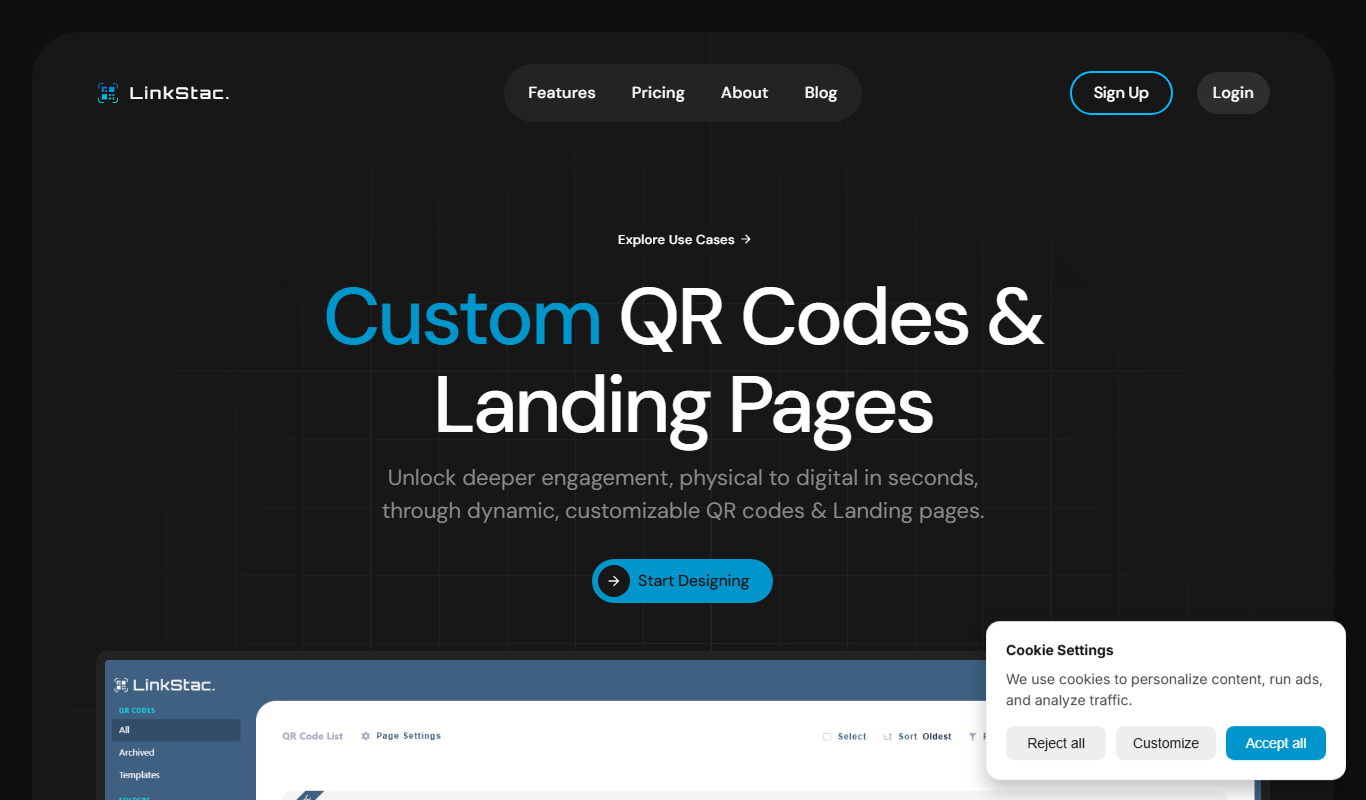

What is Linkstac?
Linkstac is a web-based link management platform designed to help marketers, SEO professionals, and businesses organize, track, and optimize their URLs. It centralizes link creation, monitoring, and analytics to improve campaign performance and SEO efforts.
Key features of Linkstac
Linkstac offers features such as centralized link management, real-time click analytics, branded URL shortening, team collaboration tools, and SEO-focused link optimization to empower marketing teams and SEO specialists.
Centralized Link Dashboard
Manage all your links in one place with easy access and organization.
Real-Time Analytics
Get up-to-date metrics on link clicks, sources, and user engagement.
Branded URL Shortening
Create custom short links that reflect your brand identity.
Team Collaboration Tools
Assign roles and share link data securely within your team.
SEO Link Monitoring
Track backlinks and internal links to support SEO strategies.
Pros and cons of Linkstac
Pros
- Centralizes link management for better organization
- Provides detailed real-time analytics
- Supports branded URL shortening
- Facilitates team collaboration
- Helps improve SEO link strategies
Cons
- Limited integrations with other marketing tools
- No mobile app available currently
Key use cases for Linkstac
Centralized Link Management
Manage all your marketing and SEO links in one platform to streamline workflows and maintain consistency.
Campaign Performance Tracking
Track clicks and engagement metrics on your links to measure the effectiveness of marketing campaigns.
SEO Link Optimization
Optimize and monitor backlinks and internal links to improve search engine rankings.
Team Collaboration
Collaborate with team members by sharing link data and managing access permissions.
Custom URL Shortening
Create branded short links to enhance brand recognition and improve click-through rates.
How Linkstac works
- 1
Create an Account
Sign up on Linkstac’s website to access the platform.
- 2
Add and Organize Links
Import or create new links and organize them into projects or campaigns.
- 3
Shorten and Brand URLs
Generate branded short links to use in marketing materials.
- 4
Track Link Performance
Monitor clicks, geographic data, and referral sources through the dashboard.
- 5
Collaborate with Team
Share access and insights with team members to coordinate link strategies.
Who is using Linkstac
Digital marketing agencies
SEO professionals
Content marketers
Small to medium businesses
Social media managers
Linkstac pricing
Starter
$19/month
Basic link management and analytics for small teams.
Professional
$49/month
Advanced features including branded links and team collaboration.
Enterprise
Custom pricing
Tailored solutions with dedicated support and integrations.
Plans and prices are as published by the vendor and can change. Check the official site before you buy. Open the pricing page (opens in a new tab)
Frequently asked questions about Linkstac
Yes, Linkstac provides real-time analytics including clicks, geographic data, and referral sources.
Yes, you can create custom branded short links to enhance your marketing efforts.
Linkstac offers a free trial period so you can test the platform before subscribing.
Yes, Linkstac supports team collaboration with role-based access controls.
This tool is designed to help users accomplish its core tasks more efficiently. It is typically used by individuals or teams looking to improve productivity and workflow.
It depends on your specific needs and how you plan to use the tool. The official website and documentation are the best sources for the latest details.
Yes, it can help with that use case depending on how you configure it and what features are available. You’ll get the best results with clear inputs and a defined goal.
Sign in to review this tool.
Sign In to ReviewNo reviews yet
Be the first to share how this tool worked for you.
Ask about pricing, limits, or how it compares — or answer someone else.
Sign In to AskNo questions yet
Have a question about using or paying for this tool? Be the first to ask.
Featured on TiorAI



More AI SEO Tools tools
Other tools in the same category, for when this one is not quite the fit.
Free Trial
Averi
Averi is the AI content engine for startups: it researches, drafts, scores and publishes SEO and GEO-optimized content to your CMS so you rank on Google and get cited by AI.

Free Trial
Plugger
Plugger is an AI design generator that creates social media posts, banners, logos, icons and illustrations from text in seconds.

Subscription
KeywordSearch.com
KeywordSearch.com uses AI to build ad audiences and research keywords for Google and YouTube Ads, with one-click sync to Google Ads and a YouTube ad spy library.

Freemium
Aiglot
Aiglot creates a multilingual SEO blog with AI generated articles and AI translations.

One-time payment
Alt Text AI Generator
Alt Text AI Generator is a web tool that uses AI to create descriptive alternative text for images, helping improve website accessibility and SEO.

Free
AI Blog Articles
AI Blog Articles is a web-based AI content generation tool that helps users create SEO-friendly blog posts efficiently by inputting topics or keywords and customizing tone and length.

Free
AI Suggests
AI Suggests is an AI tool that generates ready-to-use content and new ideas for a business instantly.

Free
Topicmojo
Topicmojo is a web-based SEO tool that helps users discover relevant topics and keywords to create optimized content and improve search rankings.