

From my experience with Latext AI, I found it excels at simplifying the traditionally complex process of creating LaTeX documents by integrating AI assistance directly into the editor. This makes it particularly well-suited for academics, researchers, and students who need to produce professional scientific papers without deep LaTeX knowledge. However, as a web-only platform, it lacks offline editing capabilities, and some advanced features require a subscription. Overall, if you want an AI-powered LaTeX tool that streamlines document creation and offers real-time previews, Latext AI delivers solid results.
Latext AI - AI-Powered LaTeX Document Generator and Editor Online
Latext AI is an AI-powered web platform that helps users create, edit, and export LaTeX documents easily with AI assistance and real-time preview.
- Best for
- Academic Paper Writing
- Key capability
- AI-Powered Content Generation
Your actions
Save Latext AI, follow its updates and vote on it — everything stays in your account.
Sign in or create a free account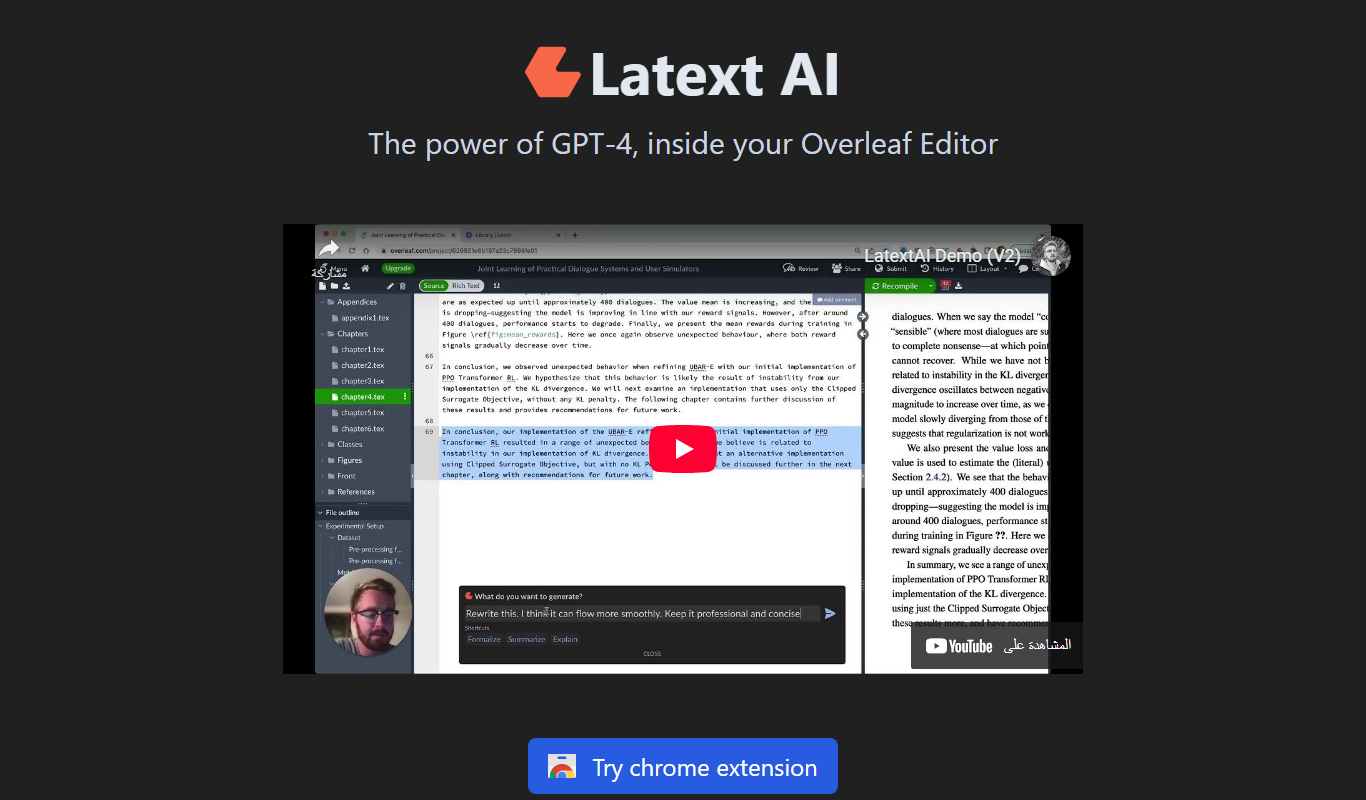
What is Latext AI?
Latext AI is an AI-powered online platform designed to simplify the creation and editing of LaTeX documents. It leverages artificial intelligence to assist users in generating well-formatted scientific and technical documents, including academic papers, theses, and presentations. The tool integrates LaTeX editing capabilities with AI-driven content generation, making it easier for users to produce complex documents with mathematical formulas and structured layouts without deep LaTeX expertise.
Key features of Latext AI
Latext AI offers a user-friendly web interface for LaTeX document creation, AI-assisted content generation, real-time preview of LaTeX code, formula and equation editing, and seamless PDF export. It supports collaborative editing and provides templates tailored for academic and technical writing.
AI-Powered Content Generation
Generate text and LaTeX code snippets automatically to speed up document creation.
Real-Time LaTeX Preview
Instantly see how your LaTeX code renders, reducing errors and improving formatting.
Mathematical Formula Editor
Easily create and edit complex mathematical expressions with AI guidance.
Template Library
Access a variety of pre-built templates for academic papers, presentations, and reports.
PDF Export
Export your documents in high-quality PDF format ready for submission or printing.
Pros and cons of Latext AI
Pros
- Simplifies complex LaTeX document creation with AI
- Real-time preview reduces formatting errors
- Supports mathematical and scientific content effectively
- Offers useful templates for academic and technical writing
Cons
- Limited offline functionality as a web-only platform
- Advanced features require paid subscription
Key use cases for Latext AI
Academic Paper Writing
Generate and edit LaTeX documents for research papers, theses, and academic articles with AI assistance.
Mathematical Document Preparation
Create complex mathematical formulas and equations easily using AI-powered LaTeX editing tools.
Technical Documentation
Produce professional technical documents with precise formatting and structure using LaTeX templates.
Presentation Slides
Design and generate LaTeX-based presentation slides for academic or professional use.
PDF Export and Sharing
Export completed LaTeX documents to PDF format for sharing, printing, or submission.
How Latext AI works
- 1
Create an Account
Sign up on the Latext AI website to access the platform and save your projects.
- 2
Start a New Document
Choose a template or start from scratch to begin your LaTeX document.
- 3
Use AI Assistance
Leverage AI features to generate text, format equations, and structure your document efficiently.
- 4
Edit and Preview
Edit LaTeX code directly or via the editor interface and preview changes in real-time.
- 5
Export and Share
Export your finished document as a PDF or share it with collaborators.
Who is using Latext AI
Researchers and academics
Students preparing theses or papers
Technical writers and engineers
Mathematicians and scientists
Educators creating course materials
Latext AI pricing
Free
$0/month
Access basic LaTeX editing and AI features with limited document storage.
Pro
$15/month
Unlock full AI capabilities, increased storage, priority support, and advanced templates.
Plans and prices are as published by the vendor and can change. Check the official site before you buy. Open the pricing page (opens in a new tab)
Frequently asked questions about Latext AI
No, Latext AI’s AI assistance helps users with little or no LaTeX experience to create professional documents.
Yes, Latext AI supports collaborative editing and sharing features.
Latext AI employs standard security measures to protect your documents and personal information.
Currently, PDF export is the primary supported format for finished documents.
Yes, it can help with that use case depending on how you configure it and what features are available. You’ll get the best results with clear inputs and a defined goal.
It depends on your specific needs and how you plan to use the tool. The official website and documentation are the best sources for the latest details.
Yes, it can help with that use case depending on how you configure it and what features are available. You’ll get the best results with clear inputs and a defined goal.
Sign in to review this tool.
Sign In to ReviewNo reviews yet
Be the first to share how this tool worked for you.
Ask about pricing, limits, or how it compares — or answer someone else.
Sign In to AskNo questions yet
Have a question about using or paying for this tool? Be the first to ask.
Featured on TiorAI



Alternative Tools
Explore similar AI tools that might fit your needs

Free
Overleaf
Overleaf is a cloud-based LaTeX editor that enables real-time collaborative writing and editing of scientific and academic documents with integrated PDF preview and version control.

Free
Papeeria
Papeeria is an online LaTeX editor that enables real-time collaborative writing, cloud project management, and PDF compilation, designed primarily for academic and scientific documents.
More AI Landscape Tools tools
Other tools in the same category, for when this one is not quite the fit.

Free Trial
ArchitectAI
ArchitectAI is a web-based AI tool that helps software architects design, visualize, and document software system architectures with automated diagram generation and collaboration features.

Free
Lightning AI
Lightning AI is a platform designed to streamline the entire machine learning lifecycle, offering scalable training, automated deployment, experiment tracking, and collaboration tools primarily built around PyTorch Lightning.

Free
LangUI
LangUI is an AI-driven platform that helps developers generate multilingual user interface text quickly and accurately, supporting multiple languages and offering API integration.

Free Trial
Agent Crop
Agent Crop is an AI-driven marketing platform designed for real estate professionals to generate and nurture leads through automated social media ads and follow-up sequences integrated with CRM systems.

Subscription
Aura
Aura is a subscription-based identity theft protection and cybersecurity platform that monitors your personal data, credit, and dark web activity while providing VPN and antivirus protection, especially suited for families.

Free
Stablecog
Stablecog is a web-based AI image generator that converts text prompts into unique digital artwork using multiple AI models, offering free and paid plans.